
1 FPT University Ultra Sub Team Ultra Sub

1 FPT University - Ultra. Sub Team
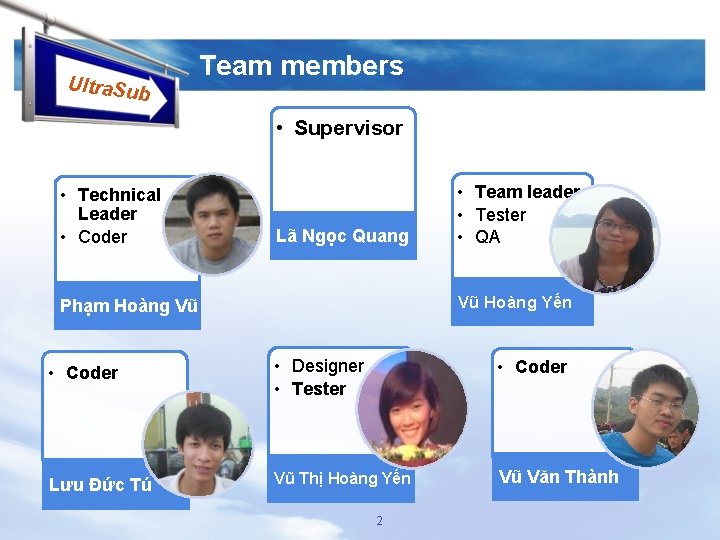
Ultra. Sub Team members • Supervisor • Technical Leader • Coder Lã Ngọc Quang • Team leader • Tester • QA Vũ Hoàng Yến Phạm Hoàng Vũ • Coder • Designer • Tester • Coder Lưu Đức Tú Vũ Thị Hoàng Yến Vũ Văn Thành 2
Content Introduction Problem Definition Project organization Project plan Requirements Software design Testing Demo FPT University - Ultra. Sub Team 3
Introduction What is Ultra. Sub ? Ultra. Sub is a desktop application. It is the combination of media player, subtitle editor and translator. Users can edit, translate, synchronize, combine… subtitles. Provide the special dictionary for translating The application runs on Windows XP, Windows 7, and Windows 8… FPT University - Ultra. Sub Team 4
Problem Definition Scope Supports user translate subtitles from English to Vietnamese. Improve the quality of translation. Use main functions of media player: play, pause, stop, forward, backward. Supports user create, edit original and translated subtitles; edit subtitle while the movie is playing. Edit function is used for the movies have not hard subtitles. FPT University - Ultra. Sub Team 5
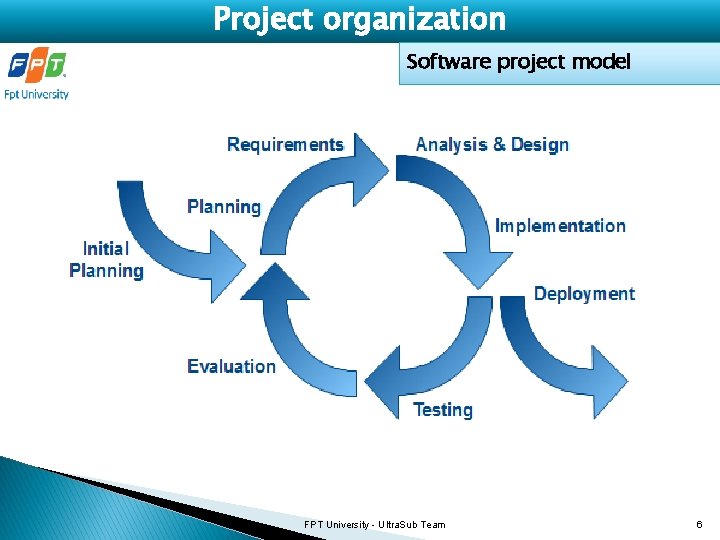
Project organization Software project model FPT University - Ultra. Sub Team 6

Project organization Roles and responsibilities No Student name Email Role 1 Vũ Hoàng Yến yenvh 01110@fpt. edu. vn Team lead, QA 2 Vũ Văn Thành thanhvv 01220@gmail. com Coder 3 Vũ Thị Hoàng Yến yenvth 01177@fpt. edu. vn Designer, Tester 4 Lưu Đức Tú tuld 01061@fpt. edu. vn Coder 5 Phạm Hoàng Vũ vuph 01037@fpt. edu. vn Technical Leader, Coder FPT University - Ultra. Sub Team 7
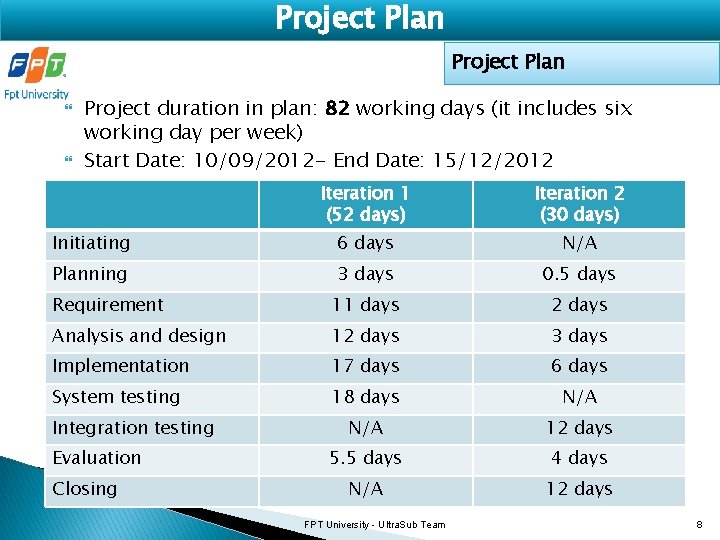
Project Plan Project duration in plan: 82 working days (it includes six working day per week) Start Date: 10/09/2012 - End Date: 15/12/2012 Iteration 1 (52 days) Iteration 2 (30 days) Initiating 6 days N/A Planning 3 days 0. 5 days Requirement 11 days 2 days Analysis and design 12 days 3 days Implementation 17 days 6 days System testing 18 days N/A 12 days 5. 5 days 4 days N/A 12 days Integration testing Evaluation Closing FPT University - Ultra. Sub Team 8
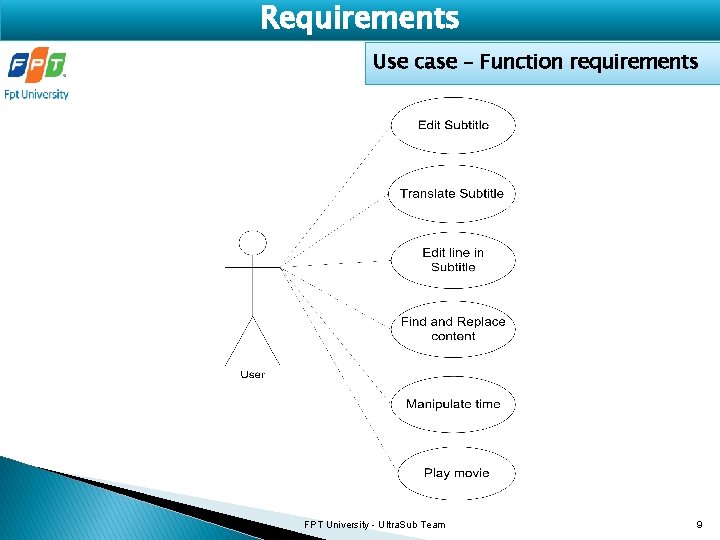
Requirements Use case – Function requirements FPT University - Ultra. Sub Team 9
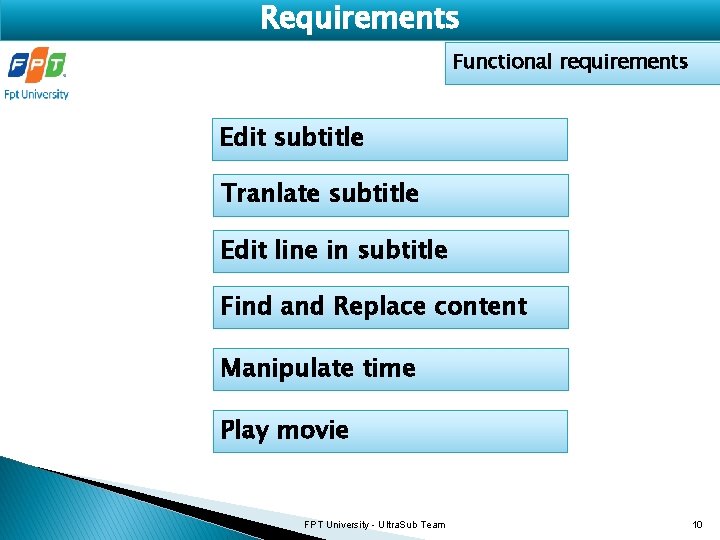
Requirements Functional requirements Edit subtitle Tranlate subtitle Edit line in subtitle Find and Replace content Manipulate time Play movie FPT University - Ultra. Sub Team 10
Functional requirements Edit subtitle Create new subtitle Load original/translated subtitle Edit subtitle on the movie screen Edit subtitle using editor form Save subtitle FPT University - Ultra. Sub Team 11
Functional requirements Tranlate subtitle Translate all sentences Translate selected sentences Get more suggestions of translation Share translated sentences FPT University - Ultra. Sub Team 12
Functional requirements Edit line in subtitle Set format of text Insert new subtitle lines Cut/Delete lines Copy/Paste lines Undo/Redo Combine sentences FPT University - Ultra. Sub Team 13
Functional requirements Find and Replace content Find Replace Go to line number FPT University - Ultra. Sub Team 14
Functional requirements Manipulate time Set display time Synchronize subtitle and movie Order by time FPT University - Ultra. Sub Team 15
Requirements Play movie Open movie using play button Open and display subtitle Pause/Play/Stop movie Increase/Decrease speed Forward/Backward FPT University - Ultra. Sub Team 16
Requirements - Functional requirements Admin tool (Additional) New sentences Import from excel file Delete sentences Edit sentences Find by + original sentence + time Rate for a sentence FPT University - Ultra. Sub Team 17
Requirements Non-functional requirements Usability Reliability Availability Maintainability Portability Performance FPT University - Ultra. Sub Team 18
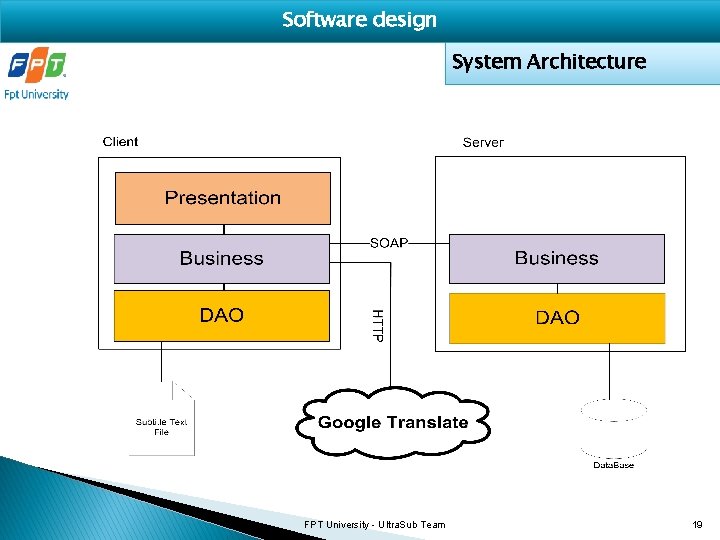
Software design System Architecture FPT University - Ultra. Sub Team 19
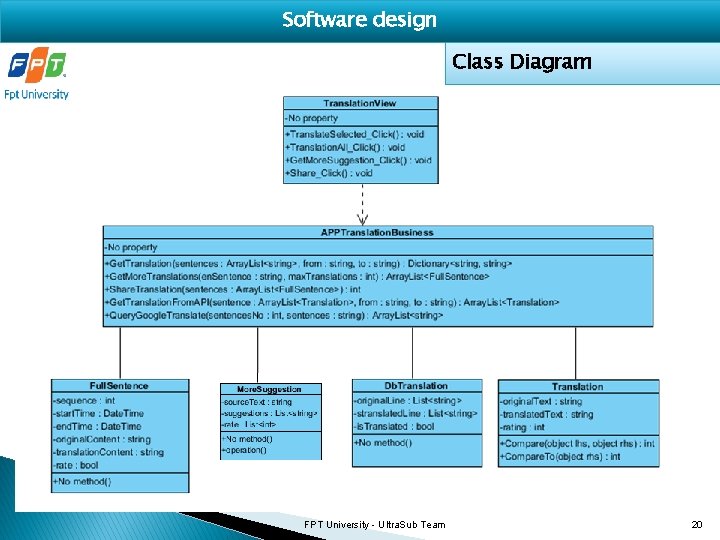
Software design Class Diagram FPT University - Ultra. Sub Team 20
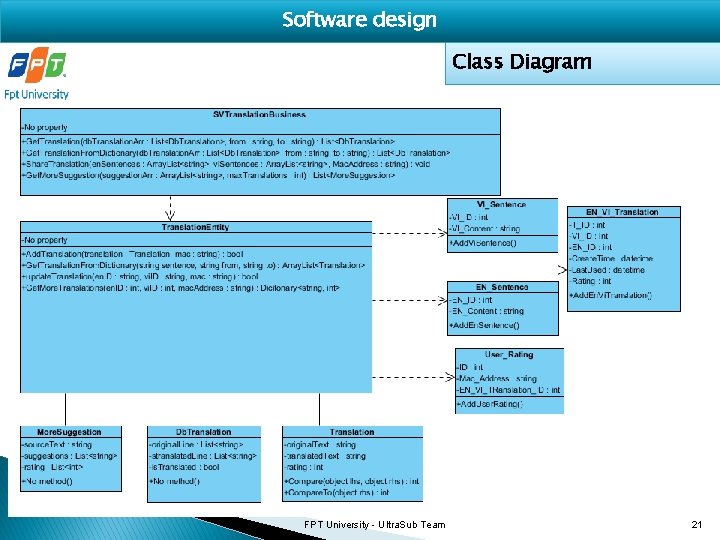
Software design Class Diagram FPT University - Ultra. Sub Team 21
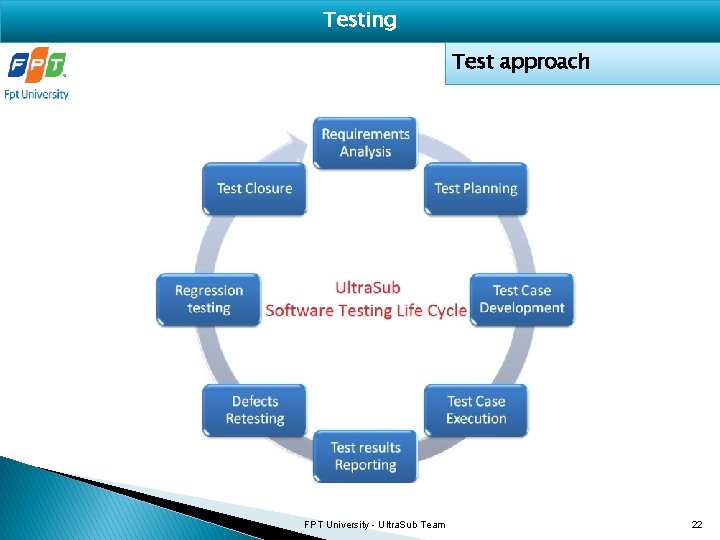
Testing Test approach FPT University - Ultra. Sub Team 22
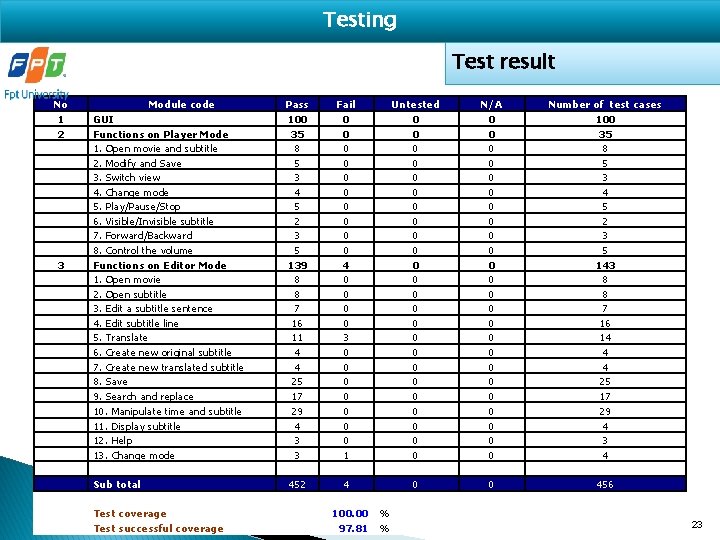
Testing Test result No 1 2 3 Module code GUI Functions on Player Mode 1. Open movie and subtitle 2. Modify and Save 3. Switch view 4. Change mode 5. Play/Pause/Stop 6. Visible/Invisible subtitle 7. Forward/Backward 8. Control the volume Functions on Editor Mode 1. Open movie 2. Open subtitle 3. Edit a subtitle sentence 4. Edit subtitle line 5. Translate 6. Create new original subtitle 7. Create new translated subtitle 8. Save 9. Search and replace 10. Manipulate time and subtitle 11. Display subtitle 12. Help 13. Change mode Sub total Test coverage Test successful coverage Pass 100 35 8 5 3 4 5 2 3 5 139 8 8 7 16 11 4 4 25 17 29 4 3 3 452 Fail 0 0 0 0 0 4 0 0 3 0 0 0 0 1 4 100. 00 97. 81 Untested 0 0 0 0 0 0 0 N/A 0 0 0 0 0 0 0 % FPT University - Ultra. Sub Team % Number of test cases 100 35 8 5 3 4 5 2 3 5 143 8 8 7 16 14 4 4 25 17 29 4 3 4 456 23
Demo FPT University - Ultra. Sub Team 24
Question and Answer FPT University - Ultra. Sub Team 25
Ultra. Sub Thank you
- Slides: 26