
1 Current Assignments Homework 3 is available and
1 Current Assignments • Homework 3 is available and is due on Thursday. Iteration and basic functions. • Exam 1 on Monday. Review on Thursday.
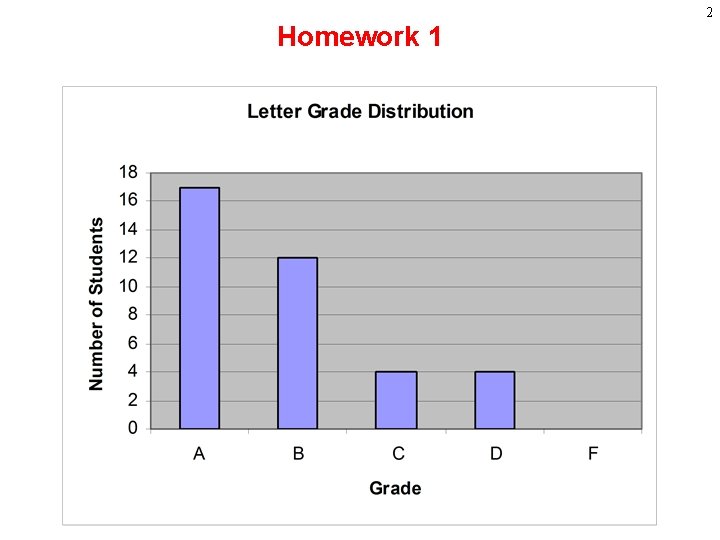
2 Homework 1
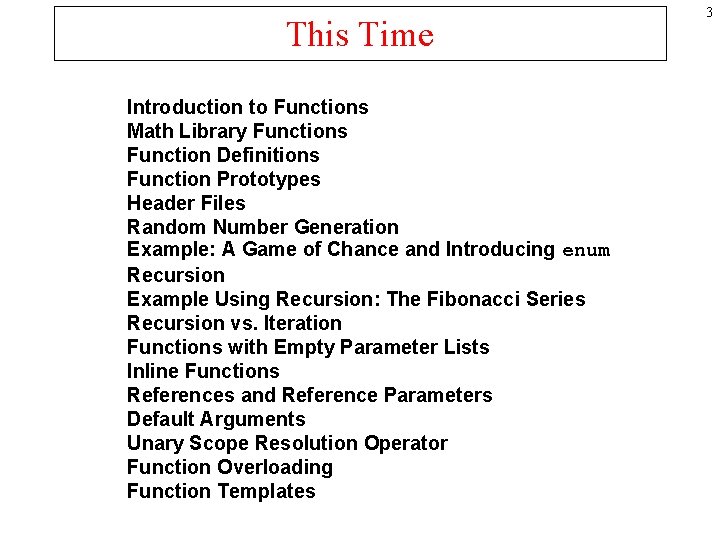
This Time Introduction to Functions Math Library Functions Function Definitions Function Prototypes Header Files Random Number Generation Example: A Game of Chance and Introducing enum Recursion Example Using Recursion: The Fibonacci Series Recursion vs. Iteration Functions with Empty Parameter Lists Inline Functions References and Reference Parameters Default Arguments Unary Scope Resolution Operator Function Overloading Function Templates 3
4 Introduction to Functions • In mathematics a “function” is said to map a value in its domain to a value in its range • Implicit in this definition is that someone has to actually perform the algorithm that transforms the value from the domain into the value in the range
5 Introduction to Functions • A function then can be thought of as an instruction to perform some algorithm and then plug the result in where the function was • Functions in older programming languages are often called “subroutines” or “procedures” a terms which capture the idea of a function containing an algorithm.
Introduction to Functions • Using functions to execute algorithms has several advantages: – Instead of having to rewrite an entire algorithm every time you need it you can just call a function you (or someone else) defined earlier – Functions make your code much easier to read because they hide its complexity 6
7 Introduction to Functions • “Functional languages” like Scheme or Lisp maintain the mathematical definition so that a function operates on the values it is given and returns a value • A function in C++ is more like a sub-program. Functions often perform all sorts of operations without taking any values or returning any values
8 Functions, Side effects • Functions which take arguments and return a value based only on those arguments are called “functional” • But functions in C++ can modify all sorts of variables and parameters beyond the variables they were given as arguments • When a function uses or modifies a variable that was not in its list of arguments it is called “side-effecting” • Side-effecting is generally discouraged
Writing Functions When you write a function you have to do two things: 1) Write the function prototype. The prototype appears before the function is called and outside the main function The prototype tells the compiler how the function can be called 2) Write the function definition. This is where the actual code for your function goes. It appears after the main function. 9
10 Introduction to Functions • Divide and conquer – Construct a program from smaller pieces or components – Each piece more manageable than the original program
11 Introduction to Functions • Programs can use functions that were defined in them or functions that were written by someone else • There are many, many prepackaged functions for you to use. Prepackaged functions are typically called “libraries” • Libraries only let you see the function prototypes not the function definitions.
12 Program Components in C++ • Boss to worker analogy – A boss (the calling function or caller) asks a worker (the called function) to perform a task and return (i. e. , report back) the results when the task is done.
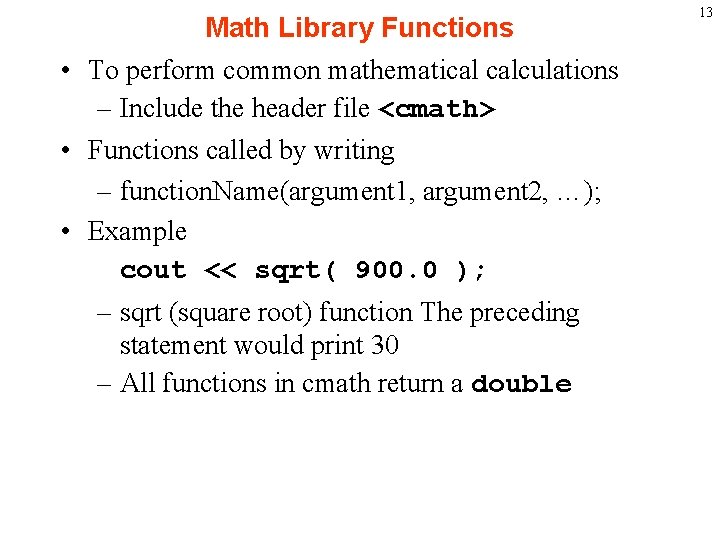
Math Library Functions • To perform common mathematical calculations – Include the header file <cmath> • Functions called by writing – function. Name(argument 1, argument 2, …); • Example cout << sqrt( 900. 0 ); – sqrt (square root) function The preceding statement would print 30 – All functions in cmath return a double 13
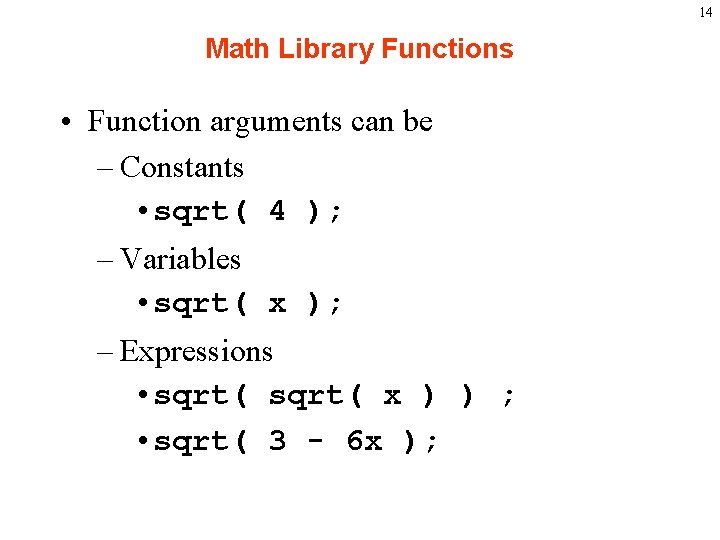
14 Math Library Functions • Function arguments can be – Constants • sqrt( 4 ); – Variables • sqrt( x ); – Expressions • sqrt( x ) ) ; • sqrt( 3 - 6 x );
15
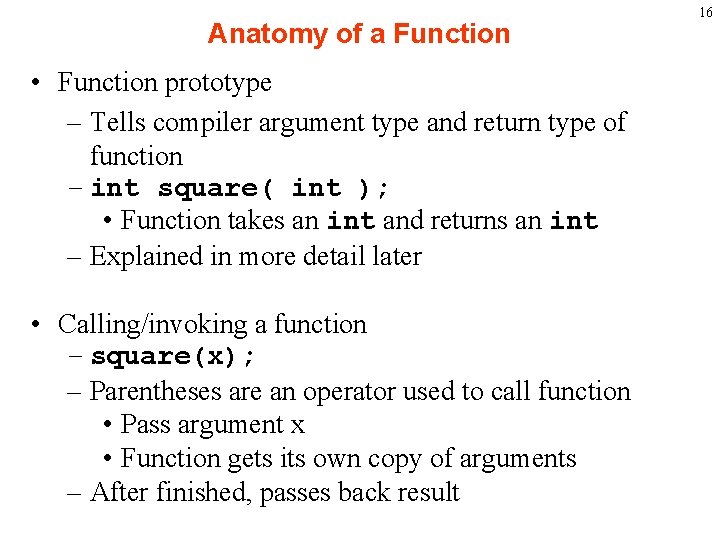
Anatomy of a Function • Function prototype – Tells compiler argument type and return type of function – int square( int ); • Function takes an int and returns an int – Explained in more detail later • Calling/invoking a function – square(x); – Parentheses are an operator used to call function • Pass argument x • Function gets its own copy of arguments – After finished, passes back result 16
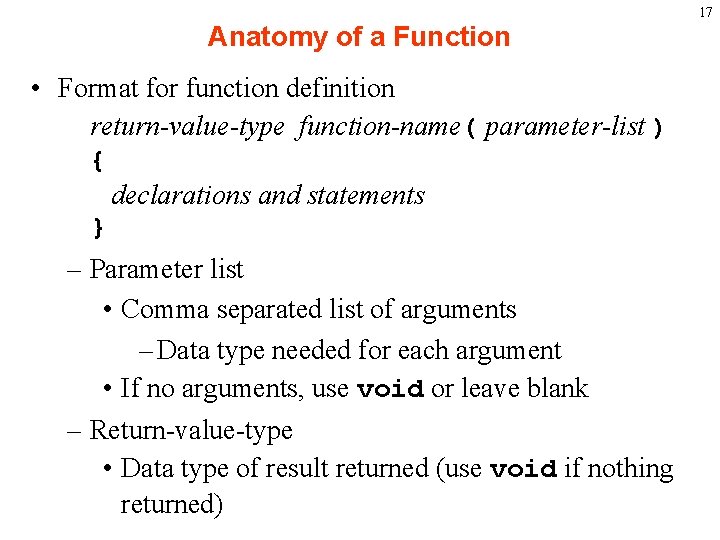
17 Anatomy of a Function • Format for function definition return-value-type function-name( parameter-list ) { declarations and statements } – Parameter list • Comma separated list of arguments – Data type needed for each argument • If no arguments, use void or leave blank – Return-value-type • Data type of result returned (use void if nothing returned)
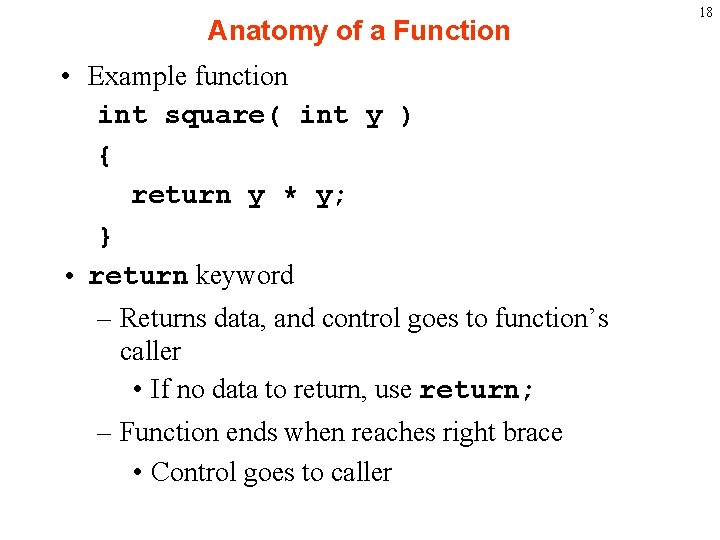
Anatomy of a Function • Example function int square( int y ) { return y * y; } • return keyword – Returns data, and control goes to function’s caller • If no data to return, use return; – Function ends when reaches right brace • Control goes to caller 18
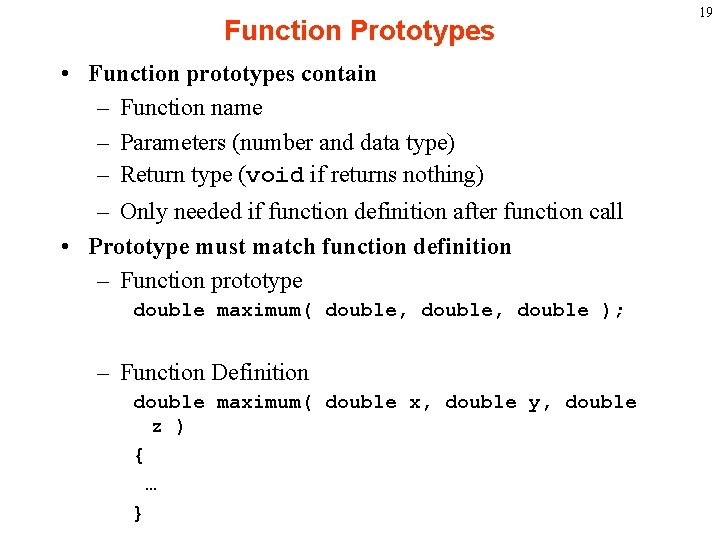
Function Prototypes • Function prototypes contain – Function name – Parameters (number and data type) – Return type (void if returns nothing) – Only needed if function definition after function call • Prototype must match function definition – Function prototype double maximum( double, double ); – Function Definition double maximum( double x, double y, double z ) { … } 19
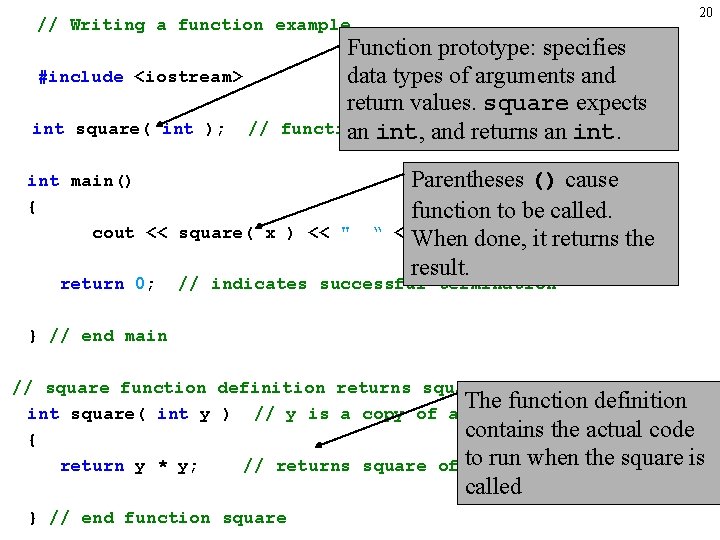
20 // Writing a function example #include <iostream> int square( int ); // Function prototype: specifies data types of arguments and return values. square expects function prototype an int, and returns an int main() { cout << square( x ) << " return 0; “ Parentheses () cause function to be called. <<When endl; done, // it function call returns the result. // indicates successful termination } // end main // square function definition returns square of an integer The function definition int square( int y ) // y is a copy of argument to function contains the actual code { when return y * y; // returns square of to y run as an intthe square is called } // end function square
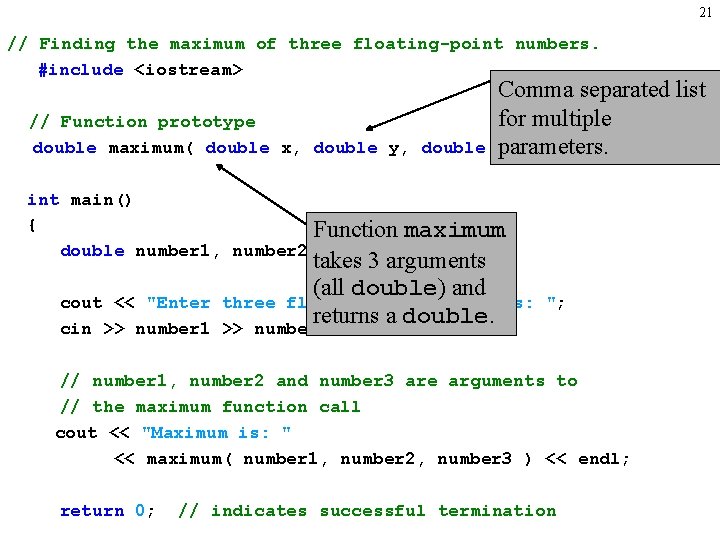
21 // Finding the maximum of three floating-point numbers. #include <iostream> // Function prototype double maximum( double x, double y, double Comma separated list for multiple z); parameters. int main() { Function maximum double number 1, number 2, number 3; cout << "Enter cin >> number 1 takes 3 arguments (all double) and three floating-point numbers: returns a double. >> number 2 >> number 3; "; // number 1, number 2 and number 3 are arguments to // the maximum function call cout << "Maximum is: " << maximum( number 1, number 2, number 3 ) << endl; return 0; // indicates successful termination
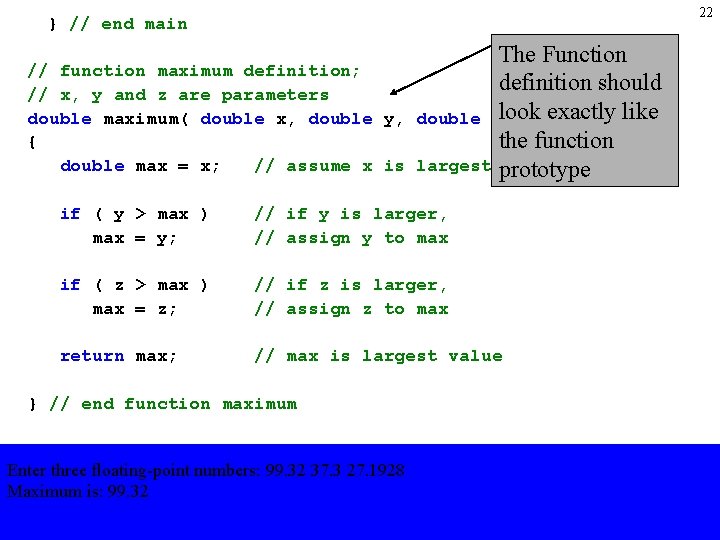
22 } // end main // function maximum definition; // x, y and z are parameters double maximum( double x, double y, { double max = x; // assume x is The Function definition should double zlook ) exactly like the function largest prototype if ( y > max ) max = y; // if y is larger, // assign y to max if ( z > max ) max = z; // if z is larger, // assign z to max return max; // max is largest value } // end function maximum Enter three floating-point numbers: 99. 32 37. 3 27. 1928 Maximum is: 99. 32
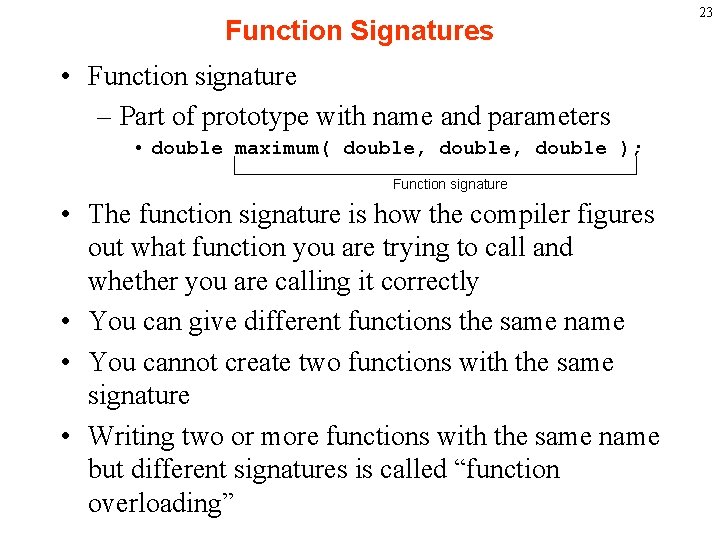
Function Signatures • Function signature – Part of prototype with name and parameters • double maximum( double, double ); Function signature • The function signature is how the compiler figures out what function you are trying to call and whether you are calling it correctly • You can give different functions the same name • You cannot create two functions with the same signature • Writing two or more functions with the same name but different signatures is called “function overloading” 23
Argument Coercion • Remember our discussion of how chars can be treated as ints • Argument Coercion – Forces arguments to be of the type specified on the prototype • Converting int (4) to double (4. 0) cout << sqrt(4) 24
Function Overloading • Function overloading is used frequently and can be very useful. • If your function needs to do slightly different things based on the type of arguments it received then function overloading simplifies things • Instead of the user having to remember three different user defined functions print_int( int ), print_float( float ), print_char( char ), with function overloading they can just remember one function name print() and let the system decide which version to call based on the argument type. 25
Function Overloading 26 • The operators we have seen like + and / are special versions of functions that take two arguments. • These functions are overloaded so that you don’t have to use float/ when dividing floating point numbers or int/ with integers. • This is also how the stream insertion operator is able to print any basic type you give it. You are actually calling a different function when you write cout << x than when you write if x is an int and y is a float cout << y;
Argument Coercion • Conversion rules • Arguments are usually cast automatically • Changing from double to int can truncate data 3. 4 to 3 • Most compilers will warn you if a truncation occurs • e. g. This is what MSVC 6 tells you: warning C 4244: '=' : conversion from 'double' to 'float', possible loss of data 27
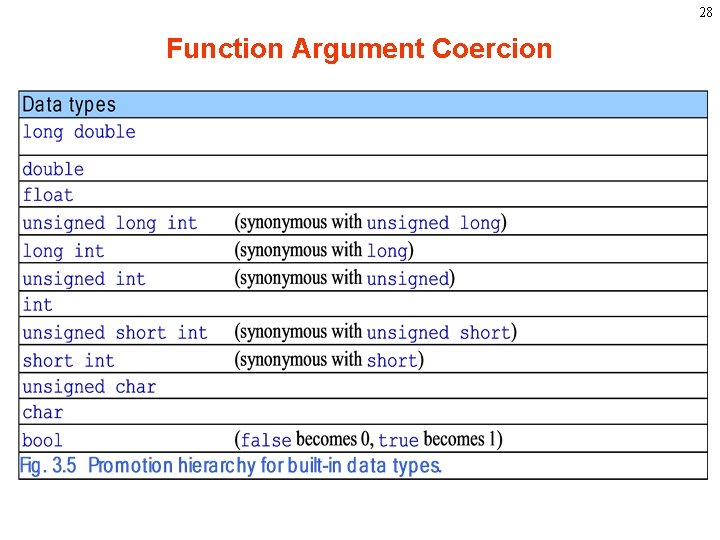
28 Function Argument Coercion
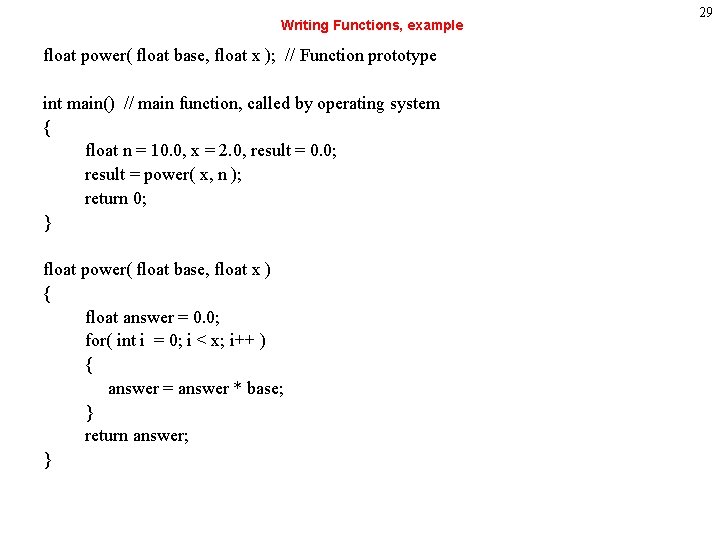
Writing Functions, example float power( float base, float x ); // Function prototype int main() // main function, called by operating system { float n = 10. 0, x = 2. 0, result = 0. 0; result = power( x, n ); return 0; } float power( float base, float x ) { float answer = 0. 0; for( int i = 0; i < x; i++ ) { answer = answer * base; } return answer; } 29
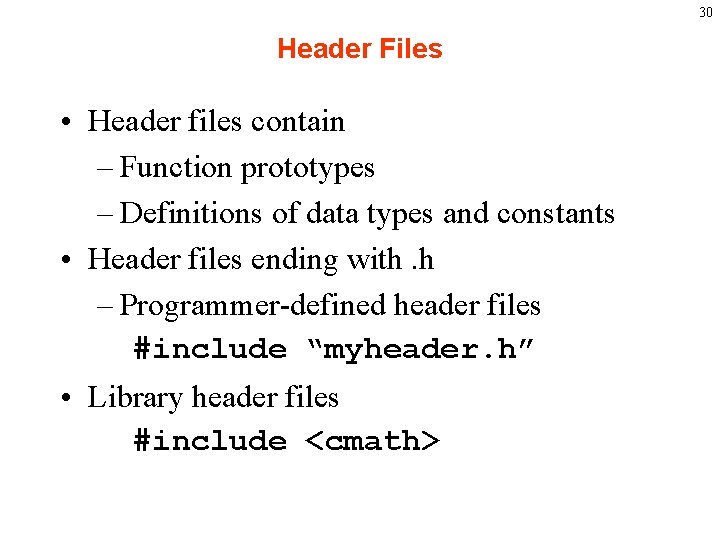
30 Header Files • Header files contain – Function prototypes – Definitions of data types and constants • Header files ending with. h – Programmer-defined header files #include “myheader. h” • Library header files #include <cmath>
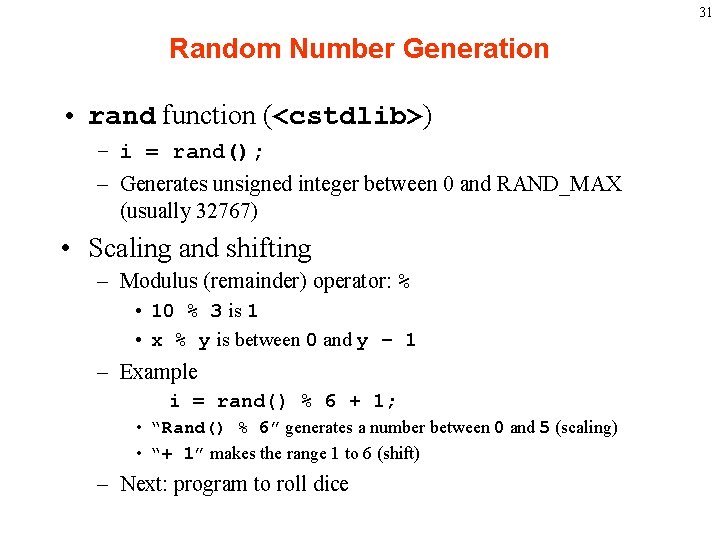
31 Random Number Generation • rand function (<cstdlib>) – i = rand(); – Generates unsigned integer between 0 and RAND_MAX (usually 32767) • Scaling and shifting – Modulus (remainder) operator: % • 10 % 3 is 1 • x % y is between 0 and y – 1 – Example i = rand() % 6 + 1; • “Rand() % 6” generates a number between 0 and 5 (scaling) • “+ 1” makes the range 1 to 6 (shift) – Next: program to roll dice
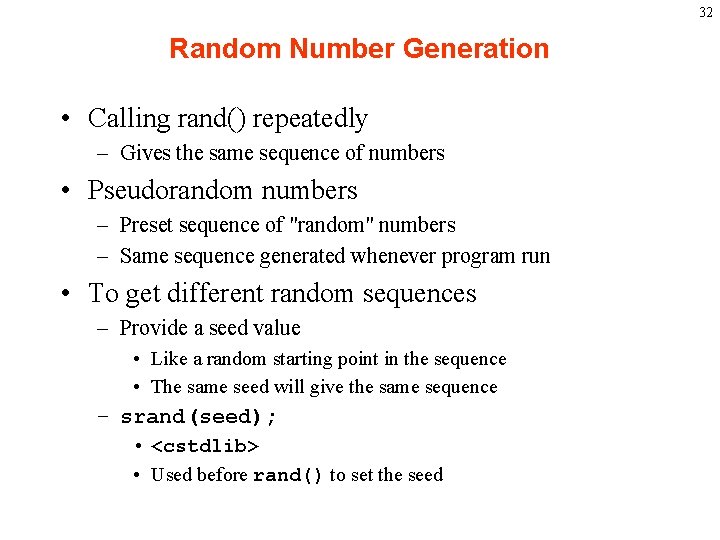
32 Random Number Generation • Calling rand() repeatedly – Gives the same sequence of numbers • Pseudorandom numbers – Preset sequence of "random" numbers – Same sequence generated whenever program run • To get different random sequences – Provide a seed value • Like a random starting point in the sequence • The same seed will give the same sequence – srand(seed); • <cstdlib> • Used before rand() to set the seed
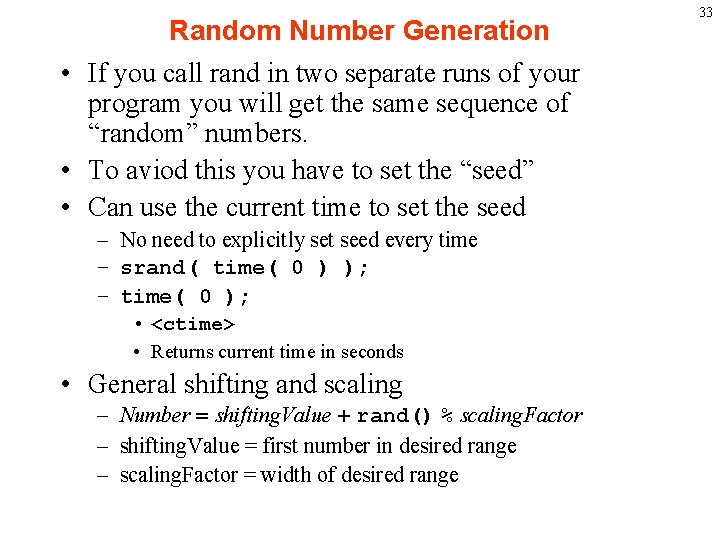
Random Number Generation • If you call rand in two separate runs of your program you will get the same sequence of “random” numbers. • To aviod this you have to set the “seed” • Can use the current time to set the seed – No need to explicitly set seed every time – srand( time( 0 ) ); – time( 0 ); • <ctime> • Returns current time in seconds • General shifting and scaling – Number = shifting. Value + rand() % scaling. Factor – shifting. Value = first number in desired range – scaling. Factor = width of desired range 33
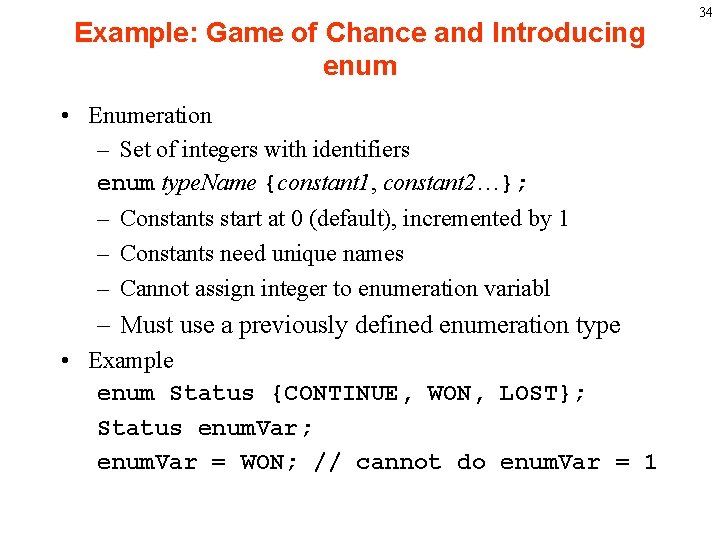
Example: Game of Chance and Introducing enum • Enumeration – Set of integers with identifiers enum type. Name {constant 1, constant 2…}; – Constants start at 0 (default), incremented by 1 – Constants need unique names – Cannot assign integer to enumeration variabl – Must use a previously defined enumeration type • Example enum Status {CONTINUE, WON, LOST}; Status enum. Var; enum. Var = WON; // cannot do enum. Var = 1 34
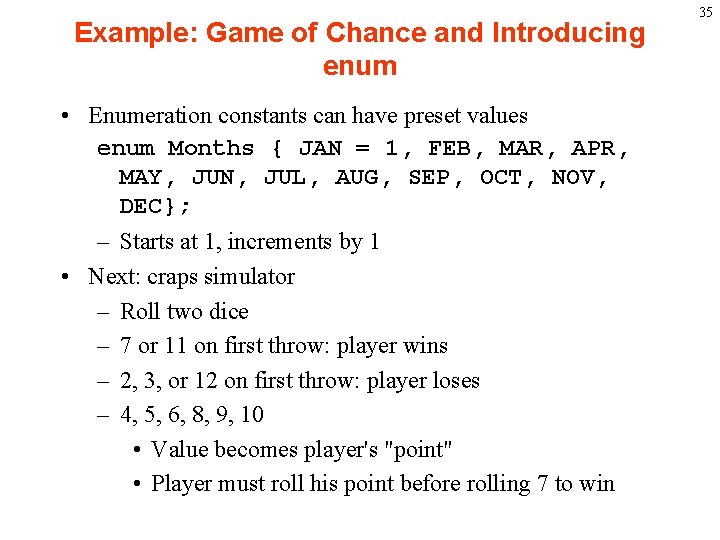
Example: Game of Chance and Introducing enum • Enumeration constants can have preset values enum Months { JAN = 1, FEB, MAR, APR, MAY, JUN, JUL, AUG, SEP, OCT, NOV, DEC}; – Starts at 1, increments by 1 • Next: craps simulator – Roll two dice – 7 or 11 on first throw: player wins – 2, 3, or 12 on first throw: player loses – 4, 5, 6, 8, 9, 10 • Value becomes player's "point" • Player must roll his point before rolling 7 to win 35
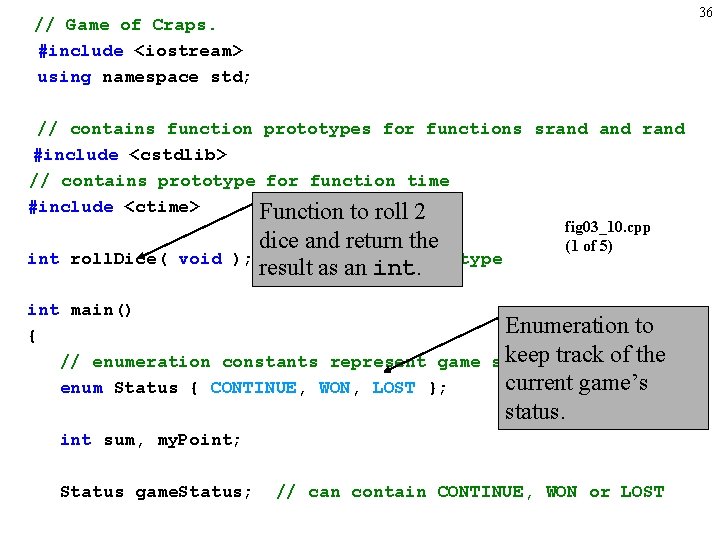
36 // Game of Craps. #include <iostream> using namespace std; // contains function prototypes for functions srand #include <cstdlib> // contains prototype for function time #include <ctime> Function to roll 2 int roll. Dice( void dice and return the ); // function prototype result as an int. fig 03_10. cpp (1 of 5) int main() Enumeration to { keep track of the // enumeration constants represent game status current game’s enum Status { CONTINUE, WON, LOST }; status. int sum, my. Point; Status game. Status; // can contain CONTINUE, WON or LOST
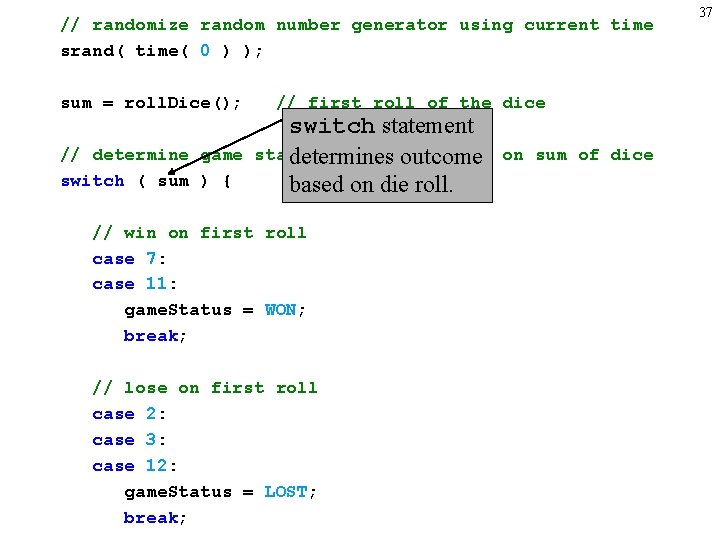
// randomize random number generator using current time srand( time( 0 ) ); sum = roll. Dice(); // determine game switch ( sum ) { // first roll of the dice switch statement status and point based determines outcome based on die roll. // win on first roll case 7: case 11: game. Status = WON; break; // lose on first roll case 2: case 3: case 12: game. Status = LOST; break; on sum of dice 37
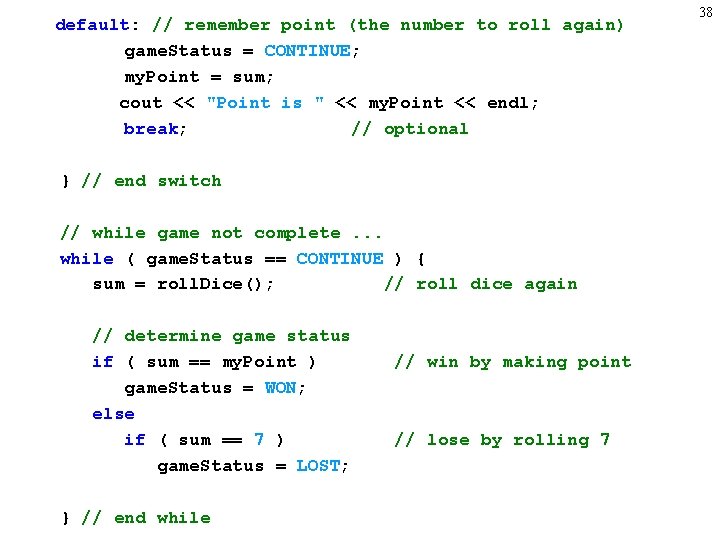
default: // remember point (the number to roll again) game. Status = CONTINUE; my. Point = sum; cout << "Point is " << my. Point << endl; break; // optional } // end switch // while game not complete. . . while ( game. Status == CONTINUE ) { sum = roll. Dice(); // roll dice again // determine game status if ( sum == my. Point ) game. Status = WON; else if ( sum == 7 ) game. Status = LOST; } // end while // win by making point // lose by rolling 7 38
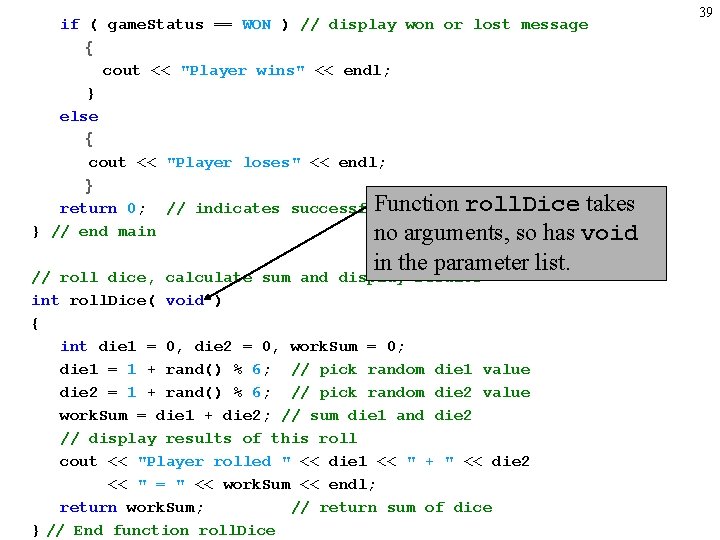
if ( game. Status == WON ) // display won or lost message { cout << "Player wins" << endl; } else { cout << "Player loses" << endl; } Function roll. Dice takes return 0; // indicates successful termination } // end main no arguments, so has void in the parameter list. // roll dice, calculate sum and display results int roll. Dice( void ) { int die 1 = 0, die 2 = 0, work. Sum = 0; die 1 = 1 + rand() % 6; // pick random die 1 value die 2 = 1 + rand() % 6; // pick random die 2 value work. Sum = die 1 + die 2; // sum die 1 and die 2 // display results of this roll cout << "Player rolled " << die 1 << " + " << die 2 << " = " << work. Sum << endl; return work. Sum; // return sum of dice } // End function roll. Dice 39
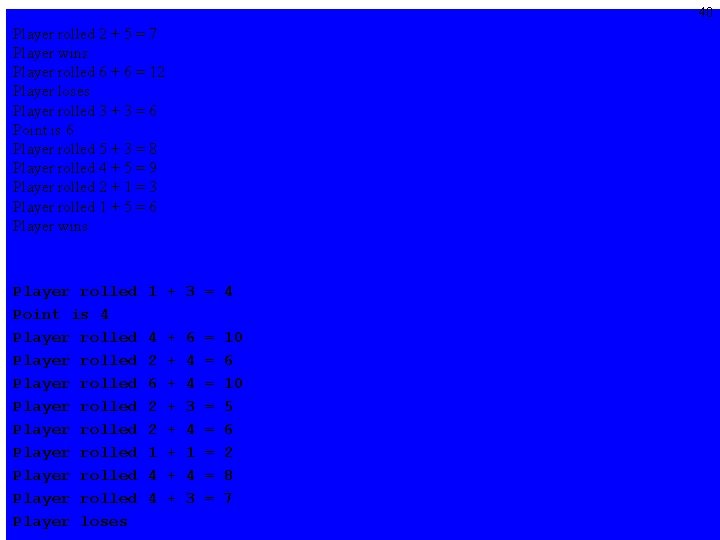
40 Player rolled 2 + 5 = 7 Player wins Player rolled 6 + 6 = 12 Player loses Player rolled 3 + 3 = 6 Point is 6 Player rolled 5 + 3 = 8 Player rolled 4 + 5 = 9 Player rolled 2 + 1 = 3 Player rolled 1 + 5 = 6 Player wins Player rolled Point is 4 Player rolled Player rolled Player loses 1 + 3 = 4 4 2 6 2 2 1 4 4 + + + + 6 4 4 3 4 1 4 3 = = = = 10 6 10 5 6 2 8 7
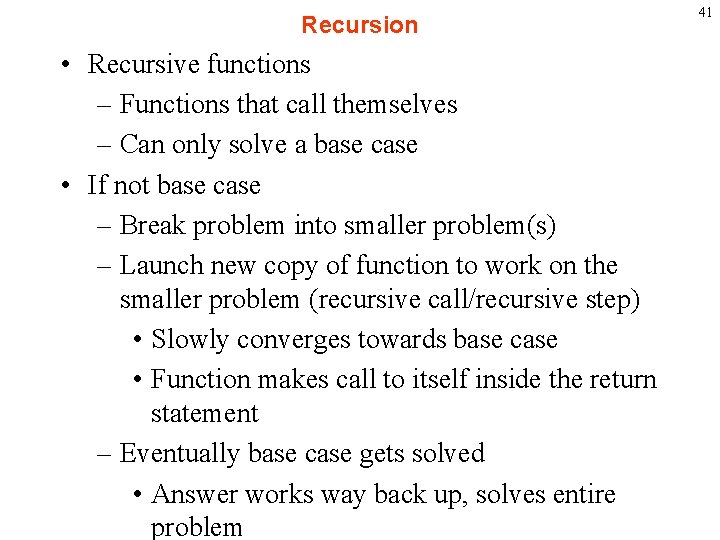
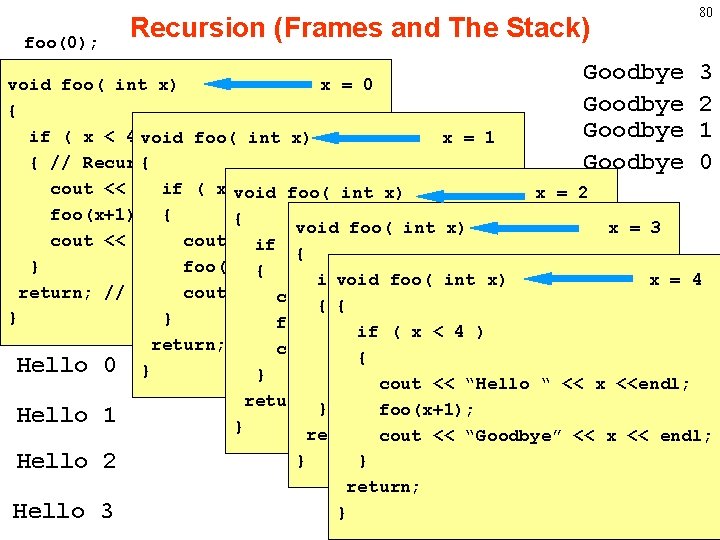
Recursion • Recursive functions – Functions that call themselves – Can only solve a base case • If not base case – Break problem into smaller problem(s) – Launch new copy of function to work on the smaller problem (recursive call/recursive step) • Slowly converges towards base case • Function makes call to itself inside the return statement – Eventually base case gets solved • Answer works way back up, solves entire problem 41
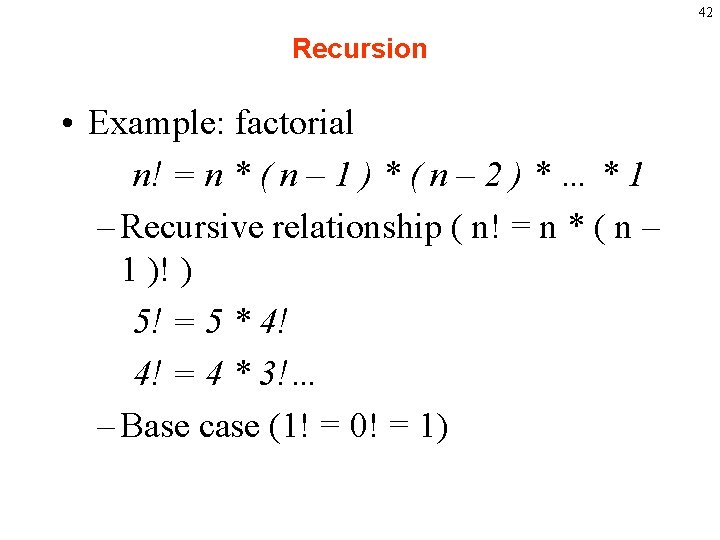
42 Recursion • Example: factorial n! = n * ( n – 1 ) * ( n – 2 ) * … * 1 – Recursive relationship ( n! = n * ( n – 1 )! ) 5! = 5 * 4! 4! = 4 * 3!… – Base case (1! = 0! = 1)
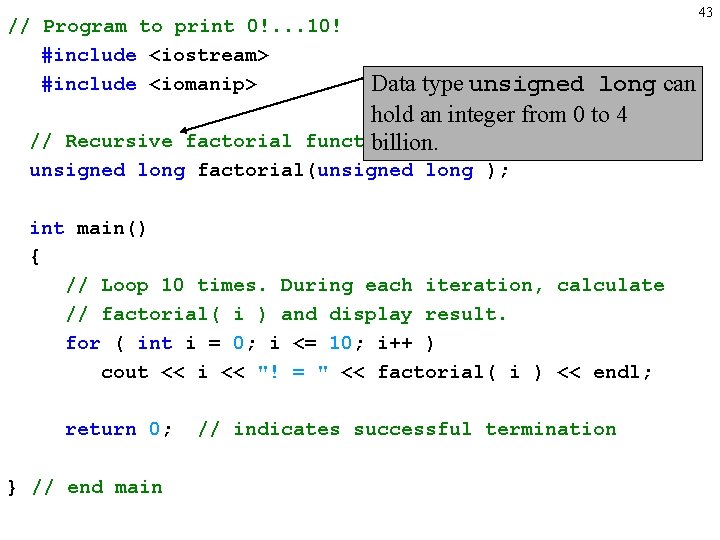
// Program to print 0!. . . 10! #include <iostream> #include <iomanip> Data type unsigned long can hold an integer from 0 to 4 // Recursive factorial function. billion. unsigned long factorial(unsigned long ); int main() { // Loop 10 times. During each iteration, calculate // factorial( i ) and display result. for ( int i = 0; i <= 10; i++ ) cout << i << "! = " << factorial( i ) << endl; return 0; } // end main // indicates successful termination 43
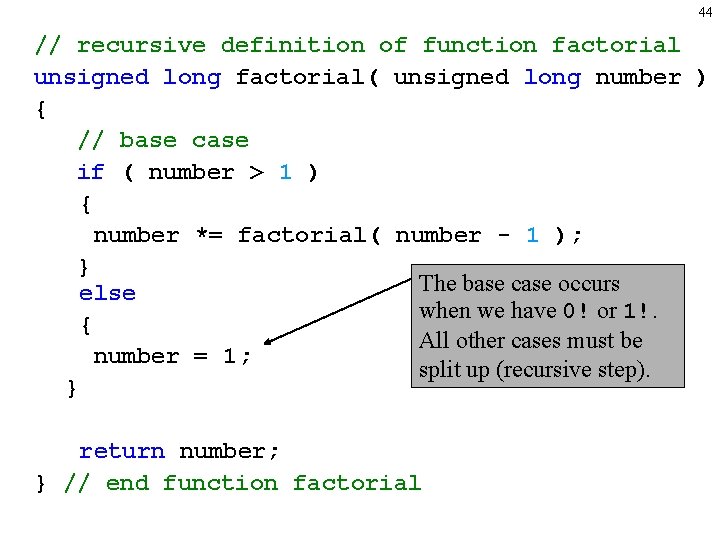
44 // recursive definition of function factorial unsigned long factorial( unsigned long number ) { // base case if ( number > 1 ) { number *= factorial( number - 1 ); } The base case occurs else when we have 0! or 1!. { All other cases must be number = 1; split up (recursive step). } return number; } // end function factorial
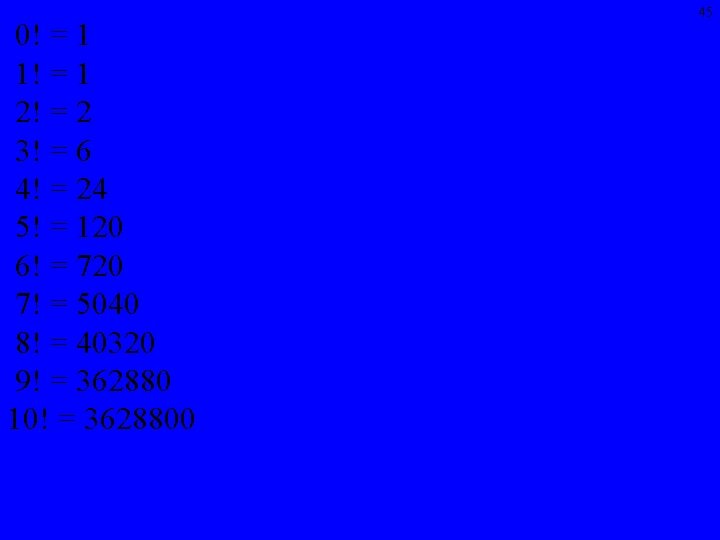
0! = 1 1! = 1 2! = 2 3! = 6 4! = 24 5! = 120 6! = 720 7! = 5040 8! = 40320 9! = 362880 10! = 3628800 45
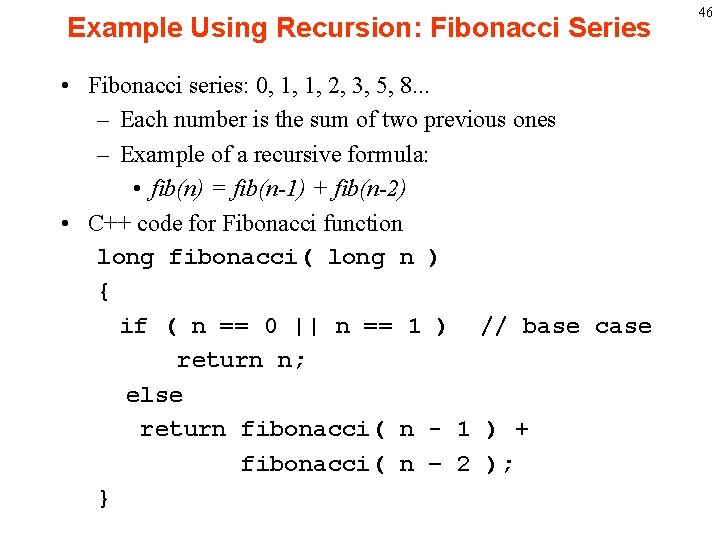
Example Using Recursion: Fibonacci Series • Fibonacci series: 0, 1, 1, 2, 3, 5, 8. . . – Each number is the sum of two previous ones – Example of a recursive formula: • fib(n) = fib(n-1) + fib(n-2) • C++ code for Fibonacci function long fibonacci( long n ) { if ( n == 0 || n == 1 ) // base case return n; else return fibonacci( n - 1 ) + fibonacci( n – 2 ); } 46
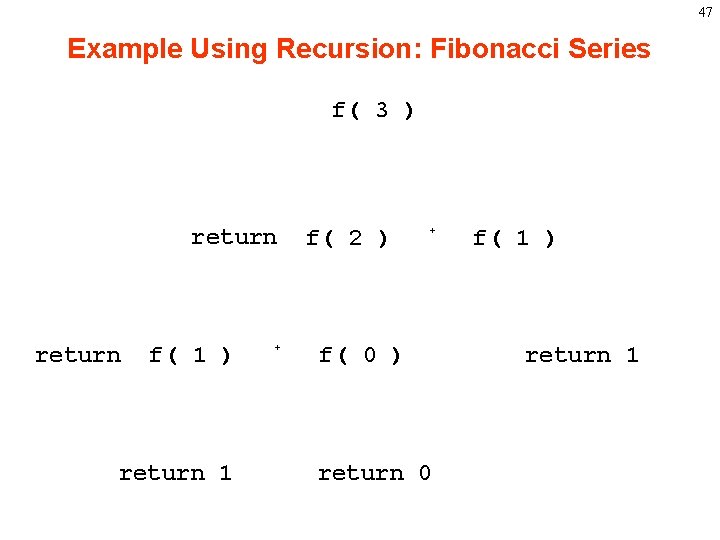
47 Example Using Recursion: Fibonacci Series f( 3 ) return f( 1 ) return 1 + f( 2 ) + f( 0 ) return 0 f( 1 ) return 1
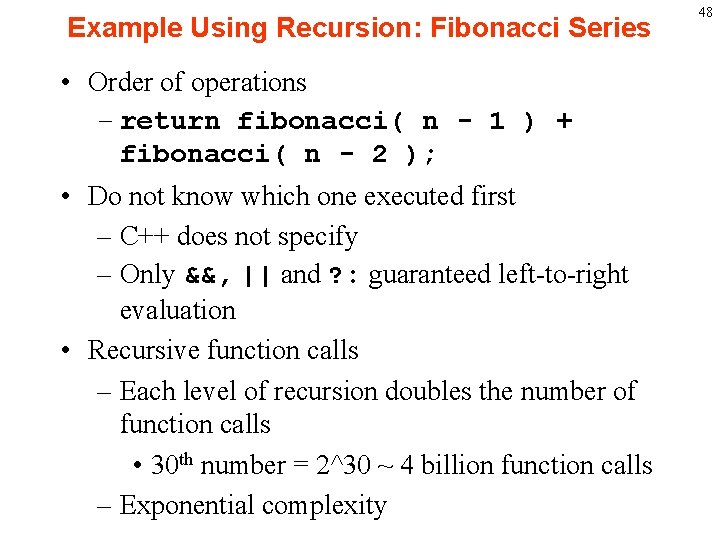
Example Using Recursion: Fibonacci Series • Order of operations – return fibonacci( n - 1 ) + fibonacci( n - 2 ); • Do not know which one executed first – C++ does not specify – Only &&, || and ? : guaranteed left-to-right evaluation • Recursive function calls – Each level of recursion doubles the number of function calls • 30 th number = 2^30 ~ 4 billion function calls – Exponential complexity 48
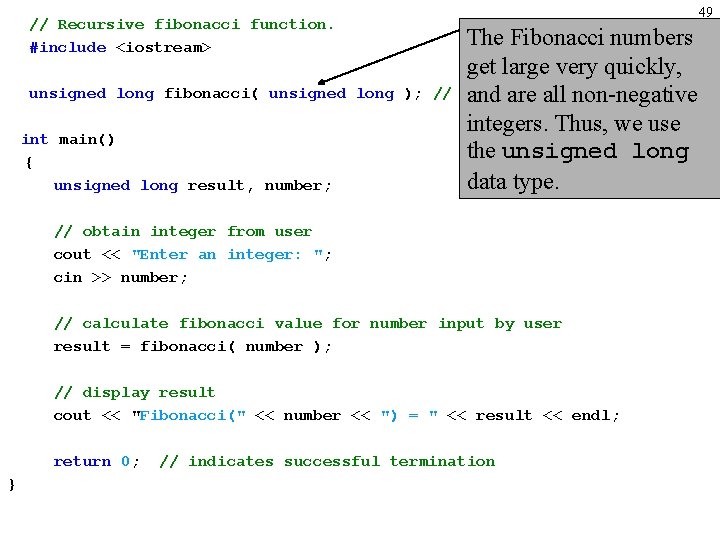
// Recursive fibonacci function. #include <iostream> unsigned long fibonacci( unsigned long ); // int main() { unsigned long result, number; 49 The Fibonacci numbers get large very quickly, function prototype and are all non-negative integers. Thus, we use the unsigned long data type. // obtain integer from user cout << "Enter an integer: "; cin >> number; // calculate fibonacci value for number input by user result = fibonacci( number ); // display result cout << "Fibonacci(" << number << ") = " << result << endl; return 0; } // indicates successful termination
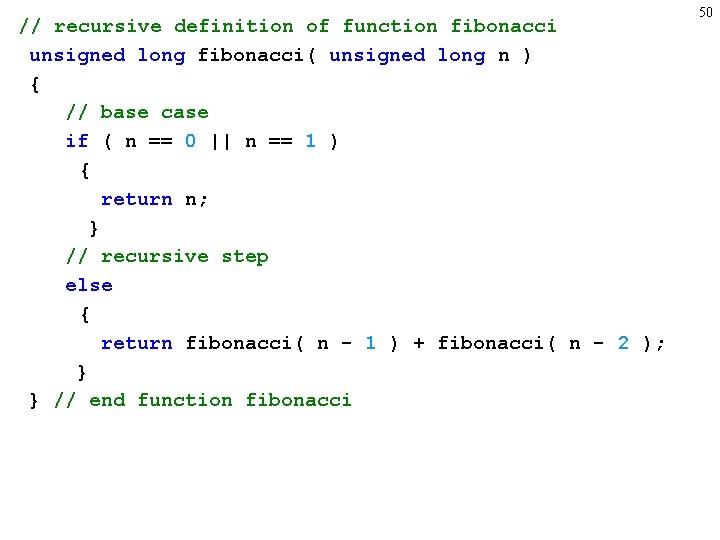
// recursive definition of function fibonacci unsigned long fibonacci( unsigned long n ) { // base case if ( n == 0 || n == 1 ) { return n; } // recursive step else { return fibonacci( n - 1 ) + fibonacci( n - 2 ); } } // end function fibonacci 50
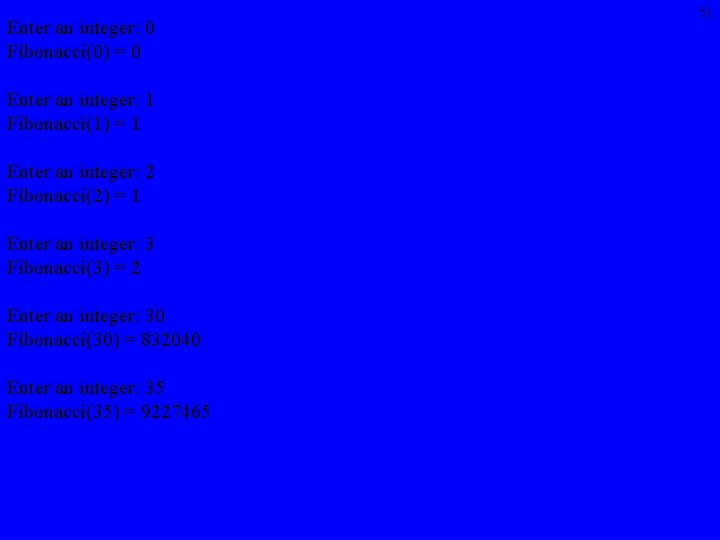
Enter an integer: 0 Fibonacci(0) = 0 Enter an integer: 1 Fibonacci(1) = 1 Enter an integer: 2 Fibonacci(2) = 1 Enter an integer: 3 Fibonacci(3) = 2 Enter an integer: 30 Fibonacci(30) = 832040 Enter an integer: 35 Fibonacci(35) = 9227465 51
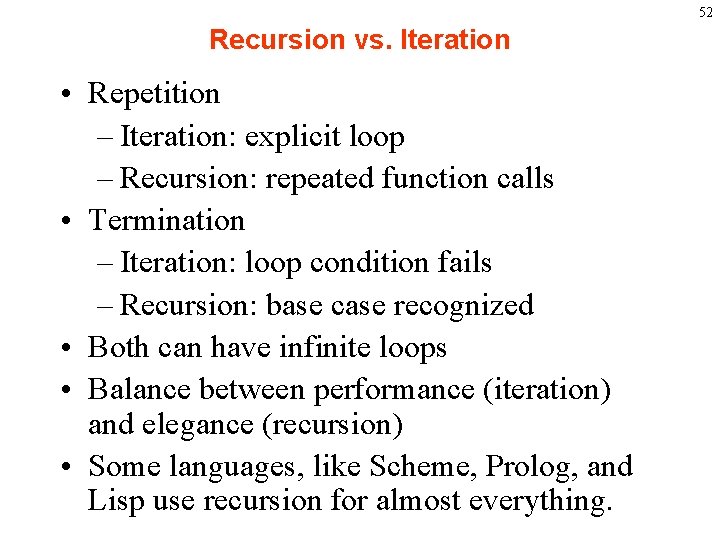
52 Recursion vs. Iteration • Repetition – Iteration: explicit loop – Recursion: repeated function calls • Termination – Iteration: loop condition fails – Recursion: base case recognized • Both can have infinite loops • Balance between performance (iteration) and elegance (recursion) • Some languages, like Scheme, Prolog, and Lisp use recursion for almost everything.
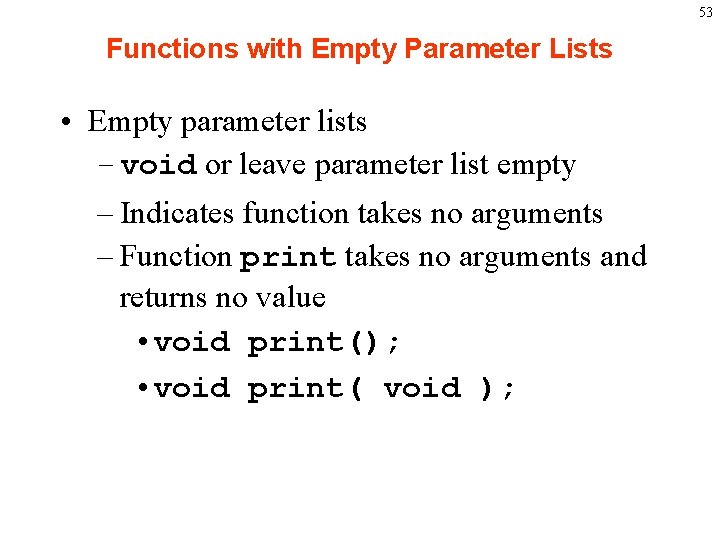
53 Functions with Empty Parameter Lists • Empty parameter lists – void or leave parameter list empty – Indicates function takes no arguments – Function print takes no arguments and returns no value • void print(); • void print( void );
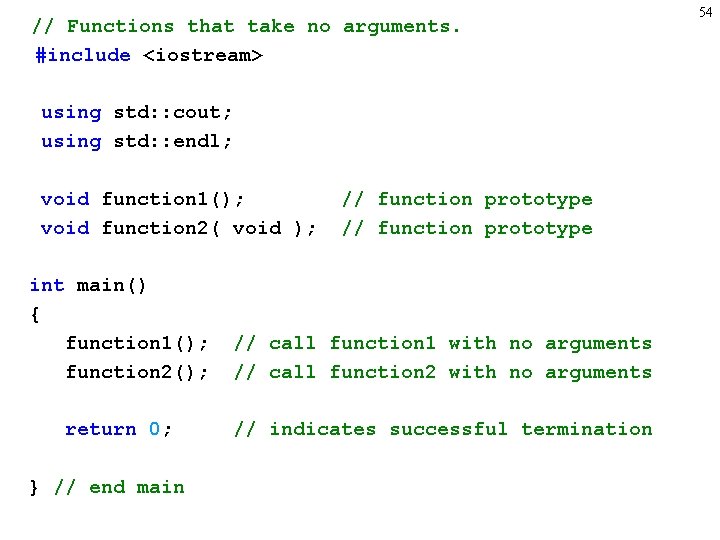
// Functions that take no arguments. #include <iostream> using std: : cout; using std: : endl; void function 1(); void function 2( void ); // function prototype int main() { function 1(); function 2(); // call function 1 with no arguments // call function 2 with no arguments return 0; // indicates successful termination } // end main 54
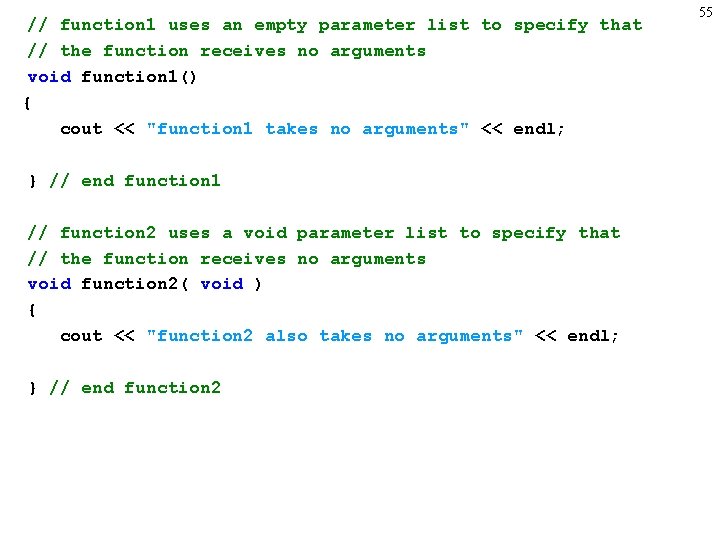
// function 1 uses an empty parameter list to specify that // the function receives no arguments void function 1() { cout << "function 1 takes no arguments" << endl; } // end function 1 // function 2 uses a void parameter list to specify that // the function receives no arguments void function 2( void ) { cout << "function 2 also takes no arguments" << endl; } // end function 2 55
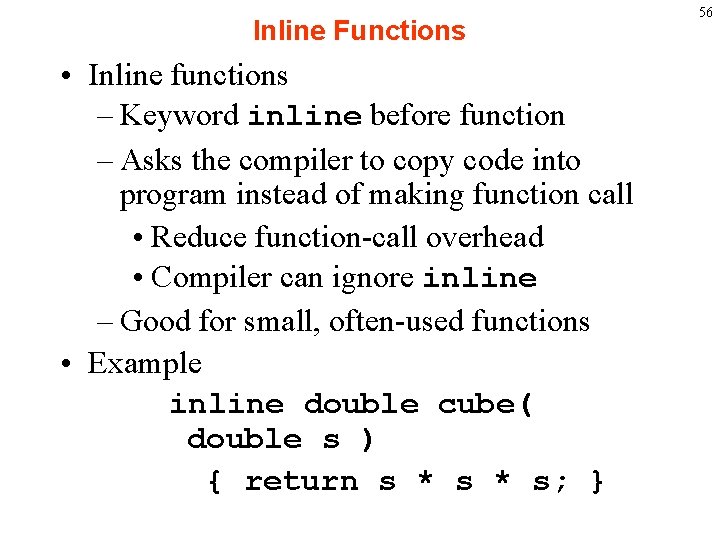
Inline Functions • Inline functions – Keyword inline before function – Asks the compiler to copy code into program instead of making function call • Reduce function-call overhead • Compiler can ignore inline – Good for small, often-used functions • Example inline double cube( double s ) { return s * s; } 56
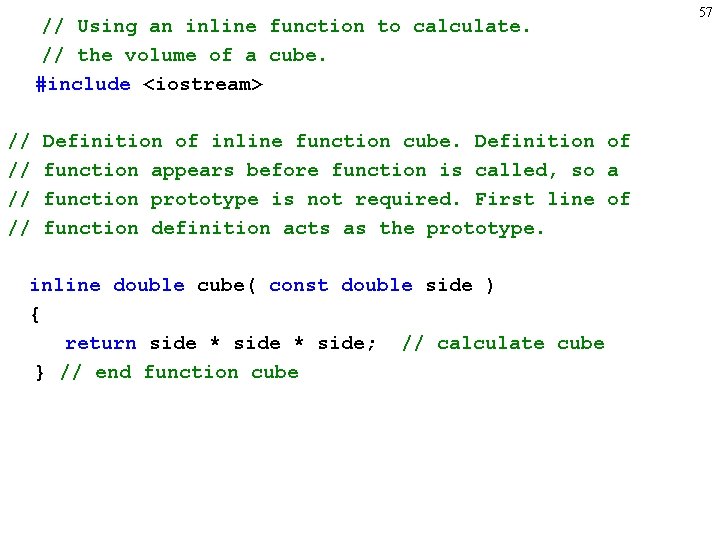
// Using an inline function to calculate. // the volume of a cube. #include <iostream> // // Definition of inline function cube. Definition of function appears before function is called, so a function prototype is not required. First line of function definition acts as the prototype. inline double cube( const double side ) { return side * side; // calculate cube } // end function cube 57
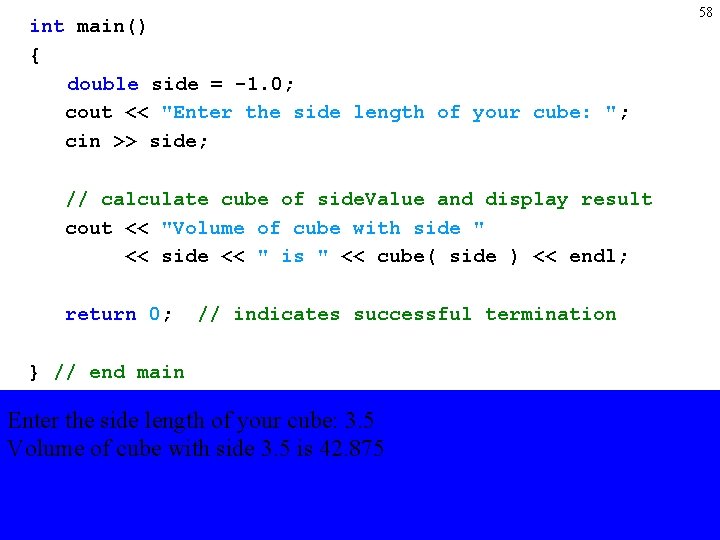
int main() { double side = -1. 0; cout << "Enter the side length of your cube: "; cin >> side; // calculate cube of side. Value and display result cout << "Volume of cube with side " << side << " is " << cube( side ) << endl; return 0; // indicates successful termination } // end main Enter the side length of your cube: 3. 5 Volume of cube with side 3. 5 is 42. 875 58
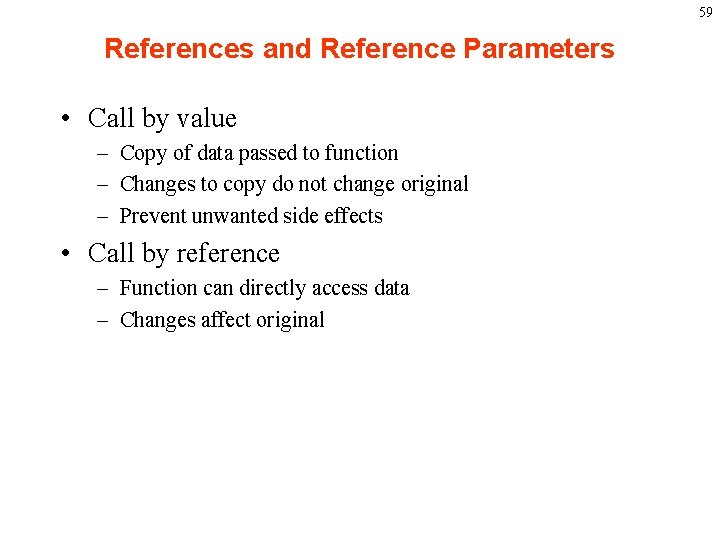
59 References and Reference Parameters • Call by value – Copy of data passed to function – Changes to copy do not change original – Prevent unwanted side effects • Call by reference – Function can directly access data – Changes affect original
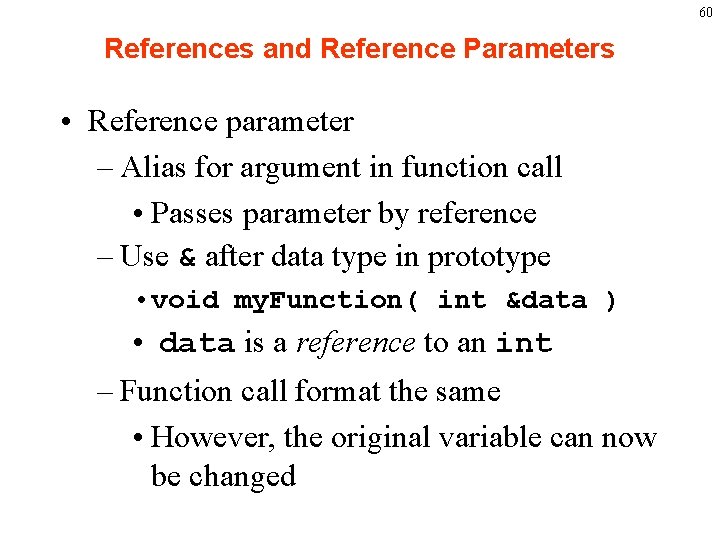
60 References and Reference Parameters • Reference parameter – Alias for argument in function call • Passes parameter by reference – Use & after data type in prototype • void my. Function( int &data ) • data is a reference to an int – Function call format the same • However, the original variable can now be changed
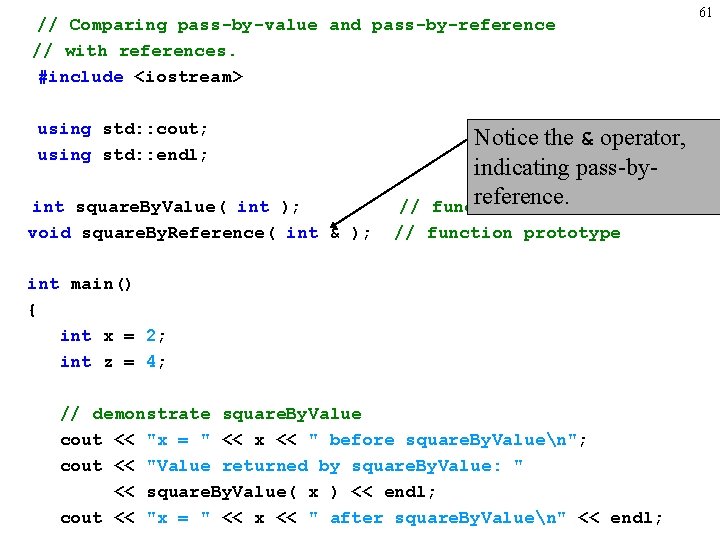
// Comparing pass-by-value and pass-by-reference // with references. #include <iostream> using std: : cout; using std: : endl; int square. By. Value( int ); void square. By. Reference( int & ); Notice the & operator, indicating pass-byreference. function prototype // // function prototype int main() { int x = 2; int z = 4; // demonstrate square. By. Value cout << "x = " << x << " before square. By. Valuen"; cout << "Value returned by square. By. Value: " << square. By. Value( x ) << endl; cout << "x = " << x << " after square. By. Valuen" << endl; 61
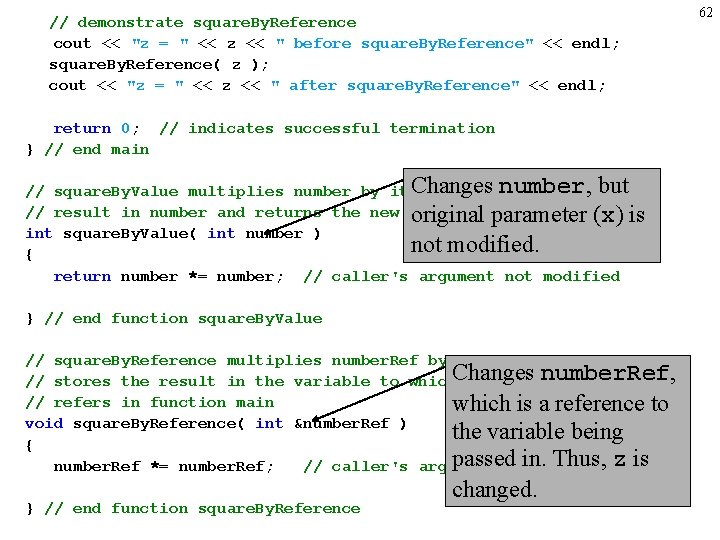
// demonstrate square. By. Reference cout << "z = " << z << " before square. By. Reference" << endl; square. By. Reference( z ); cout << "z = " << z << " after square. By. Reference" << endl; return 0; // indicates successful termination } // end main Changes number, but // square. By. Value multiplies number by itself, stores the // result in number and returns the new value of parameter number original (x) is int square. By. Value( int number ) not modified. { return number *= number; // caller's argument not modified } // end function square. By. Value // square. By. Reference multiplies number. Ref by itself and number. Ref, // stores the result in the variable to which. Changes number. Ref // refers in function main which is a reference to void square. By. Reference( int &number. Ref ) the variable being { passedmodified in. Thus, z is number. Ref *= number. Ref; // caller's argument } // end function square. By. Reference changed. 62
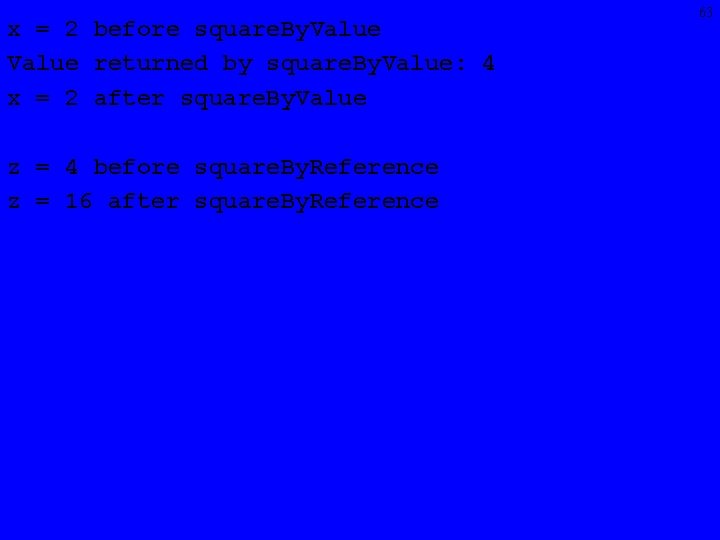
x = 2 before square. By. Value returned by square. By. Value: 4 x = 2 after square. By. Value z = 4 before square. By. Reference z = 16 after square. By. Reference 63
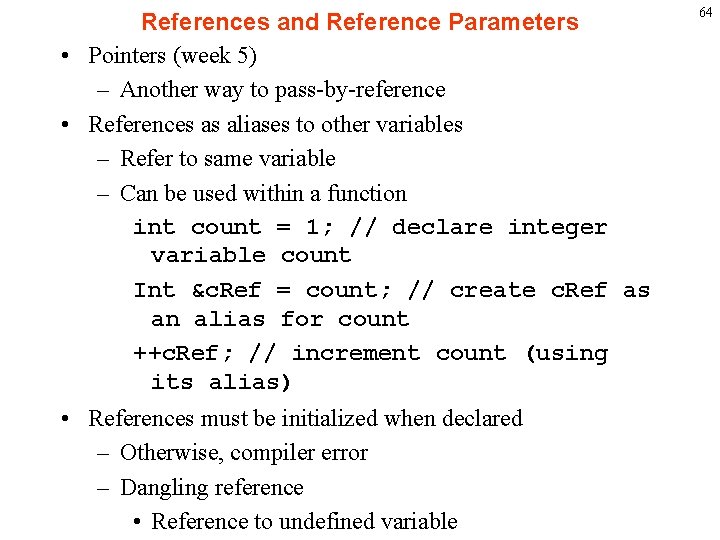
References and Reference Parameters • Pointers (week 5) – Another way to pass-by-reference • References as aliases to other variables – Refer to same variable – Can be used within a function int count = 1; // declare integer variable count Int &c. Ref = count; // create c. Ref as an alias for count ++c. Ref; // increment count (using its alias) • References must be initialized when declared – Otherwise, compiler error – Dangling reference • Reference to undefined variable 64
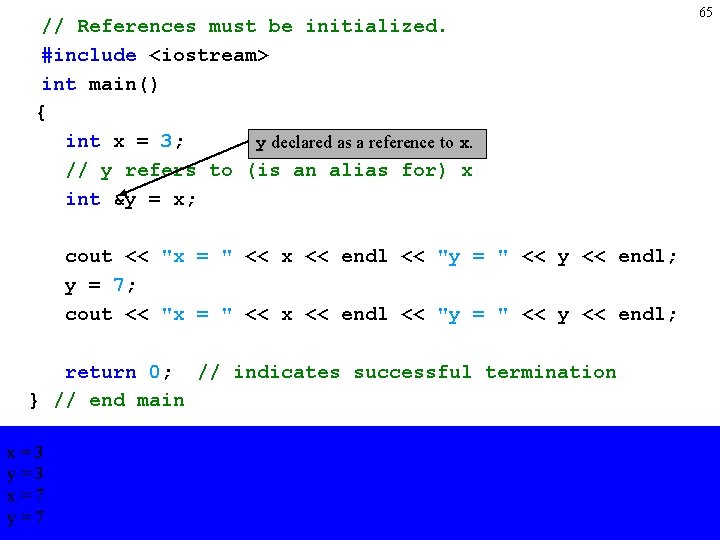
// References must be initialized. #include <iostream> int main() { int x = 3; y declared as a reference to x. // y refers to (is an alias for) x int &y = x; cout << "x = " << x << endl << "y = " << y << endl; y = 7; cout << "x = " << x << endl << "y = " << y << endl; return 0; // indicates successful termination } // end main x=3 y=3 x=7 y=7 65
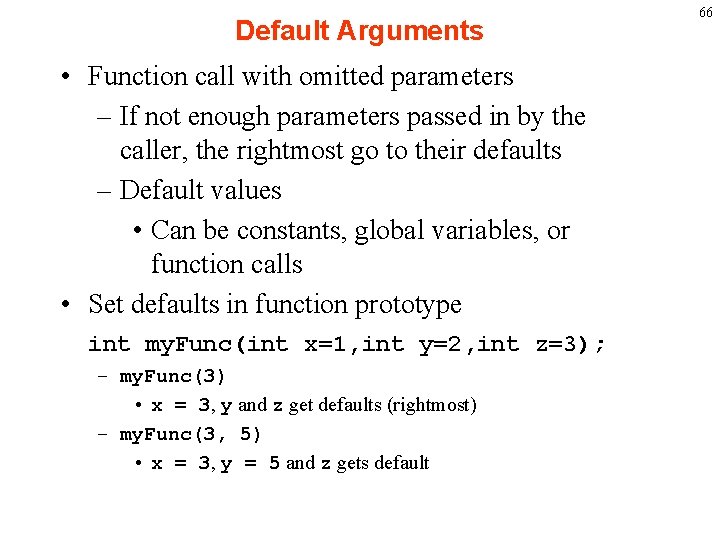
Default Arguments • Function call with omitted parameters – If not enough parameters passed in by the caller, the rightmost go to their defaults – Default values • Can be constants, global variables, or function calls • Set defaults in function prototype int my. Func(int x=1, int y=2, int z=3); – my. Func(3) • x = 3, y and z get defaults (rightmost) – my. Func(3, 5) • x = 3, y = 5 and z gets default 66
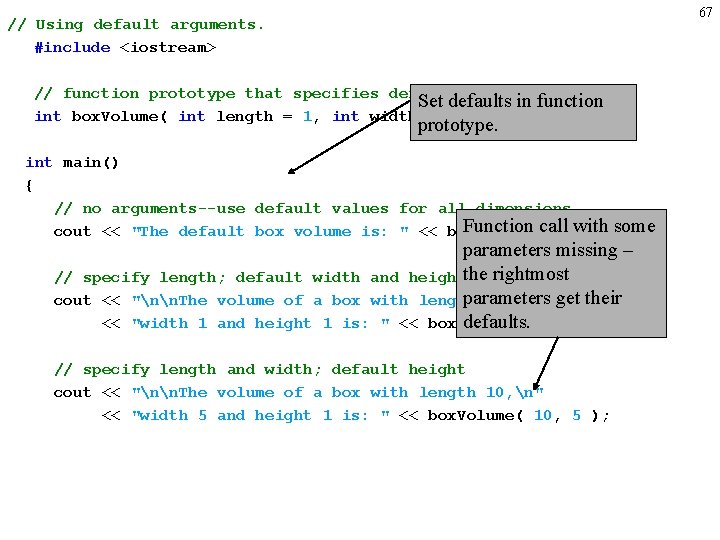
67 // Using default arguments. #include <iostream> // function prototype that specifies default arguments Set defaults in function int box. Volume( int length = 1, int width = 1, int height = 1 ); prototype. int main() { // no arguments--use default values for all dimensions Function call with cout << "The default box volume is: " << box. Volume(); some parameters missing – // specify length; default width and heightthe rightmost parameters cout << "nn. The volume of a box with length 10, n" get their defaults. 10 ); << "width 1 and height 1 is: " << box. Volume( // specify length and width; default height cout << "nn. The volume of a box with length 10, n" << "width 5 and height 1 is: " << box. Volume( 10, 5 );
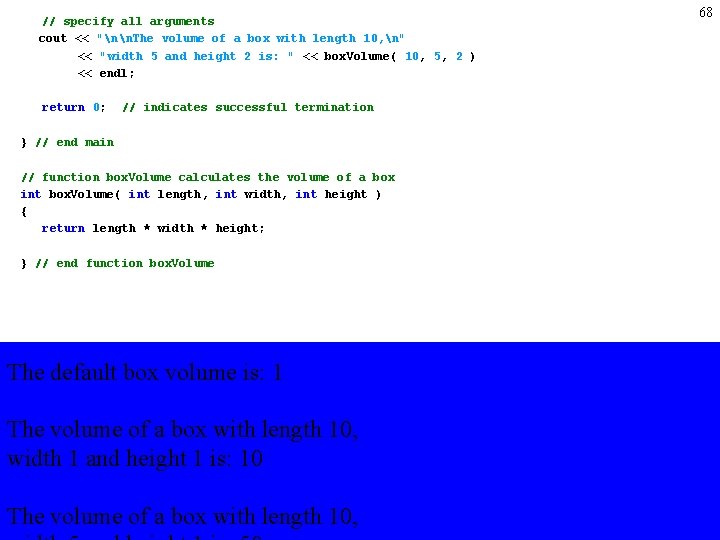
// specify all arguments cout << "nn. The volume of a box with length 10, n" << "width 5 and height 2 is: " << box. Volume( 10, 5, 2 ) << endl; return 0; // indicates successful termination } // end main // function box. Volume calculates the volume of a box int box. Volume( int length, int width, int height ) { return length * width * height; } // end function box. Volume The default box volume is: 1 The volume of a box with length 10, width 1 and height 1 is: 10 The volume of a box with length 10, 68
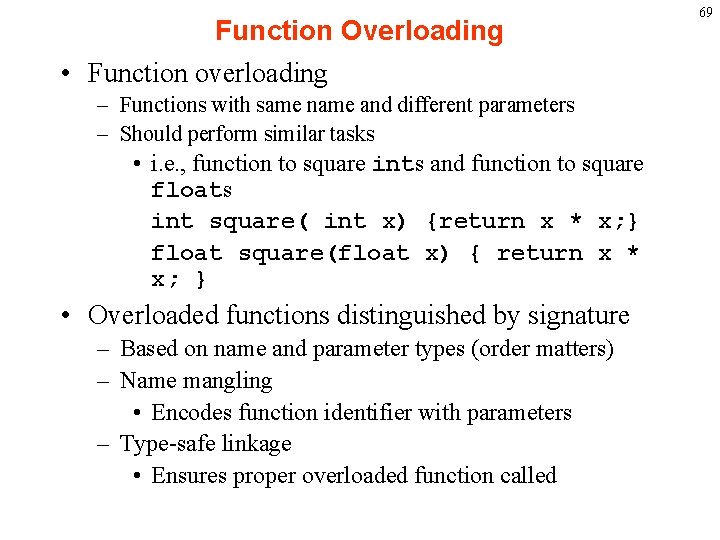
Function Overloading • Function overloading – Functions with same name and different parameters – Should perform similar tasks • i. e. , function to square ints and function to square floats int square( int x) {return x * x; } float square(float x) { return x * x; } • Overloaded functions distinguished by signature – Based on name and parameter types (order matters) – Name mangling • Encodes function identifier with parameters – Type-safe linkage • Ensures proper overloaded function called 69
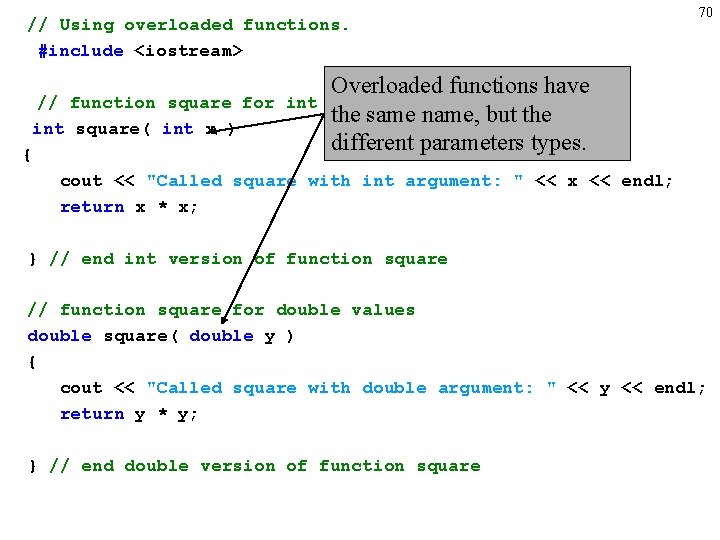
// Using overloaded functions. #include <iostream> 70 Overloaded functions have values the same name, but the different parameters types. // function square for int square( int x ) { cout << "Called square with int argument: " << x << endl; return x * x; } // end int version of function square // function square for double values double square( double y ) { cout << "Called square with double argument: " << y << endl; return y * y; } // end double version of function square
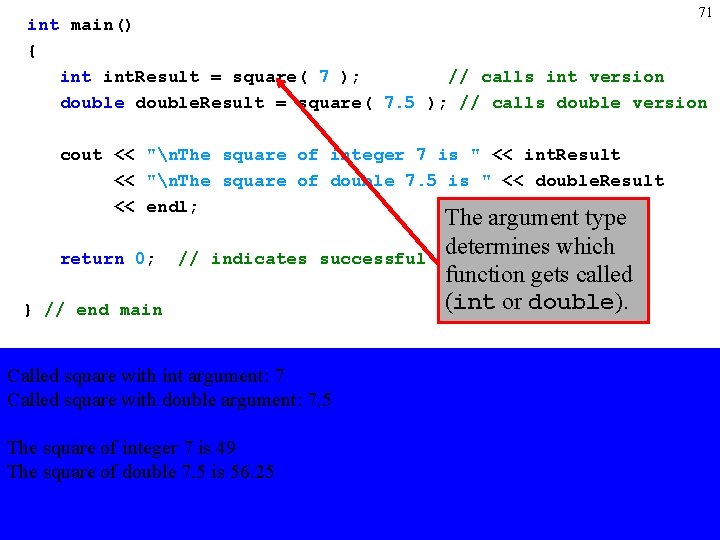
71 int main() { int. Result = square( 7 ); // calls int version double. Result = square( 7. 5 ); // calls double version cout << "n. The square of integer 7 is " << int. Result << "n. The square of double 7. 5 is " << double. Result << endl; return 0; // indicates successful } // end main Called square with int argument: 7 Called square with double argument: 7. 5 The square of integer 7 is 49 The square of double 7. 5 is 56. 25 The argument type determines which termination function gets called (int or double).
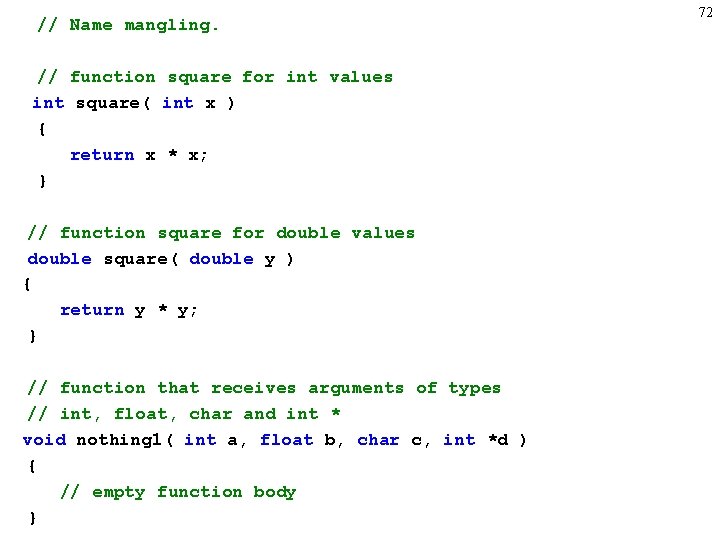
// Name mangling. // function square for int values int square( int x ) { return x * x; } // function square for double values double square( double y ) { return y * y; } // function that receives arguments of types // int, float, char and int * void nothing 1( int a, float b, char c, int *d ) { // empty function body } 72
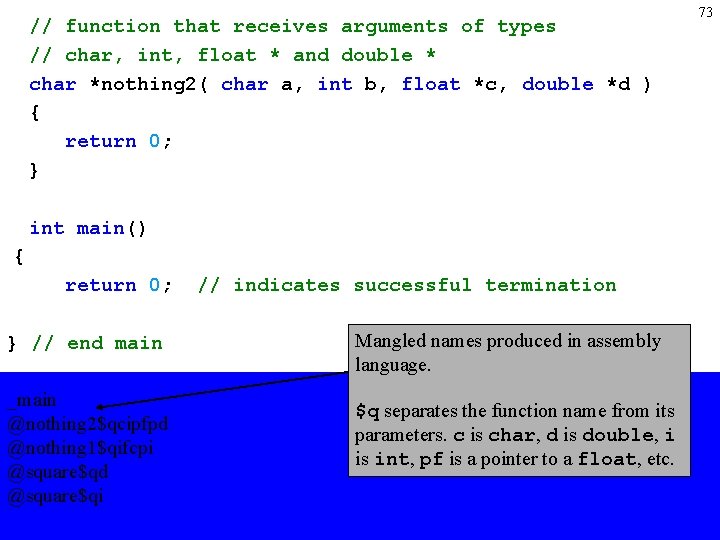
// function that receives arguments of types // char, int, float * and double * char *nothing 2( char a, int b, float *c, double *d ) { return 0; } int main() { return 0; } // end main _main @nothing 2$qcipfpd @nothing 1$qifcpi @square$qd @square$qi // indicates successful termination Mangled names produced in assembly language. $q separates the function name from its parameters. c is char, d is double, i is int, pf is a pointer to a float, etc. 73
74 LAB (45 min) • Write three functions: minarg( char arg 1, char arg 2, char arg 3 ); minarg( float arg 1, float arg 2, float arg 3 ); minarg( int arg 1, int arg 2, int arg 3 ); That each return an integer indicating which of their arguments is the smallest i. e. if the function returns 1 then arg 1 was smallest, if 3 then arg 3 is the “least. ” Then write a program to get three values of each type from the user, call the three functions, and print the results.
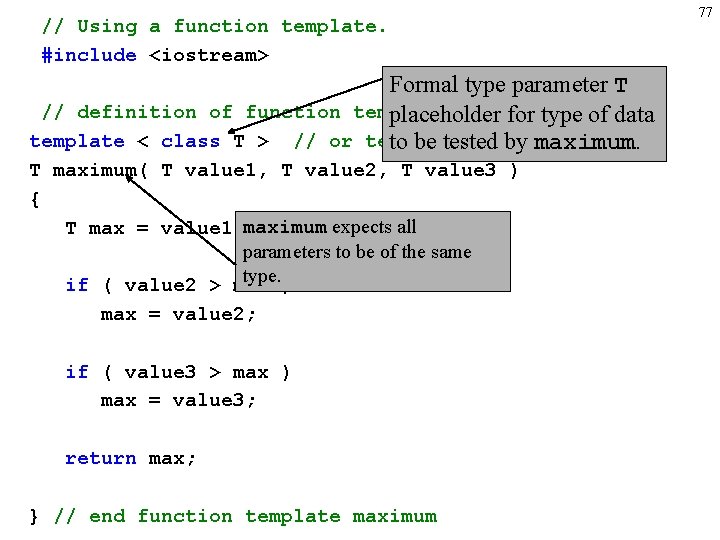
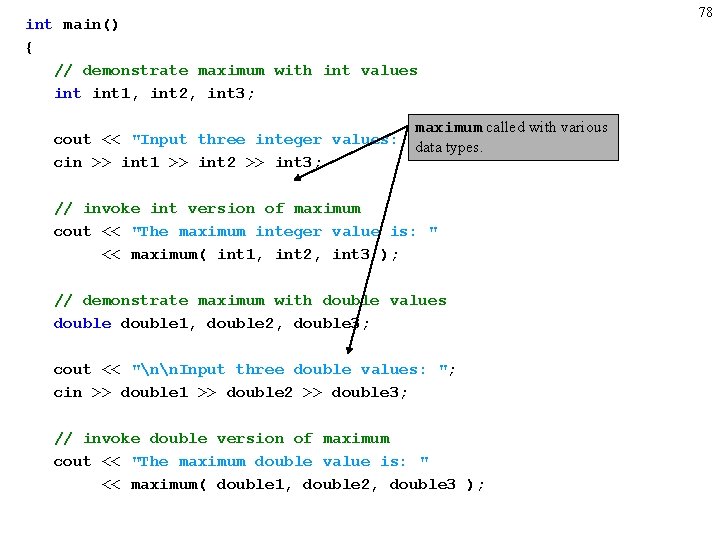
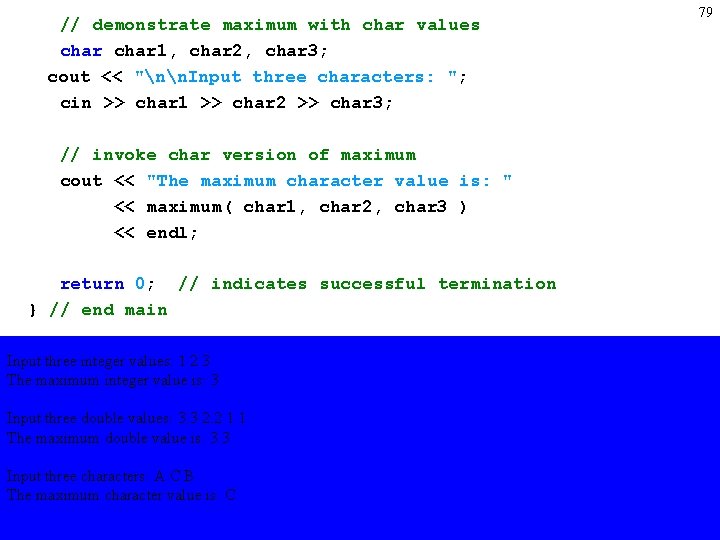
75 Function Templates • Compact way to make overloaded functions – Generate separate function for different data types • Format – Begin with keyword template – Formal type parameters in brackets <> • Every type parameter preceded by typename or class (synonyms) • Placeholders for built-in types (i. e. , int) or user-defined types • Specify arguments types, return types, declare variables – Function definition like normal, except formal types used
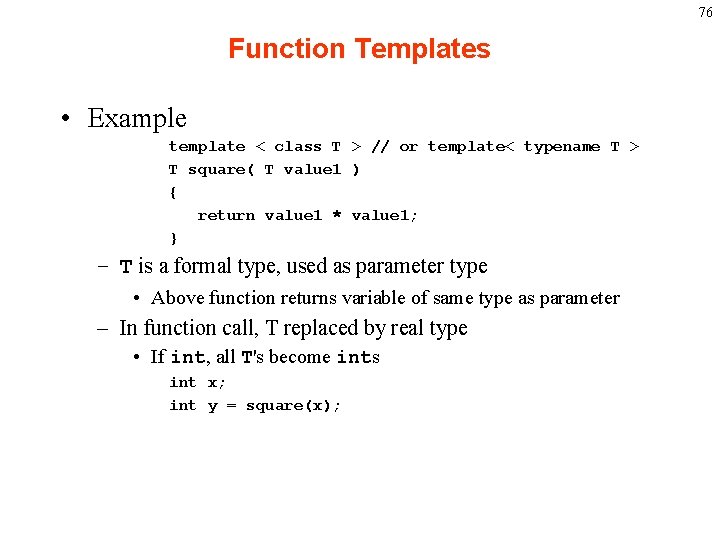
76 Function Templates • Example template < class T > // or template< typename T > T square( T value 1 ) { return value 1 * value 1; } – T is a formal type, used as parameter type • Above function returns variable of same type as parameter – In function call, T replaced by real type • If int, all T's become ints int x; int y = square(x);
// Using a function template. #include <iostream> Formal type parameter T // definition of function template maximum placeholder for type of data template < class T > // or template < typename T > to be tested by maximum. T maximum( T value 1, T value 2, T value 3 ) { T max = value 1; maximum expects all parameters to be of the same type. ) if ( value 2 > max = value 2; if ( value 3 > max ) max = value 3; return max; } // end function template maximum 77
int main() { // demonstrate maximum with int values int 1, int 2, int 3; maximum called with various cout << "Input three integer values: "; data types. cin >> int 1 >> int 2 >> int 3; // invoke int version of maximum cout << "The maximum integer value is: " << maximum( int 1, int 2, int 3 ); // demonstrate maximum with double values double 1, double 2, double 3; cout << "nn. Input three double values: "; cin >> double 1 >> double 2 >> double 3; // invoke double version of maximum cout << "The maximum double value is: " << maximum( double 1, double 2, double 3 ); 78
// demonstrate maximum with char values char 1, char 2, char 3; cout << "nn. Input three characters: "; cin >> char 1 >> char 2 >> char 3; // invoke char version of maximum cout << "The maximum character value is: " << maximum( char 1, char 2, char 3 ) << endl; return 0; // indicates successful termination } // end main Input three integer values: 1 2 3 The maximum integer value is: 3 Input three double values: 3. 3 2. 2 1. 1 The maximum double value is: 3. 3 Input three characters: A C B The maximum character value is: C 79
foo(0); Recursion (Frames and The Stack) 80 Goodbye 3 void foo( int x) x = 0 Goodbye 2 { Goodbye 1 if ( x < 4 void ) foo( int x) x = 1 { // Recursive step { Goodbye 0 cout << “Hello << <<endl; if ( “x void < 4 x )foo( int x) x = 2 foo(x+1); { { void foo( int x) x = 3 cout << “Goodbye” << x << endl; cout << “Hello “ << x <<endl; if ({ x < 4 ) } foo(x+1); { ifvoid ( x foo( < 4 )int x) x = 4 return; // Base cout case << “Goodbye” << x << endl; cout{ << { “Hello “ << x <<endl; } } foo(x+1); cout if (<<x “Hello < 4 ) “ << x <<endl; return; cout << foo(x+1); {“Goodbye” << x << endl; Hello 0 } } cout << “Goodbye” x << endl; << “Hello << “ << x <<endl; return; } foo(x+1); Hello 1 } return; cout << “Goodbye” << x << endl; } } Hello 2 return; Hello 3 }
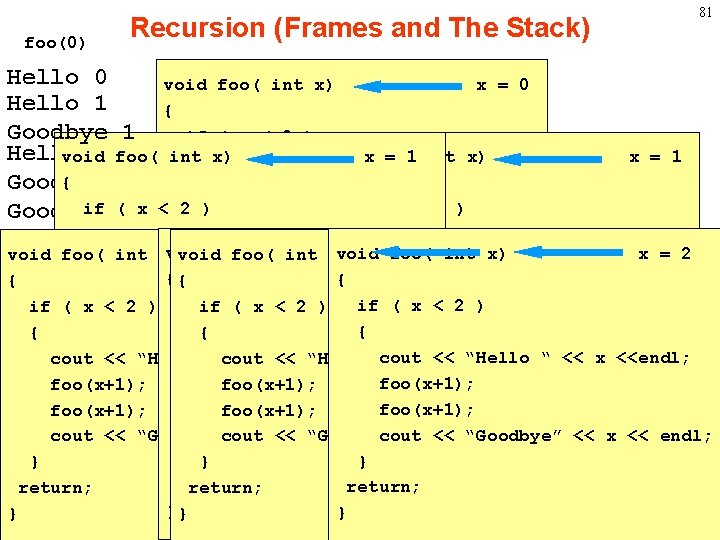
foo(0) 81 Recursion (Frames and The Stack) Hello 0 void foo( int x) x = 0 Hello 1 { Goodbye 1 if ( x < 2 ) Hello 1 foo( int void x) Recursive void xfoo( = 1 int x) { // step { { Goodbye 1 cout << “Hello “ << x <<endl; if (0 x < 2 )foo(x+1); if ( x < 2 ) Goodbye x = 1 { { foo(x+1); void foo( x xx) = =2“ 2 << x <<endl; foo( x = 2 void foo(cout int x) void foo(“int xx) =void 2 cout << “Hello << xx) <<endl; <<xint “Hello cout << “Goodbye” << << endl; {{ { foo(x+1); } if if ( x < 2 ) if( (x x< <2 2) ) foo(x+1); return; // Base case {{ { { cout << cout endl; << “Goodbye” << x << endl; } “Goodbye” << x << “Hello “ << x <<endl; cout “cout << << x<<<<endl; “Hello “<< <<x<< x<<endl; } << “Hello cout } “cout foo(x+1); return; foo(x+1); } } cout << x x<< “Goodbye” cout <<<< << x “Goodbye” << “Goodbye” endl; cout <<<< <<endl; << x << endl; }} } } return; }} } }
82 Recursion • Program Trace • Fib • Fact • Visualization of Recursion with Java http: //www. iol. ie/~jmchugh/csc 302/
- Slides: 82