
1 Computer Programming 3 The Nuts and Bolts
1 Computer Programming 3. The Nuts and Bolts of C++ Learning the C++ language 3. The Nuts and Bolts of C++ (4)
2 Computer Programming 3. The Nuts and Bolts of C++ 3. 2 Variables and Constants
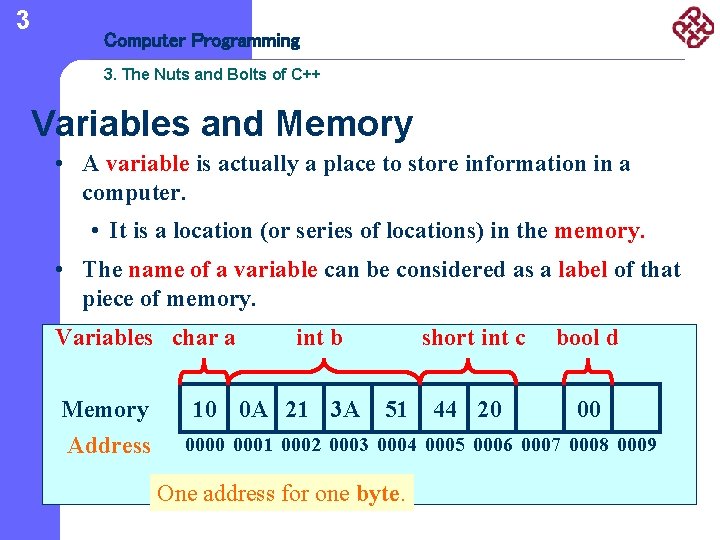
3 Computer Programming 3. The Nuts and Bolts of C++ Variables and Memory • A variable is actually a place to store information in a computer. • It is a location (or series of locations) in the memory. • The name of a variable can be considered as a label of that piece of memory. Variables char a Memory Address int b 10 0 A 21 3 A 51 short int c bool d 44 20 00 0001 0002 0003 0004 0005 0006 0007 0008 0009 One address for one byte.
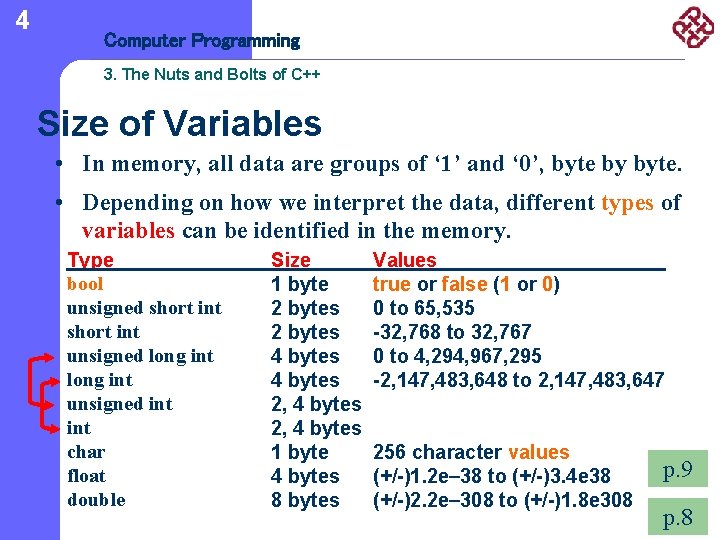
4 Computer Programming 3. The Nuts and Bolts of C++ Size of Variables • In memory, all data are groups of ‘ 1’ and ‘ 0’, byte by byte. • Depending on how we interpret the data, different types of variables can be identified in the memory. Type bool unsigned short int unsigned long int unsigned int char float double Size 1 byte 2 bytes 4 bytes 2, 4 bytes 1 byte 4 bytes 8 bytes Values true or false (1 or 0) 0 to 65, 535 -32, 768 to 32, 767 0 to 4, 294, 967, 295 -2, 147, 483, 648 to 2, 147, 483, 647 256 character values (+/-)1. 2 e 38 to (+/-)3. 4 e 38 (+/-)2. 2 e 308 to (+/-)1. 8 e 308 p. 9 p. 8
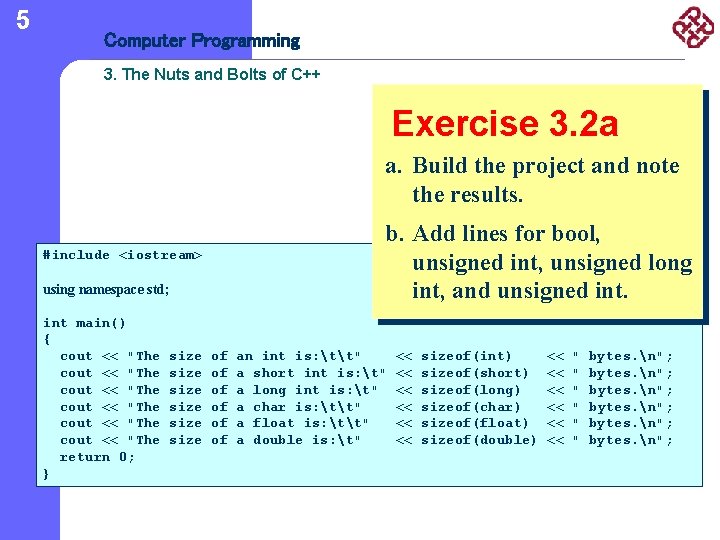
5 Computer Programming 3. The Nuts and Bolts of C++ Exercise 3. 2 a a. Build the project and note the results. b. Add lines for bool, unsigned int, unsigned long int, and unsigned int. #include <iostream> using namespace std; int main() { cout << "The cout << "The return 0; } size size of of of an int is: tt" a short int is: t" a long int is: t" a char is: tt" a float is: tt" a double is: t" << << << sizeof(int) sizeof(short) sizeof(long) sizeof(char) sizeof(float) sizeof(double) << << << " " " bytes. n";
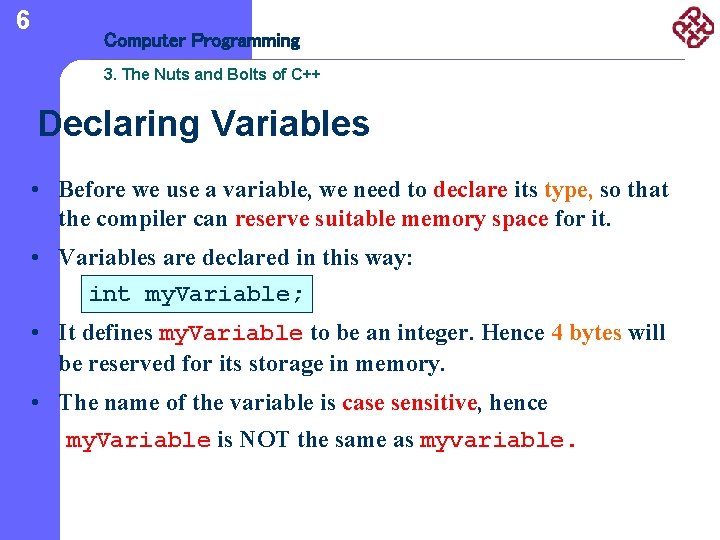
6 Computer Programming 3. The Nuts and Bolts of C++ Declaring Variables • Before we use a variable, we need to declare its type, so that the compiler can reserve suitable memory space for it. • Variables are declared in this way: int my. Variable; • It defines my. Variable to be an integer. Hence 4 bytes will be reserved for its storage in memory. • The name of the variable is case sensitive, hence my. Variable is NOT the same as myvariable.
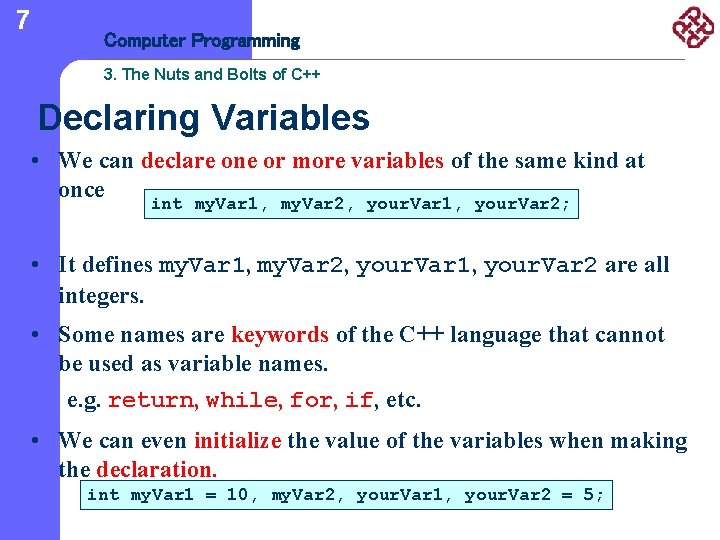
7 Computer Programming 3. The Nuts and Bolts of C++ Declaring Variables • We can declare one or more variables of the same kind at once int my. Var 1, my. Var 2, your. Var 1, your. Var 2; • It defines my. Var 1, my. Var 2, your. Var 1, your. Var 2 are all integers. • Some names are keywords of the C++ language that cannot be used as variable names. e. g. return, while, for, if, etc. • We can even initialize the value of the variables when making the declaration. int my. Var 1 = 10, my. Var 2, your. Var 1, your. Var 2 = 5;
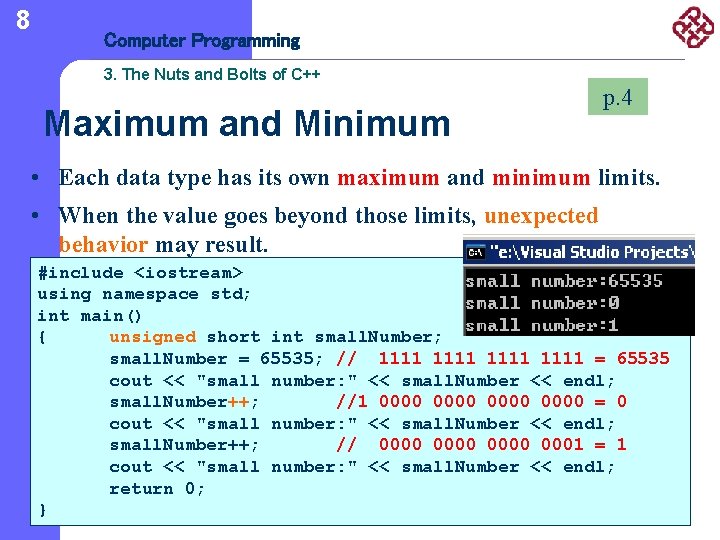
8 Computer Programming 3. The Nuts and Bolts of C++ Maximum and Minimum p. 4 • Each data type has its own maximum and minimum limits. • When the value goes beyond those limits, unexpected behavior may result. #include <iostream> using namespace std; int main() { unsigned short int small. Number; small. Number = 65535; // 1111 = 65535 cout << "small number: " << small. Number << endl; small. Number++; //1 0000 = 0 cout << "small number: " << small. Number << endl; small. Number++; // 0000 0001 = 1 cout << "small number: " << small. Number << endl; return 0; }
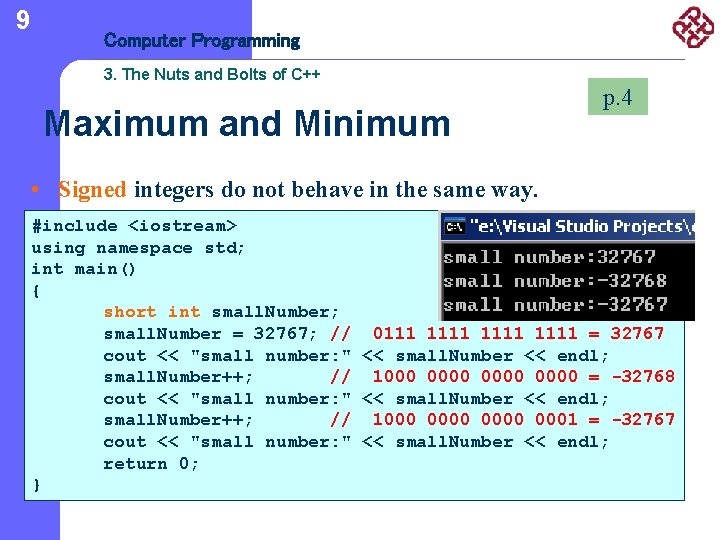
9 Computer Programming 3. The Nuts and Bolts of C++ Maximum and Minimum p. 4 • Signed integers do not behave in the same way. #include <iostream> using namespace std; int main() { short int small. Number; small. Number = 32767; // 0111 1111 = 32767 cout << "small number: " << small. Number << endl; small. Number++; // 1000 0000 = -32768 cout << "small number: " << small. Number << endl; small. Number++; // 1000 0000 0001 = -32767 cout << "small number: " << small. Number << endl; return 0; }
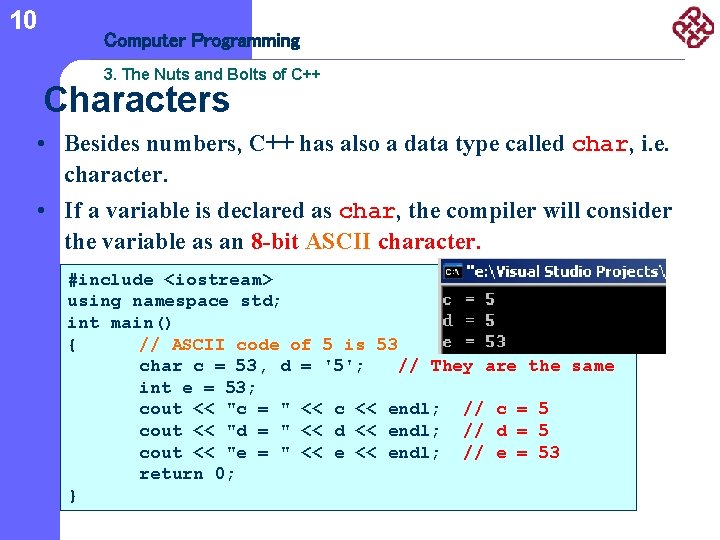
10 Computer Programming 3. The Nuts and Bolts of C++ Characters • Besides numbers, C++ has also a data type called char, i. e. character. • If a variable is declared as char, the compiler will consider the variable as an 8 -bit ASCII character. #include <iostream> using namespace std; int main() { // ASCII code of 5 is 53 char c = 53, d = '5'; // They are the same int e = 53; cout << "c = " << c << endl; // c = 5 cout << "d = " << d << endl; // d = 5 cout << "e = " << endl; // e = 53 return 0; }
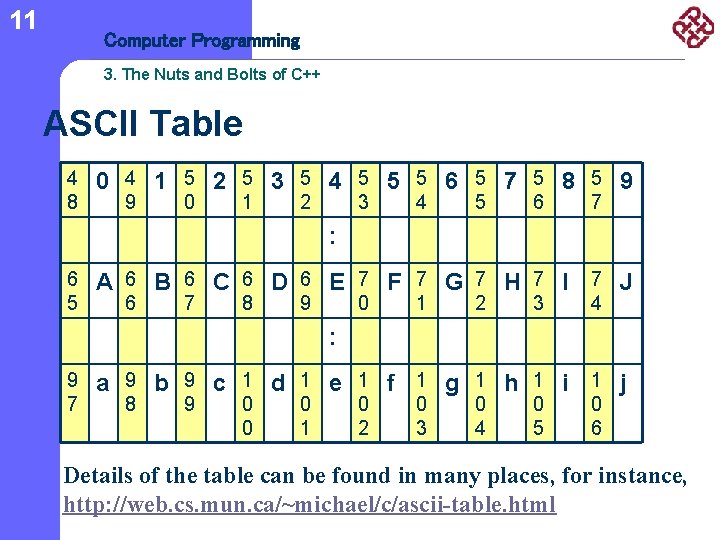
11 Computer Programming 3. The Nuts and Bolts of C++ ASCII Table 4 8 0 4 1 5 2 5 3 5 4 5 5 5 6 5 7 5 8 5 9 9 0 1 2 3 4 5 6 7 : 6 5 A 6 B 6 C 6 D 6 E 7 F 7 G 7 H 7 I 7 J 6 7 8 9 0 1 2 3 4 : 9 7 a 9 b 9 c 1 d 1 e 1 f 1 g 1 h 1 i 1 j 8 9 0 0 0 1 0 2 0 3 0 4 0 5 0 6 Details of the table can be found in many places, for instance, http: //web. cs. mun. ca/~michael/c/ascii-table. html
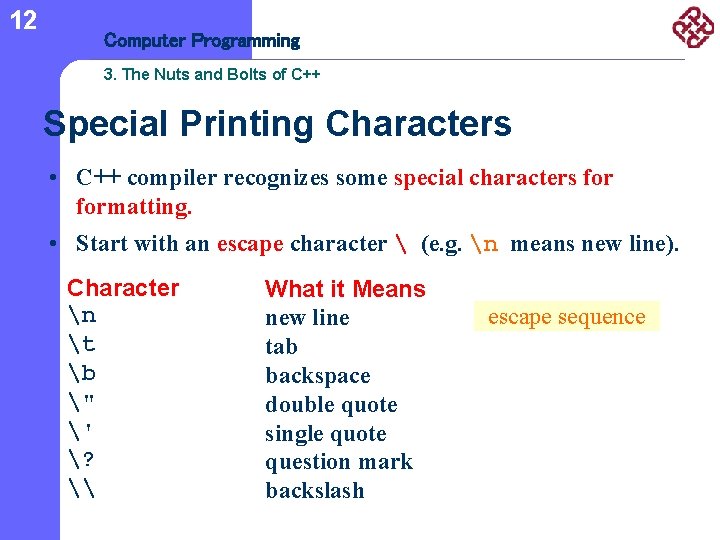
12 Computer Programming 3. The Nuts and Bolts of C++ Special Printing Characters • C++ compiler recognizes some special characters formatting. • Start with an escape character (e. g. n means new line). Character n t b " ' ? \ What it Means new line tab backspace double quote single quote question mark backslash escape sequence
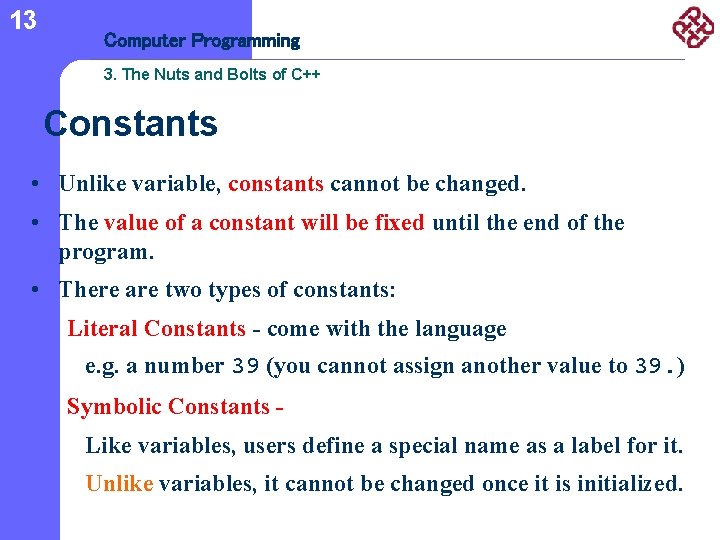
13 Computer Programming 3. The Nuts and Bolts of C++ Constants • Unlike variable, constants cannot be changed. • The value of a constant will be fixed until the end of the program. • There are two types of constants: Literal Constants - come with the language e. g. a number 39 (you cannot assign another value to 39. ) Symbolic Constants Like variables, users define a special name as a label for it. Unlike variables, it cannot be changed once it is initialized.
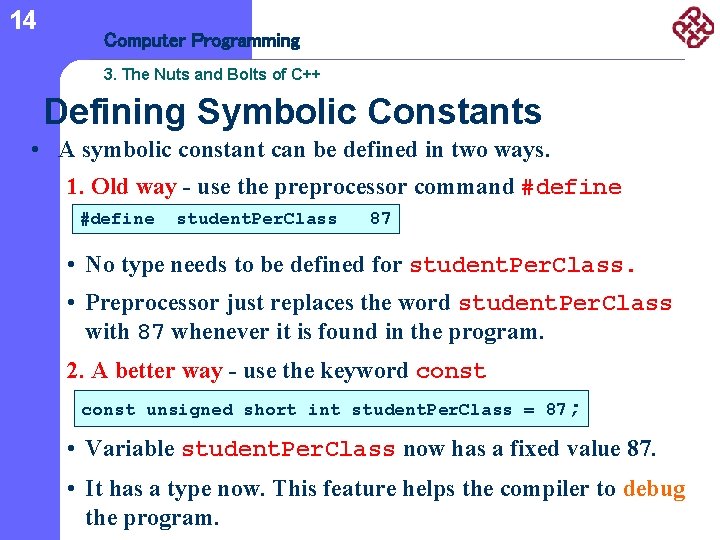
14 Computer Programming 3. The Nuts and Bolts of C++ Defining Symbolic Constants • A symbolic constant can be defined in two ways. 1. Old way - use the preprocessor command #define student. Per. Class 87 • No type needs to be defined for student. Per. Class. • Preprocessor just replaces the word student. Per. Class with 87 whenever it is found in the program. 2. A better way - use the keyword const unsigned short int student. Per. Class = 87; • Variable student. Per. Class now has a fixed value 87. • It has a type now. This feature helps the compiler to debug the program.
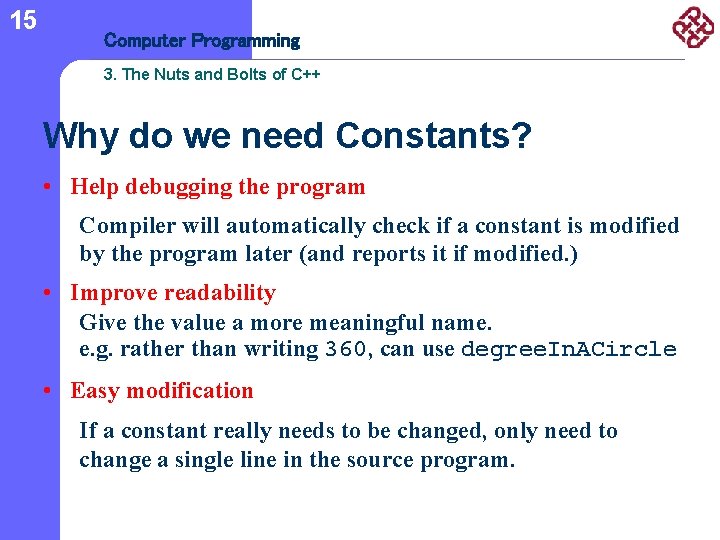
15 Computer Programming 3. The Nuts and Bolts of C++ Why do we need Constants? • Help debugging the program Compiler will automatically check if a constant is modified by the program later (and reports it if modified. ) • Improve readability Give the value a more meaningful name. e. g. rather than writing 360, can use degree. In. ACircle • Easy modification If a constant really needs to be changed, only need to change a single line in the source program.
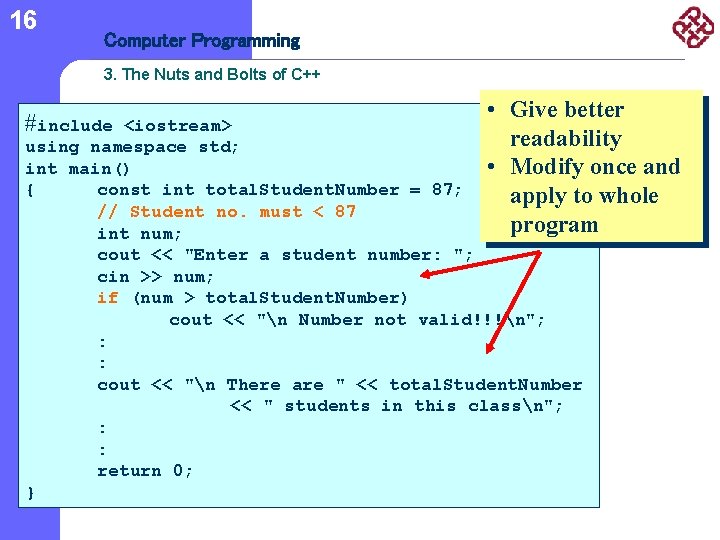
16 Computer Programming 3. The Nuts and Bolts of C++ #include • Give better <iostream> readability using namespace std; int main() • Modify once and { const int total. Student. Number = 87; apply to whole // Student no. must < 87 program int num; cout << "Enter a student number: "; cin >> num; if (num > total. Student. Number) cout << "n Number not valid!!!n"; : : cout << "n There are " << total. Student. Number << " students in this classn"; : : return 0; }
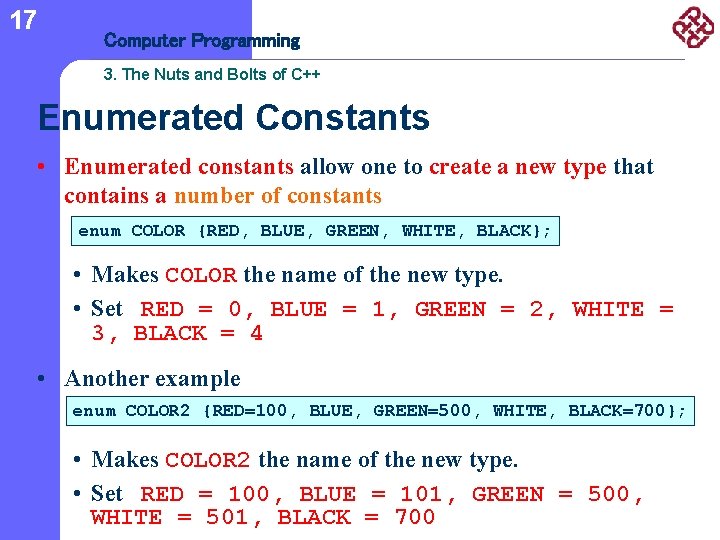
17 Computer Programming 3. The Nuts and Bolts of C++ Enumerated Constants • Enumerated constants allow one to create a new type that contains a number of constants enum COLOR {RED, BLUE, GREEN, WHITE, BLACK}; • Makes COLOR the name of the new type. • Set RED = 0, BLUE = 1, GREEN = 2, WHITE = 3, BLACK = 4 • Another example enum COLOR 2 {RED=100, BLUE, GREEN=500, WHITE, BLACK=700}; • Makes COLOR 2 the name of the new type. • Set RED = 100, BLUE = 101, GREEN = 500, WHITE = 501, BLACK = 700
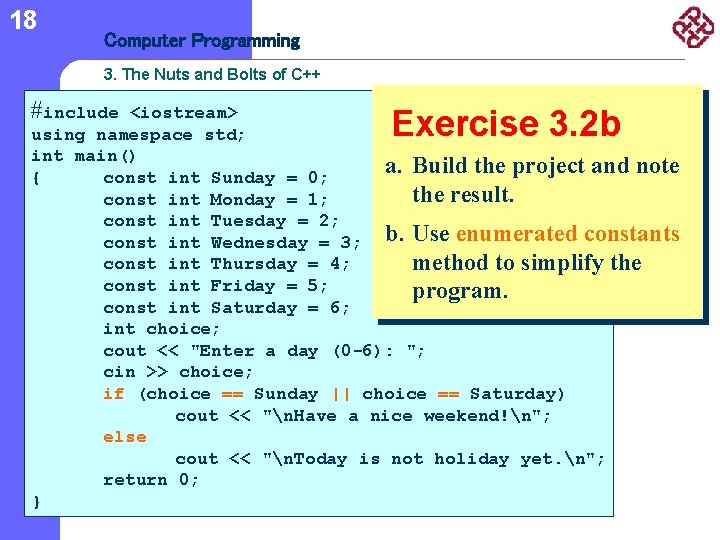
18 Computer Programming 3. The Nuts and Bolts of C++ #include <iostream> using namespace std; int main() a. Build the project and note { const int Sunday = 0; the result. const int Monday = 1; const int Tuesday = 2; const int Wednesday = 3; b. Use enumerated constants const int Thursday = 4; method to simplify the const int Friday = 5; program. const int Saturday = 6; int choice; cout << "Enter a day (0 -6): "; cin >> choice; if (choice == Sunday || choice == Saturday) cout << "n. Have a nice weekend!n"; else cout << "n. Today is not holiday yet. n"; return 0; } Exercise 3. 2 b
19 Computer Programming 3. The Nuts and Bolts of C++ References l Teach Yourself C++ in 21 Days, Second Edition (http: //newdata. box. sk/bx/c/)
20 Computer Programming 3. The Nuts and Bolts of C++ Acknowledgment l The slides are based on the set developed by Dr. Frank Leung (EIE).
- Slides: 20