
1 Color Representation Content Perception of Colors by
1. Color Representation. Content: • Perception of Colors by the Human Eye • Colors Representations: Chromaticity Diagrams • Colors Standards
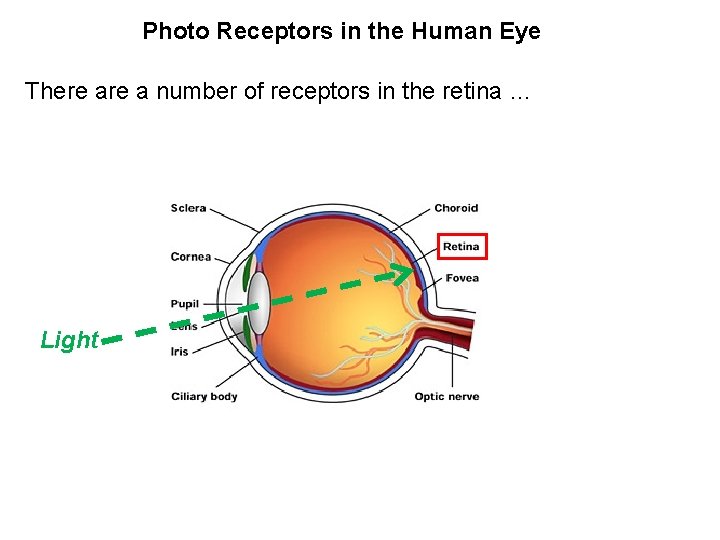
Photo Receptors in the Human Eye There a number of receptors in the retina … Light
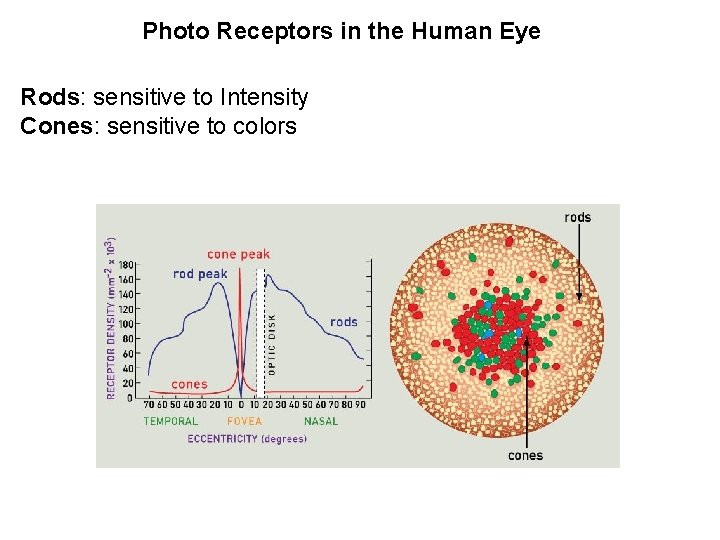
Photo Receptors in the Human Eye Rods: sensitive to Intensity Cones: sensitive to colors
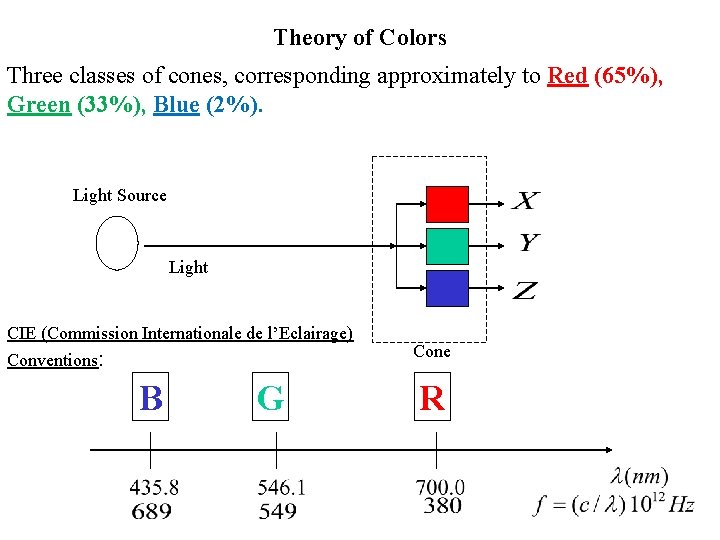
Theory of Colors Three classes of cones, corresponding approximately to Red (65%), Green (33%), Blue (2%). Light Source Light CIE (Commission Internationale de l’Eclairage) Conventions: B G Cone R
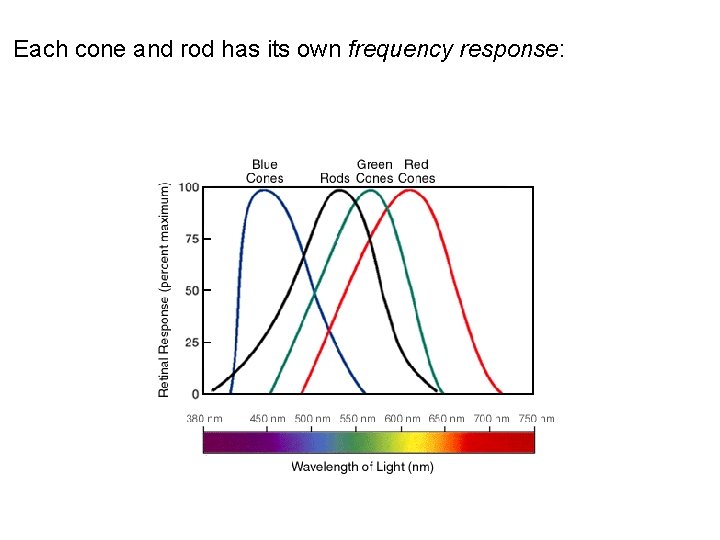
Each cone and rod has its own frequency response:

Most colors C can be represented by the superposition of R, G, B components With X, Y, Z nonnegative real numbers. Application: Color Display. R, G, B are called the Primary Colors; M(R+B), C(G+B), Y(R+G) are called Secondary Colors.
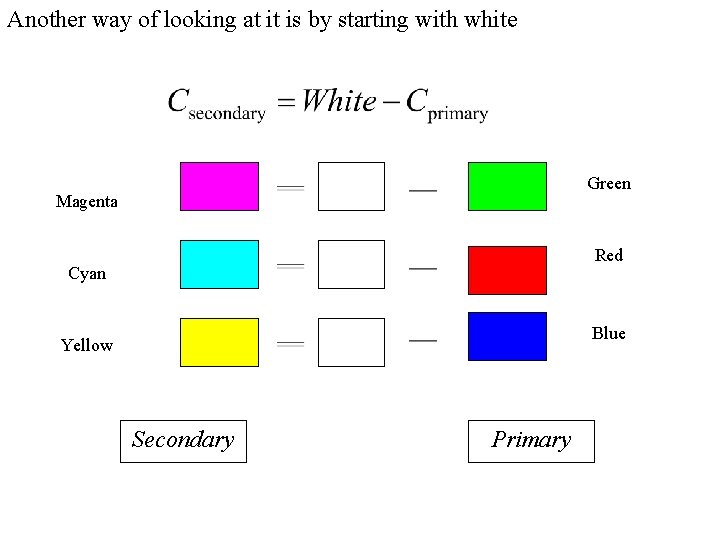
Another way of looking at it is by starting with white Green Magenta Red Cyan Blue Yellow Secondary Primary
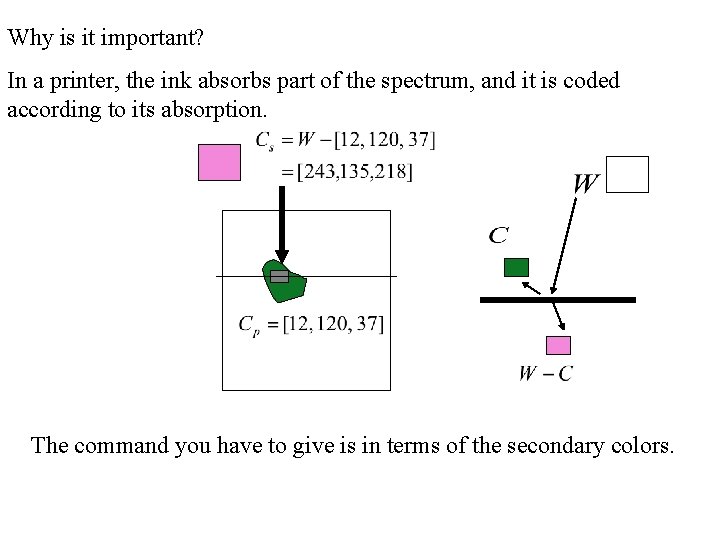
Why is it important? In a printer, the ink absorbs part of the spectrum, and it is coded according to its absorption. The command you have to give is in terms of the secondary colors.
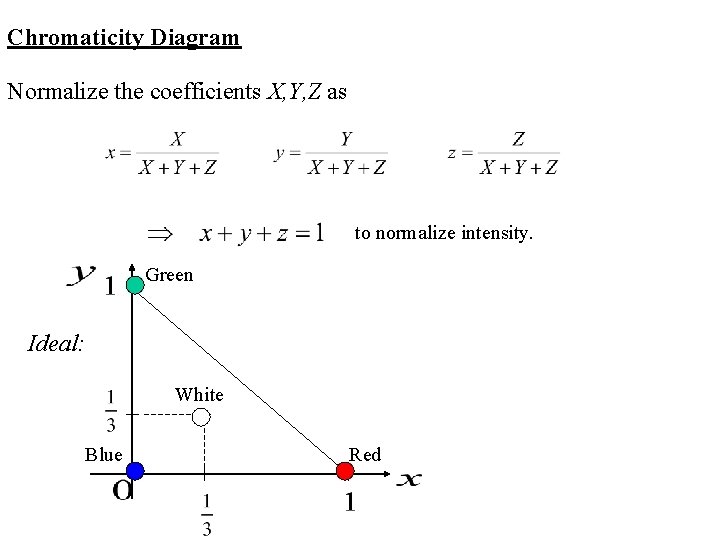
Chromaticity Diagram Normalize the coefficients X, Y, Z as to normalize intensity. Green Ideal: White Blue Red

A closer look at colors Cones (RGB) Sensitivities Notice: negative sensitivity. Excitation of one cone (say Green) inhibits excitation of another (say Red)
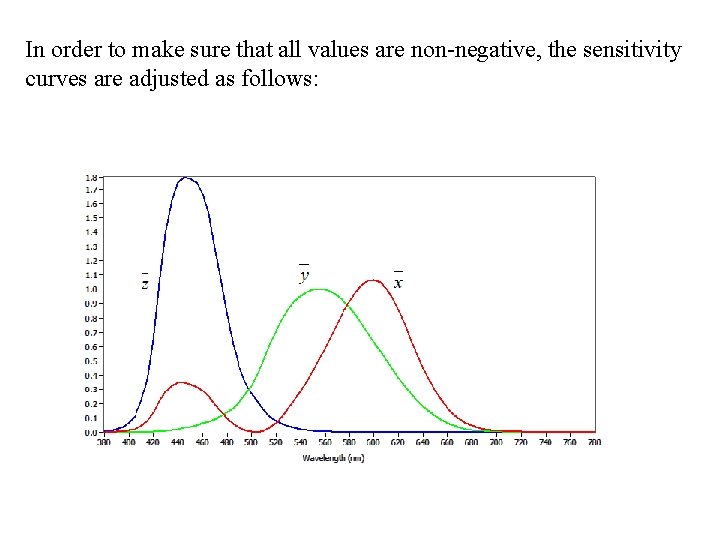
In order to make sure that all values are non-negative, the sensitivity curves are adjusted as follows:
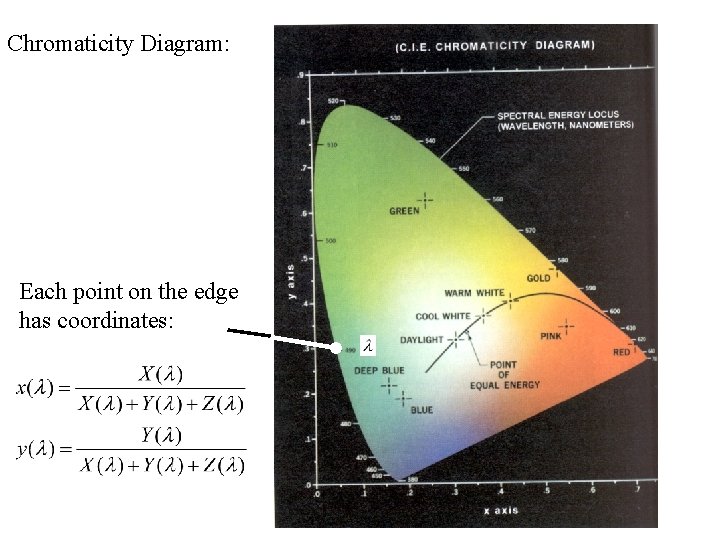
Chromaticity Diagram: Each point on the edge has coordinates:
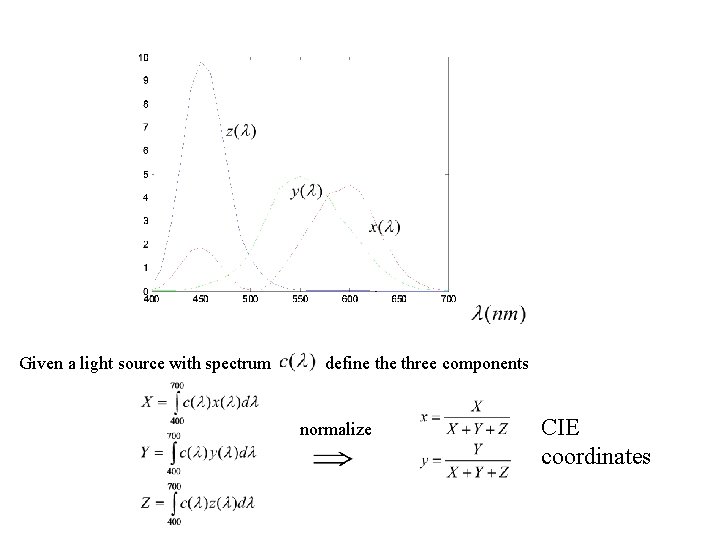
Given a light source with spectrum define three components normalize CIE coordinates
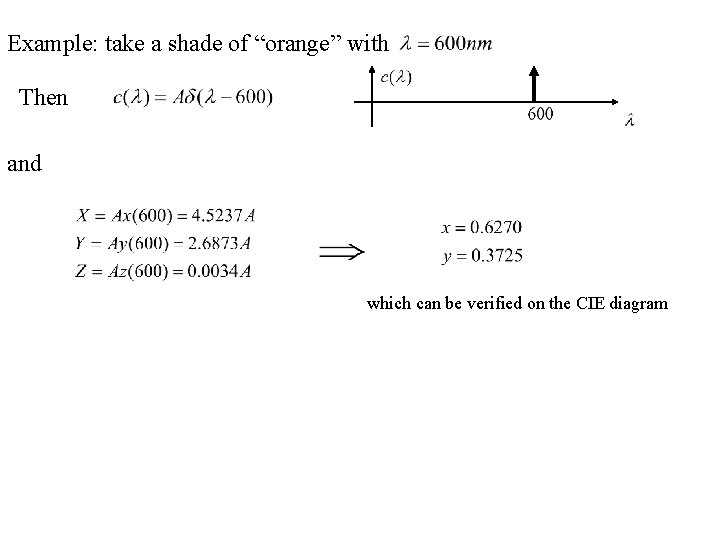
Example: take a shade of “orange” with Then and which can be verified on the CIE diagram
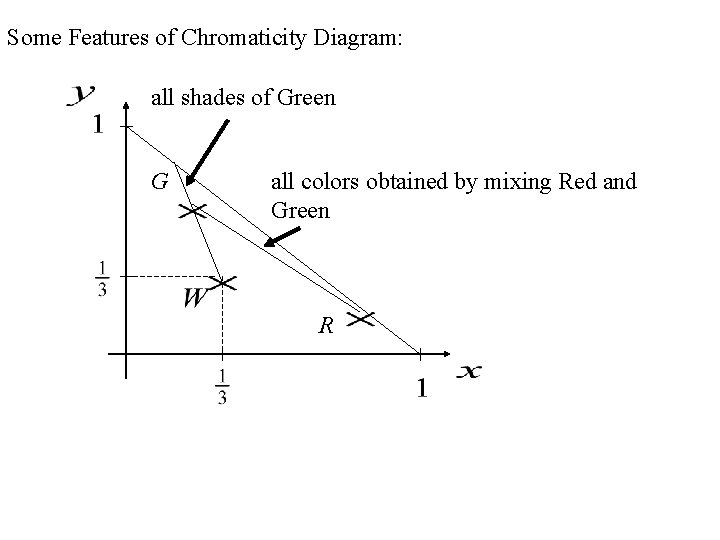
Some Features of Chromaticity Diagram: all shades of Green G all colors obtained by mixing Red and Green R
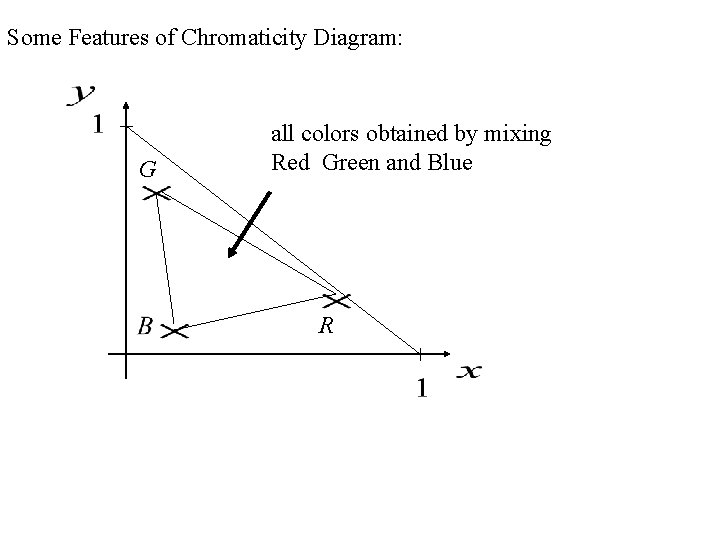
Some Features of Chromaticity Diagram: G all colors obtained by mixing Red Green and Blue R
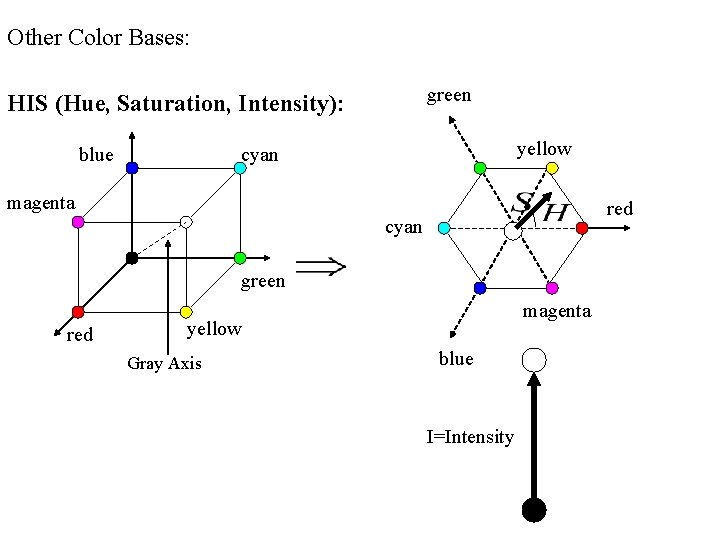
Other Color Bases: green HIS (Hue, Saturation, Intensity): blue yellow cyan magenta red cyan green red magenta yellow Gray Axis blue I=Intensity
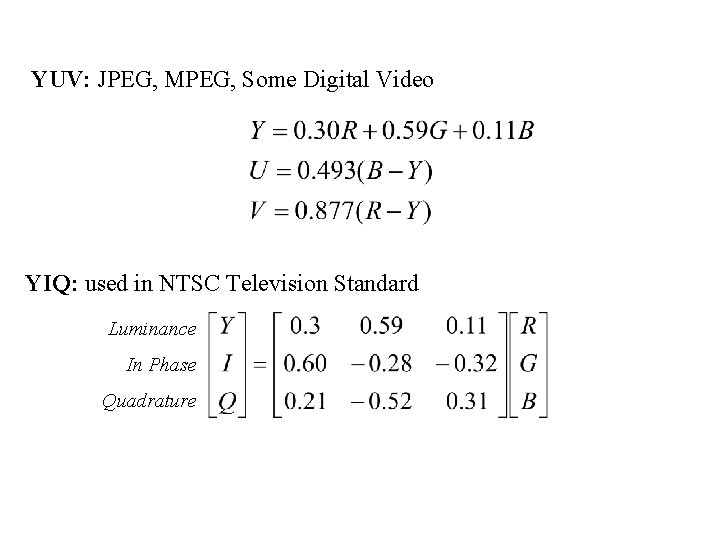
YUV: JPEG, MPEG, Some Digital Video YIQ: used in NTSC Television Standard Luminance In Phase Quadrature
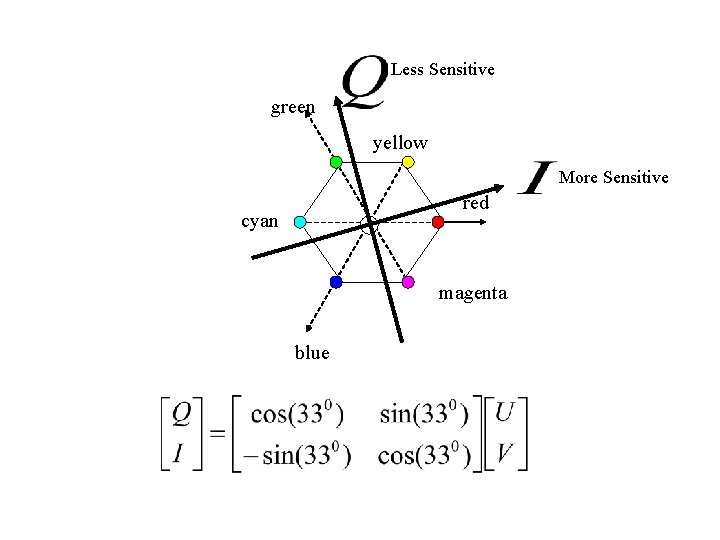
Less Sensitive green yellow More Sensitive red cyan magenta blue

Fact: YIQ approximates HIS, as
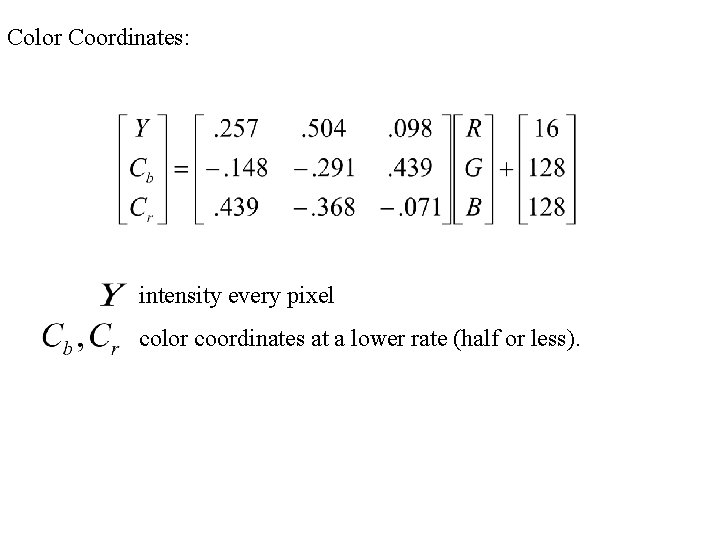
Color Coordinates: intensity every pixel color coordinates at a lower rate (half or less).
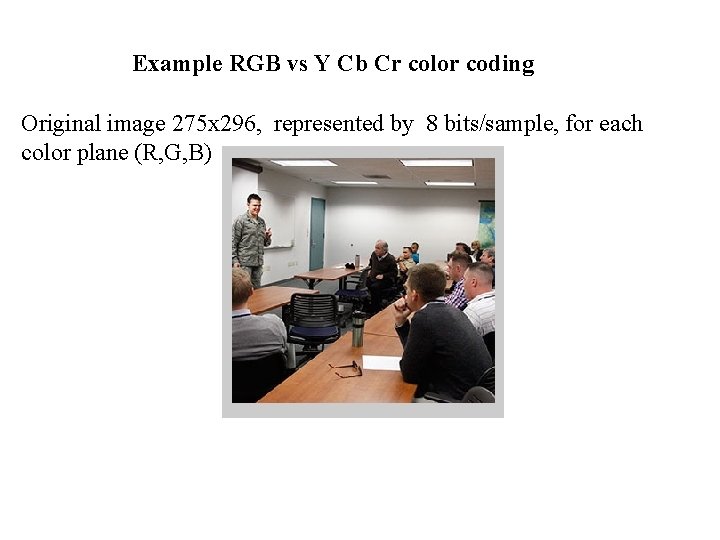
Example RGB vs Y Cb Cr color coding Original image 275 x 296, represented by 8 bits/sample, for each color plane (R, G, B)
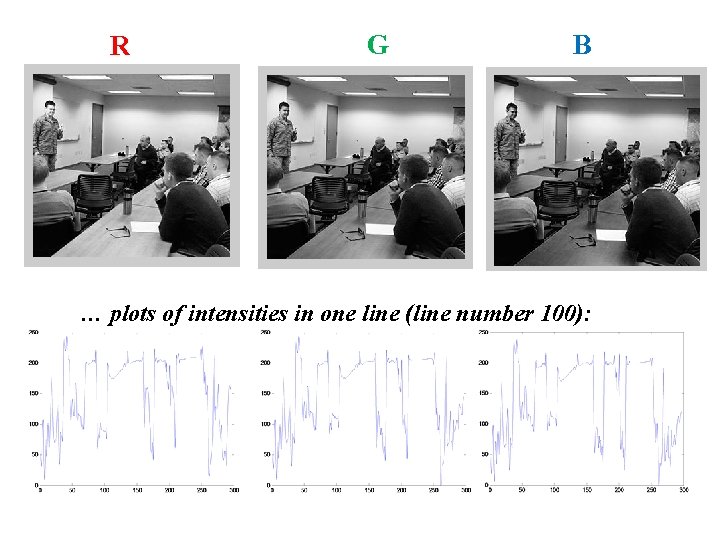
R G B … plots of intensities in one line (line number 100):
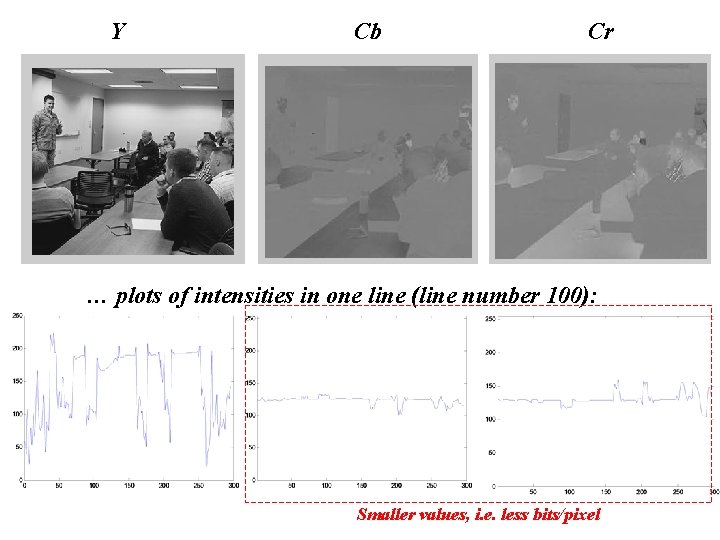
Y Cb Cr … plots of intensities in one line (line number 100): Smaller values, i. e. less bits/pixel
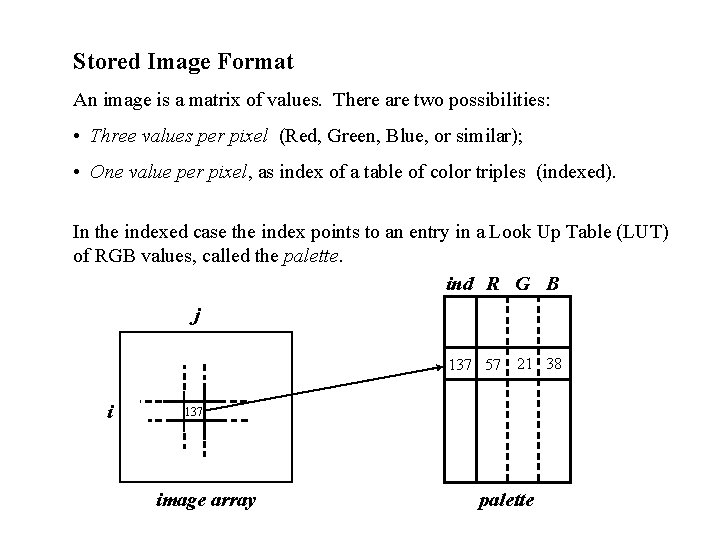
Stored Image Format An image is a matrix of values. There are two possibilities: • Three values per pixel (Red, Green, Blue, or similar); • One value per pixel, as index of a table of color triples (indexed). In the indexed case the index points to an entry in a Look Up Table (LUT) of RGB values, called the palette. ind R G B j 137 57 21 38 i 137 image array palette
![In Matlab images are represented in three different ways: • indexed as [X, map],](http://slidetodoc.com/presentation_image_h/2b06f98151bcd2e99a718c2577d76c27/image-26.jpg "In Matlab images are represented in three different ways: • indexed as [X, map],")
In Matlab images are represented in three different ways: • indexed as [X, map], where [R(i, j), G(i, j), B(i, j)] = map(X(i, j)) • RGB directly as three matrices [R, G, B]; • gray levels as [I, N] with N = number of intensity levels. To display images imshow (X, map) % shows image X with palette map; imshow (I, N) % with I(i, j) [0, 1] shows I as N intensity levels, imshow (R, G, B) % displays the three matrices R, G, B as a color image.
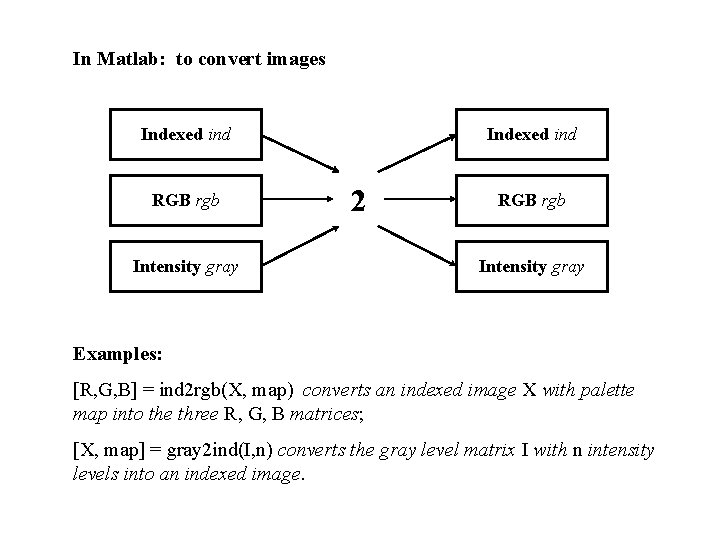
In Matlab: to convert images Indexed ind RGB rgb Intensity gray Indexed ind 2 RGB rgb Intensity gray Examples: [R, G, B] = ind 2 rgb(X, map) converts an indexed image X with palette map into the three R, G, B matrices; [X, map] = gray 2 ind(I, n) converts the gray level matrix I with n intensity levels into an indexed image.
Images as Database Formats: A number of applications, especially internet applications, require the image to be displayed by several different computer systems. Therefore, the image has to carry information not only of intensity levels, but also other information such as dimensions (number of rows and columns), compression, author, date, and others. Some File Format Types: • GIF (Graphics Interchange Format): it uses 8 bits/pixel for color coding, and for only one type of compression (Lempel-Ziw-Welch LZW to be seen later); • TIFF (Tagged Image File Format): more general, maximum of 24 bits/ pixel color coding and it supports a number of compression techniques (LZW, JPEG, RLE, …). Variable size header to accommodate all sorts of information about the file. • JPG: up to 24 bits for color coding, compressed with JPEG standard. • BMP: Bitmap uncompressed or with limited compression.
- Slides: 28