
1 Chapter 7 Arrays Outline 7 1 7
![7 7. 3 Declaring and Allocating Arrays • Multiple declarations String b[] = new](https://slidetodoc.com/presentation_image_h2/5564752e605dfbe9da2f996732d0a20c/image-7.jpg "7 7. 3 Declaring and Allocating Arrays • Multiple declarations String b[] = new")
![45 The array is: [0] [1] [2] [3] grades[0] 77 68 86 73 grades[1]](https://slidetodoc.com/presentation_image_h2/5564752e605dfbe9da2f996732d0a20c/image-45.jpg "45 The array is: [0] [1] [2] [3] grades[0] 77 68 86 73 grades[1]")
- Slides: 45
1 Chapter 7 - Arrays Outline 7. 1 7. 2 7. 3 7. 4 7. 5 7. 6 7. 7 7. 8 7. 9 Introduction Arrays Declaring and Allocating Arrays Examples Using Arrays References and Reference Parameters Passing Arrays to Methods Sorting Arrays Searching Arrays: Linear Search and Binary Search Multiple-Subscripted Arrays
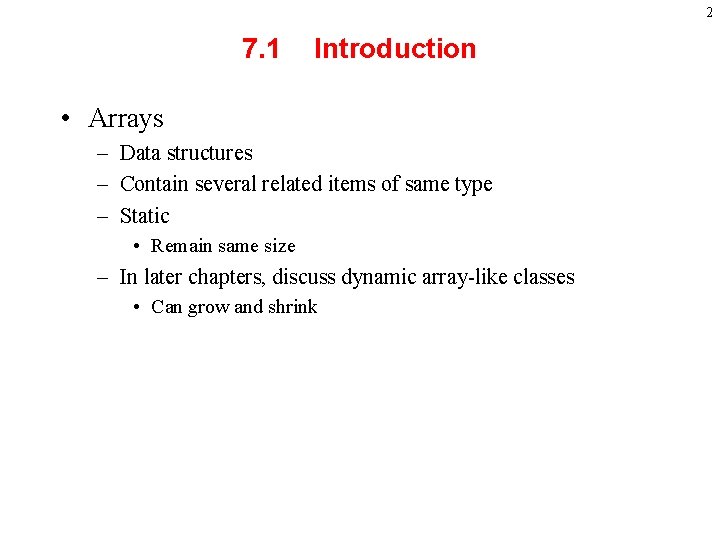
2 7. 1 Introduction • Arrays – Data structures – Contain several related items of same type – Static • Remain same size – In later chapters, discuss dynamic array-like classes • Can grow and shrink
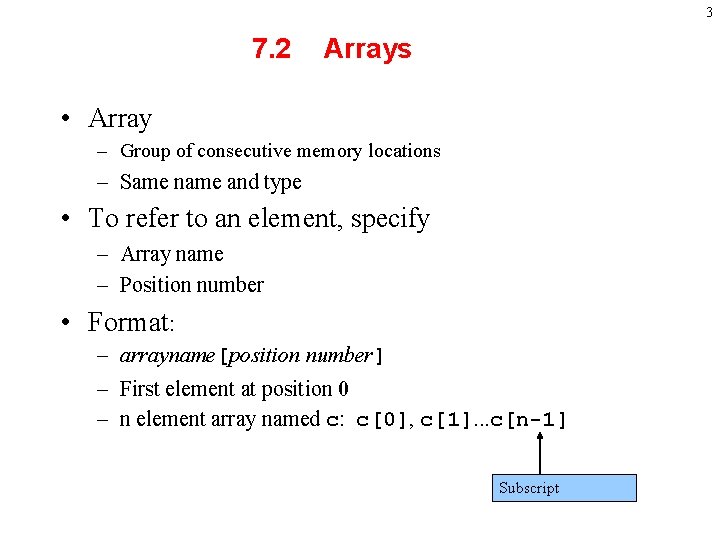
3 7. 2 Arrays • Array – Group of consecutive memory locations – Same name and type • To refer to an element, specify – Array name – Position number • Format: – arrayname[position number] – First element at position 0 – n element array named c: c[0], c[1]. . . c[n-1] Subscript
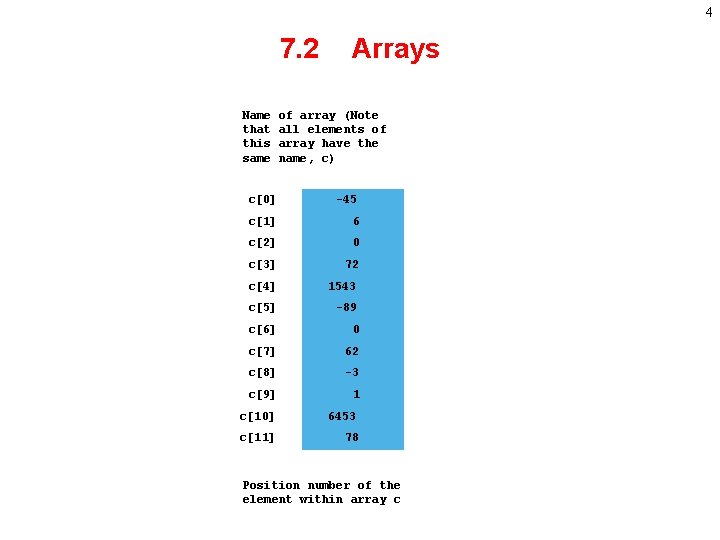
4 7. 2 Name that this same Arrays of array (Note all elements of array have the name, c) c[0] -45 c[1] 6 c[2] 0 c[3] 72 c[4] 1543 c[5] -89 c[6] 0 c[7] 62 c[8] -3 c[9] 1 c[10] 6453 c[11] 78 Position number of the element within array c
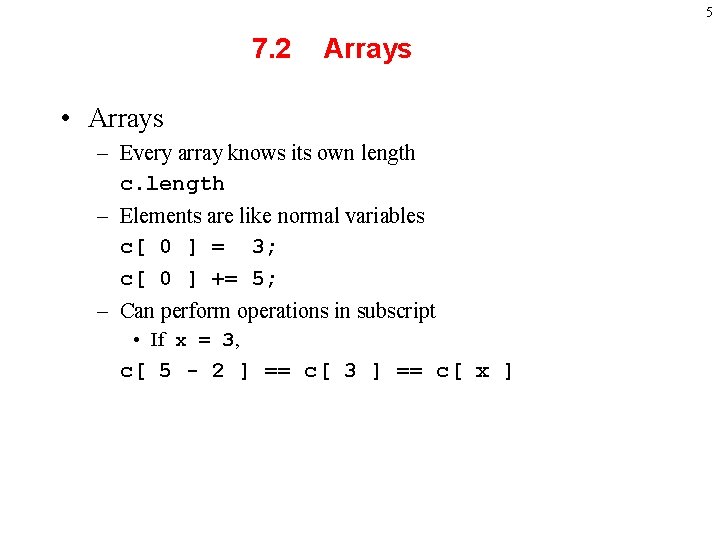
5 7. 2 Arrays • Arrays – Every array knows its own length c. length – Elements are like normal variables c[ 0 ] = 3; c[ 0 ] += 5; – Can perform operations in subscript • If x = 3, c[ 5 - 2 ] == c[ 3 ] == c[ x ]
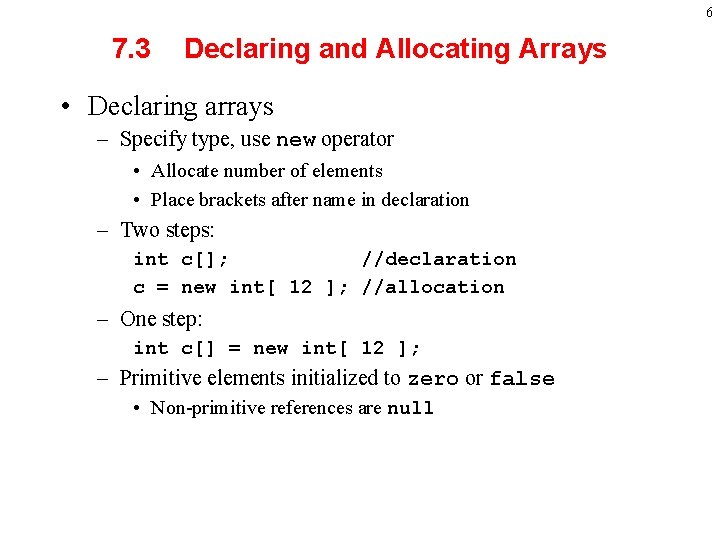
6 7. 3 Declaring and Allocating Arrays • Declaring arrays – Specify type, use new operator • Allocate number of elements • Place brackets after name in declaration – Two steps: int c[]; //declaration c = new int[ 12 ]; //allocation – One step: int c[] = new int[ 12 ]; – Primitive elements initialized to zero or false • Non-primitive references are null
7 7. 3 Declaring and Allocating Arrays • Multiple declarations String b[] = new String[ 100 ], x[] = new String[ 27 ]; – Declaring multiple arrays of same type • Can put brackets after data type instead of after name double[] array 1, array 2; • Arrays – Can contain any data type – For non-primitive types, every element a reference to an object
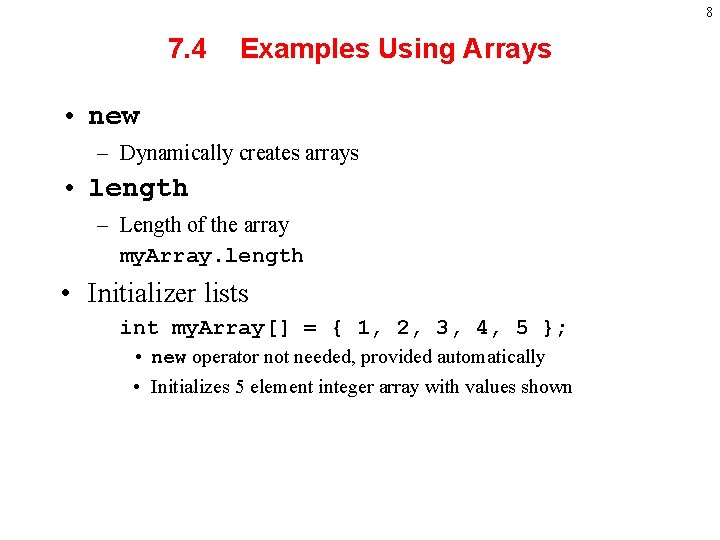
8 7. 4 Examples Using Arrays • new – Dynamically creates arrays • length – Length of the array my. Array. length • Initializer lists int my. Array[] = { 1, 2, 3, 4, 5 }; • new operator not needed, provided automatically • Initializes 5 element integer array with values shown
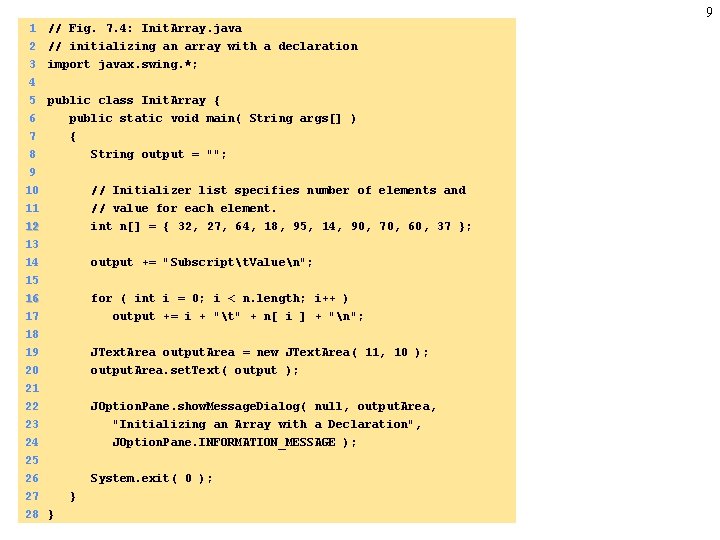
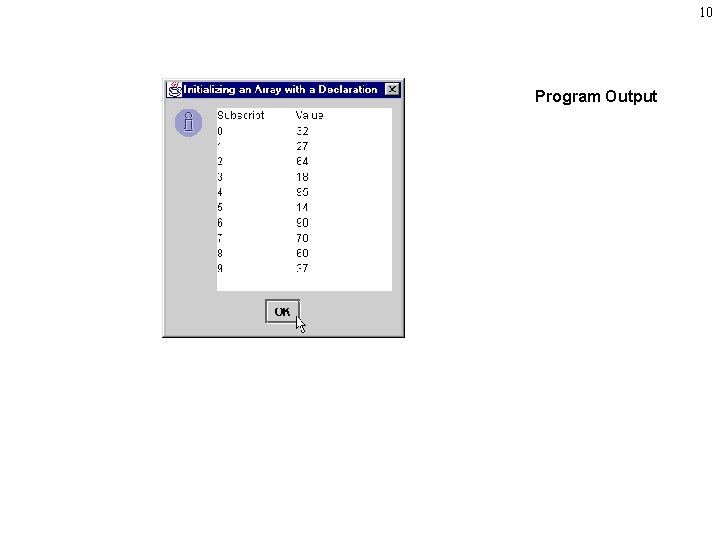
9 1 2 // Fig. 7. 4: Init. Array. java // initializing an array with a declaration 3 4 5 6 import javax. swing. *; public class Init. Array { public static void main( String args[] ) 7 8 9 10 { String output = ""; // Initializer list specifies number of elements and 11 12 13 14 // value for each element. int n[] = { 32, 27, 64, 18, 95, 14, 90, 70, 60, 37 }; output += "Subscriptt. Valuen"; 15 16 17 18 for ( int i = 0; i < n. length; i++ ) output += i + "t" + n[ i ] + "n"; 19 20 21 22 JText. Area output. Area = new JText. Area( 11, 10 ); output. Area. set. Text( output ); JOption. Pane. show. Message. Dialog( null, output. Area, 23 24 25 26 27 28 } "Initializing an Array with a Declaration", JOption. Pane. INFORMATION_MESSAGE ); System. exit( 0 ); }
10 Program Output
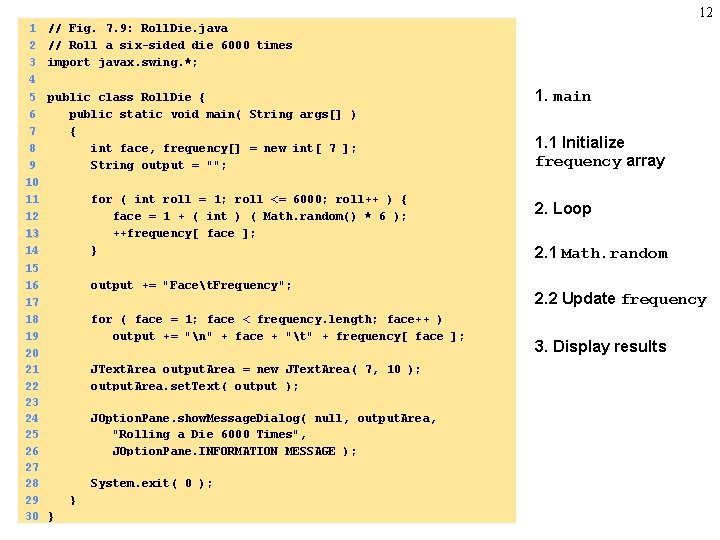
11 7. 4 Examples Using Arrays • Dice-rolling program – Use an array to keep track of which number was rolled – 7 element array (subscripts 0 to 6) – When a number is rolled, increment that array element
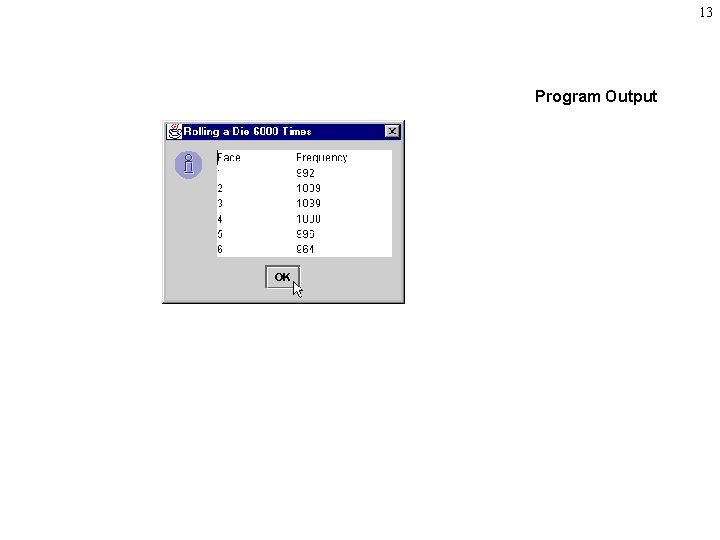
12 1 2 3 4 5 6 7 8 9 10 11 12 13 14 15 16 17 18 19 20 21 22 23 24 25 26 27 28 29 30 // Fig. 7. 9: Roll. Die. java // Roll a six-sided die 6000 times import javax. swing. *; public class Roll. Die { public static void main( String args[] ) { int face, frequency[] = new int[ 7 ]; String output = ""; for ( int roll = 1; roll <= 6000; roll++ ) { face = 1 + ( int ) ( Math. random() * 6 ); ++frequency[ face ]; } output += "Facet. Frequency"; for ( face = 1; face < frequency. length; face++ ) output += "n" + face + "t" + frequency[ face ]; JText. Area output. Area = new JText. Area( 7, 10 ); output. Area. set. Text( output ); JOption. Pane. show. Message. Dialog( null, output. Area, "Rolling a Die 6000 Times", JOption. Pane. INFORMATION_MESSAGE ); System. exit( 0 ); } } 1. main 1. 1 Initialize frequency array 2. Loop 2. 1 Math. random 2. 2 Update frequency 3. Display results
13 Program Output
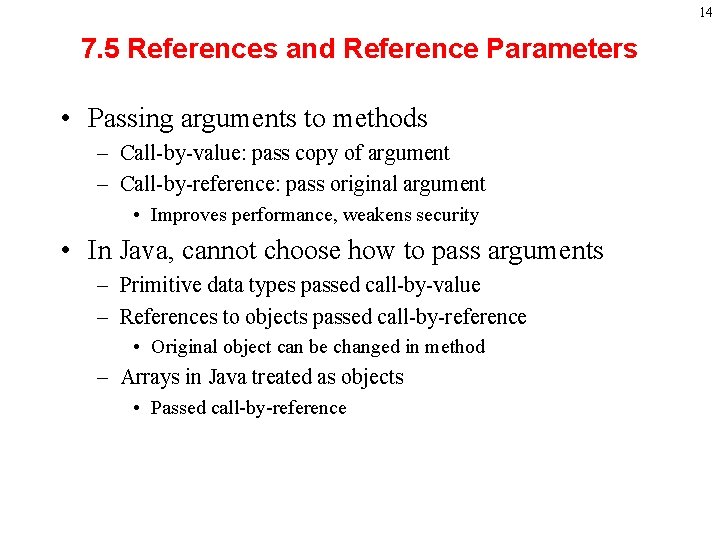
14 7. 5 References and Reference Parameters • Passing arguments to methods – Call-by-value: pass copy of argument – Call-by-reference: pass original argument • Improves performance, weakens security • In Java, cannot choose how to pass arguments – Primitive data types passed call-by-value – References to objects passed call-by-reference • Original object can be changed in method – Arrays in Java treated as objects • Passed call-by-reference
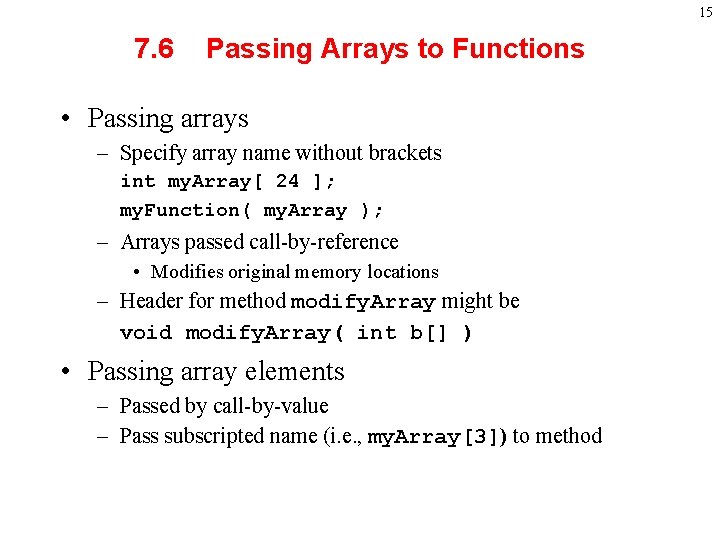
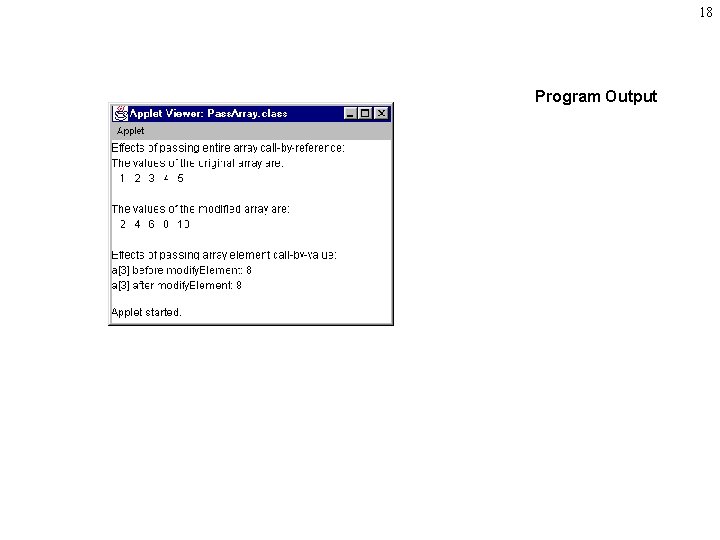
15 7. 6 Passing Arrays to Functions • Passing arrays – Specify array name without brackets int my. Array[ 24 ]; my. Function( my. Array ); – Arrays passed call-by-reference • Modifies original memory locations – Header for method modify. Array might be void modify. Array( int b[] ) • Passing array elements – Passed by call-by-value – Pass subscripted name (i. e. , my. Array[3]) to method
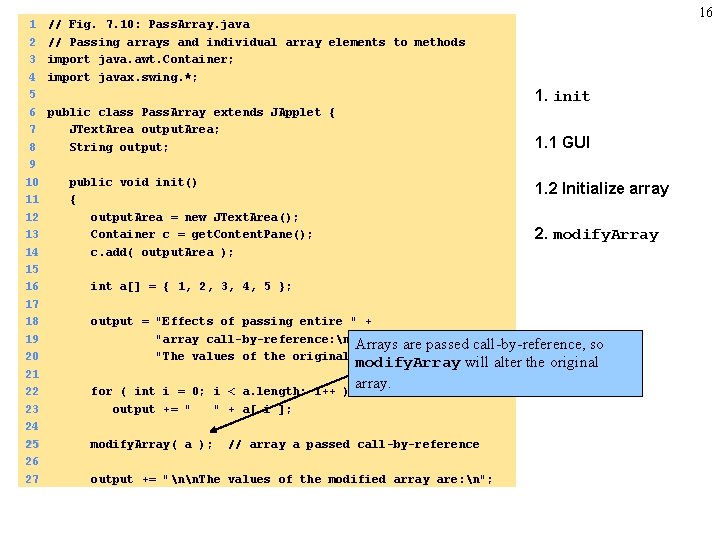
1 2 3 4 5 6 7 8 9 10 11 12 13 14 15 16 17 18 19 20 21 22 23 24 25 26 27 16 // Fig. 7. 10: Pass. Array. java // Passing arrays and individual array elements to methods import java. awt. Container; import javax. swing. *; 1. init public class Pass. Array extends JApplet { JText. Area output. Area; String output; 1. 1 GUI public void init() { output. Area = new JText. Area(); Container c = get. Content. Pane(); c. add( output. Area ); 1. 2 Initialize array 2. modify. Array int a[] = { 1, 2, 3, 4, 5 }; output = "Effects of passing entire " + "array call-by-reference: n" + Arrays are passed "The values of the original array are: n"; for ( int i = 0; i < a. length; i++ output += " " + a[ i ]; modify. Array( a ); call-by-reference, so modify. Array will alter the original array. ) // array a passed call-by-reference output += "nn. The values of the modified array are: n";
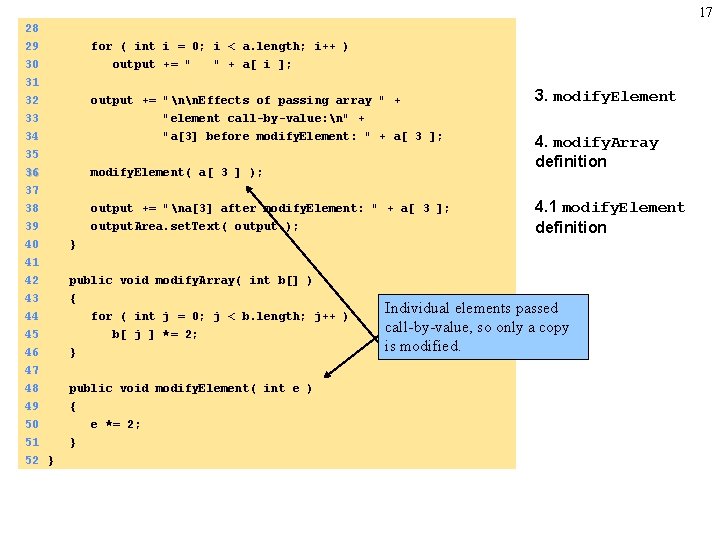
17 28 29 for ( int i = 0; i < a. length; i++ ) 30 output += " " + a[ i ]; 31 32 output += "nn. Effects of passing array " + 33 "element call-by-value: n" + 34 35 36 37 38 39 40 41 42 43 44 45 "a[3] before modify. Element: " + a[ 3 ]; modify. Element( a[ 3 ] ); output += "na[3] after modify. Element: " + a[ 3 ]; output. Area. set. Text( output ); 4. modify. Array definition 4. 1 modify. Element definition } public void modify. Array( int b[] ) { for ( int j = 0; j < b. length; j++ ) b[ j ] *= 2; 46 47 48 49 50 } 51 } 52 } 3. modify. Element public void modify. Element( int e ) { e *= 2; Individual elements passed call-by-value, so only a copy is modified.
18 Program Output
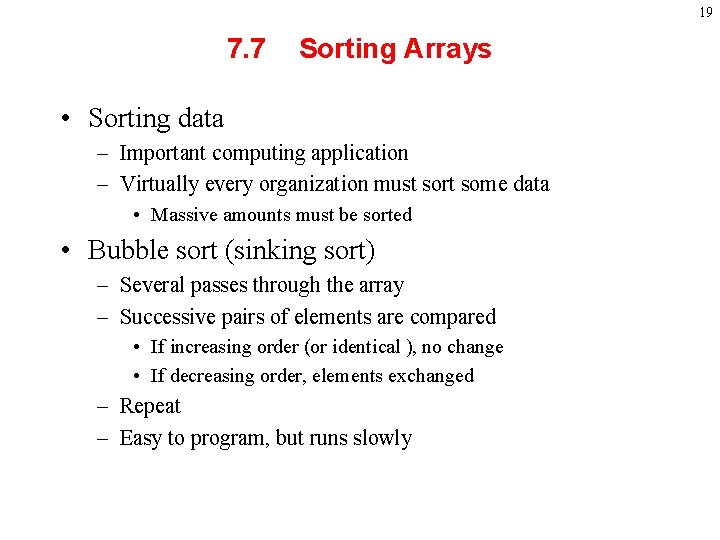
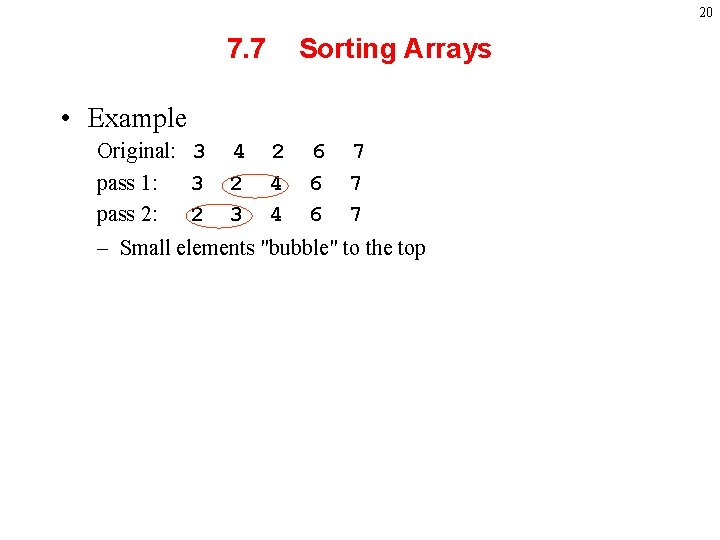
19 7. 7 Sorting Arrays • Sorting data – Important computing application – Virtually every organization must sort some data • Massive amounts must be sorted • Bubble sort (sinking sort) – Several passes through the array – Successive pairs of elements are compared • If increasing order (or identical ), no change • If decreasing order, elements exchanged – Repeat – Easy to program, but runs slowly
20 7. 7 Sorting Arrays • Example Original: 3 pass 1: 3 pass 2: 2 4 2 3 2 4 4 6 6 6 7 7 7 – Small elements "bubble" to the top
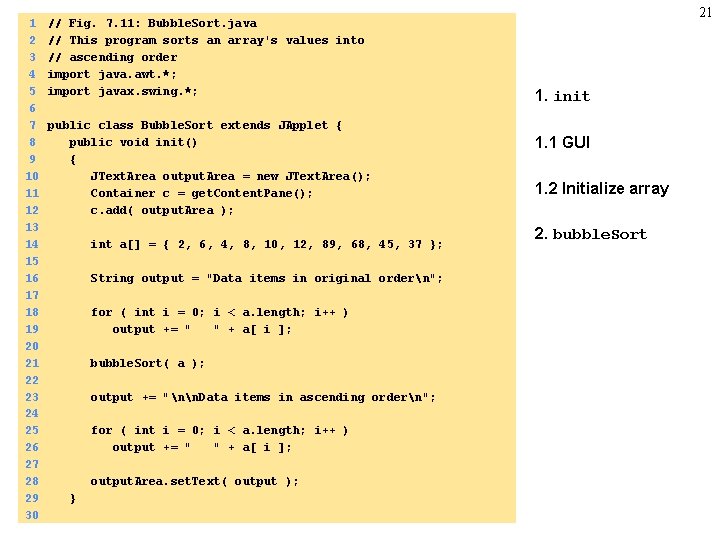
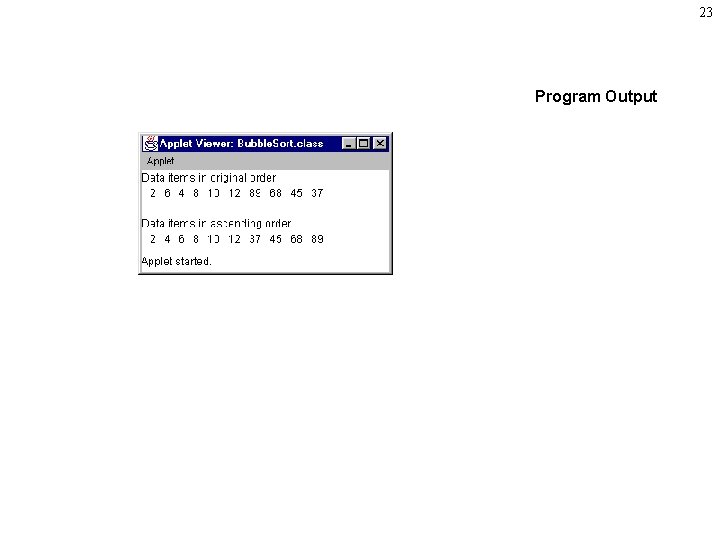
1 2 3 4 5 6 7 8 9 10 11 12 13 14 15 16 17 18 19 20 21 22 23 24 25 26 27 28 29 30 // Fig. 7. 11: Bubble. Sort. java // This program sorts an array's values into // ascending order import java. awt. *; import javax. swing. *; public class Bubble. Sort extends JApplet { public void init() { JText. Area output. Area = new JText. Area(); Container c = get. Content. Pane(); c. add( output. Area ); int a[] = { 2, 6, 4, 8, 10, 12, 89, 68, 45, 37 }; String output = "Data items in original ordern"; for ( int i = 0; i < a. length; i++ ) output += " " + a[ i ]; bubble. Sort( a ); output += "nn. Data items in ascending ordern"; for ( int i = 0; i < a. length; i++ ) output += " " + a[ i ]; output. Area. set. Text( output ); } 21 1. init 1. 1 GUI 1. 2 Initialize array 2. bubble. Sort
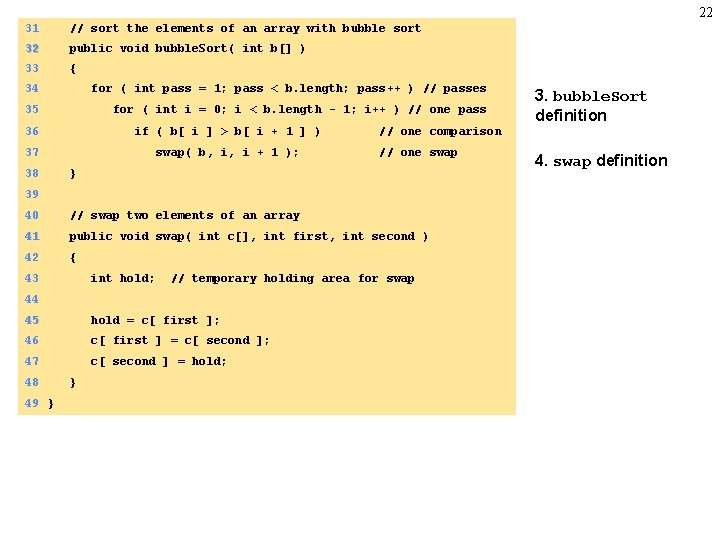
22 31 // sort the elements of an array with bubble sort 32 public void bubble. Sort( int b[] ) 33 { 34 for ( int pass = 1; pass < b. length; pass++ ) // passes 35 for ( int i = 0; i < b. length - 1; i++ ) // one pass 36 if ( b[ i ] > b[ i + 1 ] ) 37 swap( b, i, i + 1 ); 38 // one comparison // one swap } 39 40 // swap two elements of an array 41 public void swap( int c[], int first, int second ) 42 { 43 int hold; // temporary holding area for swap 44 45 hold = c[ first ]; 46 c[ first ] = c[ second ]; 47 c[ second ] = hold; 48 49 } } 3. bubble. Sort definition 4. swap definition
23 Program Output
7. 8 Searching Arrays: Linear Search and Binary Search • Search an array for a key value • Linear search – Simple – Compare each element of array with key value – Useful for small and unsorted arrays 24
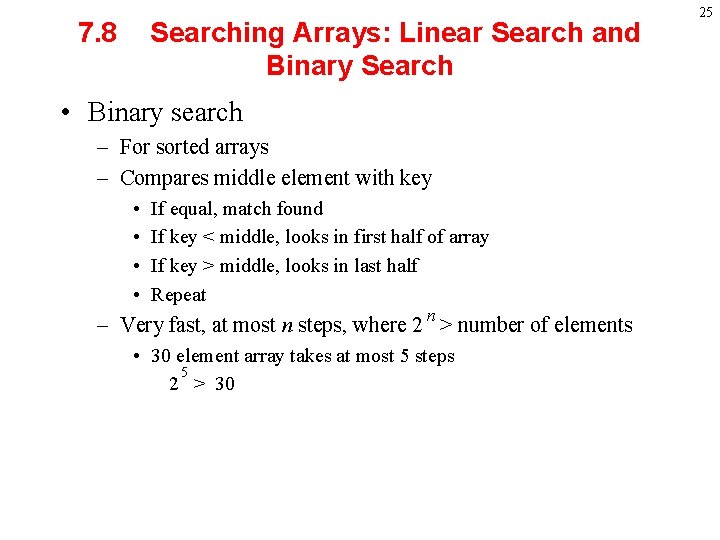
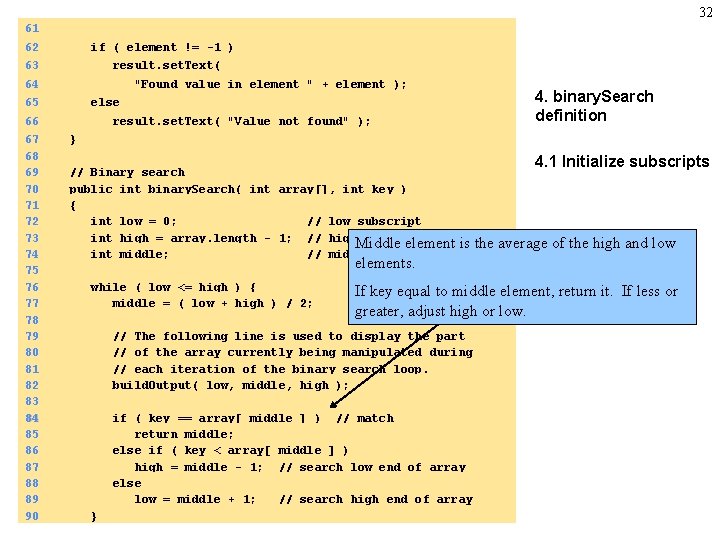
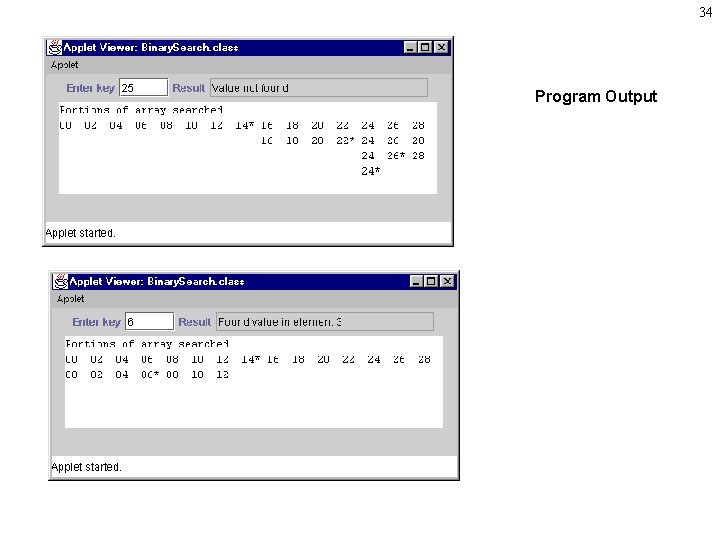
7. 8 Searching Arrays: Linear Search and Binary Search • Binary search – For sorted arrays – Compares middle element with key • • If equal, match found If key < middle, looks in first half of array If key > middle, looks in last half Repeat n – Very fast, at most n steps, where 2 > number of elements • 30 element array takes at most 5 steps 5 2 > 30 25
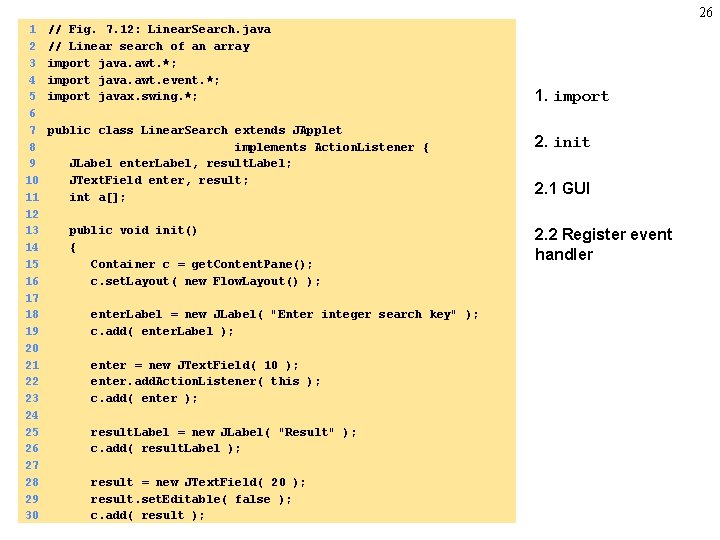
26 1 2 3 4 5 6 7 8 9 10 11 12 13 14 15 16 17 18 19 20 21 22 23 24 25 26 27 28 29 30 // Fig. 7. 12: Linear. Search. java // Linear search of an array import java. awt. *; import java. awt. event. *; import javax. swing. *; public class Linear. Search extends JApplet implements Action. Listener { JLabel enter. Label, result. Label; JText. Field enter, result; int a[]; public void init() { Container c = get. Content. Pane(); c. set. Layout( new Flow. Layout() ); enter. Label = new JLabel( "Enter integer search key" ); c. add( enter. Label ); enter = new JText. Field( 10 ); enter. add. Action. Listener( this ); c. add( enter ); result. Label = new JLabel( "Result" ); c. add( result. Label ); result = new JText. Field( 20 ); result. set. Editable( false ); c. add( result ); 1. import 2. init 2. 1 GUI 2. 2 Register event handler
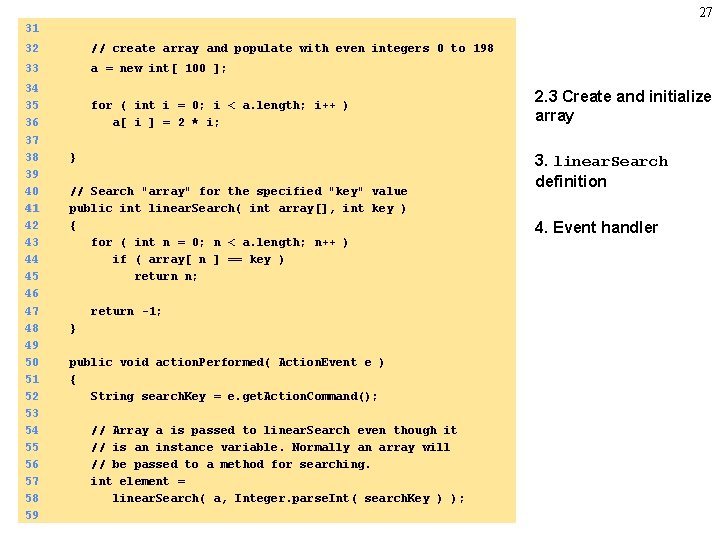
27 31 32 // create array and populate with even integers 0 to 198 33 a = new int[ 100 ]; 34 35 36 37 38 39 40 41 42 43 44 45 46 47 48 49 50 51 52 53 54 55 56 57 58 59 for ( int i = 0; i < a. length; i++ ) a[ i ] = 2 * i; } // Search "array" for the specified "key" value public int linear. Search( int array[], int key ) { for ( int n = 0; n < a. length; n++ ) if ( array[ n ] == key ) return n; return -1; } public void action. Performed( Action. Event e ) { String search. Key = e. get. Action. Command(); // Array a is passed to linear. Search even though it // is an instance variable. Normally an array will // be passed to a method for searching. int element = linear. Search( a, Integer. parse. Int( search. Key ) ); 2. 3 Create and initialize array 3. linear. Search definition 4. Event handler
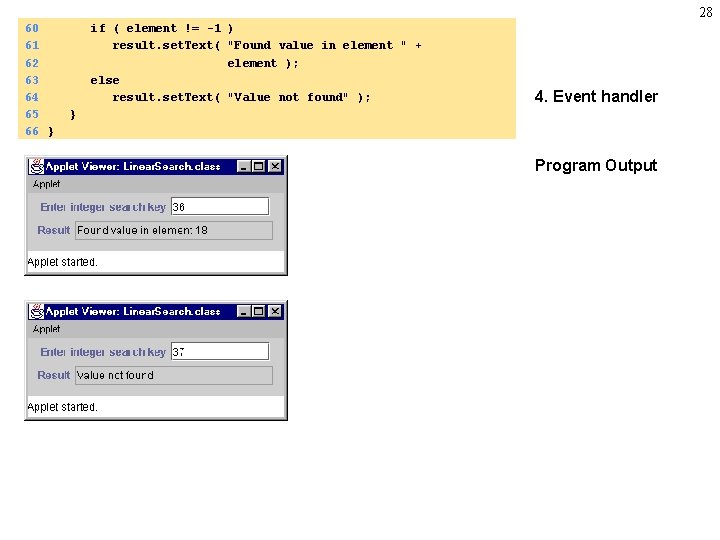
28 60 61 62 63 64 65 66 } if ( element != -1 ) result. set. Text( "Found value in element " + element ); else result. set. Text( "Value not found" ); 4. Event handler } Program Output
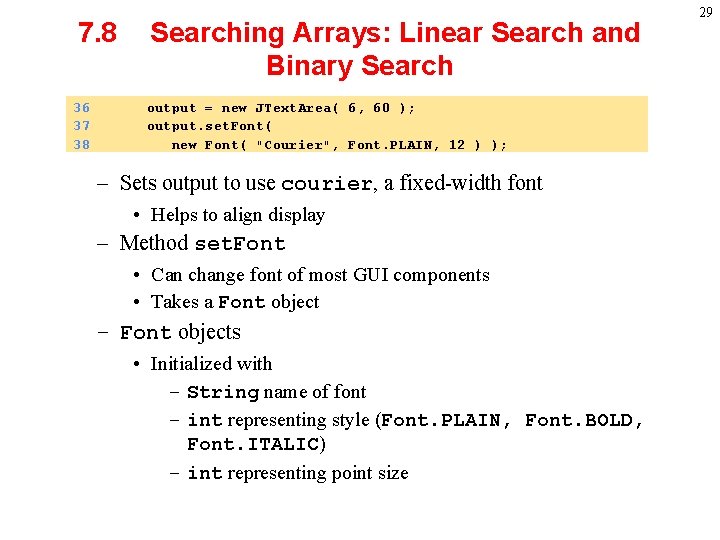
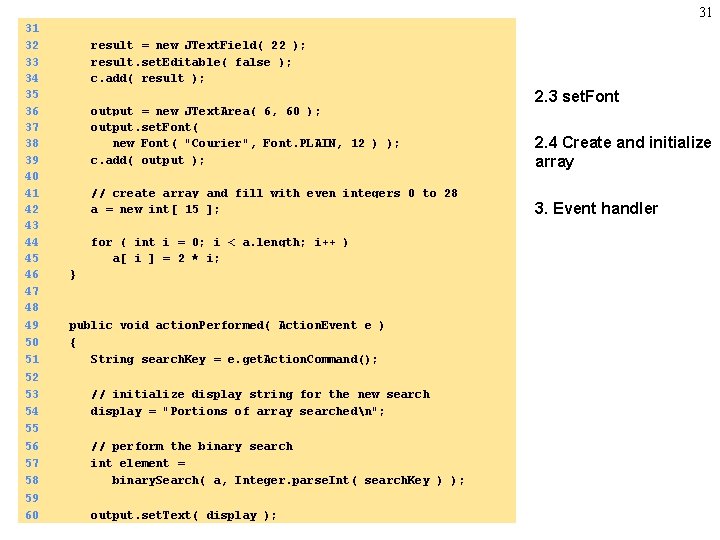
7. 8 36 37 38 Searching Arrays: Linear Search and Binary Search output = new JText. Area( 6, 60 ); output. set. Font( new Font( "Courier", Font. PLAIN, 12 ) ); – Sets output to use courier, a fixed-width font • Helps to align display – Method set. Font • Can change font of most GUI components • Takes a Font object – Font objects • Initialized with – String name of font – int representing style (Font. PLAIN, Font. BOLD, Font. ITALIC) – int representing point size 29
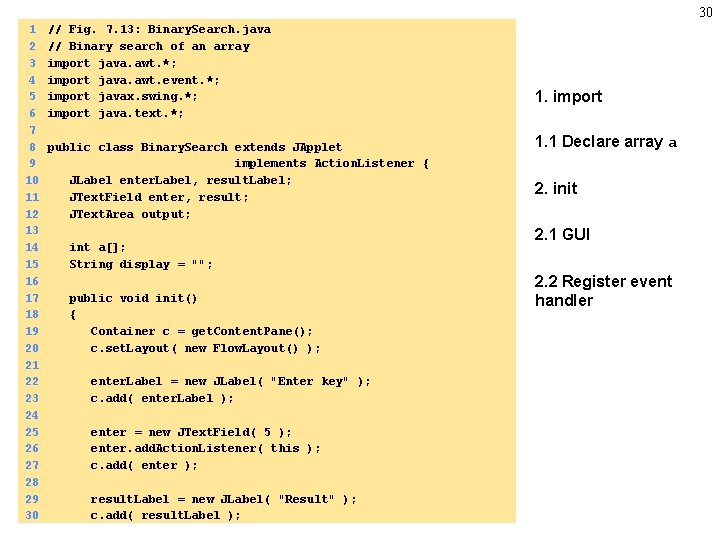
30 1 2 3 4 5 6 7 8 9 10 11 12 13 14 15 16 17 18 19 20 21 22 23 24 25 26 27 28 29 30 // Fig. 7. 13: Binary. Search. java // Binary search of an array import java. awt. *; import java. awt. event. *; import javax. swing. *; import java. text. *; public class Binary. Search extends JApplet implements Action. Listener { JLabel enter. Label, result. Label; JText. Field enter, result; JText. Area output; int a[]; String display = ""; public void init() { Container c = get. Content. Pane(); c. set. Layout( new Flow. Layout() ); enter. Label = new JLabel( "Enter key" ); c. add( enter. Label ); enter = new JText. Field( 5 ); enter. add. Action. Listener( this ); c. add( enter ); result. Label = new JLabel( "Result" ); c. add( result. Label ); 1. import 1. 1 Declare array a 2. init 2. 1 GUI 2. 2 Register event handler
31 31 32 33 34 35 36 37 38 39 40 41 42 43 44 45 46 47 48 49 50 51 52 53 54 55 56 57 58 59 60 result = new JText. Field( 22 ); result. set. Editable( false ); c. add( result ); output = new JText. Area( 6, 60 ); output. set. Font( new Font( "Courier", Font. PLAIN, 12 ) ); c. add( output ); // create array and fill with even integers 0 to 28 a = new int[ 15 ]; for ( int i = 0; i < a. length; i++ ) a[ i ] = 2 * i; } public void action. Performed( Action. Event e ) { String search. Key = e. get. Action. Command(); // initialize display string for the new search display = "Portions of array searchedn"; // perform the binary search int element = binary. Search( a, Integer. parse. Int( search. Key ) ); output. set. Text( display ); 2. 3 set. Font 2. 4 Create and initialize array 3. Event handler
32 61 62 if ( element != -1 ) 63 result. set. Text( 64 "Found value in element " + element ); 65 66 67 68 69 70 71 72 73 74 75 76 77 78 79 80 81 82 83 84 85 86 87 88 89 90 4. binary. Search definition else result. set. Text( "Value not found" ); } // Binary search public int binary. Search( int array[], int key ) { int low = 0; // low subscript int high = array. length - 1; // high subscript Middle element int middle; // middle subscript 4. 1 Initialize subscripts is the average of the high and low elements. while ( low <= high ) { middle = ( low + high ) / 2; If key equal to middle element, return it. If less or greater, adjust high or low. // The following line is used to display the part // of the array currently being manipulated during // each iteration of the binary search loop. build. Output( low, middle, high ); if ( key == array[ middle ] ) // match return middle; else if ( key < array[ middle ] ) high = middle - 1; // search low end of array else low = middle + 1; // search high end of array }
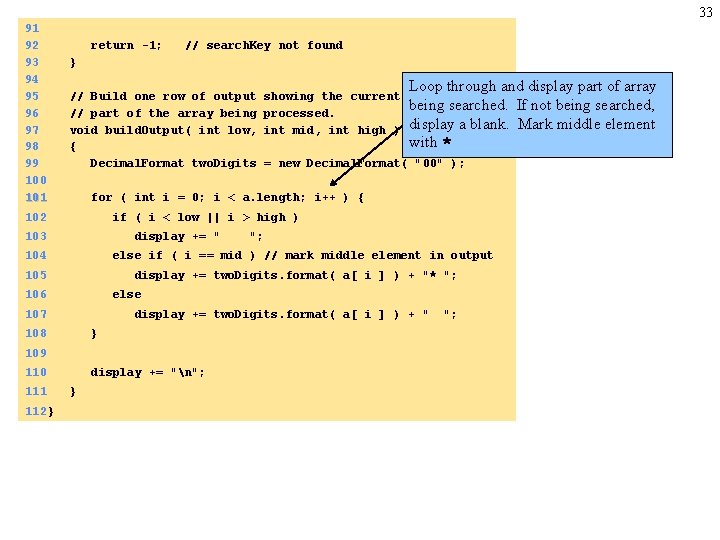
33 91 92 93 94 95 96 97 98 99 100 101 return -1; // search. Key not found } // Build one row of output // part of the array being void build. Output( int low, { Decimal. Format two. Digits = new Decimal. Format( "00" ); if ( i < low || i > high ) 103 display += " 104 "; else if ( i == mid ) // mark middle element in output 105 display += two. Digits. format( a[ i ] ) + "* "; 106 else 107 display += two. Digits. format( a[ i ] ) + " 108 } 109 110 112 } Loop through and display part of array 5. build. Output being searched. If not being searched, definition display a blank. Mark middle element with * for ( int i = 0; i < a. length; i++ ) { 102 111 showing the current processed. int mid, int high ) display += "n"; } ";
34 Program Output
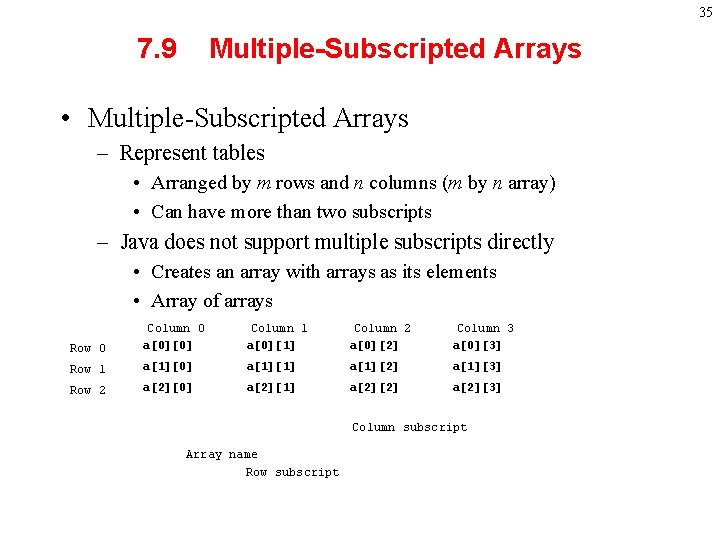
35 7. 9 Multiple-Subscripted Arrays • Multiple-Subscripted Arrays – Represent tables • Arranged by m rows and n columns (m by n array) • Can have more than two subscripts – Java does not support multiple subscripts directly • Creates an array with arrays as its elements • Array of arrays Row 0 Column 0 a[0][0] Column 1 a[0][1] Column 2 a[0][2] Column 3 a[0][3] Row 1 a[1][0] a[1][1] a[1][2] a[1][3] Row 2 a[2][0] a[2][1] a[2][2] a[2][3] Column subscript Array name Row subscript
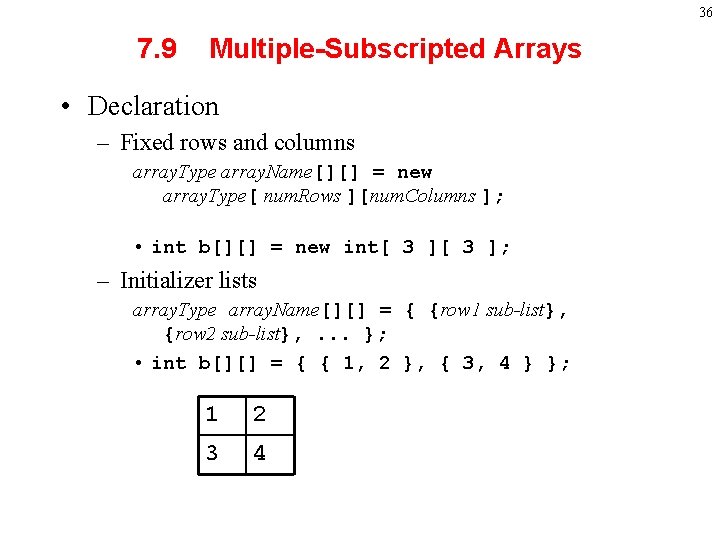
36 7. 9 Multiple-Subscripted Arrays • Declaration – Fixed rows and columns array. Type array. Name[][] = new array. Type[ num. Rows ][num. Columns ]; • int b[][] = new int[ 3 ]; – Initializer lists array. Type array. Name[][] = { {row 1 sub-list}, {row 2 sub-list}, . . . }; • int b[][] = { { 1, 2 }, { 3, 4 } }; 1 2 3 4
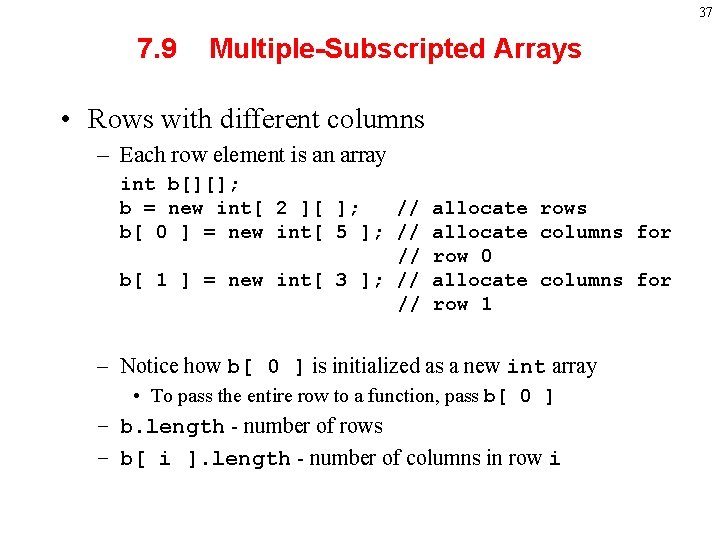
37 7. 9 Multiple-Subscripted Arrays • Rows with different columns – Each row element is an array int b[][]; b = new int[ 2 ][ ]; // allocate rows b[ 0 ] = new int[ 5 ]; // allocate columns for // row 0 b[ 1 ] = new int[ 3 ]; // allocate columns for // row 1 – Notice how b[ 0 ] is initialized as a new int array • To pass the entire row to a function, pass b[ 0 ] – b. length - number of rows – b[ i ]. length - number of columns in row i
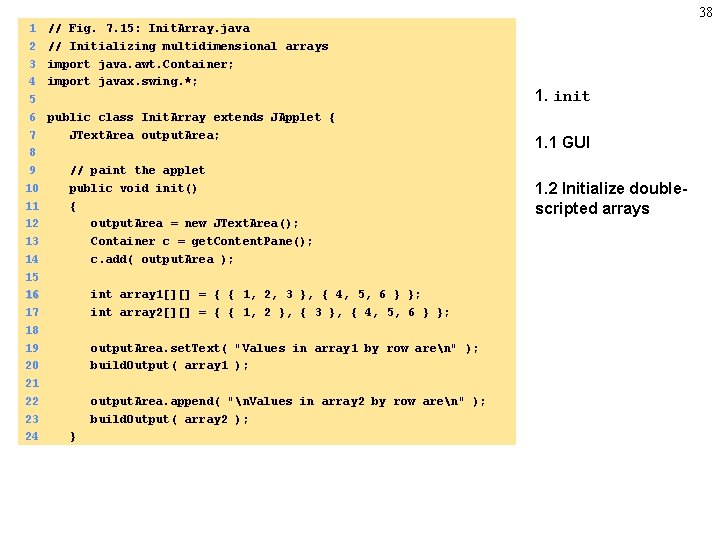
38 1 2 3 4 5 6 7 8 9 10 11 12 13 14 15 16 17 18 19 20 21 22 23 24 // Fig. 7. 15: Init. Array. java // Initializing multidimensional arrays import java. awt. Container; import javax. swing. *; public class Init. Array extends JApplet { JText. Area output. Area; // paint the applet public void init() { output. Area = new JText. Area(); Container c = get. Content. Pane(); c. add( output. Area ); int array 1[][] = { { 1, 2, 3 }, { 4, 5, 6 } }; int array 2[][] = { { 1, 2 }, { 3 }, { 4, 5, 6 } }; output. Area. set. Text( "Values in array 1 by row aren" ); build. Output( array 1 ); output. Area. append( "n. Values in array 2 by row aren" ); build. Output( array 2 ); } 1. init 1. 1 GUI 1. 2 Initialize doublescripted arrays
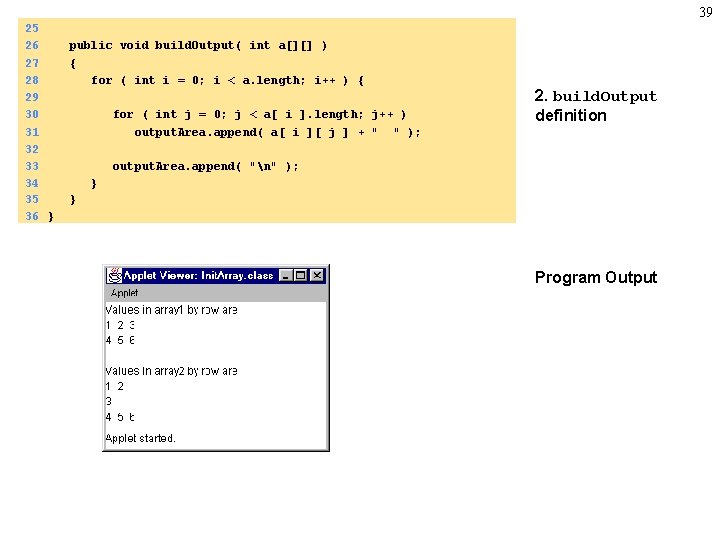
39 25 26 27 28 29 30 31 32 33 34 35 36 } public void build. Output( int a[][] ) { for ( int i = 0; i < a. length; i++ ) { for ( int j = 0; j < a[ i ]. length; j++ ) output. Area. append( a[ i ][ j ] + " " ); 2. build. Output definition output. Area. append( "n" ); } } Program Output
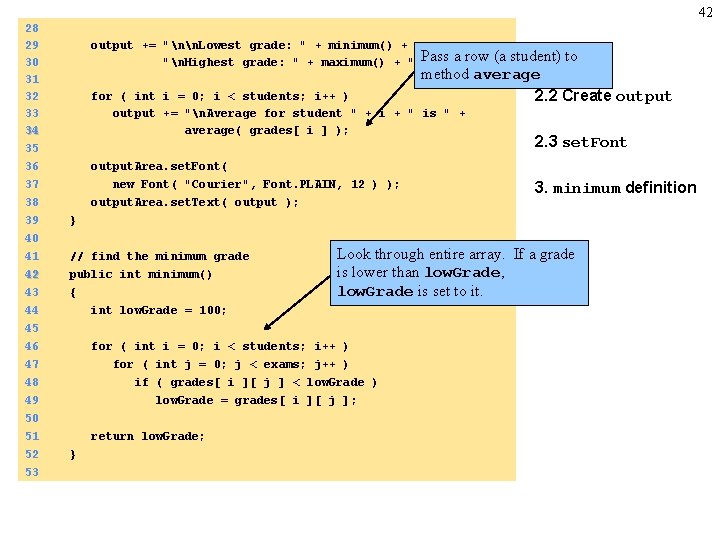
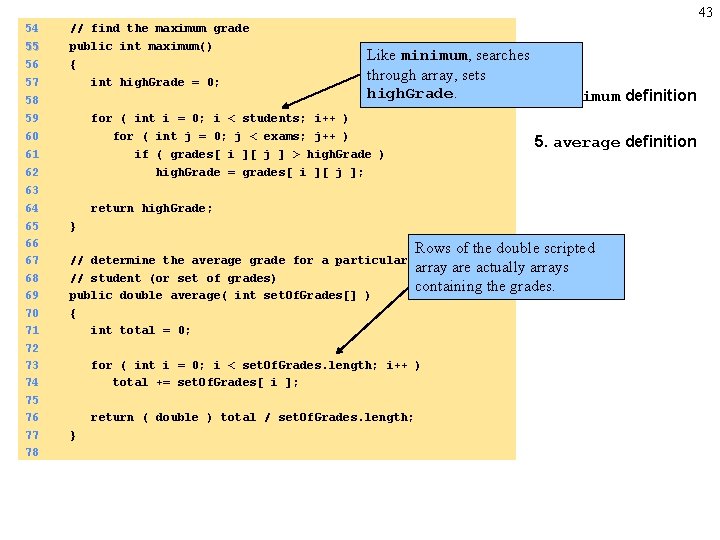
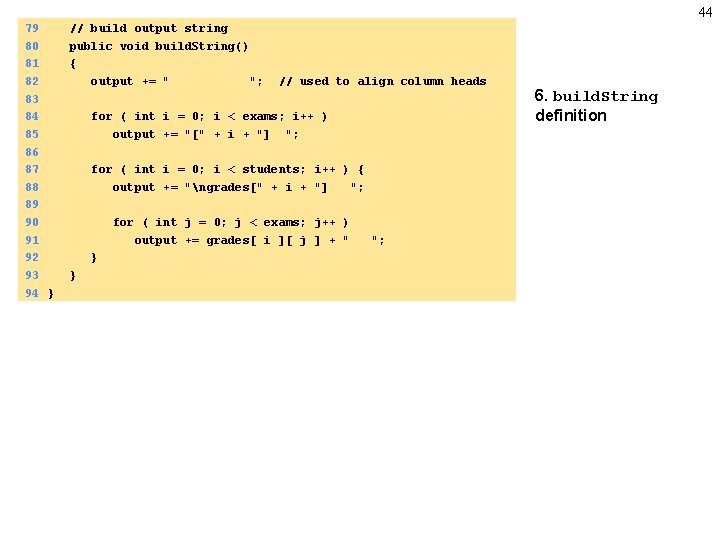
40 7. 9 Multiple-Subscripted Arrays • Upcoming applet – Use double scripted array for student grades • Row - student • Column - grades on test – Print average, high, low
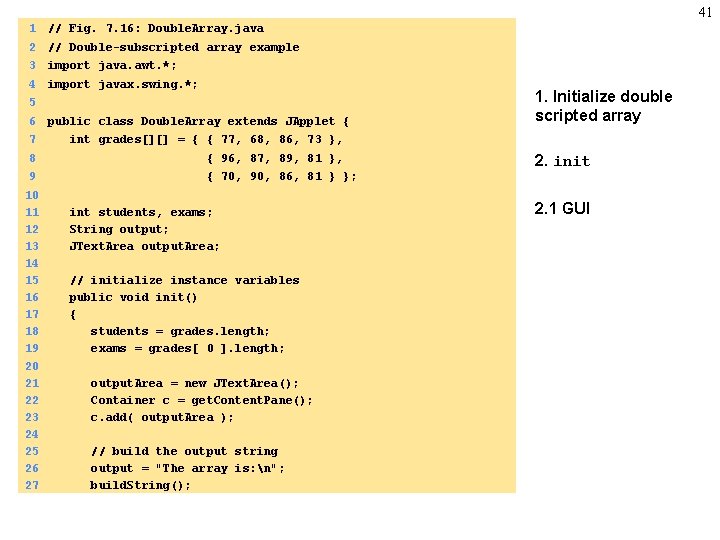
41 1 // Fig. 7. 16: Double. Array. java 2 // Double-subscripted array example 3 import java. awt. *; 4 import javax. swing. *; 5 6 public class Double. Array extends JApplet { 7 int grades[][] = { { 77, 68, 86, 73 }, 8 { 96, 87, 89, 81 }, 9 { 70, 90, 86, 81 } }; 10 11 12 13 14 15 16 17 18 19 20 21 22 23 24 25 26 27 int students, exams; String output; JText. Area output. Area; // initialize instance variables public void init() { students = grades. length; exams = grades[ 0 ]. length; output. Area = new JText. Area(); Container c = get. Content. Pane(); c. add( output. Area ); // build the output string output = "The array is: n"; build. String(); 1. Initialize double scripted array 2. init 2. 1 GUI
42 28 29 30 31 32 33 34 35 36 37 38 39 40 41 42 43 44 45 46 47 48 output += "nn. Lowest grade: " + minimum() + Pass "n. Highest grade: " + maximum() + "n"; a row (a student) to method average 2. 2 Create output for ( int i = 0; i < students; i++ ) output += "n. Average for student " + i + " is " + average( grades[ i ] ); output. Area. set. Font( new Font( "Courier", Font. PLAIN, 12 ) ); output. Area. set. Text( output ); 3. minimum definition } // find the minimum grade public int minimum() { int low. Grade = 100; Look through entire array. If a grade is lower than low. Grade, low. Grade is set to it. for ( int i = 0; i < students; i++ ) for ( int j = 0; j < exams; j++ ) if ( grades[ i ][ j ] < low. Grade ) 49 50 51 52 53 2. 3 set. Font low. Grade = grades[ i ][ j ]; return low. Grade; }
43 54 55 56 // find the maximum grade public int maximum() { 57 int high. Grade = 0; 58 59 for ( int i = 0; i < students; i++ ) 60 for ( int j = 0; j < exams; j++ ) 61 62 63 64 65 66 67 68 69 70 71 72 73 74 75 76 77 78 Like minimum, searches through array, sets high. Grade. 4. maximum definition 5. average definition if ( grades[ i ][ j ] > high. Grade ) high. Grade = grades[ i ][ j ]; return high. Grade; } // determine the average grade for a particular // student (or set of grades) public double average( int set. Of. Grades[] ) { int total = 0; Rows of the double scripted array are actually arrays containing the grades. for ( int i = 0; i < set. Of. Grades. length; i++ ) total += set. Of. Grades[ i ]; return ( double ) total / set. Of. Grades. length; }
44 79 80 81 82 83 84 85 86 87 88 89 90 91 92 93 94 } // build output string public void build. String() { output += " "; // used to align column heads for ( int i = 0; i < exams; i++ ) output += "[" + i + "] "; for ( int i = 0; i < students; i++ ) { output += "ngrades[" + i + "] "; for ( int j = 0; j < exams; j++ ) output += grades[ i ][ j ] + " } } "; 6. build. String definition
45 The array is: [0] [1] [2] [3] grades[0] 77 68 86 73 grades[1] 96 87 89 81 grades[2] 70 90 86 81 Lowest grade: 68 Highest grade: 96 Average for student 0 is 76. 0 Average for student 1 is 88. 25 Average for student 2 is 81. 75