
1 Ch 5 Media Connections and Collisions Laboratorium
1
Ch 5. Media, Connections, and Collisions Laboratorium Telematika - ITB Cisco Regional Networking Academy Semester 1 Version 2. 1. 1 Duration: 90 minutes 2
Overview n n Network foundation is the physical layer, Layer 1 of the OSI Reference Model. Physical layer defines the electrical, mechanical, procedural, and functional specifications for activating, maintaining, and deactivating the physical link between end systems. Different types of networking media. How network devices, cable specifications, network topologies, collisions and collision domains affect how much data can travel across the network and how fast. 3
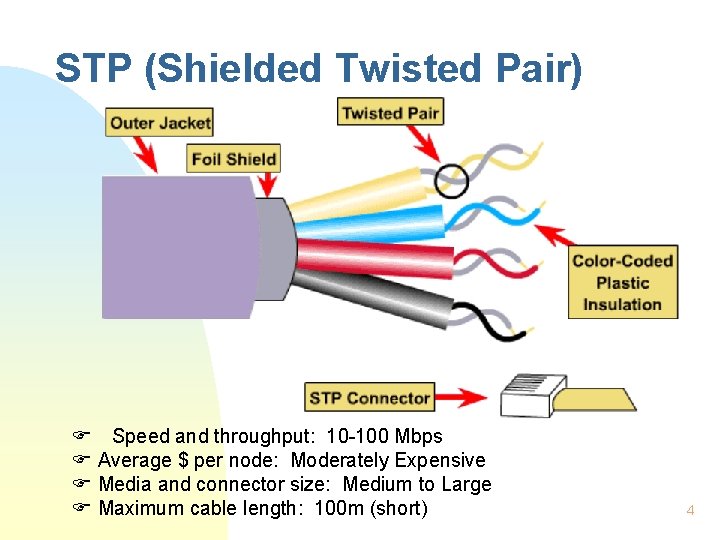
STP (Shielded Twisted Pair) F Speed and throughput: 10 -100 Mbps F Average $ per node: Moderately Expensive F Media and connector size: Medium to Large F Maximum cable length: 100 m (short) 4

STP (Shielded Twisted Pair) (cont. ) n n n Combines the techniques of shielding, cancellation, and twisting of wires. STP gives greater protection from all types of external interference, but is more expensive than UTP (unshielded twisted-pair) cable. Shielding must be properly grounded. u If improperly grounded, shielding will act like an antenna (noise pickup). 5
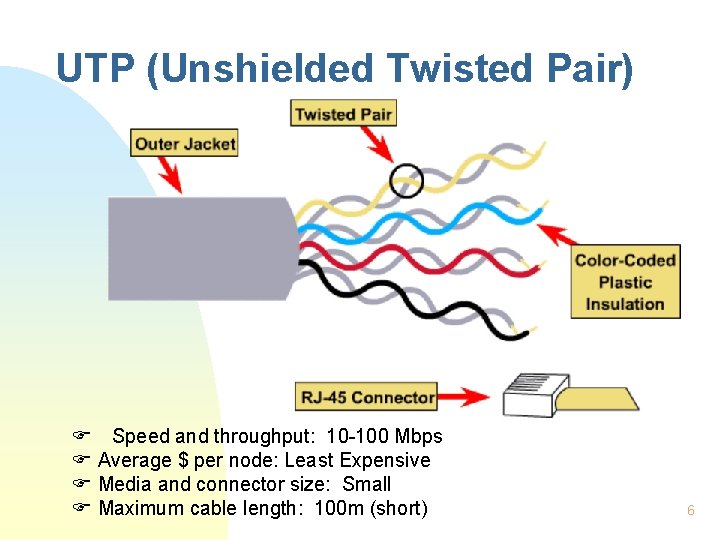
UTP (Unshielded Twisted Pair) F Speed and throughput: 10 -100 Mbps F Average $ per node: Least Expensive F Media and connector size: Small F Maximum cable length: 100 m (short) 6
UTP (Unshielded Twisted Pair) (cont. ) n Cheapest, most common networking media. u Small size (. 43 cm diameter); u Easy to install; u More cables in wiring ducts; u Fastest copper-based media. n Has some disadvantages u Relies only on cancellation to minimize interference, thus more prone to electrical noise and interference. u Short unboosted runs (100 m). n To reduce crosstalk, the number of twists in the wire pairs varies. 7
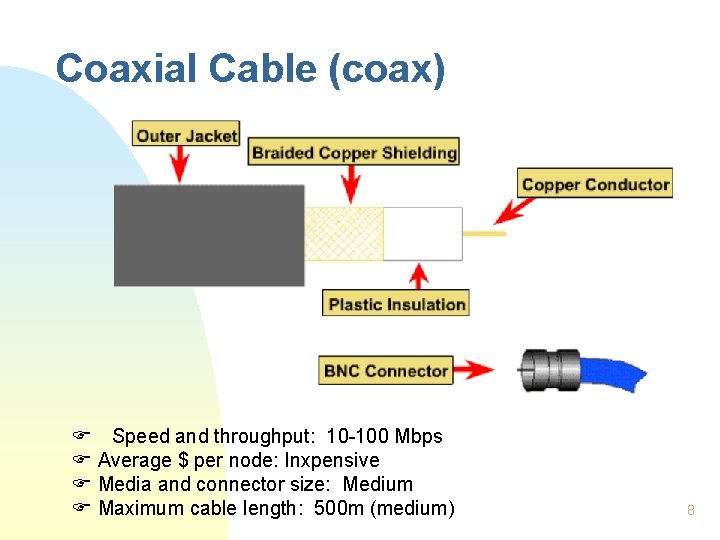
Coaxial Cable (coax) F Speed and throughput: 10 -100 Mbps F Average $ per node: Inxpensive F Media and connector size: Medium F Maximum cable length: 500 m (medium) 8
Coaxial Cable (coax) (cont. ) n Has some advantages u Longer unboosted distances than other copper media. u Better noise rejection characteristics. n Two sizes: u Thinnet (10 Base 2) - maximum length 185 m. u Thicknet (10 Base 5) - maximum length 500 m. n Problems u Difficult to work with - thicker diameter. u Requires proper grounding at both ends. F Improper grounding can give more interference. 9
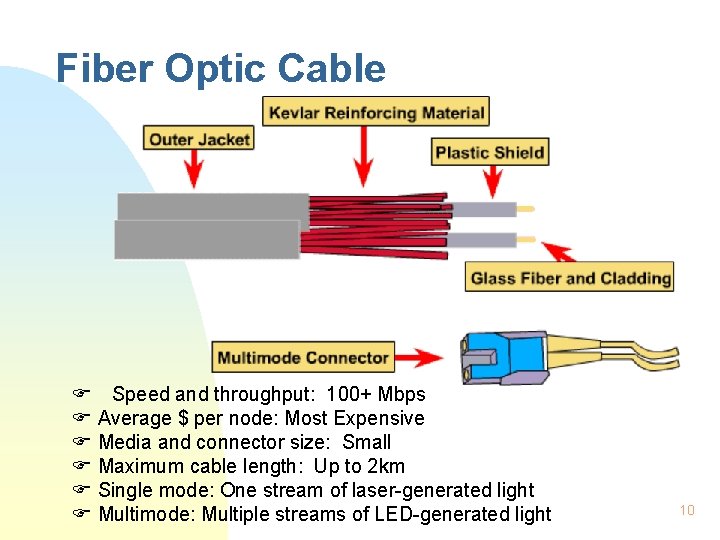
Fiber Optic Cable F Speed and throughput: 100+ Mbps F Average $ per node: Most Expensive F Media and connector size: Small F Maximum cable length: Up to 2 km F Single mode: One stream of laser-generated light F Multimode: Multiple streams of LED-generated light 10

Fiber Optic Cable (cont. ) n n n Uses modulated light transmissions. Most expensive networking media, in materials and installation. Not susceptible to EMI and RFI. Does not conduct electricity (advantage for use between buildings, floors, etc). Fastest speeds of all networking media. Long unboosted distances - up to 2 km. u Extra n Long (XL) Fiber: 70 km Used primarily for backbone cabling. 11

Wireless Communications n Wireless signals are electromagnetic waves, which can travel through a vacuum or air. u No physical medium is necessary. 12

Purpose of LAN Media Specifications n n Mid-1980 s, no standards, networking media were largely proprietary, networks used different specs and implementations. OSI model was created; provided a set of standards. u Standards are sets of rules or procedures that are either widely used, or officially specified. u Ensured compatibility and interoperability between various types of network technologies. 13
Standards n Many groups joined the movement to specify the types of cable that could be used for specific purposes or functions. u IEEE - Institute of Electrical and Electronics Engineers u UL - Underwriters Laboratories u EIA - Electrical Industries Association u TIA - Telecommunications Industry Association 14
Standards (cont. ) n IEEE u Cabling requirements in 802. 3 (Ethernet) and 802. 5 (Token Ring) specifications. n UL u Identification program that lists markings for shielded and unshielded twisted-pair media. n TIA/EIA u 568 -A cabling standards, 569 wiring closets. u Greatest impact on networking media standards. 15

TIA/EIA Standards 16
TIA/EIA-568 -A n The curriculum focuses on standards for horizontal cabling. u Horizontal cabling includes the networking media that extends from wiring closet to workstation. n n n Maximum distance for cable runs in horizontal cabling is 90 m (CAT 5 UTP). Patch cords or cross-connect jumpers located at the horizontal cross-connect cannot exceed 6 m. Patch cords to connect equipment at the work area cannot exceed 3 m. 17
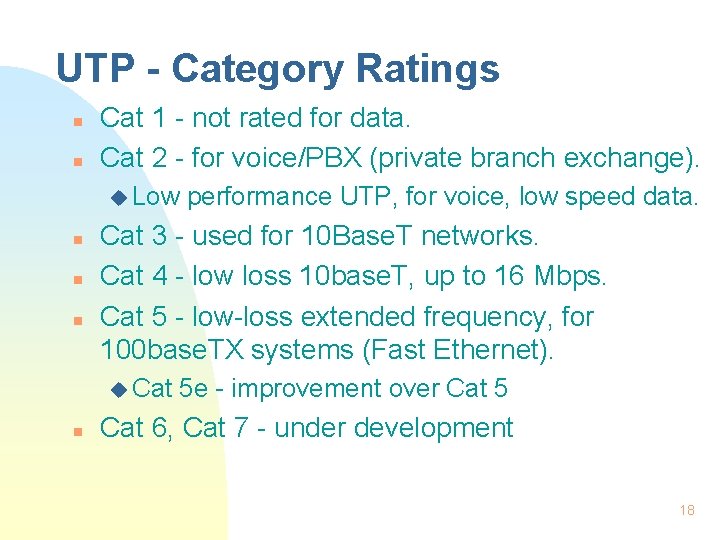
UTP - Category Ratings n n Cat 1 - not rated for data. Cat 2 - for voice/PBX (private branch exchange). u Low n n n Cat 3 - used for 10 Base. T networks. Cat 4 - low loss 10 base. T, up to 16 Mbps. Cat 5 - low-loss extended frequency, for 100 base. TX systems (Fast Ethernet). u Cat n performance UTP, for voice, low speed data. 5 e - improvement over Cat 5 Cat 6, Cat 7 - under development 18
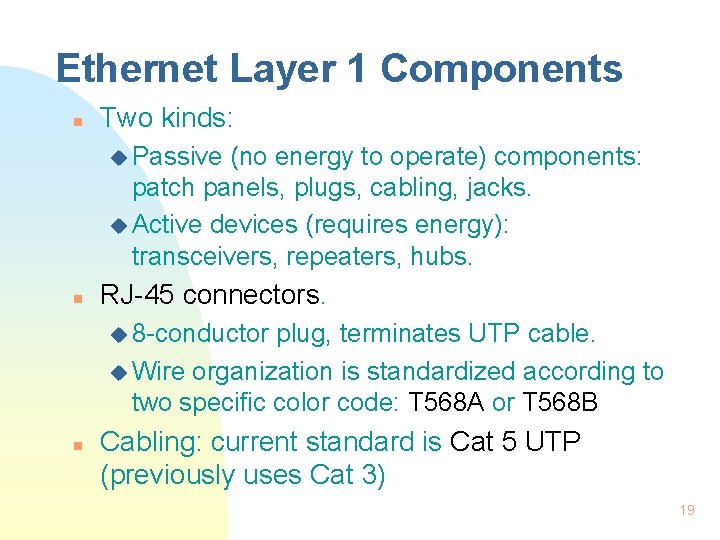
Ethernet Layer 1 Components n Two kinds: u Passive (no energy to operate) components: patch panels, plugs, cabling, jacks. u Active devices (requires energy): transceivers, repeaters, hubs. n RJ-45 connectors. u 8 -conductor plug, terminates UTP cable. u Wire organization is standardized according to two specific color code: T 568 A or T 568 B n Cabling: current standard is Cat 5 UTP (previously uses Cat 3) 19
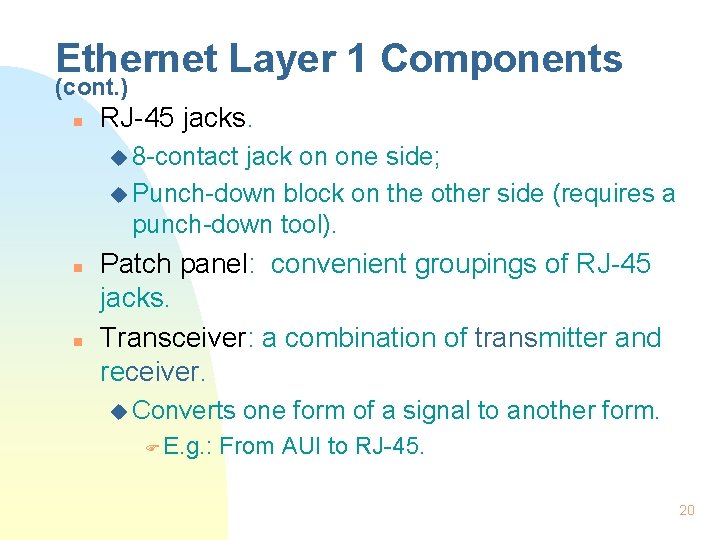
Ethernet Layer 1 Components (cont. ) n RJ-45 jacks. u 8 -contact jack on one side; u Punch-down block on the other side (requires a punch-down tool). n n Patch panel: convenient groupings of RJ-45 jacks. Transceiver: a combination of transmitter and receiver. u Converts F E. g. : one form of a signal to another form. From AUI to RJ-45. 20
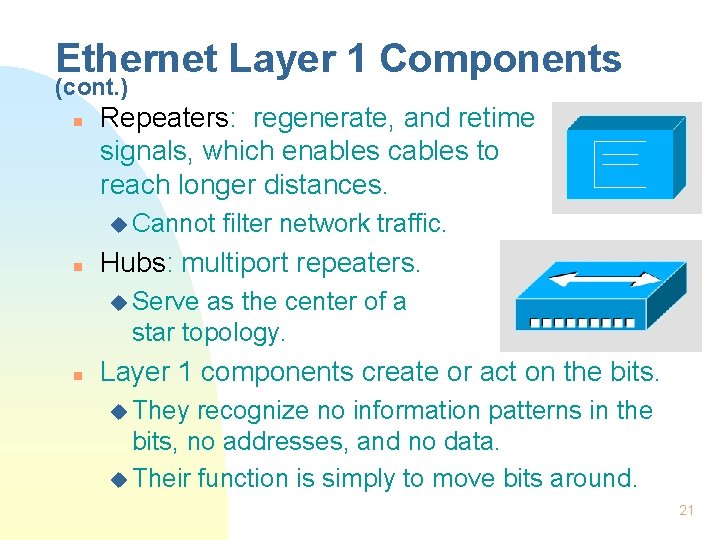
Ethernet Layer 1 Components (cont. ) n Repeaters: regenerate, and retime signals, which enables cables to reach longer distances. u Cannot n filter network traffic. Hubs: multiport repeaters. u Serve as the center of a star topology. n Layer 1 components create or act on the bits. u They recognize no information patterns in the bits, no addresses, and no data. u Their function is simply to move bits around. 21
Ethernet Layer 1 Components (cont. ) n Layer 1 is fundamental to troubleshooting networks, and should never be underestimated. u Many network problems are caused by Layer 1 problems, such as: F Bad RJ-45 terminations; F Bad UTP cable; F Damaged F Wrong repeaters, hubs, or transceivers; connections. 22

Types of Networks 23
Types of Networks (cont. ) n Shared media - occurs when multiple hosts have access to the same medium. u Ethernet n is a shared media environment. Point-to-point - one device is connected to only one other device via a link. u Ethernet with Switches can be considered a point-to-point network. 24
Types of Networks (cont. ) n Circuit-switched - indirectly-connected network in which actual electrical connection is ‘switched on’ for the duration of the communication. u Telephone service is circuit-switched. u ISDN. n Packet-switched - link two communicating hosts is not dedicated; the source sends messages in packets. u Advantage: many hosts can share same link. u Frame Relay is an example of packet-switched. 25
Collisions & Collision Domains n Ethernet allows only one data packet to access the media at any one time. u If two or more nodes transmits at the same time, a collision occurs, and the data is damaged. n n n Collision domain - area in the network, where the data packets originate and collide. When a collision occurs, the data packets that collide are destroyed, bit by bit. CSMA/CD is the method Ethernet uses to handle media contention. u Developed at the University of Hawaii in 1960 s. 26
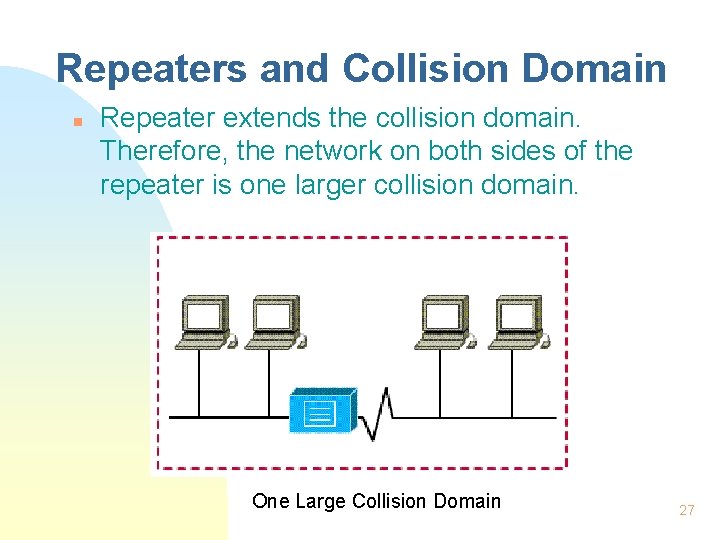
Repeaters and Collision Domain n Repeater extends the collision domain. Therefore, the network on both sides of the repeater is one larger collision domain. One Large Collision Domain 27
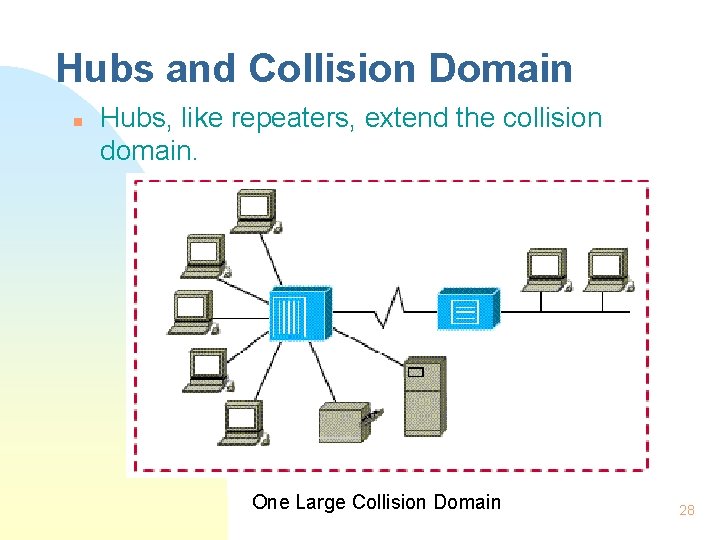
Hubs and Collision Domain n Hubs, like repeaters, extend the collision domain. One Large Collision Domain 28
The Four Repeater Rule n States that “no more than four repeaters or repeating hubs can be between any two computers on the network”. u Each repeater adds latency (delay). u Exceeding this rule may violate the maximum delay limit. n Also known as the “ 5 -4 -3 -2 -1 Rule of Thumb” 29
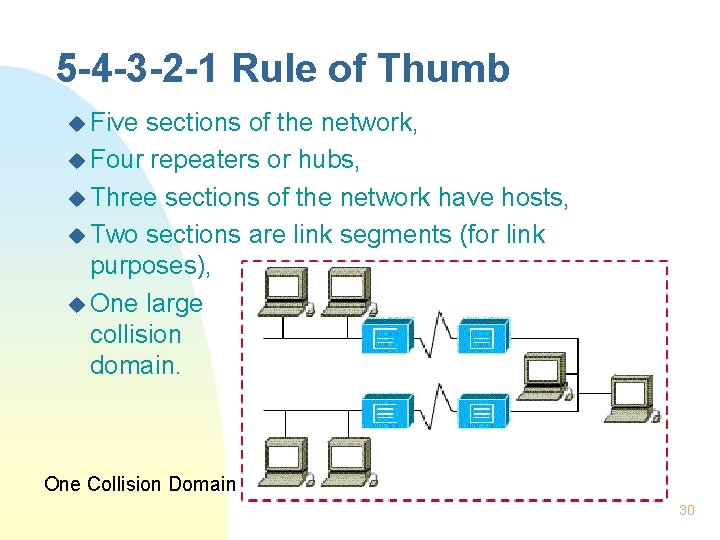
5 -4 -3 -2 -1 Rule of Thumb u Five sections of the network, u Four repeaters or hubs, u Three sections of the network have hosts, u Two sections are link segments (for link purposes), u One large collision domain. One Collision Domain 30
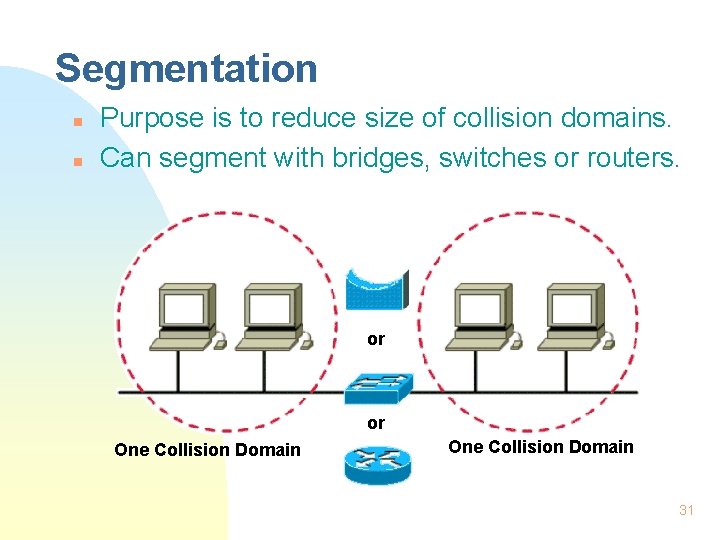
Segmentation n n Purpose is to reduce size of collision domains. Can segment with bridges, switches or routers. or or One Collision Domain 31
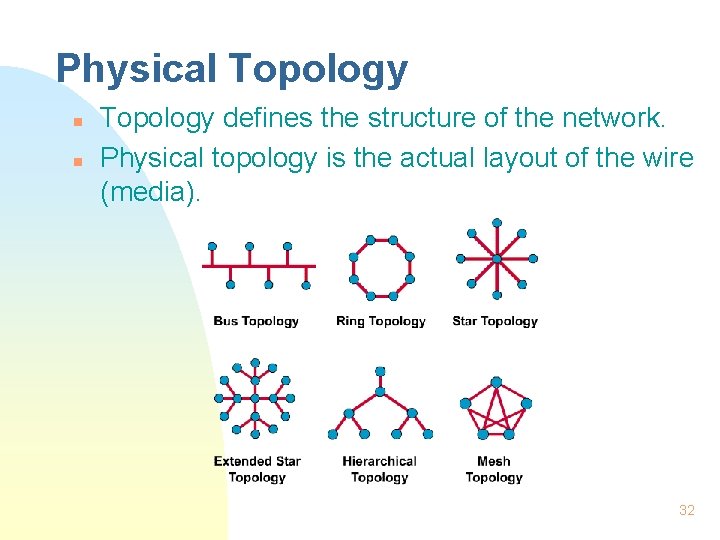
Physical Topology n n Topology defines the structure of the network. Physical topology is the actual layout of the wire (media). 32
Logical Topology n n Logical topology is how information flows through a network. A network’s physical topology may be completely different from its logical topology. u Ethernet 10 Base-T uses an extended-star physical topology, but acts like a logical bus topology. u Token Ring uses a physical star, and a logical ring. u FDDI uses a physical and a logical ring. 33
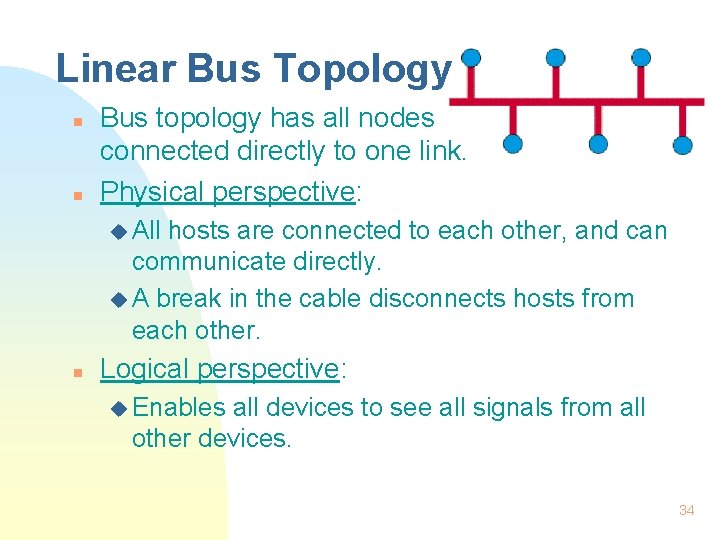
Linear Bus Topology n n Bus topology has all nodes connected directly to one link. Physical perspective: u All hosts are connected to each other, and can communicate directly. u A break in the cable disconnects hosts from each other. n Logical perspective: u Enables all devices to see all signals from all other devices. 34
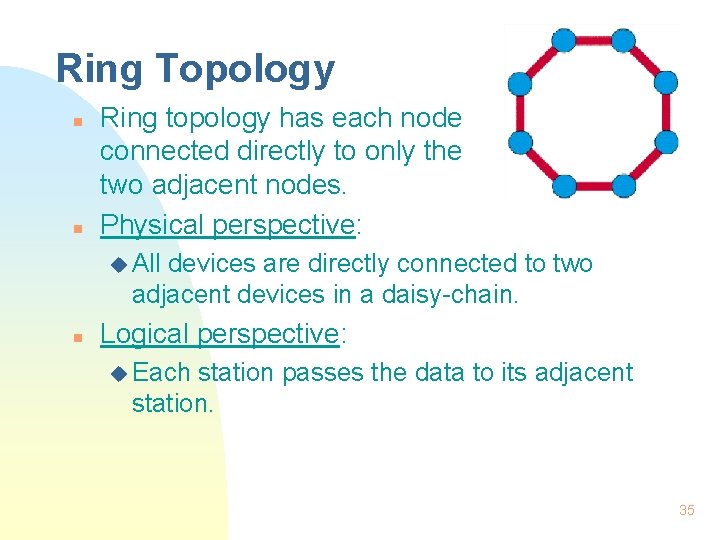
Ring Topology n n Ring topology has each node connected directly to only the two adjacent nodes. Physical perspective: u All devices are directly connected to two adjacent devices in a daisy-chain. n Logical perspective: u Each station passes the data to its adjacent station. 35
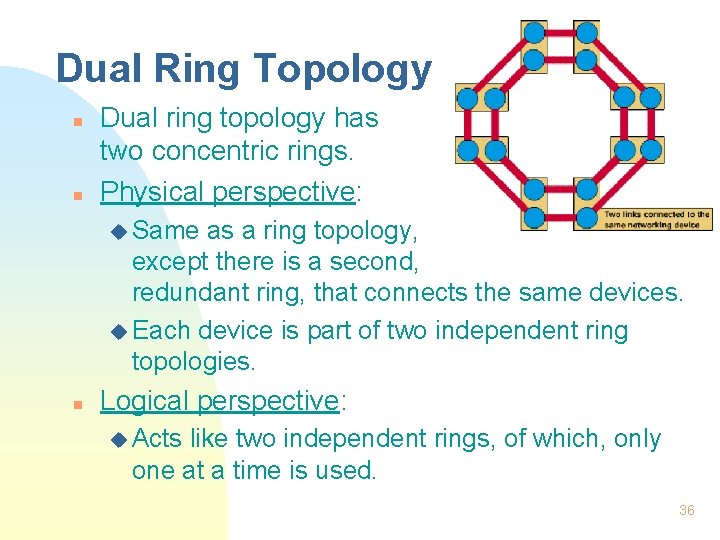
Dual Ring Topology n n Dual ring topology has two concentric rings. Physical perspective: u Same as a ring topology, except there is a second, redundant ring, that connects the same devices. u Each device is part of two independent ring topologies. n Logical perspective: u Acts like two independent rings, of which, only one at a time is used. 36
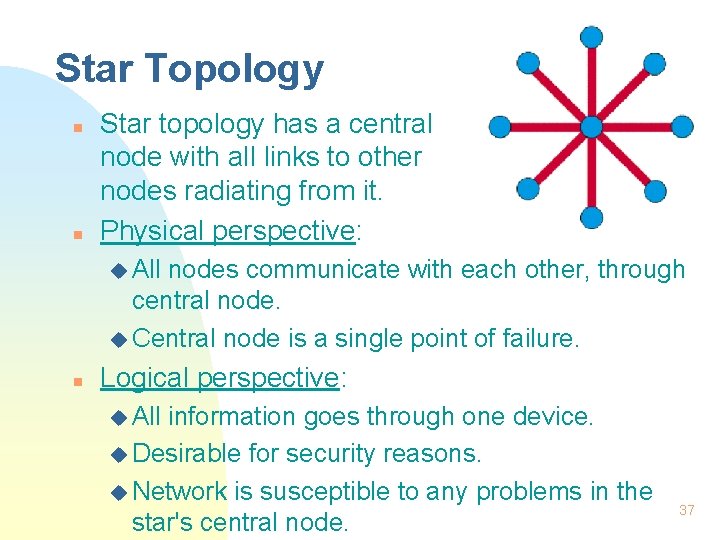
Star Topology n n Star topology has a central node with all links to other nodes radiating from it. Physical perspective: u All nodes communicate with each other, through central node. u Central node is a single point of failure. n Logical perspective: u All information goes through one device. u Desirable for security reasons. u Network is susceptible to any problems in the star's central node. 37
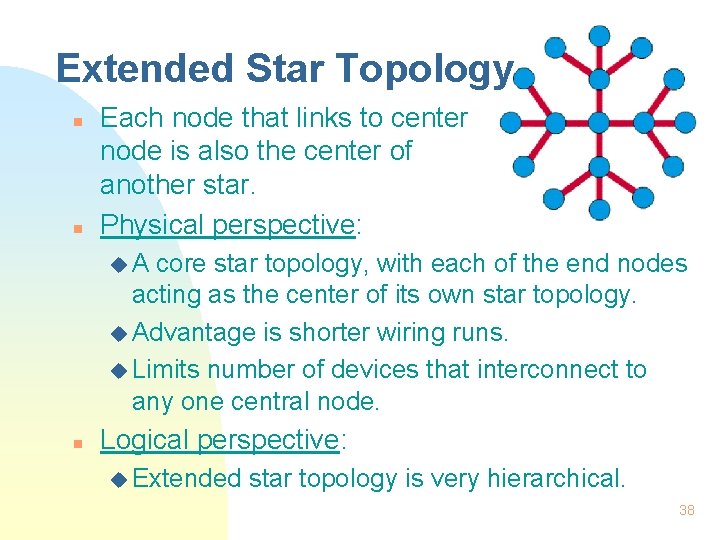
Extended Star Topology n n Each node that links to center node is also the center of another star. Physical perspective: u. A core star topology, with each of the end nodes acting as the center of its own star topology. u Advantage is shorter wiring runs. u Limits number of devices that interconnect to any one central node. n Logical perspective: u Extended star topology is very hierarchical. 38
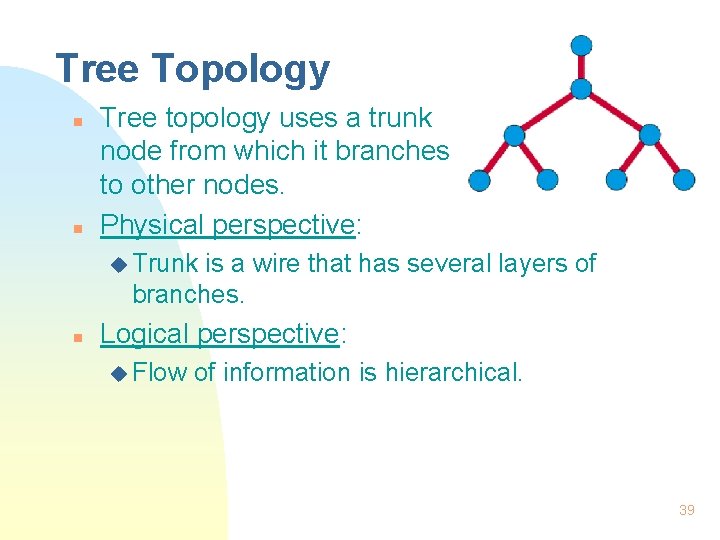
Tree Topology n n Tree topology uses a trunk node from which it branches to other nodes. Physical perspective: u Trunk is a wire that has several layers of branches. n Logical perspective: u Flow of information is hierarchical. 39
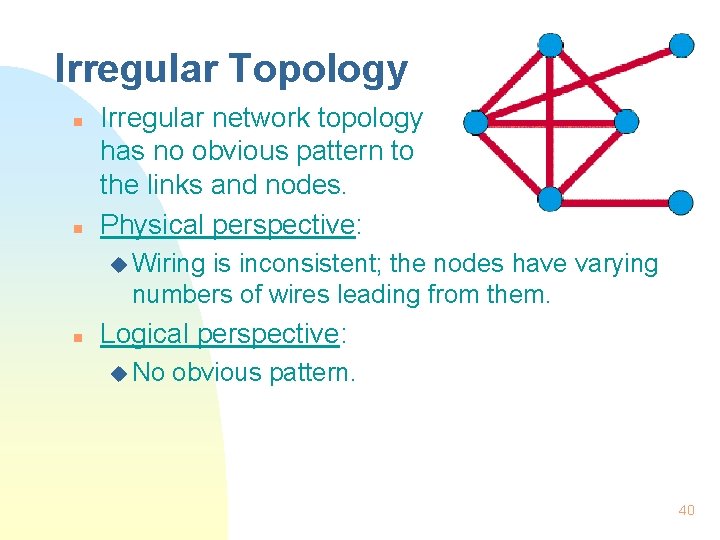
Irregular Topology n n Irregular network topology has no obvious pattern to the links and nodes. Physical perspective: u Wiring is inconsistent; the nodes have varying numbers of wires leading from them. n Logical perspective: u No obvious pattern. 40
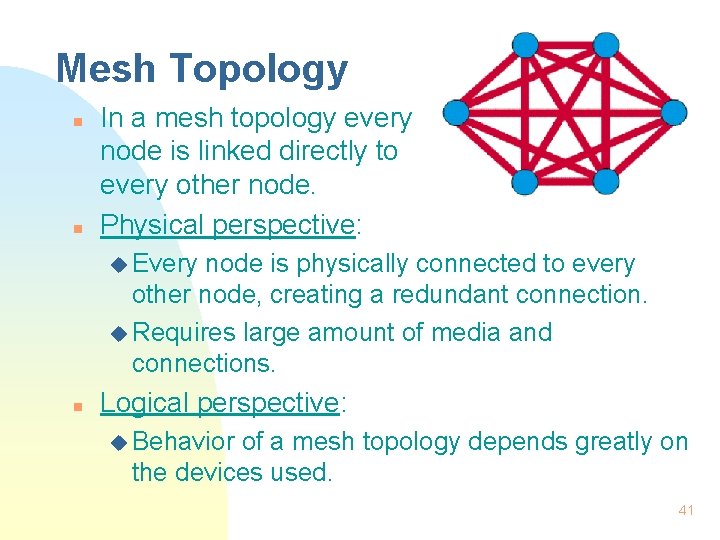
Mesh Topology n n In a mesh topology every node is linked directly to every other node. Physical perspective: u Every node is physically connected to every other node, creating a redundant connection. u Requires large amount of media and connections. n Logical perspective: u Behavior of a mesh topology depends greatly on the devices used. 41
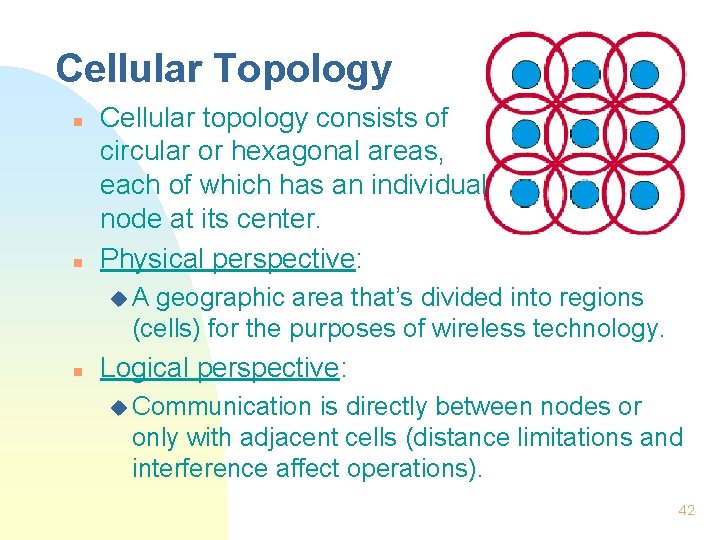
Cellular Topology n n Cellular topology consists of circular or hexagonal areas, each of which has an individual node at its center. Physical perspective: u. A geographic area that’s divided into regions (cells) for the purposes of wireless technology. n Logical perspective: u Communication is directly between nodes or only with adjacent cells (distance limitations and interference affect operations). 42
Summary n n Function of the physical layer is to transmit data. Networking media: u Coax, n n n STP, UTP, fiber. TIA/EIA-568 -A & TIA/EIA-569 - most widely used standards for networking media. Collisions and collision domains. Physical topology vs logical topology. 43
The End 44
- Slides: 44