
1 Arrays 1992 2007 Pearson Education Inc All

- Slides: 47
1 Arrays 1992 -2007 Pearson Education, Inc. All rights reserved.
2 OBJECTIVES In this chapter you will learn: § What arrays are. § To use arrays to store data in and retrieve data from lists and tables of values. § To declare an array. § Initialize an array and refer to individual elements of an array. § To use the enhanced for statement to iterate through arrays. § To pass arrays to methods. § To declare and manipulate multidimensional arrays. § To write methods that use variable-length argument lists. § To read command-line arguments into a program. 1992 -2007 Pearson Education, Inc. All rights reserved.
3 7. 1 Introduction 7. 2 Arrays 7. 3 Declaring and Creating Arrays 7. 4 Examples Using Arrays 7. 5 Enhanced for Statement 7. 6 Passing Arrays to Methods 7. 7 Multidimensional Arrays 7. 8 Variable-Length Argument Lists 1992 -2007 Pearson Education, Inc. All rights reserved.
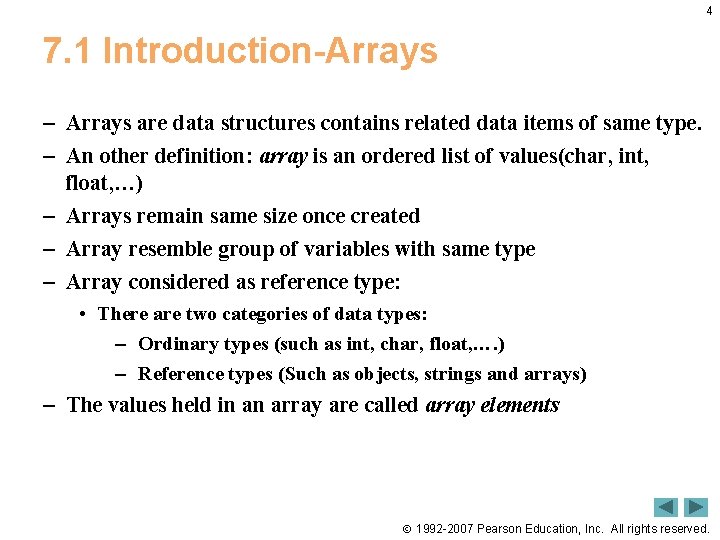
4 7. 1 Introduction-Arrays – Arrays are data structures contains related data items of same type. – An other definition: array is an ordered list of values(char, int, float, …) – Arrays remain same size once created – Array resemble group of variables with same type – Array considered as reference type: • There are two categories of data types: – Ordinary types (such as int, char, float, …. ) – Reference types (Such as objects, strings and arrays) – The values held in an array are called array elements 1992 -2007 Pearson Education, Inc. All rights reserved.
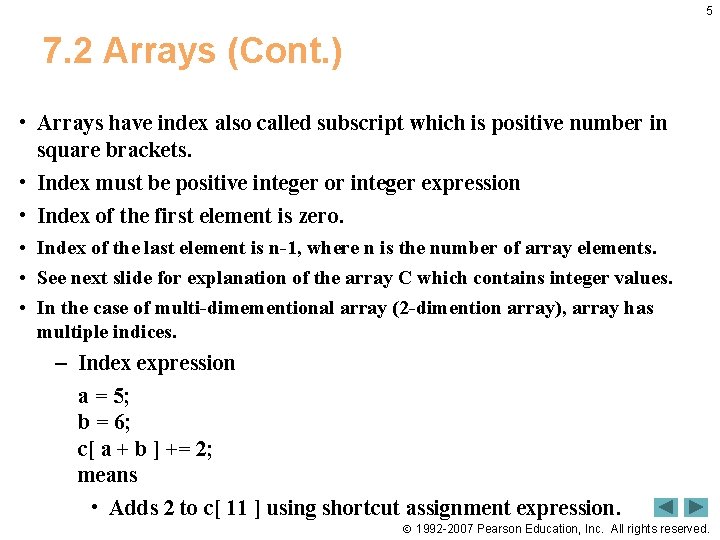
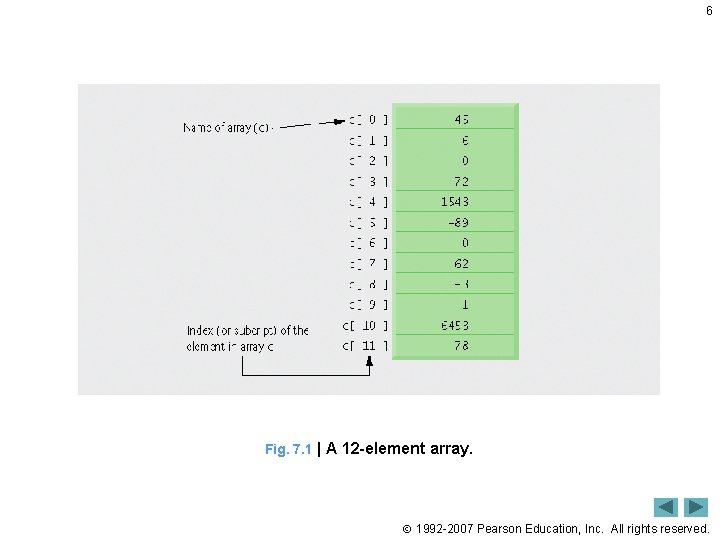
5 7. 2 Arrays (Cont. ) • Arrays have index also called subscript which is positive number in square brackets. • Index must be positive integer or integer expression • Index of the first element is zero. • Index of the last element is n-1, where n is the number of array elements. • See next slide for explanation of the array C which contains integer values. • In the case of multi-dimementional array (2 -dimention array), array has multiple indices. – Index expression a = 5; b = 6; c[ a + b ] += 2; means • Adds 2 to c[ 11 ] using shortcut assignment expression. 1992 -2007 Pearson Education, Inc. All rights reserved.
6 Fig. 7. 1 | A 12 -element array. 1992 -2007 Pearson Education, Inc. All rights reserved.
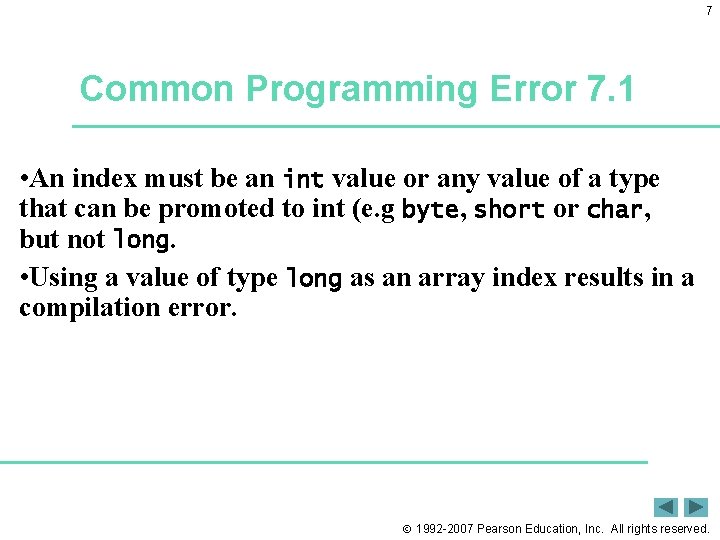
7 Common Programming Error 7. 1 • An index must be an int value or any value of a type that can be promoted to int (e. g byte, short or char, but not long. • Using a value of type long as an array index results in a compilation error. 1992 -2007 Pearson Education, Inc. All rights reserved.
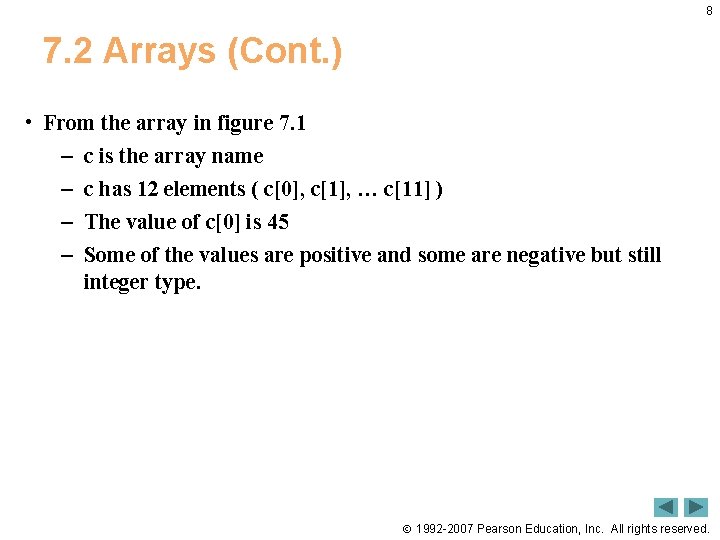
8 7. 2 Arrays (Cont. ) • From the array in figure 7. 1 – c is the array name – c has 12 elements ( c[0], c[1], … c[11] ) – The value of c[0] is 45 – Some of the values are positive and some are negative but still integer type. 1992 -2007 Pearson Education, Inc. All rights reserved.
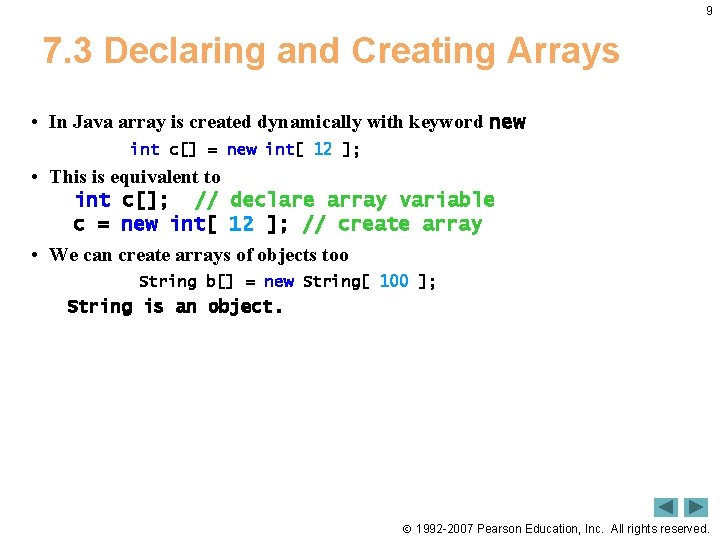
9 7. 3 Declaring and Creating Arrays • In Java array is created dynamically with keyword new int c[] = new int[ 12 ]; • This is equivalent to int c[]; // declare array variable c = new int[ 12 ]; // create array • We can create arrays of objects too String b[] = new String[ 100 ]; String is an object. 1992 -2007 Pearson Education, Inc. All rights reserved.
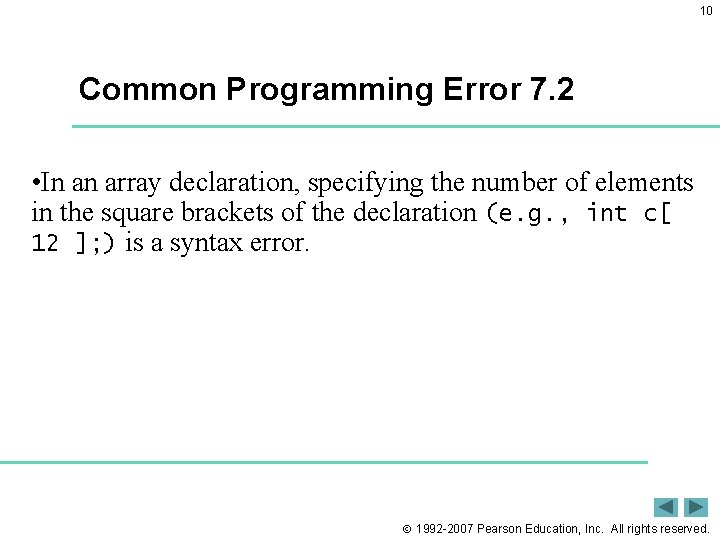
10 Common Programming Error 7. 2 • In an array declaration, specifying the number of elements in the square brackets of the declaration (e. g. , int c[ 12 ]; ) is a syntax error. 1992 -2007 Pearson Education, Inc. All rights reserved.
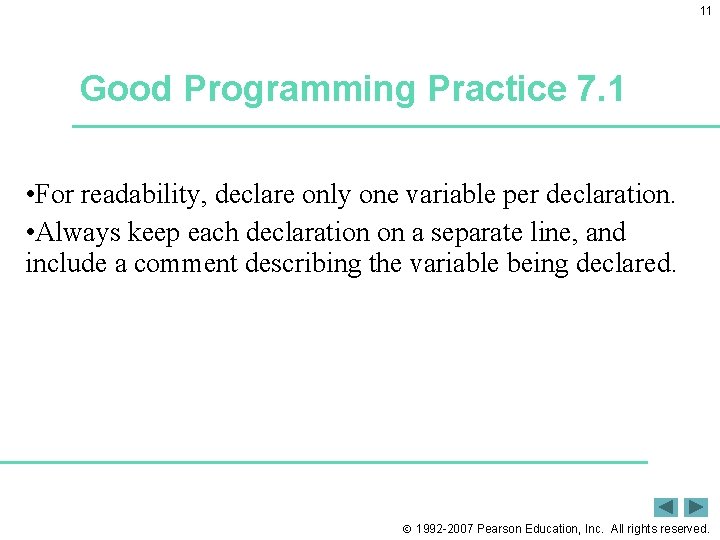
11 Good Programming Practice 7. 1 • For readability, declare only one variable per declaration. • Always keep each declaration on a separate line, and include a comment describing the variable being declared. 1992 -2007 Pearson Education, Inc. All rights reserved.
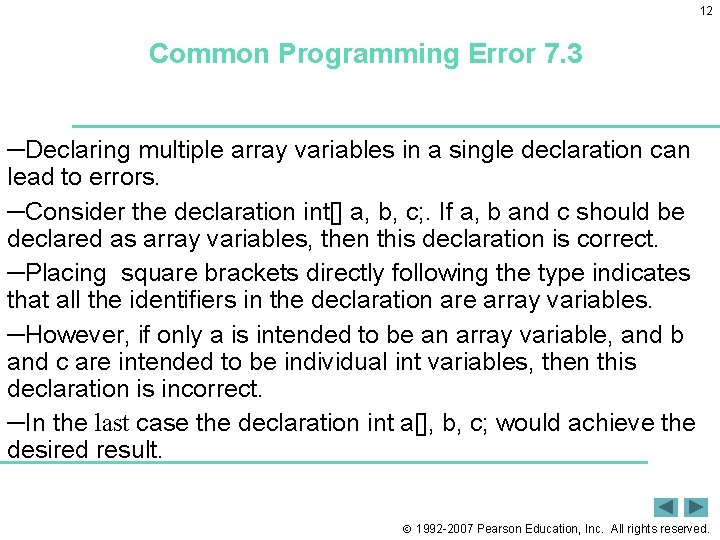
12 Common Programming Error 7. 3 ─Declaring multiple array variables in a single declaration can lead to errors. ─Consider the declaration int[] a, b, c; . If a, b and c should be declared as array variables, then this declaration is correct. ─Placing square brackets directly following the type indicates that all the identifiers in the declaration are array variables. ─However, if only a is intended to be an array variable, and b and c are intended to be individual int variables, then this declaration is incorrect. ─In the last case the declaration int a[], b, c; would achieve the desired result. 1992 -2007 Pearson Education, Inc. All rights reserved.
13 7. 4 Examples Using Arrays • Declaring arrays • Creating arrays • Initializing arrays • Manipulating array elements 1992 -2007 Pearson Education, Inc. All rights reserved.
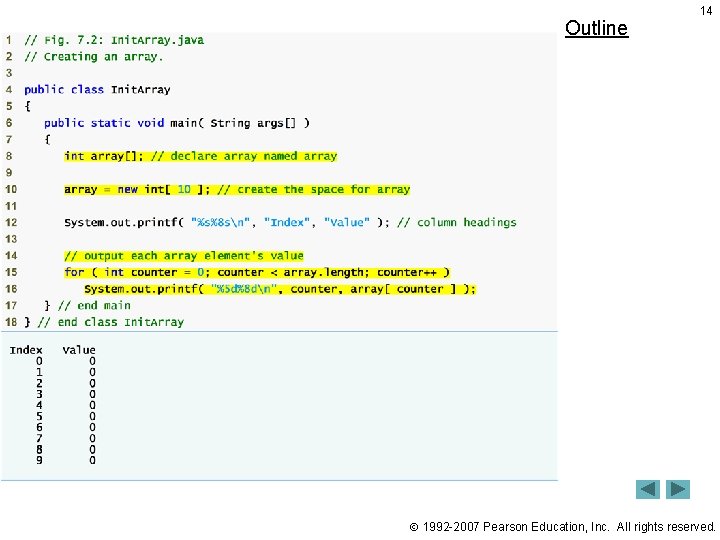
Outline 14 1992 -2007 Pearson Education, Inc. All rights reserved.
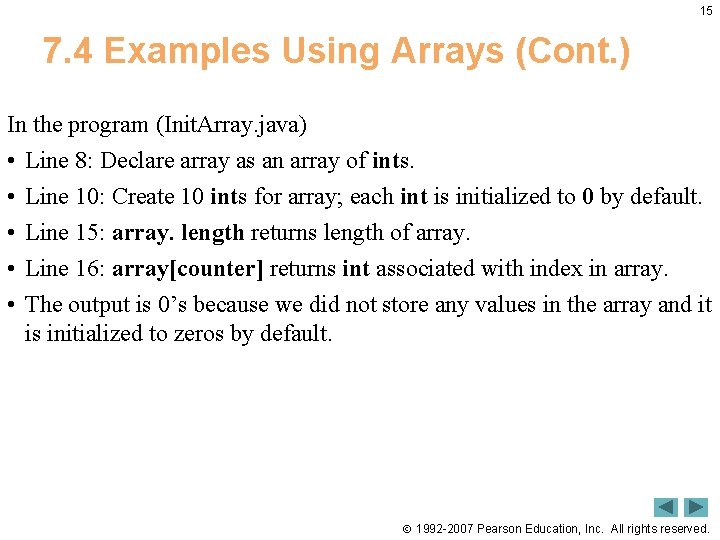
15 7. 4 Examples Using Arrays (Cont. ) In the program (Init. Array. java) • • • Line 8: Declare array as an array of ints. Line 10: Create 10 ints for array; each int is initialized to 0 by default. Line 15: array. length returns length of array. Line 16: array[counter] returns int associated with index in array. The output is 0’s because we did not store any values in the array and it is initialized to zeros by default. 1992 -2007 Pearson Education, Inc. All rights reserved.
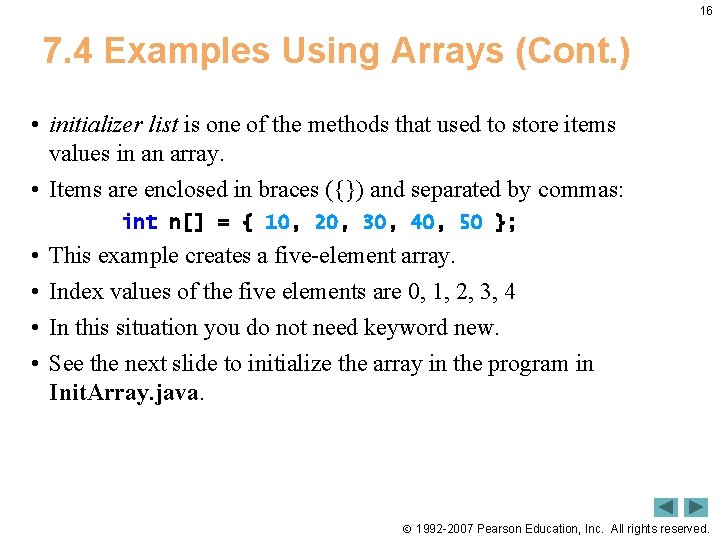
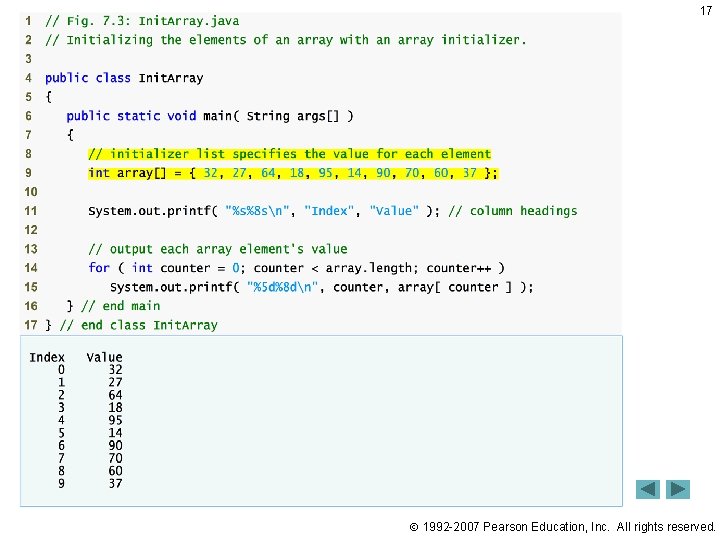
16 7. 4 Examples Using Arrays (Cont. ) • initializer list is one of the methods that used to store items values in an array. • Items are enclosed in braces ({}) and separated by commas: int n[] = { 10, 20, 30, 40, 50 }; • • This example creates a five-element array. Index values of the five elements are 0, 1, 2, 3, 4 In this situation you do not need keyword new. See the next slide to initialize the array in the program in Init. Array. java. 1992 -2007 Pearson Education, Inc. All rights reserved.
17 1992 -2007 Pearson Education, Inc. All rights reserved.
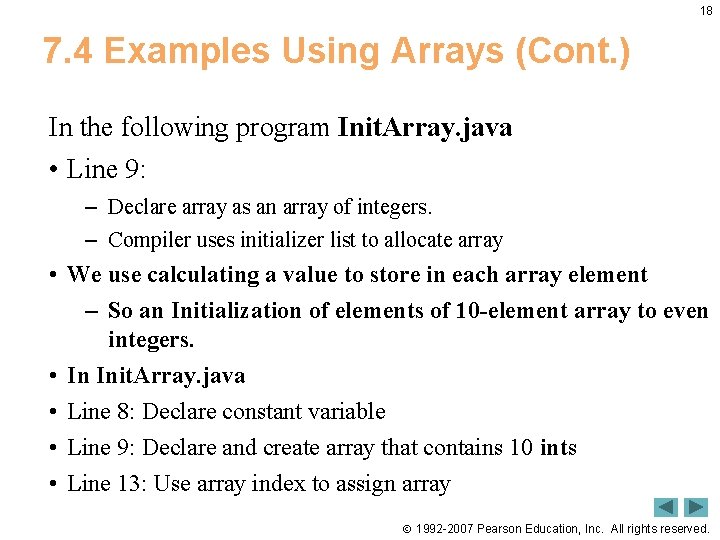
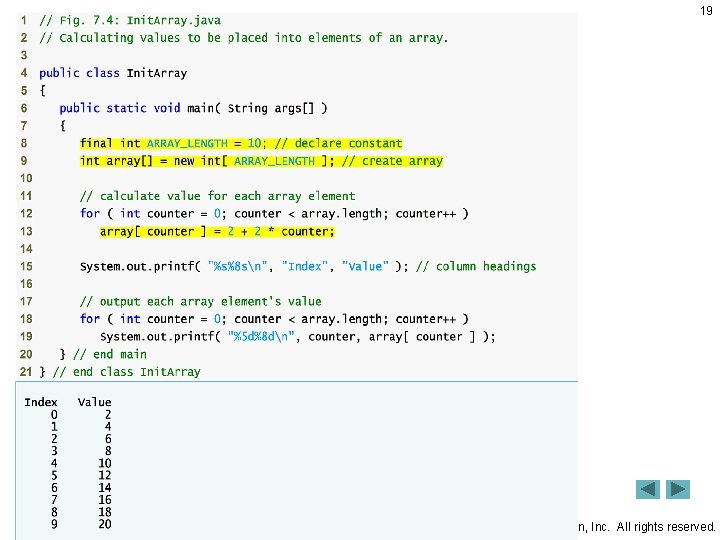
18 7. 4 Examples Using Arrays (Cont. ) In the following program Init. Array. java • Line 9: – Declare array as an array of integers. – Compiler uses initializer list to allocate array • We use calculating a value to store in each array element – So an Initialization of elements of 10 -element array to even integers. • In Init. Array. java • Line 8: Declare constant variable • Line 9: Declare and create array that contains 10 ints • Line 13: Use array index to assign array 1992 -2007 Pearson Education, Inc. All rights reserved.
19 1992 -2007 Pearson Education, Inc. All rights reserved.
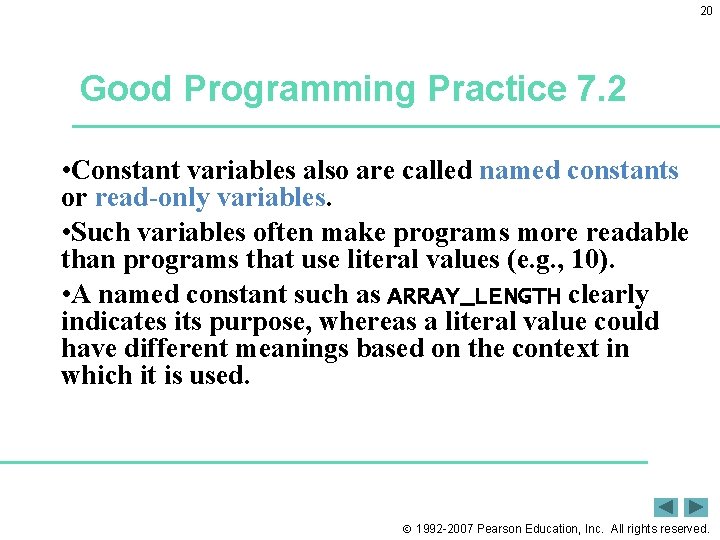
20 Good Programming Practice 7. 2 • Constant variables also are called named constants or read-only variables. • Such variables often make programs more readable than programs that use literal values (e. g. , 10). • A named constant such as ARRAY_LENGTH clearly indicates its purpose, whereas a literal value could have different meanings based on the context in which it is used. 1992 -2007 Pearson Education, Inc. All rights reserved.
21 Common Programming Error 7. 4 • Assigning a value to a constant after the variable has been initialized is a compilation error. • Attempting to use a constant before it is initialized is a compilation error 1992 -2007 Pearson Education, Inc. All rights reserved.
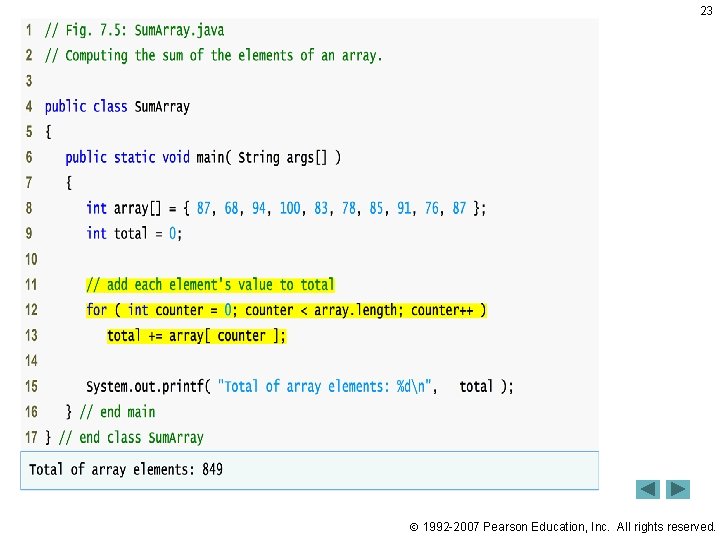
22 7. 4 Examples Using Arrays (Cont. ) • Summing the elements of an array – Array elements can represent a series of number values where we can sum these values. – Sum. Array. java • Line 8 declare array with initializer list. • Lines 12 -13 sum all array values. 1992 -2007 Pearson Education, Inc. All rights reserved.
23 1992 -2007 Pearson Education, Inc. All rights reserved.
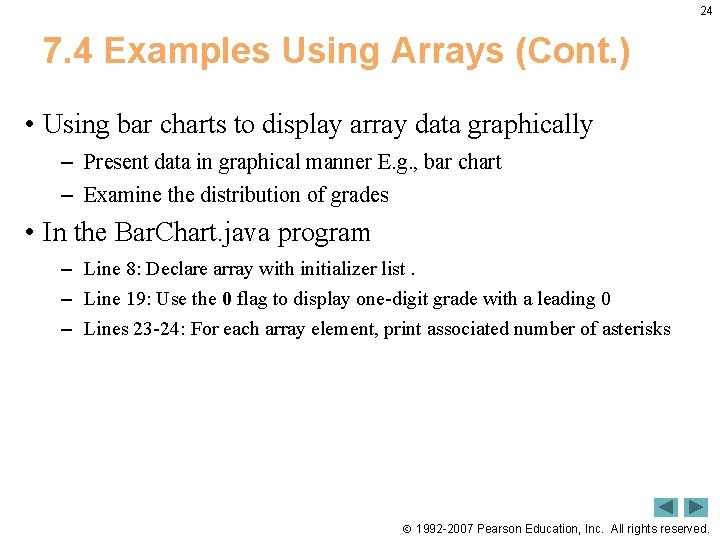
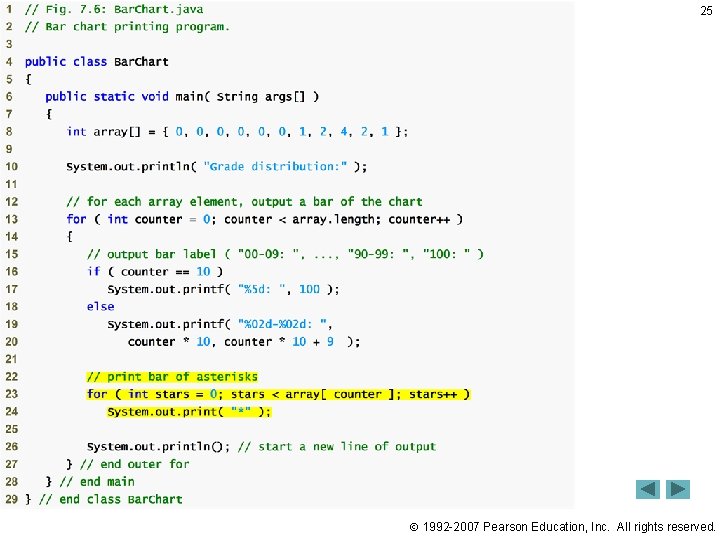
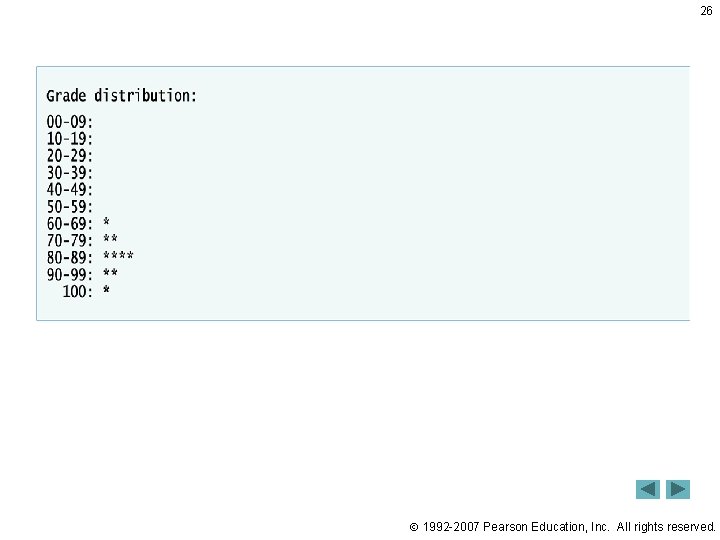
24 7. 4 Examples Using Arrays (Cont. ) • Using bar charts to display array data graphically – Present data in graphical manner E. g. , bar chart – Examine the distribution of grades • In the Bar. Chart. java program – Line 8: Declare array with initializer list. – Line 19: Use the 0 flag to display one-digit grade with a leading 0 – Lines 23 -24: For each array element, print associated number of asterisks 1992 -2007 Pearson Education, Inc. All rights reserved.
25 1992 -2007 Pearson Education, Inc. All rights reserved.
26 1992 -2007 Pearson Education, Inc. All rights reserved.
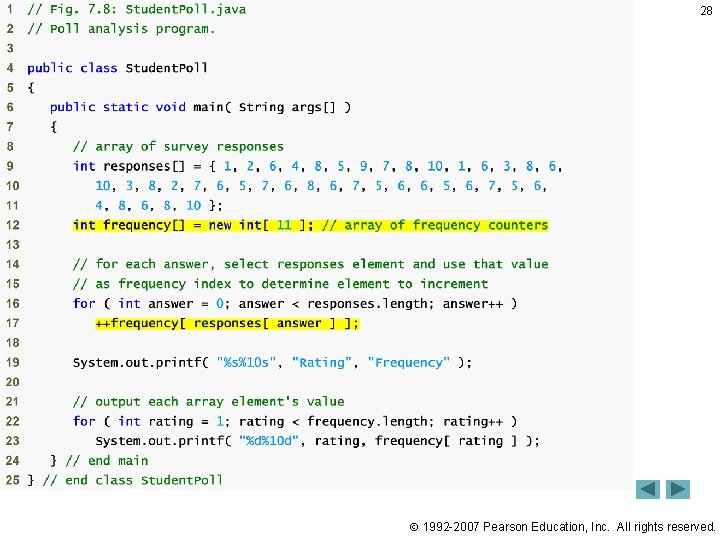
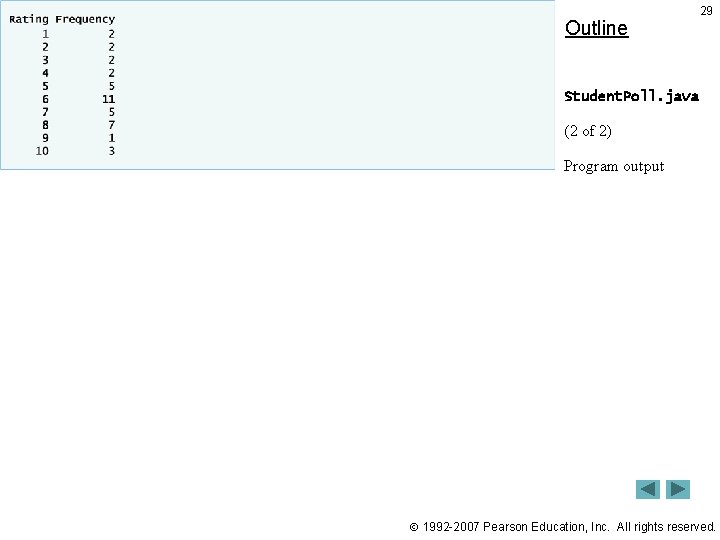
27 7. 4 Examples Using Arrays (Cont. ) • Using arrays to analyze survey results – 40 students rate the quality of food • 1 -10 Rating scale: 1 means awful, 10 means excellent – Place 40 responses in array of integers – Summarize results • In the Student. Poll. java • Lines 9 -11: Declare responses as array to store 40 responses Line 12: Declare frequency as array of 11 int and ignore the first element Lines 16 -17: For each response, increment frequency values at index associated with that response 1992 -2007 Pearson Education, Inc. All rights reserved.
Outline 28 1992 -2007 Pearson Education, Inc. All rights reserved.
Outline 29 Student. Poll. java (2 of 2) Program output 1992 -2007 Pearson Education, Inc. All rights reserved.
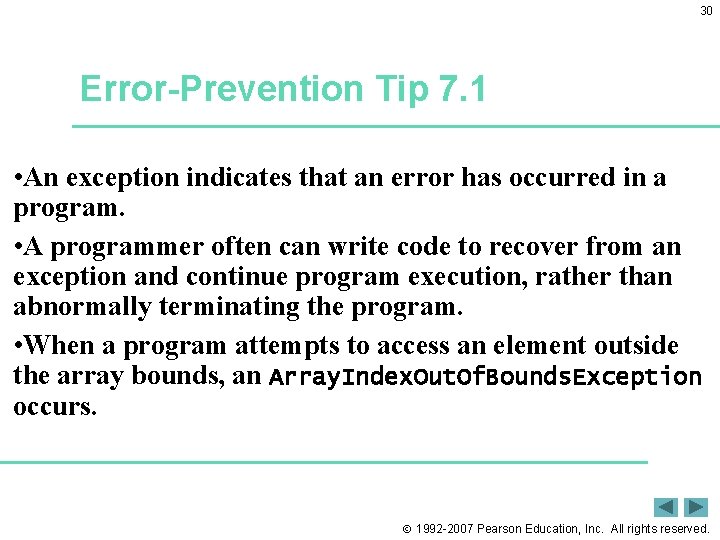
30 Error-Prevention Tip 7. 1 • An exception indicates that an error has occurred in a program. • A programmer often can write code to recover from an exception and continue program execution, rather than abnormally terminating the program. • When a program attempts to access an element outside the array bounds, an Array. Index. Out. Of. Bounds. Exception occurs. 1992 -2007 Pearson Education, Inc. All rights reserved.
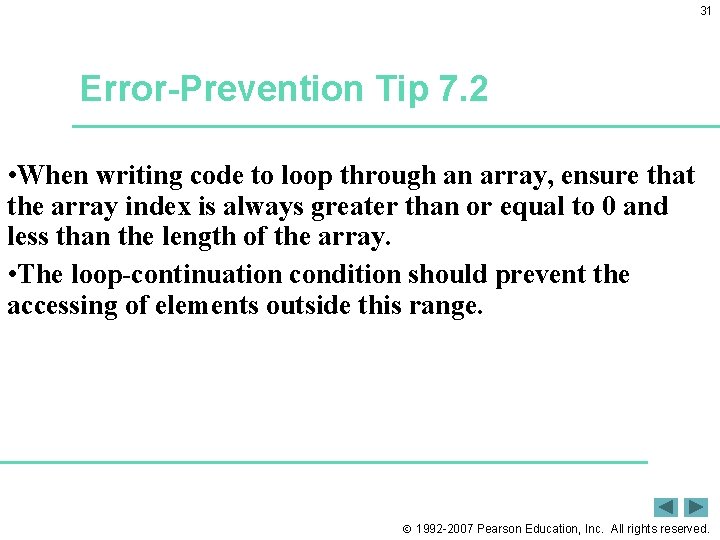
31 Error-Prevention Tip 7. 2 • When writing code to loop through an array, ensure that the array index is always greater than or equal to 0 and less than the length of the array. • The loop-continuation condition should prevent the accessing of elements outside this range. 1992 -2007 Pearson Education, Inc. All rights reserved.
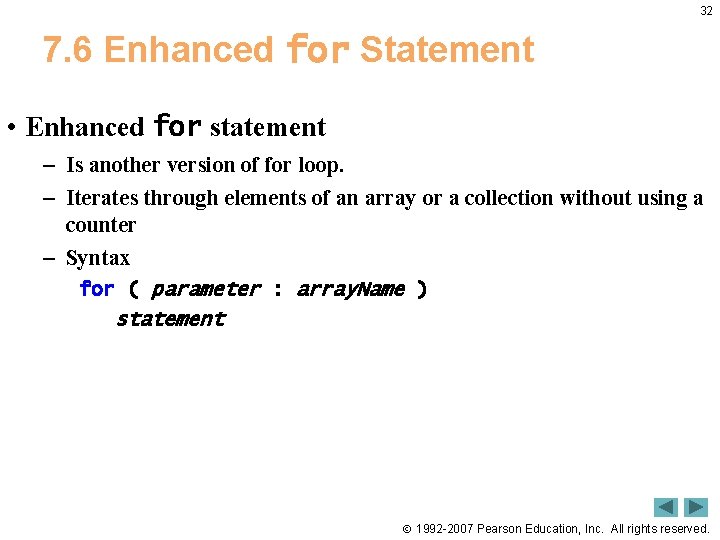
32 7. 6 Enhanced for Statement • Enhanced for statement – Is another version of for loop. – Iterates through elements of an array or a collection without using a counter – Syntax for ( parameter : array. Name ) statement 1992 -2007 Pearson Education, Inc. All rights reserved.
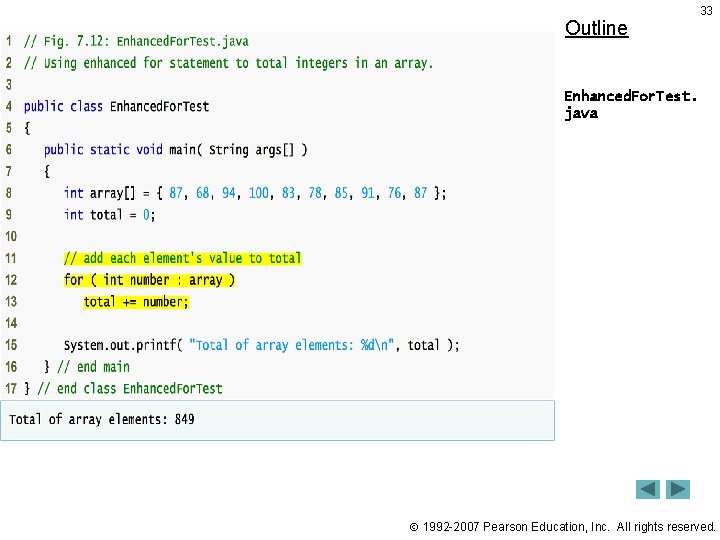
Outline 33 Enhanced. For. Test. java 1992 -2007 Pearson Education, Inc. All rights reserved.
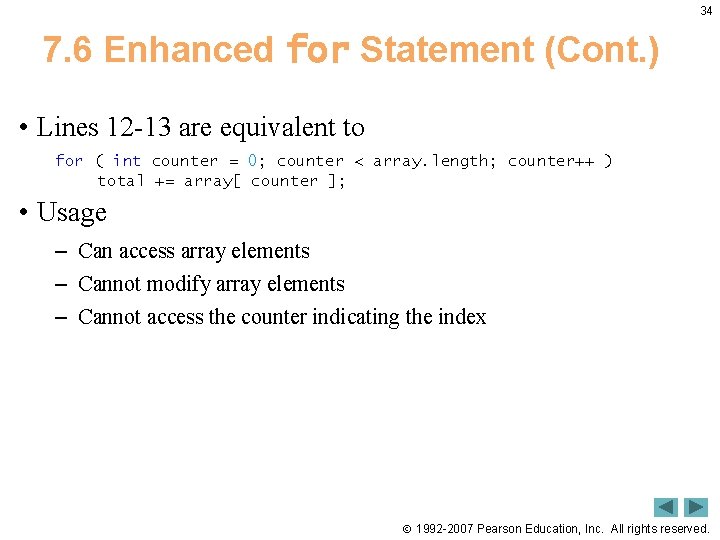
34 7. 6 Enhanced for Statement (Cont. ) • Lines 12 -13 are equivalent to for ( int counter = 0; counter < array. length; counter++ ) total += array[ counter ]; • Usage – Can access array elements – Cannot modify array elements – Cannot access the counter indicating the index 1992 -2007 Pearson Education, Inc. All rights reserved.
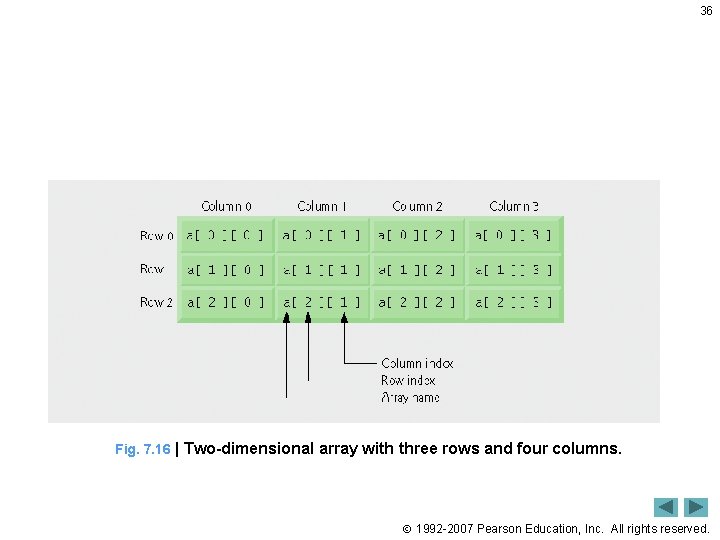
35 7. 9 Multidimensional Arrays • Multidimensional array is the array with more than one index. • It resample Tables with rows and columns • Example Two-dimensional array, • And m-by-n array. • See the next slide for two dimentions array. 1992 -2007 Pearson Education, Inc. All rights reserved.
36 Fig. 7. 16 | Two-dimensional array with three rows and four columns. 1992 -2007 Pearson Education, Inc. All rights reserved.
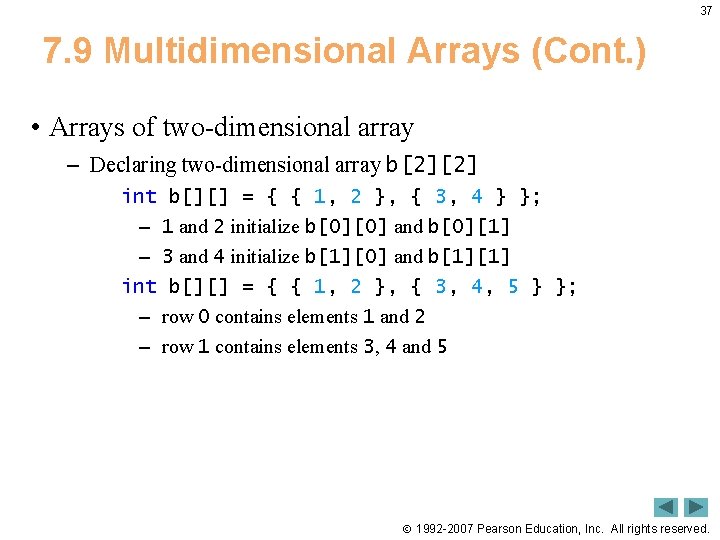
37 7. 9 Multidimensional Arrays (Cont. ) • Arrays of two-dimensional array – Declaring two-dimensional array b[2][2] int b[][] = { { 1, 2 }, { 3, 4 } }; – 1 and 2 initialize b[0][0] and b[0][1] – 3 and 4 initialize b[1][0] and b[1][1] int b[][] = { { 1, 2 }, { 3, 4, 5 } }; – row 0 contains elements 1 and 2 – row 1 contains elements 3, 4 and 5 1992 -2007 Pearson Education, Inc. All rights reserved.
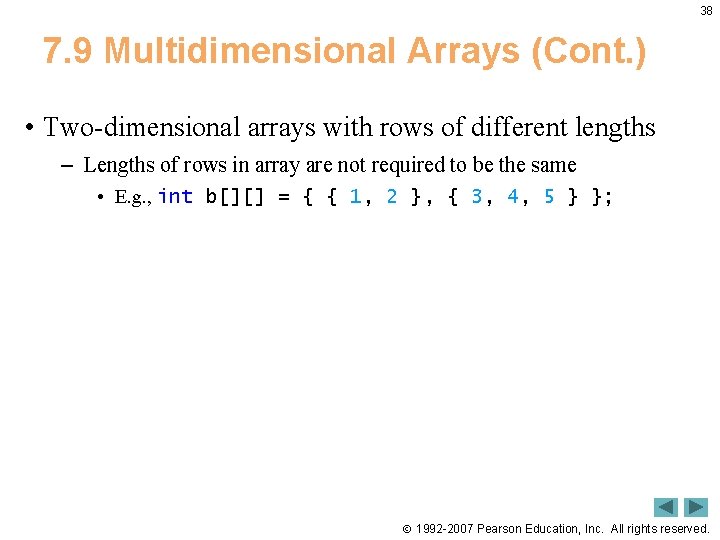
38 7. 9 Multidimensional Arrays (Cont. ) • Two-dimensional arrays with rows of different lengths – Lengths of rows in array are not required to be the same • E. g. , int b[][] = { { 1, 2 }, { 3, 4, 5 } }; 1992 -2007 Pearson Education, Inc. All rights reserved.
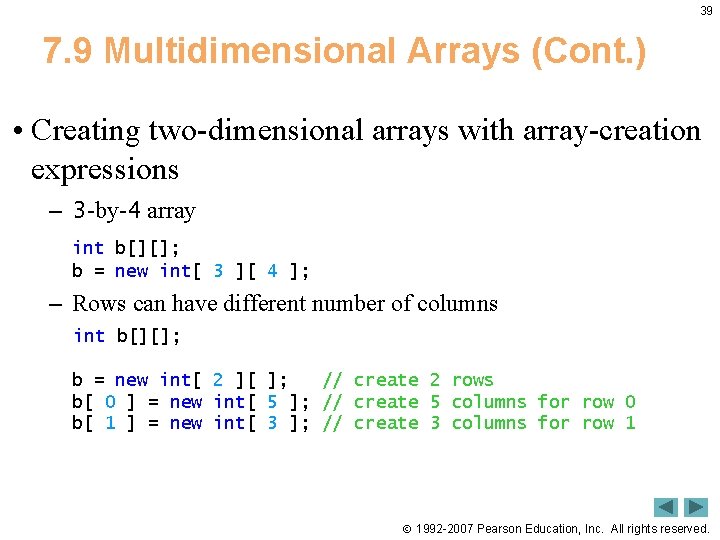
39 7. 9 Multidimensional Arrays (Cont. ) • Creating two-dimensional arrays with array-creation expressions – 3 -by-4 array int b[][]; b = new int[ 3 ][ 4 ]; – Rows can have different number of columns int b[][]; b = new int[ 2 ][ ]; // create 2 rows b[ 0 ] = new int[ 5 ]; // create 5 columns for row 0 b[ 1 ] = new int[ 3 ]; // create 3 columns for row 1 1992 -2007 Pearson Education, Inc. All rights reserved.
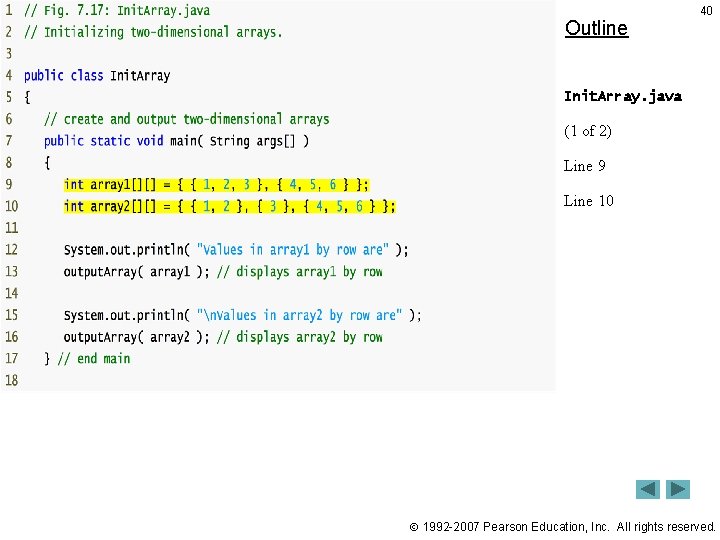
Outline 40 Init. Array. java (1 of 2) Line 9 Line 10 1992 -2007 Pearson Education, Inc. All rights reserved.
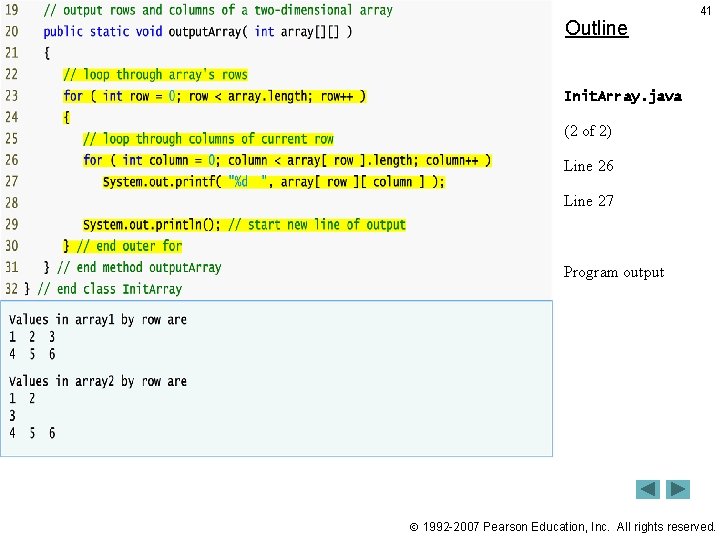
Outline 41 Init. Array. java (2 of 2) Line 26 Line 27 Program output 1992 -2007 Pearson Education, Inc. All rights reserved.
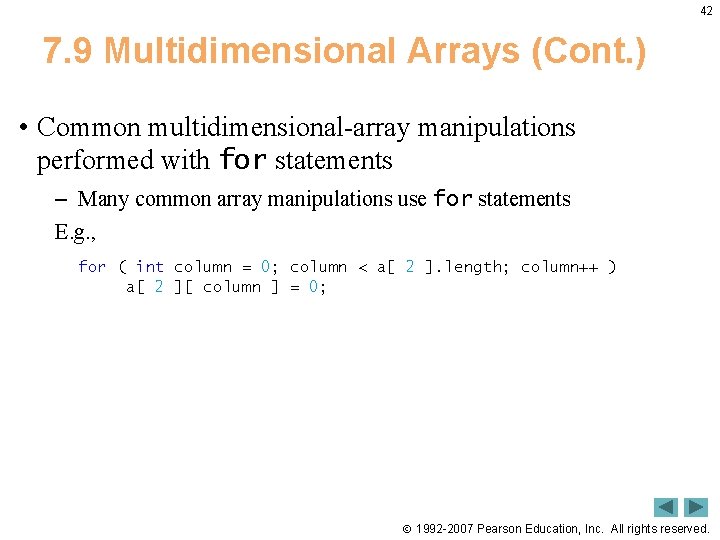
42 7. 9 Multidimensional Arrays (Cont. ) • Common multidimensional-array manipulations performed with for statements – Many common array manipulations use for statements E. g. , for ( int column = 0; column < a[ 2 ]. length; column++ ) a[ 2 ][ column ] = 0; 1992 -2007 Pearson Education, Inc. All rights reserved.
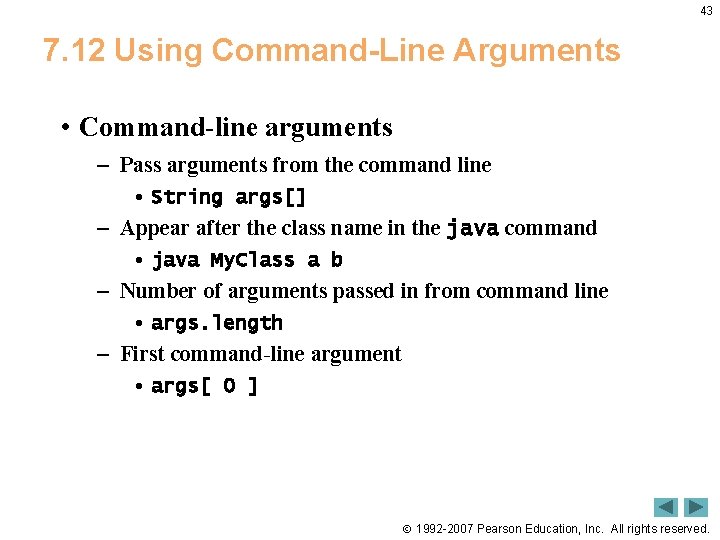
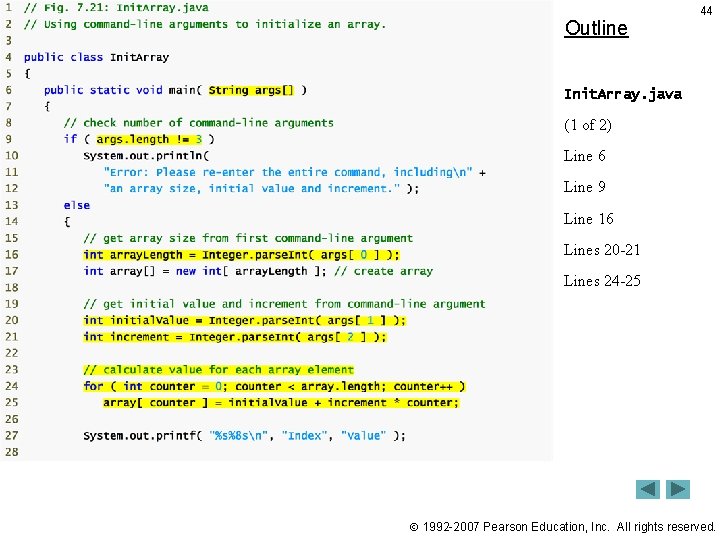
43 7. 12 Using Command-Line Arguments • Command-line arguments – Pass arguments from the command line • String args[] – Appear after the class name in the java command • java My. Class a b – Number of arguments passed in from command line • args. length – First command-line argument • args[ 0 ] 1992 -2007 Pearson Education, Inc. All rights reserved.
Outline 44 Init. Array. java (1 of 2) Line 6 Line 9 Line 16 Lines 20 -21 Lines 24 -25 1992 -2007 Pearson Education, Inc. All rights reserved.
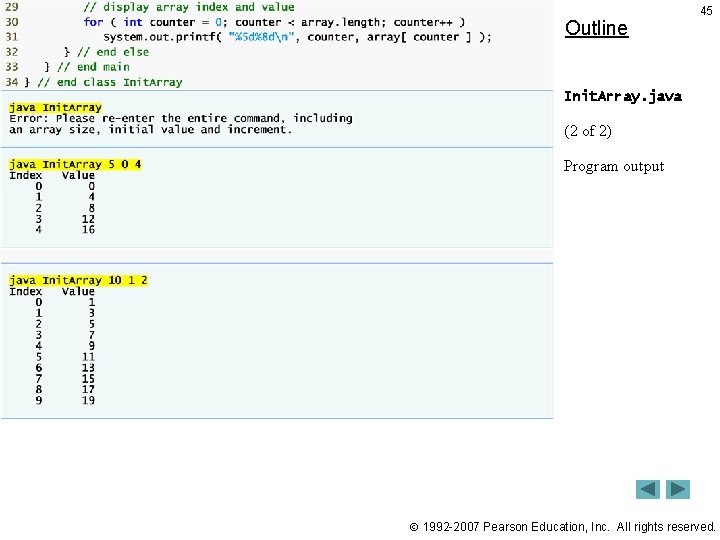
Outline 45 Init. Array. java (2 of 2) Program output 1992 -2007 Pearson Education, Inc. All rights reserved.
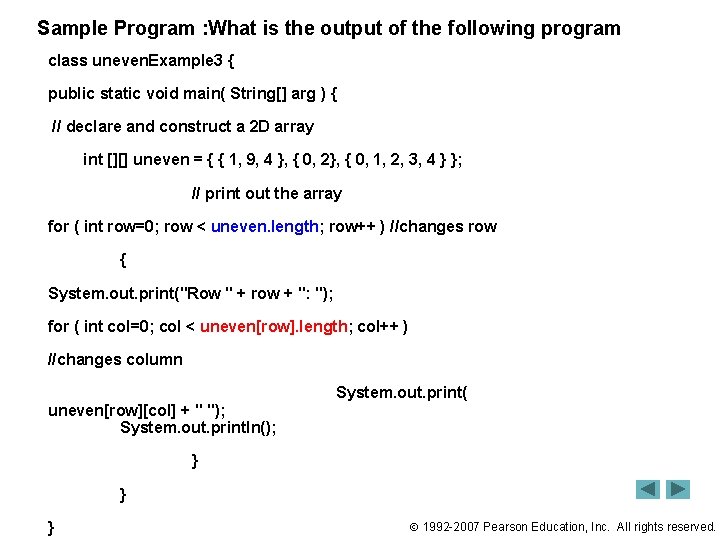
Sample Program : What is the output of the following program class uneven. Example 3 { public static void main( String[] arg ) { // declare and construct a 2 D array int [][] uneven = { { 1, 9, 4 }, { 0, 2}, { 0, 1, 2, 3, 4 } }; // print out the array for ( int row=0; row < uneven. length; row++ ) //changes row { System. out. print("Row " + row + ": "); for ( int col=0; col < uneven[row]. length; col++ ) //changes column uneven[row][col] + " "); System. out. println(); System. out. print( } } } 1992 -2007 Pearson Education, Inc. All rights reserved.
End 1992 -2007 Pearson Education, Inc. All rights reserved.