
1 Ajax CS 380 2 Synchronous web communication
1 Ajax CS 380
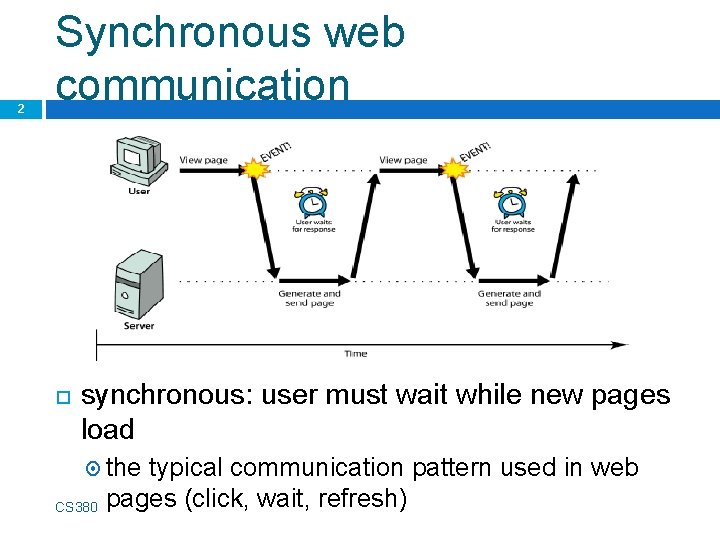
2 Synchronous web communication synchronous: user must wait while new pages load the CS 380 typical communication pattern used in web pages (click, wait, refresh)
Web applications and Ajax 3 web application: a dynamic web site that mimics the feel of a desktop app presents a continuous user experience rather than disjoint pages examples: Gmail, Google Maps, Google Docs and Spreadsheets, Flickr, A 9 CS 380
Web applications and Ajax 4 Ajax: Asynchronous Java. Script and XML not a programming language; a particular way of using Java. Script downloads data from a server in the background allows dynamically updating a page without making the user wait avoids the "click-wait-refresh" pattern Example: Google Suggest CS 380
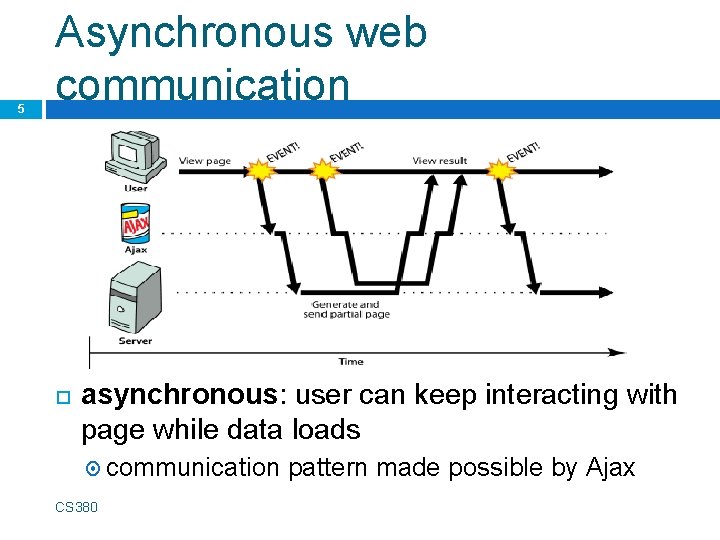
5 Asynchronous web communication asynchronous: user can keep interacting with page while data loads communication CS 380 pattern made possible by Ajax
XMLHttp. Request 6 (and why we won't use it) Java. Script includes an XMLHttp. Request object that can fetch files from a web server supported in IE 5+, Safari, Firefox, Opera, Chrome, etc. (with minor compatibilities) it can do this asynchronously (in the background, transparent to user) the contents of the fetched file can be put into current web page using the DOM CS 380
XMLHttp. Request 7 (and why we won't use it) sounds great!. . . but it is clunky to use, and has various browser incompatibilities Prototype provides a better wrapper for Ajax, so we will use that instead CS 380
A typical Ajax request 8 1. 2. 3. 4. 5. user clicks, invoking an event handler's code creates an XMLHttp. Request object requests page from server retrieves appropriate data, sends it back XMLHttp. Request fires an event when data arrives this is often called a callback you can attach a handler function to this event
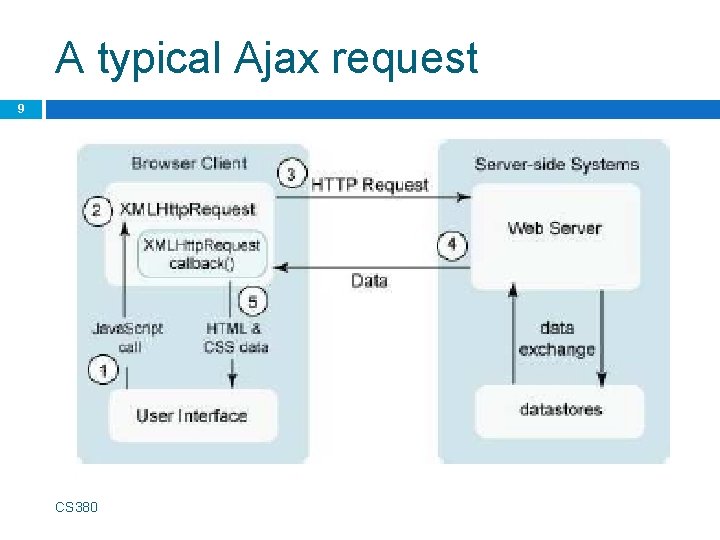
A typical Ajax request 9 CS 380

Prototype's Ajax model 10 new Ajax. Request("url", { option : value, . . . option : value } ); JS construct a Prototype Ajax. Request object to request a page from a server using Ajax constructor accepts 2 parameters: 1. 2. the URL to 1. fetch, as a String, a set of options, as an array of key : value pairs in {} braces (an anonymous JS object)
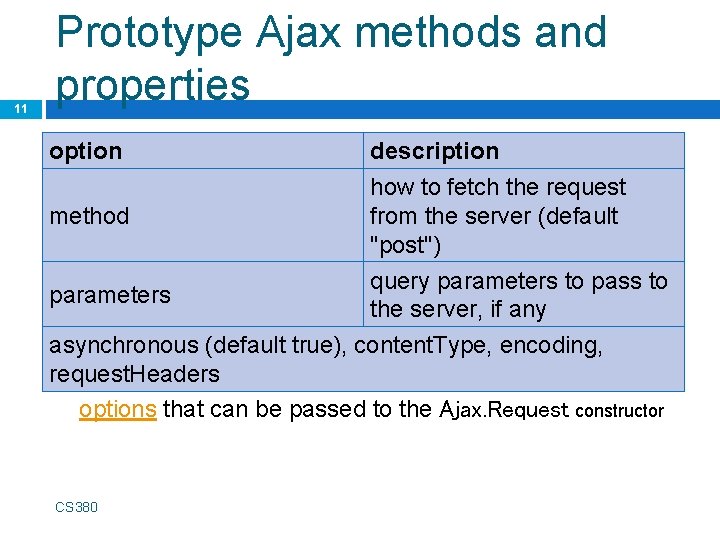
11 Prototype Ajax methods and properties option method description how to fetch the request from the server (default "post") query parameters to pass to the server, if any asynchronous (default true), content. Type, encoding, request. Headers options that can be passed to the Ajax. Request constructor parameters CS 380
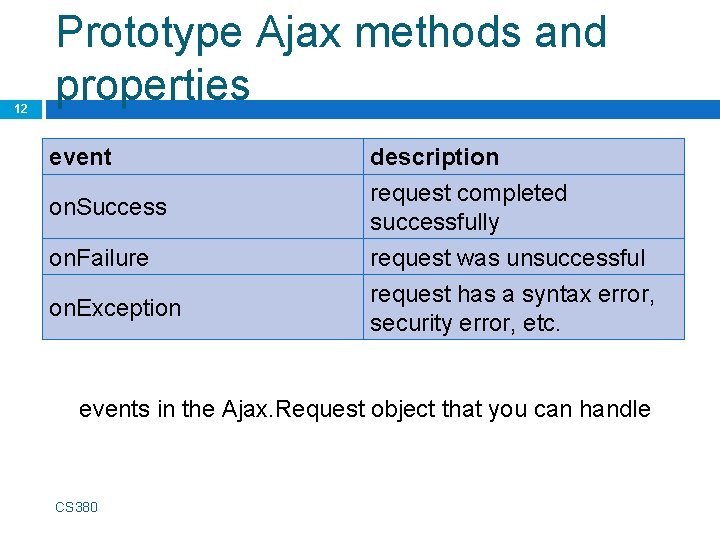
12 Prototype Ajax methods and properties event on. Success on. Failure on. Exception description request completed successfully request was unsuccessful request has a syntax error, security error, etc. events in the Ajax. Request object that you can handle CS 380
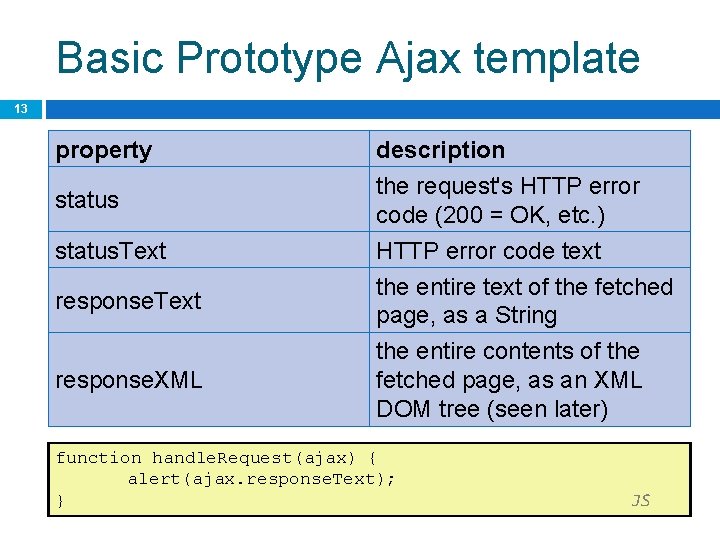
Basic Prototype Ajax template 13 property status. Text response. XML description the request's HTTP error code (200 = OK, etc. ) HTTP error code text the entire text of the fetched page, as a String the entire contents of the fetched page, as an XML DOM tree (seen later) function handle. Request(ajax) { alert(ajax. response. Text); } JS
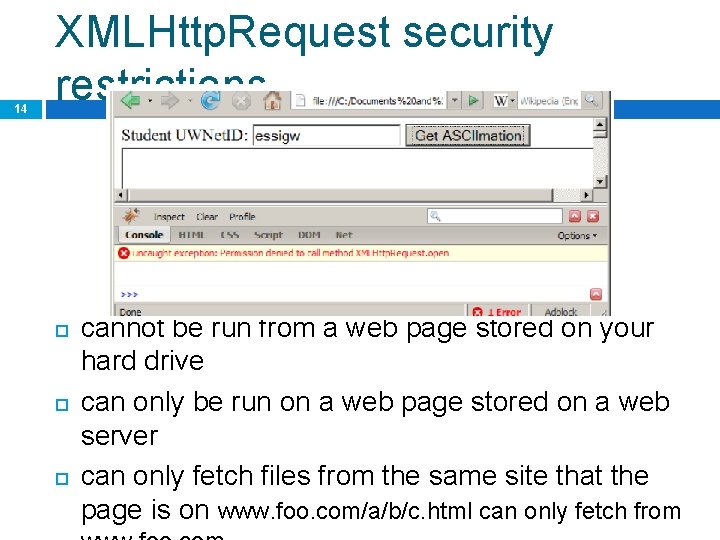
14 XMLHttp. Request security restrictions cannot be run from a web page stored on your hard drive can only be run on a web page stored on a web server can only fetch files from the same site that the page is on www. foo. com/a/b/c. html can only fetch from
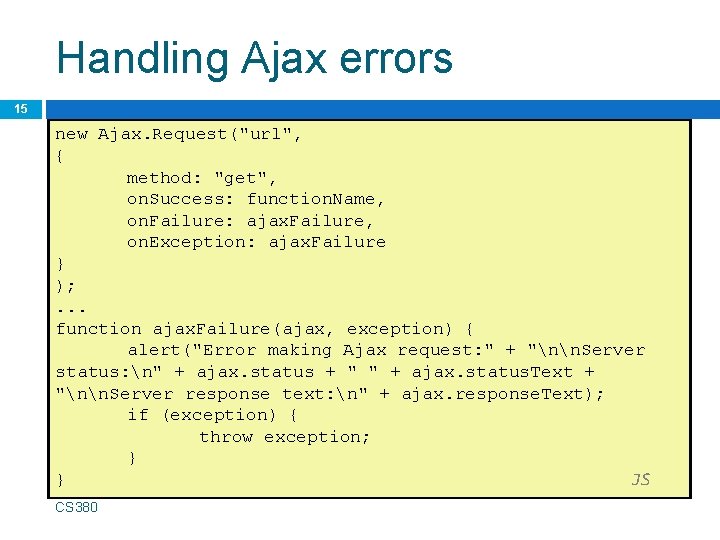
Handling Ajax errors 15 new Ajax. Request("url", { method: "get", on. Success: function. Name, on. Failure: ajax. Failure, on. Exception: ajax. Failure } ); . . . function ajax. Failure(ajax, exception) { alert("Error making Ajax request: " + "nn. Server status: n" + ajax. status + " " + ajax. status. Text + "nn. Server response text: n" + ajax. response. Text); if (exception) { throw exception; } } JS for user's (and developer's) benefit, show an error message if a request fails CS 380
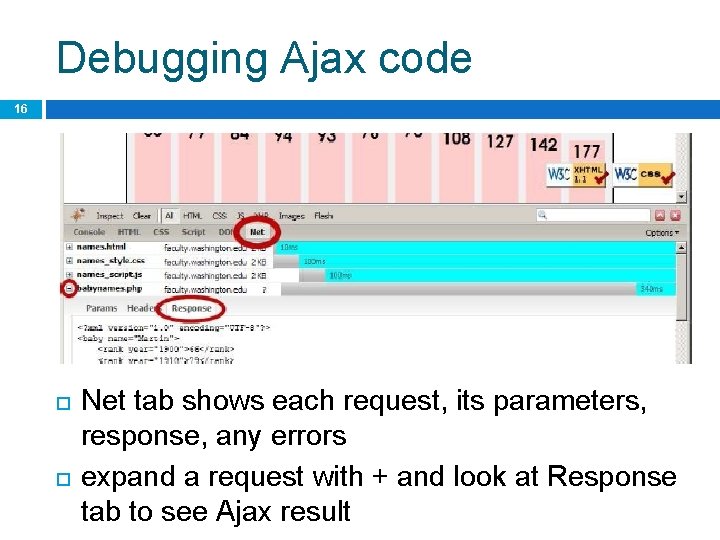
Debugging Ajax code 16 Net tab shows each request, its parameters, response, any errors expand a request with + and look at Response tab to see Ajax result
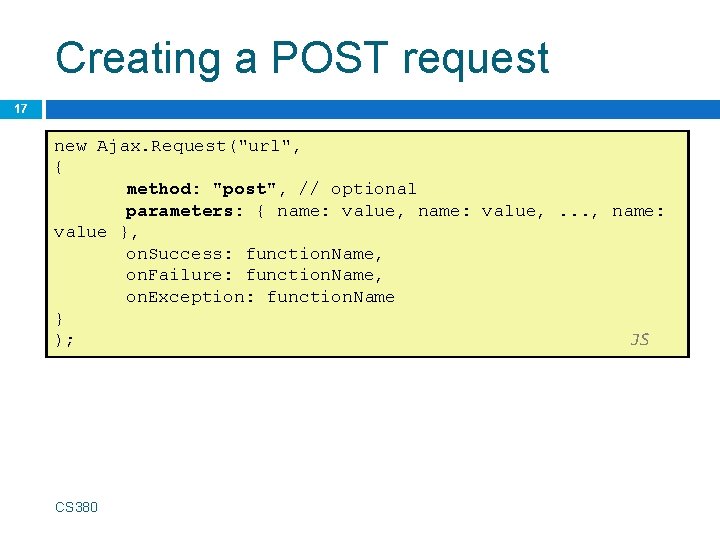
Creating a POST request 17 new Ajax. Request("url", { method: "post", // optional parameters: { name: value, . . . , name: value }, on. Success: function. Name, on. Failure: function. Name, on. Exception: function. Name } ); JS CS 380
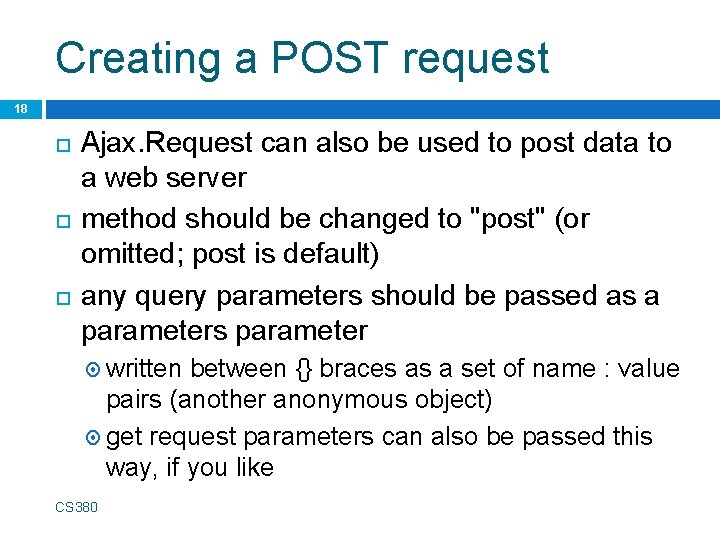
Creating a POST request 18 Ajax. Request can also be used to post data to a web server method should be changed to "post" (or omitted; post is default) any query parameters should be passed as a parameters parameter written between {} braces as a set of name : value pairs (another anonymous object) get request parameters can also be passed this way, if you like CS 380
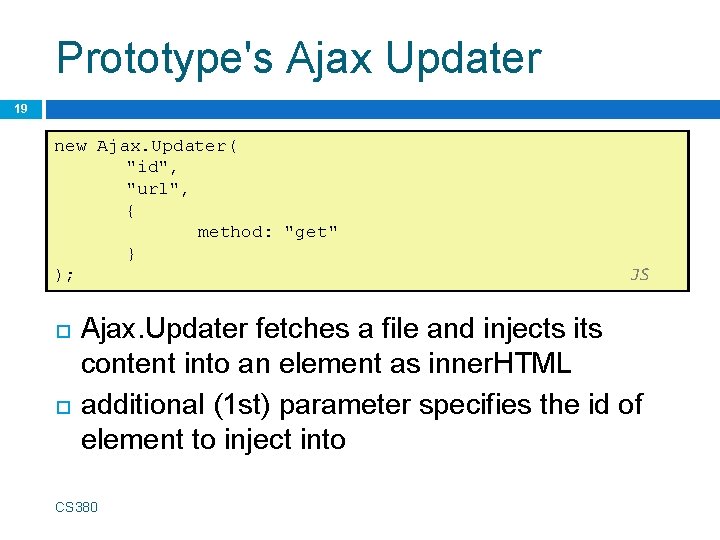
Prototype's Ajax Updater 19 new Ajax. Updater( "id", "url", { method: "get" } ); JS Ajax. Updater fetches a file and injects its content into an element as inner. HTML additional (1 st) parameter specifies the id of element to inject into CS 380
- Slides: 19