
1 4 9 MultipleSubscripted Arrays Multiple subscripts a
![1 4. 9 Multiple-Subscripted Arrays • Multiple subscripts – – a[ i ][ j](https://slidetodoc.com/presentation_image/ea9b8400caba742ae645eb8609486fde/image-1.jpg "1 4. 9 Multiple-Subscripted Arrays • Multiple subscripts – – a[ i ][ j")
1 4. 9 Multiple-Subscripted Arrays • Multiple subscripts – – a[ i ][ j ] Tables with rows and columns Specify row, then column “Array of arrays” • a[0] is an array of 4 elements • a[0][0] is the first element of that array Row 0 Column 0 a[ 0 ] Column 1 a[ 0 ][ 1 ] Column 2 a[ 0 ][ 2 ] Column 3 a[ 0 ][ 3 ] Row 1 a[ 1 ][ 0 ] a[ 1 ][ 2 ] a[ 1 ][ 3 ] Row 2 a[ 2 ][ 0 ] a[ 2 ][ 1 ] a[ 2 ][ 3 ] Column subscript Array name Row subscript 2003 Prentice Hall, Inc. All rights reserved.
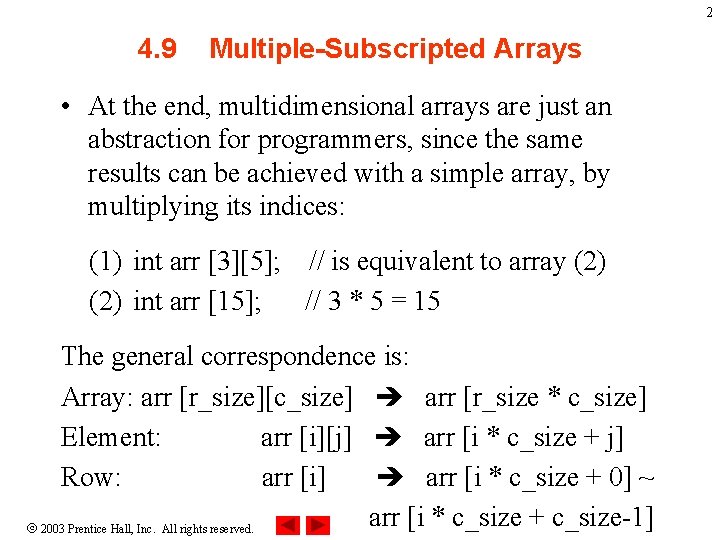
2 4. 9 Multiple-Subscripted Arrays • At the end, multidimensional arrays are just an abstraction for programmers, since the same results can be achieved with a simple array, by multiplying its indices: (1) int arr [3][5]; // is equivalent to array (2) int arr [15]; // 3 * 5 = 15 The general correspondence is: Array: arr [r_size][c_size] arr [r_size * c_size] Element: arr [i][j] arr [i * c_size + j] Row: arr [i] arr [i * c_size + 0] ~ arr [i * c_size + c_size-1] 2003 Prentice Hall, Inc. All rights reserved.
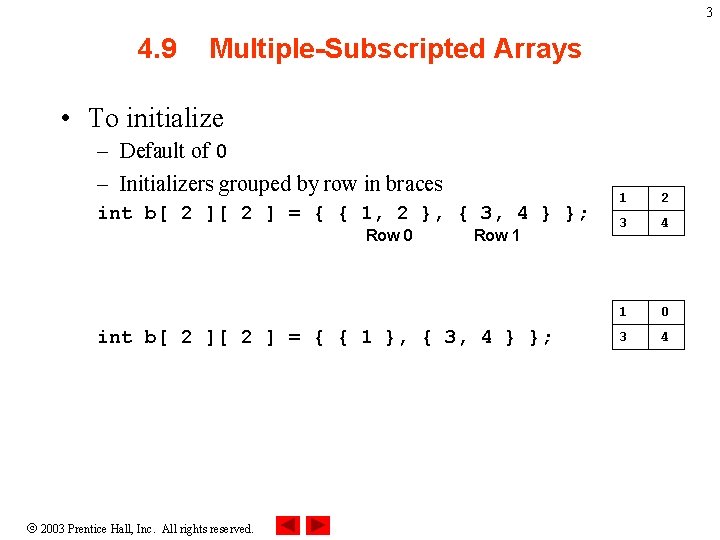
3 4. 9 Multiple-Subscripted Arrays • To initialize – Default of 0 – Initializers grouped by row in braces int b[ 2 ] = { { 1, 2 }, { 3, 4 } }; Row 0 Row 1 int b[ 2 ] = { { 1 }, { 3, 4 } }; 2003 Prentice Hall, Inc. All rights reserved. 1 2 3 4 1 0 3 4
![4 4. 9 Multiple-Subscripted Arrays • Referenced like normal cout << b[ 0 ][](http://slidetodoc.com/presentation_image/ea9b8400caba742ae645eb8609486fde/image-4.jpg "4 4. 9 Multiple-Subscripted Arrays • Referenced like normal cout << b[ 0 ][")
4 4. 9 Multiple-Subscripted Arrays • Referenced like normal cout << b[ 0 ][ 1 ]; – Outputs 0 – Cannot reference using commas 1 0 3 4 cout << b[ 0, 1 ]; • Syntax error • Function prototypes – Must specify sizes of subscripts • First subscript not necessary, as with single-scripted arrays • In a way, passing an array as argument always loses a dimension. The reason behind is that, for historical reasons, arrays cannot be directly copied, and thus what is really passed is a pointer. – e. g. void print. Array( int [][ 3 ] ); 2003 Prentice Hall, Inc. All rights reserved.
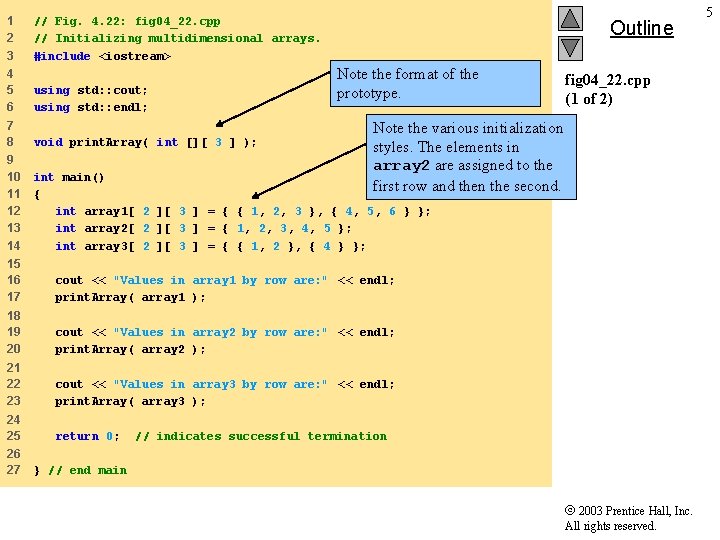
1 2 3 // Fig. 4. 22: fig 04_22. cpp // Initializing multidimensional arrays. #include <iostream> Outline Note the format of the prototype. 4 5 6 using std: : cout; using std: : endl; 7 8 void print. Array( int [][ 3 ] ); 9 10 11 12 13 14 int main() { int array 1[ 2 ][ 3 ] = { { 1, 2, 3 }, { 4, 5, 6 } }; int array 2[ 2 ][ 3 ] = { 1, 2, 3, 4, 5 }; int array 3[ 2 ][ 3 ] = { { 1, 2 }, { 4 } }; Note the various initialization styles. The elements in array 2 are assigned to the first row and then the second. 15 16 17 cout << "Values in array 1 by row are: " << endl; print. Array( array 1 ); 18 19 20 cout << "Values in array 2 by row are: " << endl; print. Array( array 2 ); 21 22 23 cout << "Values in array 3 by row are: " << endl; print. Array( array 3 ); 24 25 return 0; 26 27 fig 04_22. cpp (1 of 2) // indicates successful termination } // end main 2003 Prentice Hall, Inc. All rights reserved. 5
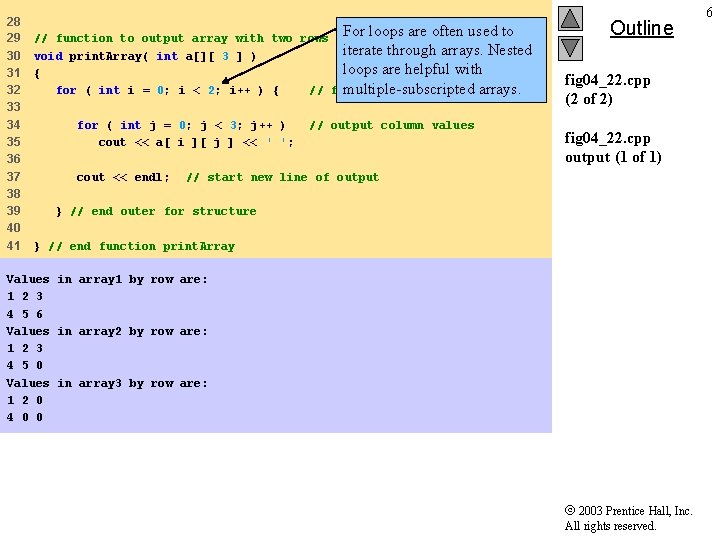
28 29 30 31 32 33 34 35 36 37 38 39 40 41 For loops are often used to // function to output array with two rows and three columns iterate through arrays. Nested void print. Array( int a[][ 3 ] ) loops are helpful with { multiple-subscripted arrays. for ( int i = 0; i < 2; i++ ) { // for each row for ( int j = 0; j < 3; j++ ) cout << a[ i ][ j ] << ' '; cout << endl; // output column values Outline fig 04_22. cpp (2 of 2) fig 04_22. cpp output (1 of 1) // start new line of output } // end outer for structure } // end function print. Array Values in array 1 by row are: 1 2 3 4 5 6 Values in array 2 by row are: 1 2 3 4 5 0 Values in array 3 by row are: 1 2 0 4 0 0 2003 Prentice Hall, Inc. All rights reserved. 6
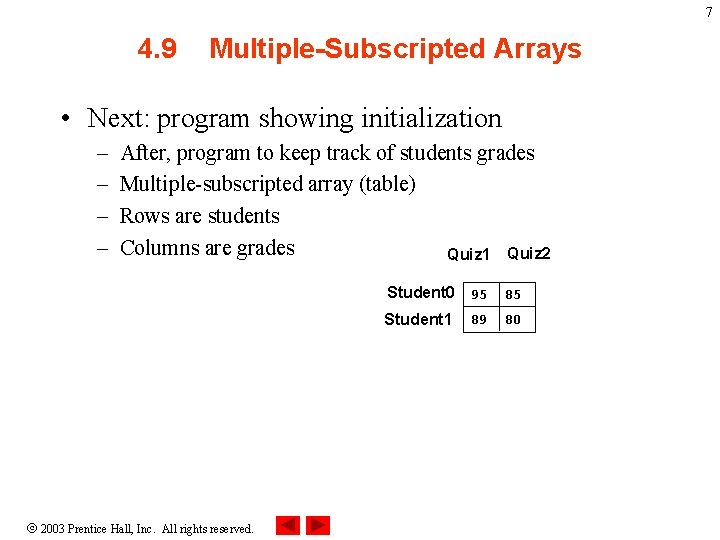
7 4. 9 Multiple-Subscripted Arrays • Next: program showing initialization – – After, program to keep track of students grades Multiple-subscripted array (table) Rows are students Columns are grades Quiz 1 Quiz 2 2003 Prentice Hall, Inc. All rights reserved. Student 0 95 85 Student 1 80 89
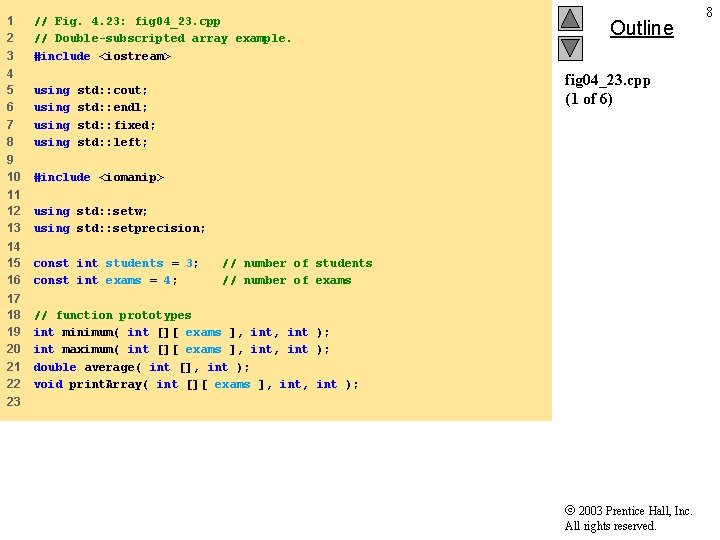
1 2 3 // Fig. 4. 23: fig 04_23. cpp // Double-subscripted array example. #include <iostream> 4 5 6 7 8 using 9 10 #include <iomanip> 11 12 13 using std: : setw; using std: : setprecision; 14 15 16 const int students = 3; const int exams = 4; 17 18 19 20 21 22 // function prototypes int minimum( int [][ exams ], int ); int maximum( int [][ exams ], int ); double average( int [], int ); void print. Array( int [][ exams ], int ); Outline fig 04_23. cpp (1 of 6) std: : cout; std: : endl; std: : fixed; std: : left; // number of students // number of exams 23 2003 Prentice Hall, Inc. All rights reserved. 8
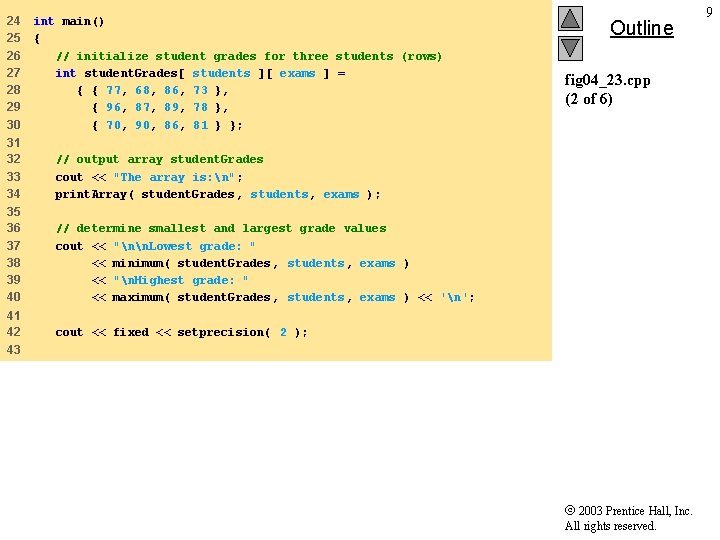
24 25 26 27 28 29 30 int main() { // initialize student grades for three students (rows) int student. Grades[ students ][ exams ] = { { 77, 68, 86, 73 }, { 96, 87, 89, 78 }, { 70, 90, 86, 81 } }; 31 32 33 34 // output array student. Grades cout << "The array is: n"; print. Array( student. Grades, students, exams ); 35 36 37 38 39 40 // determine smallest and largest grade values cout << "nn. Lowest grade: " << minimum( student. Grades, students, exams ) << "n. Highest grade: " << maximum( student. Grades, students, exams ) << 'n'; 41 42 cout << fixed << setprecision( 2 ); Outline fig 04_23. cpp (2 of 6) 43 2003 Prentice Hall, Inc. All rights reserved. 9
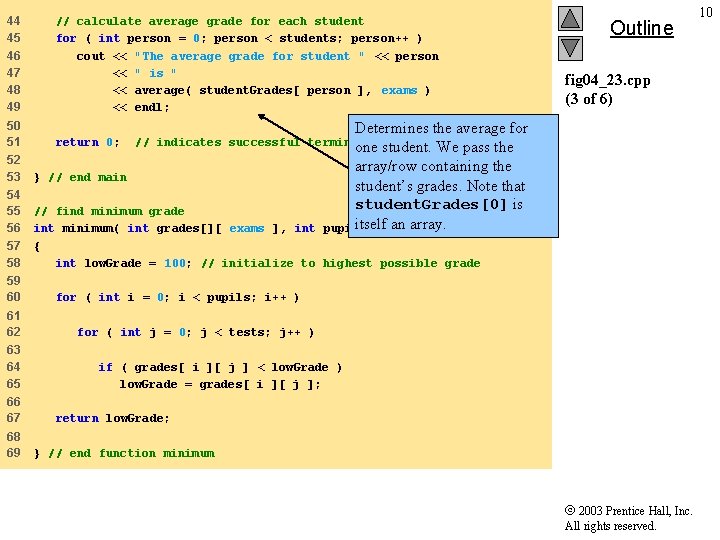
44 45 46 47 48 49 // calculate average grade for each student for ( int person = 0; person < students; person++ ) cout << "The average grade for student " << person << " is " << average( student. Grades[ person ], exams ) << endl; 50 51 return 0; Determines the average for one student. We pass the array/row containing the student’s grades. Note that student. Grades[0] is itselfint an array. pupils, tests ) } // end main 54 55 56 57 58 // find minimum grade int minimum( int grades[][ exams ], int { int low. Grade = 100; // initialize to highest possible grade 61 62 63 64 65 66 67 68 69 fig 04_23. cpp (3 of 6) // indicates successful termination 52 53 59 60 Outline for ( int i = 0; i < pupils; i++ ) for ( int j = 0; j < tests; j++ ) if ( grades[ i ][ j ] < low. Grade ) low. Grade = grades[ i ][ j ]; return low. Grade; } // end function minimum 2003 Prentice Hall, Inc. All rights reserved. 10
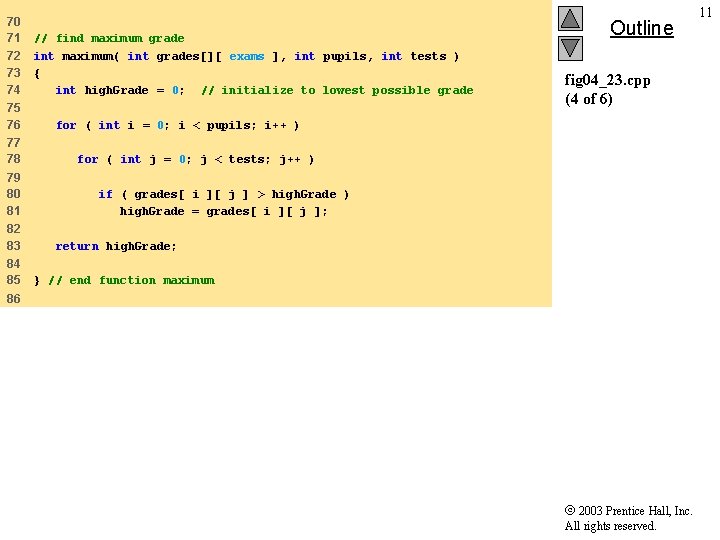
70 71 72 73 74 75 76 77 78 79 80 81 82 83 84 85 // find maximum grade int maximum( int grades[][ exams ], int pupils, int tests ) { int high. Grade = 0; // initialize to lowest possible grade Outline fig 04_23. cpp (4 of 6) for ( int i = 0; i < pupils; i++ ) for ( int j = 0; j < tests; j++ ) if ( grades[ i ][ j ] > high. Grade ) high. Grade = grades[ i ][ j ]; return high. Grade; } // end function maximum 86 2003 Prentice Hall, Inc. All rights reserved. 11
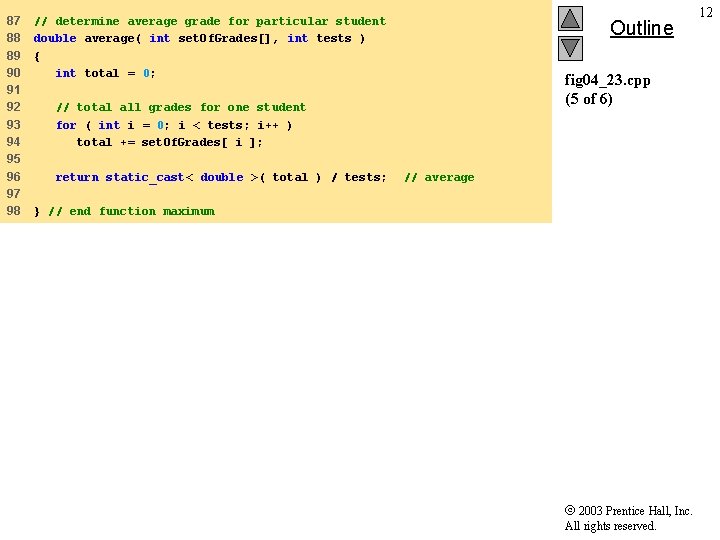
87 88 89 90 91 92 93 94 95 96 97 98 // determine average grade for particular student double average( int set. Of. Grades[], int tests ) { int total = 0; Outline fig 04_23. cpp (5 of 6) // total all grades for one student for ( int i = 0; i < tests; i++ ) total += set. Of. Grades[ i ]; return static_cast< double >( total ) / tests; // average } // end function maximum 2003 Prentice Hall, Inc. All rights reserved. 12
![99 100 // Print the array 101 void print. Array( int grades[][ exams ],](http://slidetodoc.com/presentation_image/ea9b8400caba742ae645eb8609486fde/image-13.jpg "99 100 // Print the array 101 void print. Array( int grades[][ exams ],")
99 100 // Print the array 101 void print. Array( int grades[][ exams ], int pupils, int tests ) 102 { 103 // set left justification and output column heads 104 cout << left << " [0] [1] [2] [3]" ; 105 106 107 fig 04_23. cpp (6 of 6) // output grades in tabular format for ( int i = 0; i < pupils; i++ ) { 108 109 110 // output label for row cout << "nstudent. Grades[" << i << "] "; 111 112 113 114 // output one grades for one student for ( int j = 0; j < tests; j++ ) cout << setw( 5 ) << grades[ i ][ j ]; 115 116 Outline } // end outer for 117 118 } // end function print. Array 2003 Prentice Hall, Inc. All rights reserved. 13
![The array is: [0] student. Grades[0] 77 student. Grades[1] 96 student. Grades[2] 70 [1]](http://slidetodoc.com/presentation_image/ea9b8400caba742ae645eb8609486fde/image-14.jpg "The array is: [0] student. Grades[0] 77 student. Grades[1] 96 student. Grades[2] 70 [1]")
The array is: [0] student. Grades[0] 77 student. Grades[1] 96 student. Grades[2] 70 [1] 68 87 90 [2] 86 89 86 [3] 73 78 81 Lowest grade: 68 Highest grade: 96 The average grade for student 0 is 76. 00 The average grade for student 1 is 87. 50 The average grade for student 2 is 81. 75 Outline fig 04_23. cpp output (1 of 1) 2003 Prentice Hall, Inc. All rights reserved. 14
15 Vectors 2003 Prentice Hall, Inc. All rights reserved.
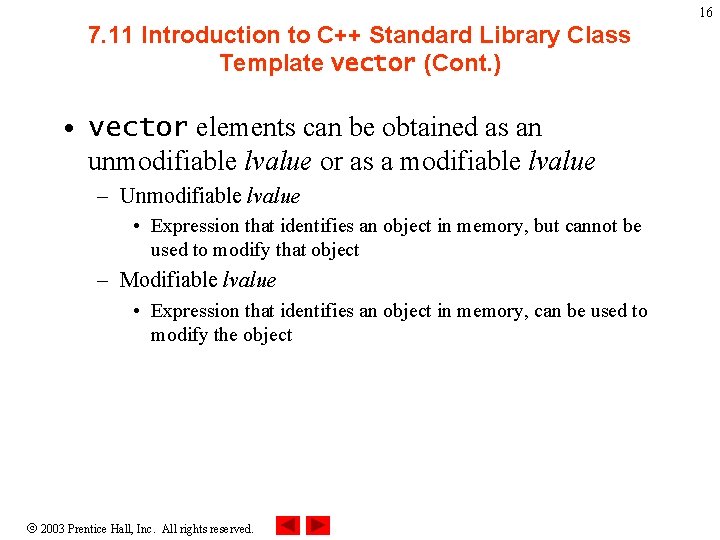
16 7. 11 Introduction to C++ Standard Library Class Template vector (Cont. ) • vector elements can be obtained as an unmodifiable lvalue or as a modifiable lvalue – Unmodifiable lvalue • Expression that identifies an object in memory, but cannot be used to modify that object – Modifiable lvalue • Expression that identifies an object in memory, can be used to modify the object 2003 Prentice Hall, Inc. All rights reserved.
17 7. 11 Introduction to C++ Standard Library Class Template vector (Cont. ) • vector member function at – Provides access to individual elements – Performs bounds checking • Throws an exception when specified index is invalid • Accessing with square brackets does not perform bounds checking 2003 Prentice Hall, Inc. All rights reserved.
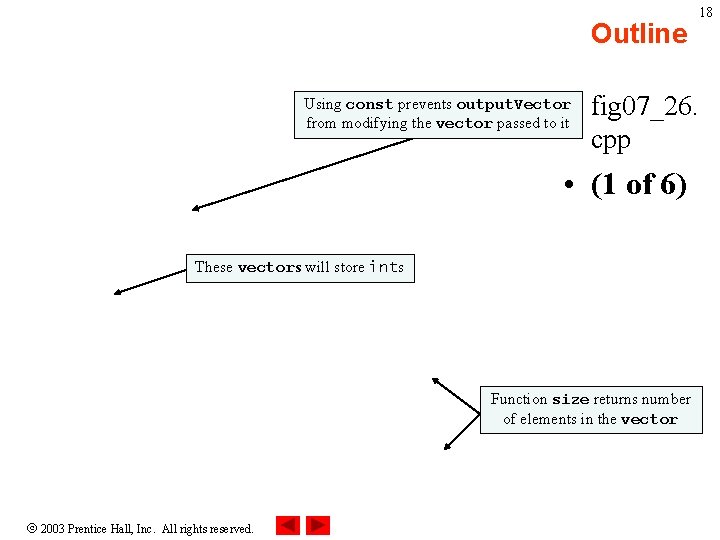
Outline 18 • fig 07_26. cpp Using const prevents output. Vector from modifying the vector passed to it • (1 of 6) These vectors will store ints Function size returns number of elements in the vector 2003 Prentice Hall, Inc. All rights reserved.
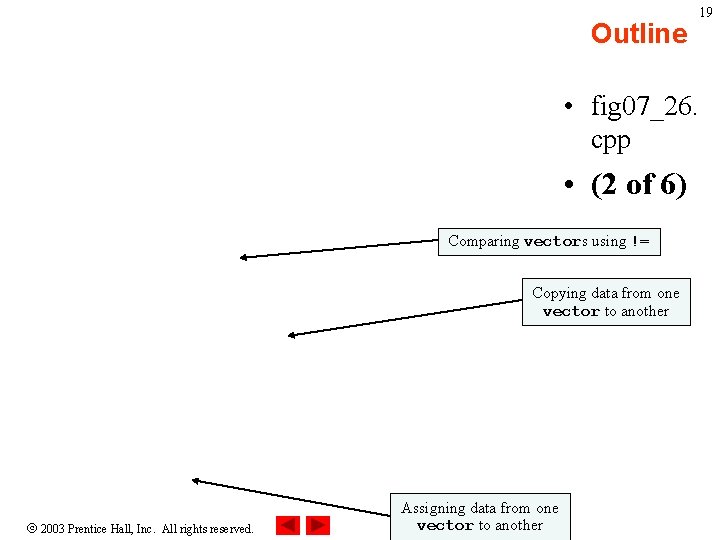
Outline 19 • fig 07_26. cpp • (2 of 6) Comparing vectors using != Copying data from one vector to another 2003 Prentice Hall, Inc. All rights reserved. Assigning data from one vector to another
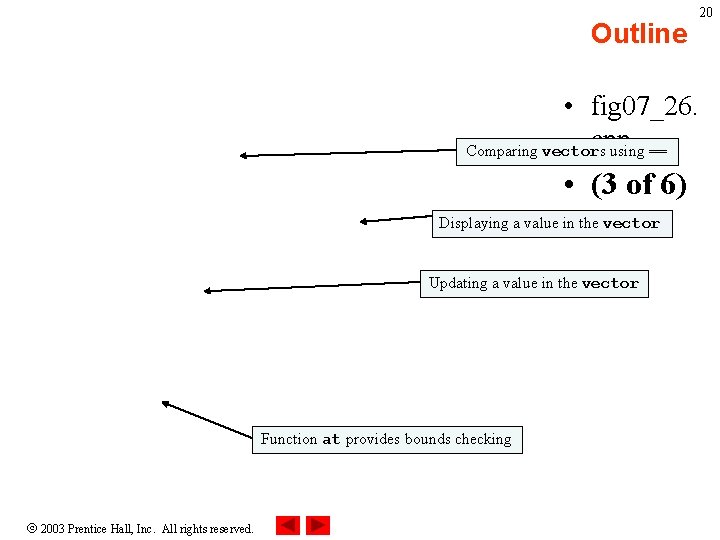
Outline 20 • fig 07_26. cpp Comparing vectors using == • (3 of 6) Displaying a value in the vector Updating a value in the vector Function at provides bounds checking 2003 Prentice Hall, Inc. All rights reserved.
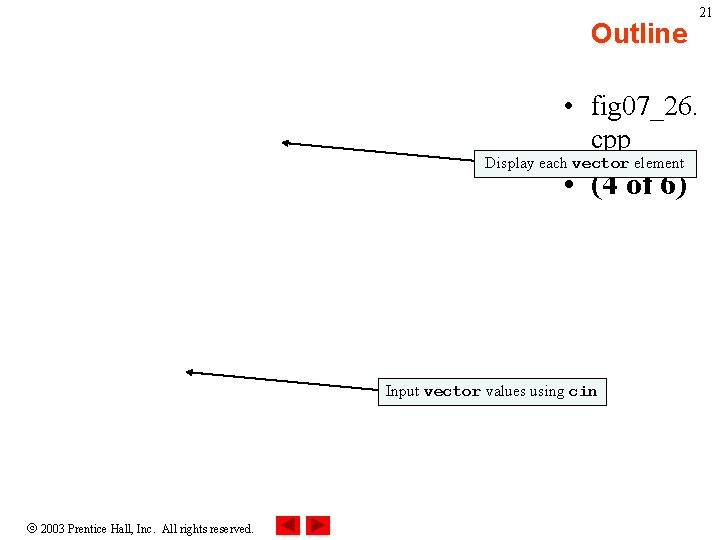
Outline 21 • fig 07_26. cpp Display each vector element • (4 of 6) Input vector values using cin 2003 Prentice Hall, Inc. All rights reserved.
Outline 22 • fig 07_26. cpp • (5 of 6) 2003 Prentice Hall, Inc. All rights reserved.
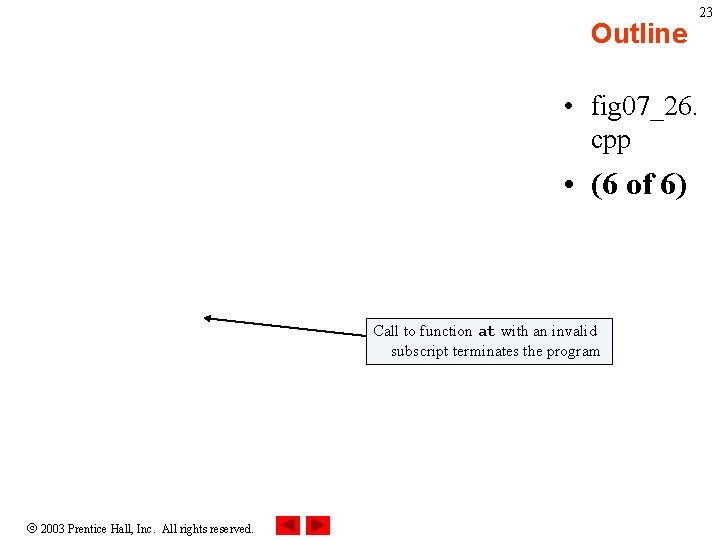
Outline 23 • fig 07_26. cpp • (6 of 6) Call to function at with an invalid subscript terminates the program 2003 Prentice Hall, Inc. All rights reserved.
- Slides: 23