
1 1 Cisco IOS Cisco technology is built
1 1
Cisco IOS Cisco technology is built around the Cisco Internetwork Operating System (IOS), which is the software that controls the routing and switching functions of internetworking devices. A solid understanding of the IOS is essential for a network administrator. 2 2
The Purpose of Cisco IOS As with a computer, a router or switch cannot function without an operating system. Cisco calls its operating system the Cisco Internetwork Operating System or Cisco IOS. 3 3
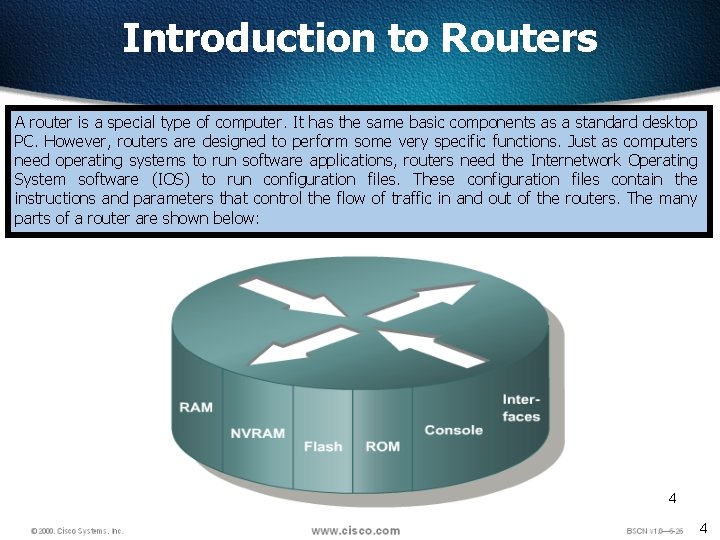
Introduction to Routers A router is a special type of computer. It has the same basic components as a standard desktop PC. However, routers are designed to perform some very specific functions. Just as computers need operating systems to run software applications, routers need the Internetwork Operating System software (IOS) to run configuration files. These configuration files contain the instructions and parameters that control the flow of traffic in and out of the routers. The many parts of a router are shown below: 4 4
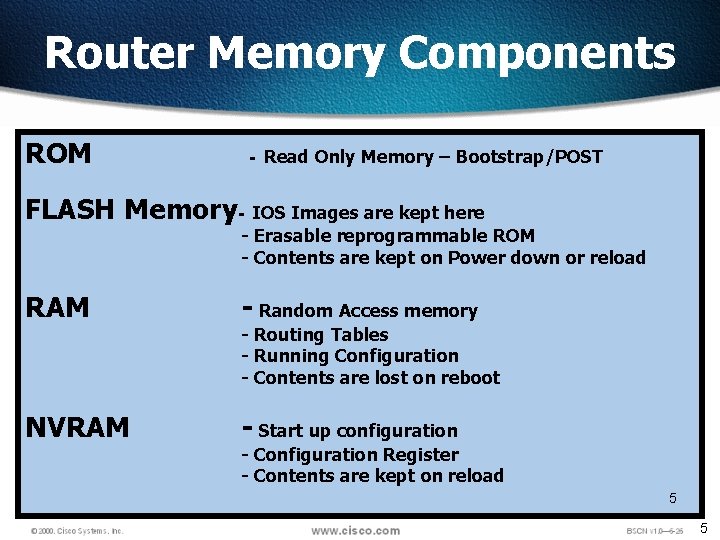
Router Memory Components ROM - Read Only Memory – Bootstrap/POST FLASH Memory- IOS Images are kept here - Erasable reprogrammable ROM - Contents are kept on Power down or reload RAM - Random Access memory NVRAM - Start up configuration - Routing Tables - Running Configuration - Contents are lost on reboot - Configuration Register - Contents are kept on reload 5 5
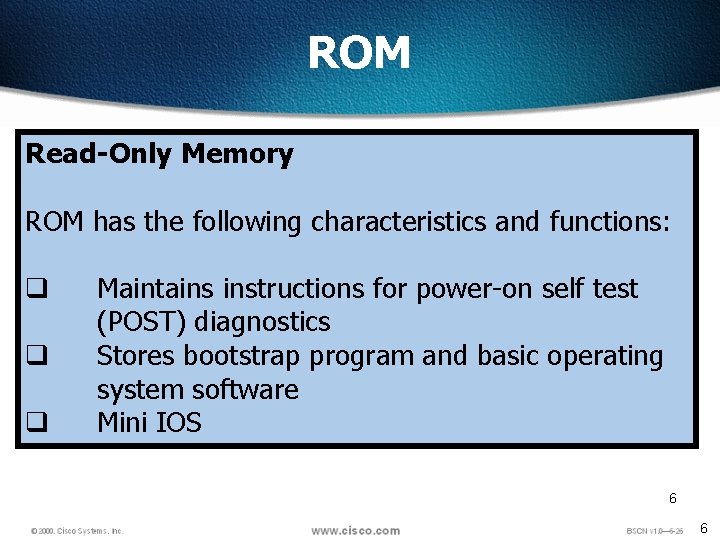
ROM Read-Only Memory ROM has the following characteristics and functions: q q q Maintains instructions for power-on self test (POST) diagnostics Stores bootstrap program and basic operating system software Mini IOS 6 6
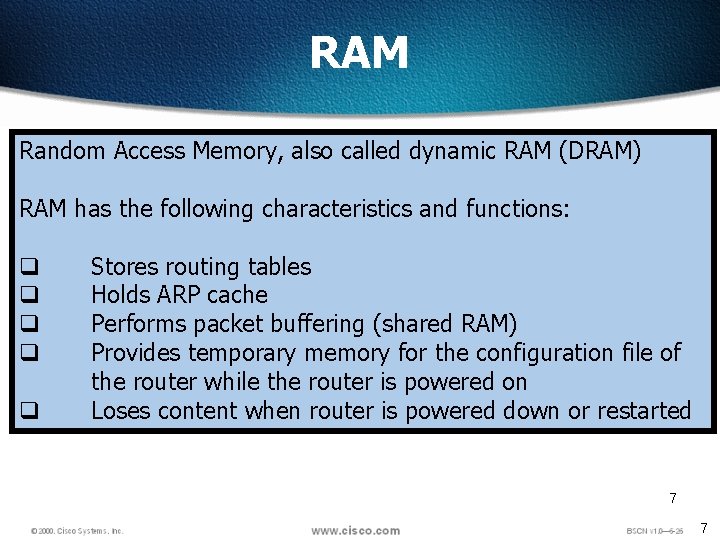
RAM Random Access Memory, also called dynamic RAM (DRAM) RAM has the following characteristics and functions: q q q Stores routing tables Holds ARP cache Performs packet buffering (shared RAM) Provides temporary memory for the configuration file of the router while the router is powered on Loses content when router is powered down or restarted 7 7
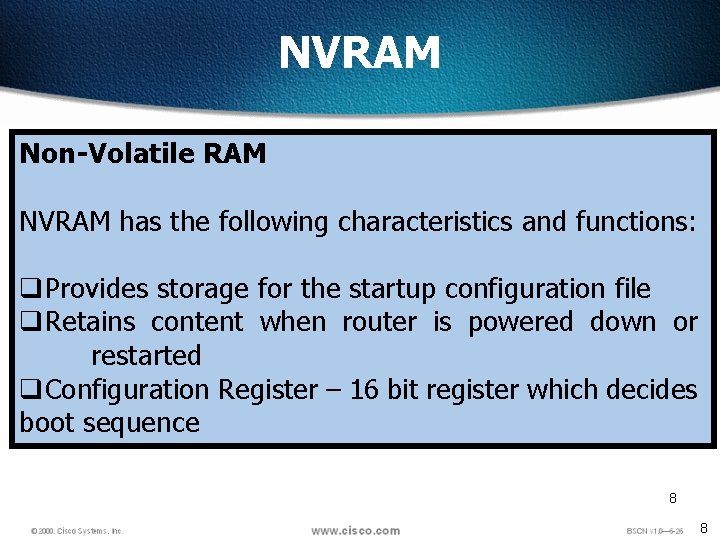
NVRAM Non-Volatile RAM NVRAM has the following characteristics and functions: q. Provides storage for the startup configuration file q. Retains content when router is powered down or restarted q. Configuration Register – 16 bit register which decides boot sequence 8 8
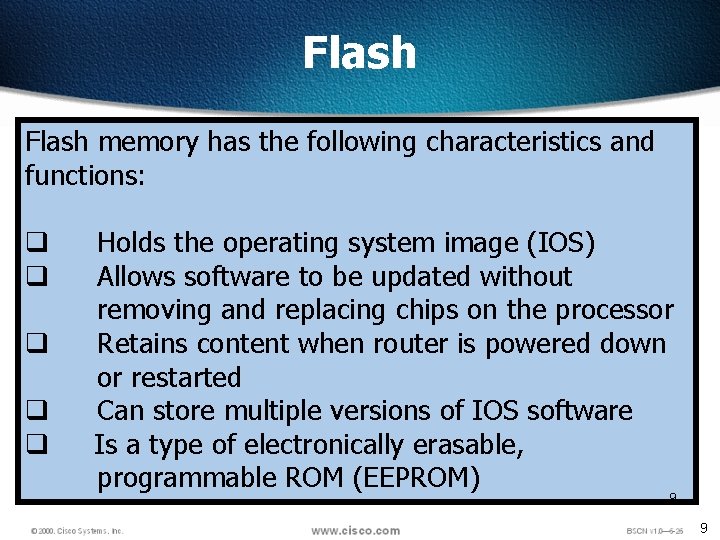
Flash memory has the following characteristics and functions: q q q Holds the operating system image (IOS) Allows software to be updated without removing and replacing chips on the processor Retains content when router is powered down or restarted Can store multiple versions of IOS software Is a type of electronically erasable, programmable ROM (EEPROM) 9 9
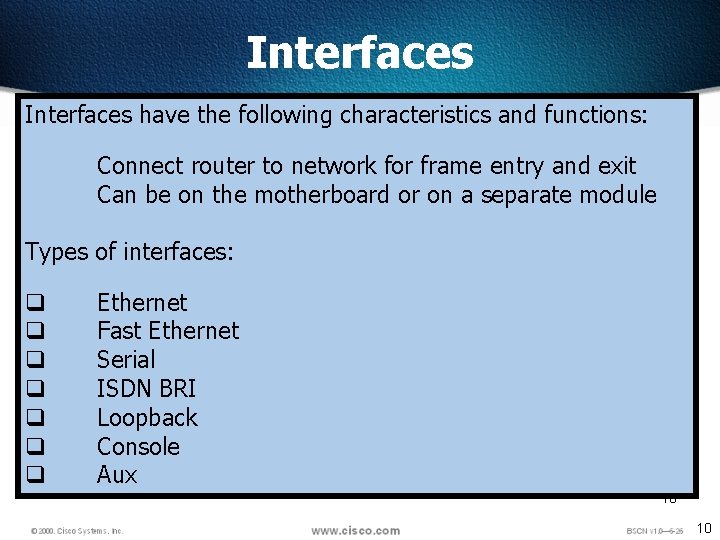
Interfaces have the following characteristics and functions: Connect router to network for frame entry and exit Can be on the motherboard or on a separate module Types of interfaces: q q q q Ethernet Fast Ethernet Serial ISDN BRI Loopback Console Aux 10 10
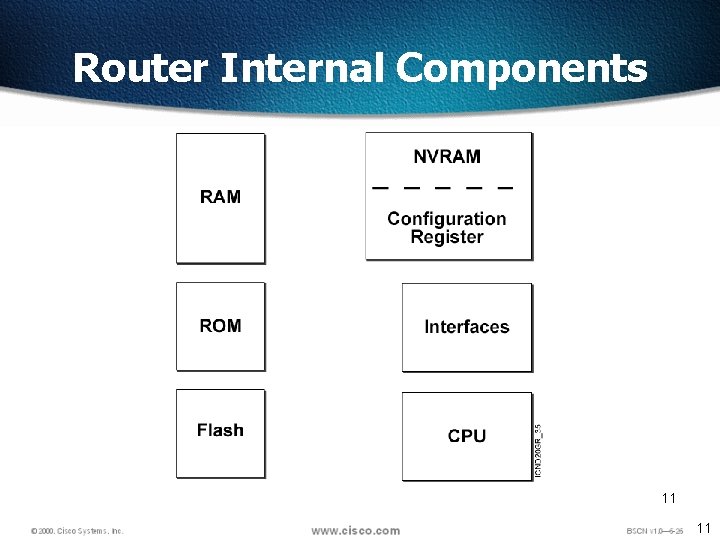
Router Internal Components 11 11
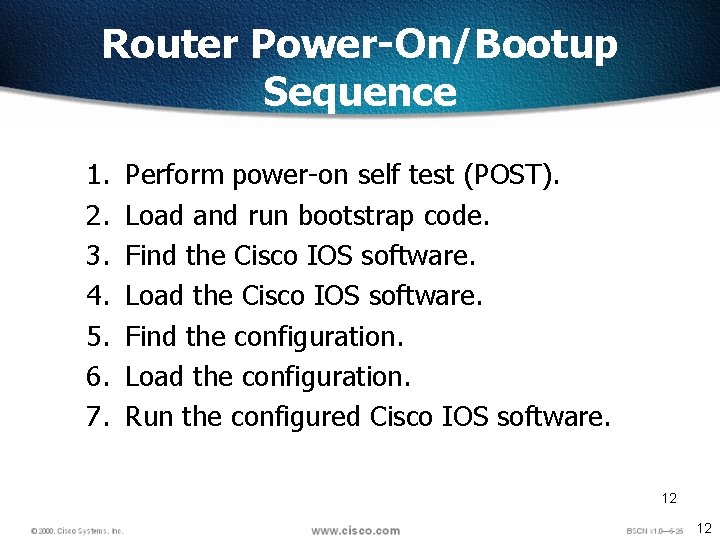
Router Power-On/Bootup Sequence 1. 2. 3. 4. 5. 6. 7. Perform power-on self test (POST). Load and run bootstrap code. Find the Cisco IOS software. Load the Cisco IOS software. Find the configuration. Load the configuration. Run the configured Cisco IOS software. 12 12

Boot Sequence C-File NVRAM ROMMonitor RXBoot FLASH Running Y N Setup Mode Checks All interfaces Configuration Register 8 4 2 1 8 RAM 4 2 1 8 4 2 1 15 14 13 12 11 10 9 8 7 6 5 4 3 2 1 0 0 0 1 1 0 1 0 ROMMonitor Rx. Boot 13 1 2 -15 Flash 13
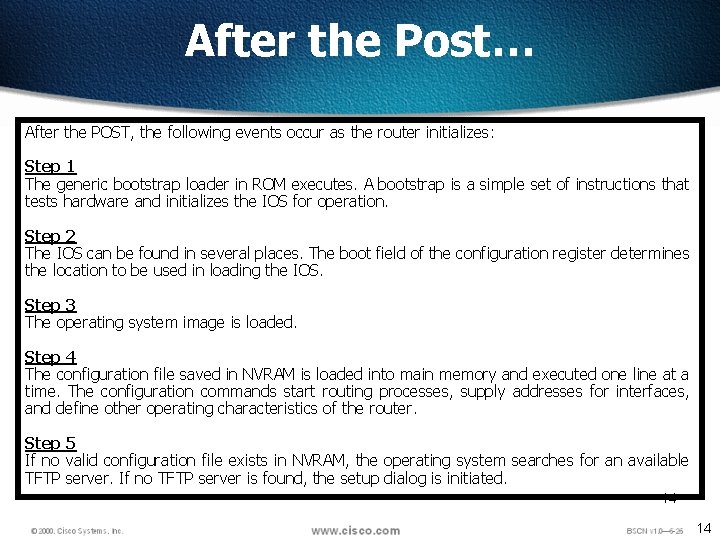
After the Post… After the POST, the following events occur as the router initializes: Step 1 The generic bootstrap loader in ROM executes. A bootstrap is a simple set of instructions that tests hardware and initializes the IOS for operation. Step 2 The IOS can be found in several places. The boot field of the configuration register determines the location to be used in loading the IOS. Step 3 The operating system image is loaded. Step 4 The configuration file saved in NVRAM is loaded into main memory and executed one line at a time. The configuration commands start routing processes, supply addresses for interfaces, and define other operating characteristics of the router. Step 5 If no valid configuration file exists in NVRAM, the operating system searches for an available TFTP server. If no TFTP server is found, the setup dialog is initiated. 14 14
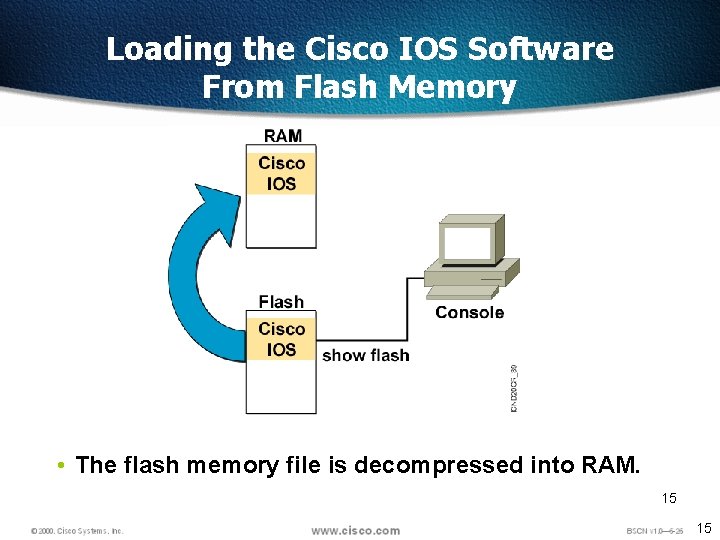
Loading the Cisco IOS Software From Flash Memory • The flash memory file is decompressed into RAM. 15 15
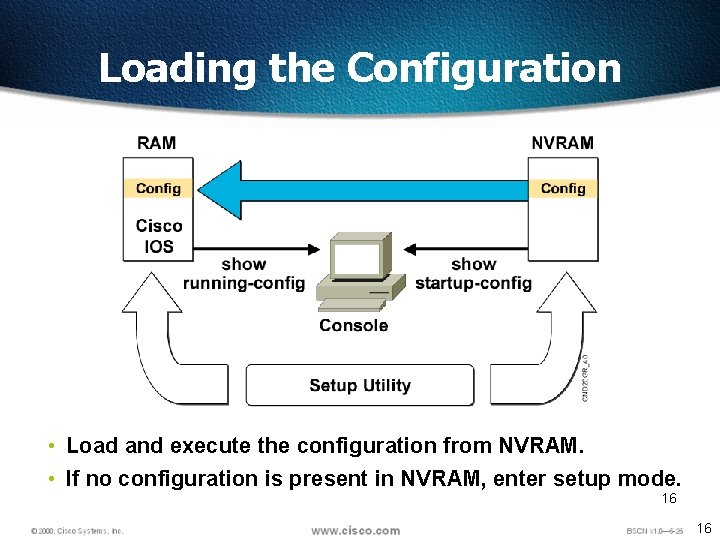
Loading the Configuration • Load and execute the configuration from NVRAM. • If no configuration is present in NVRAM, enter setup mode. 16 16
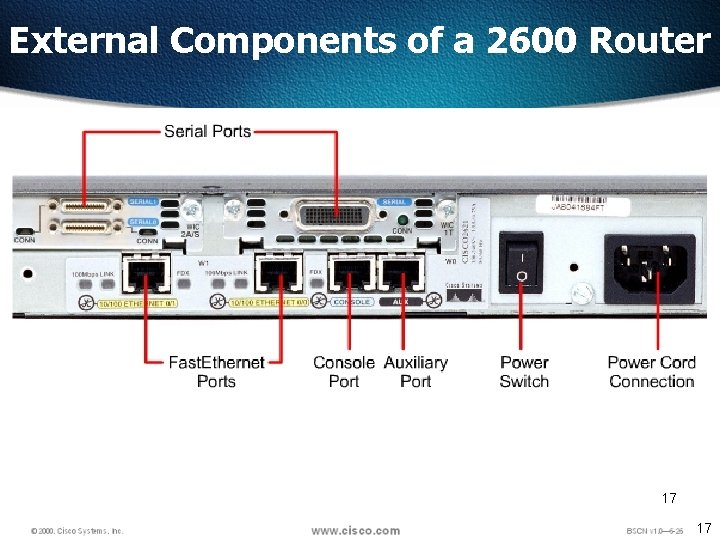
External Components of a 2600 Router 17 17
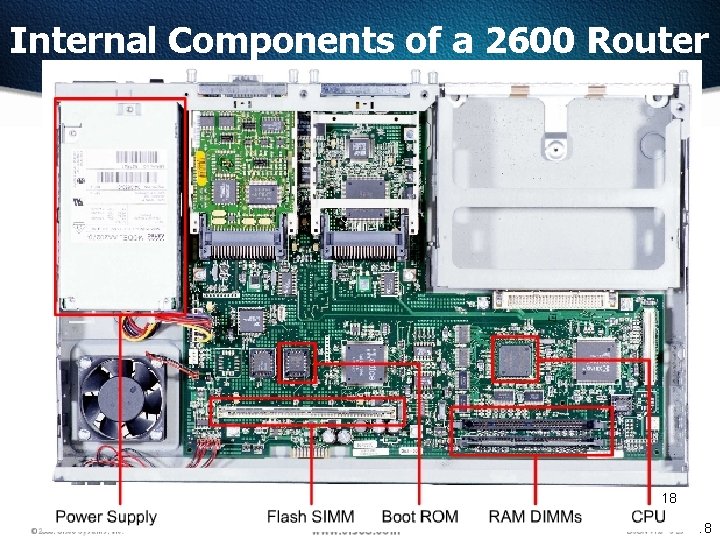
Internal Components of a 2600 Router 18 18
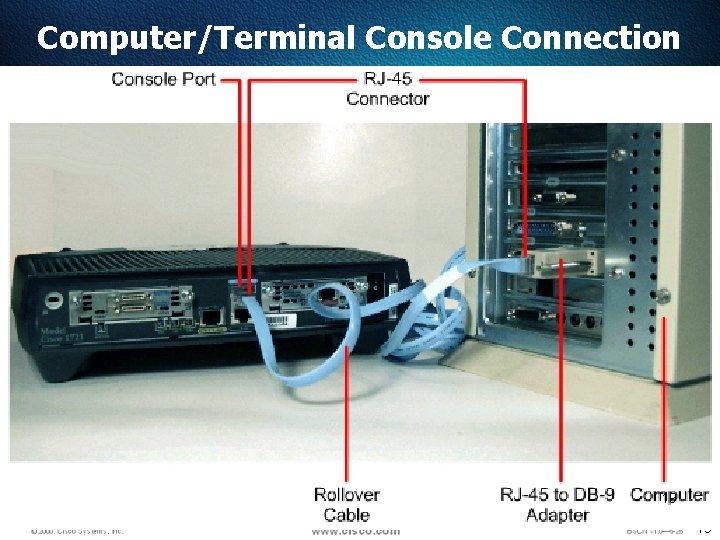
Computer/Terminal Console Connection 19 19
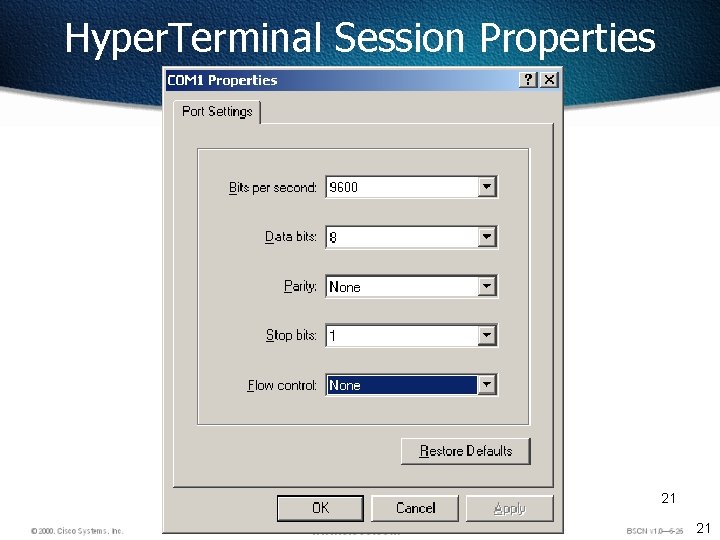
Hyper. Terminal Session Properties 21 21
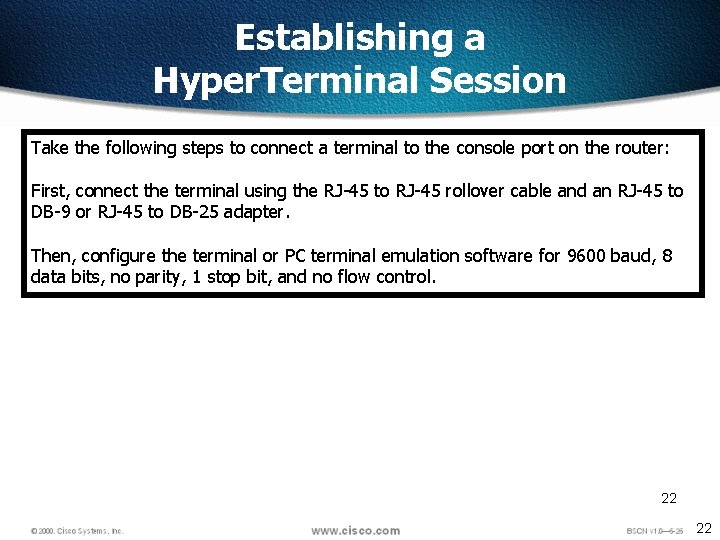
Establishing a Hyper. Terminal Session Take the following steps to connect a terminal to the console port on the router: First, connect the terminal using the RJ-45 to RJ-45 rollover cable and an RJ-45 to DB-9 or RJ-45 to DB-25 adapter. Then, configure the terminal or PC terminal emulation software for 9600 baud, 8 data bits, no parity, 1 stop bit, and no flow control. 22 22
Router Command Line Interface 23 23
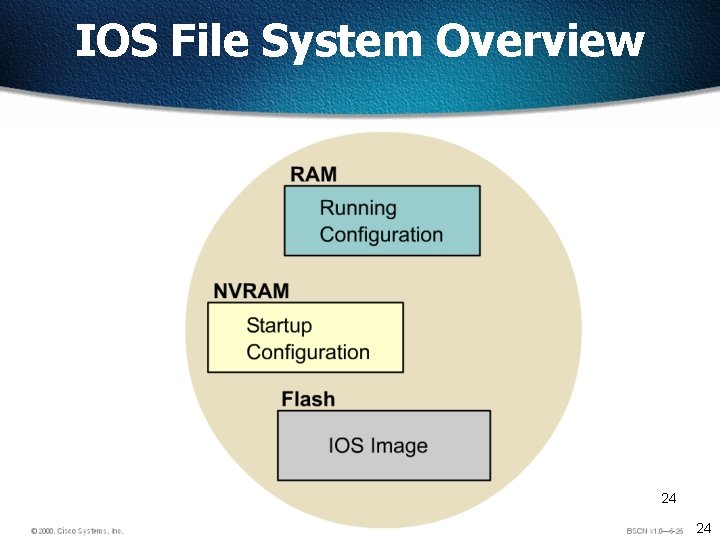
IOS File System Overview 24 24
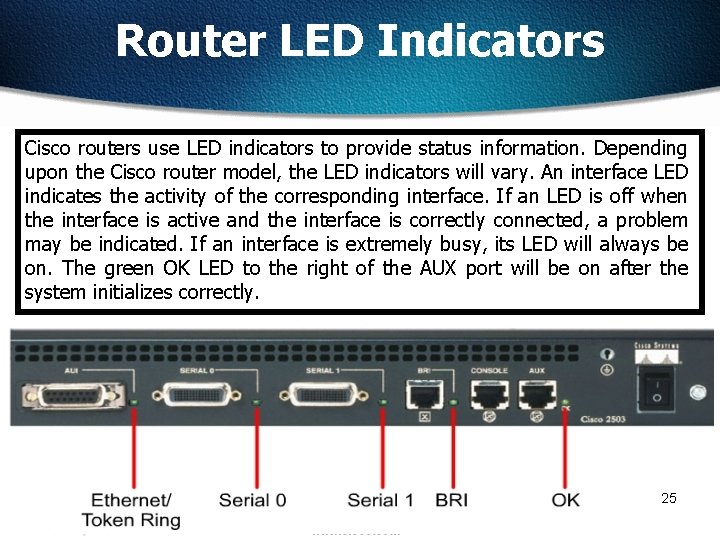
Router LED Indicators Cisco routers use LED indicators to provide status information. Depending upon the Cisco router model, the LED indicators will vary. An interface LED indicates the activity of the corresponding interface. If an LED is off when the interface is active and the interface is correctly connected, a problem may be indicated. If an interface is extremely busy, its LED will always be on. The green OK LED to the right of the AUX port will be on after the system initializes correctly. 25 25
26 26
Router User Interface Modes The Cisco command-line interface (CLI) uses a hierarchical structure. This structure requires entry into different modes to accomplish particular tasks. Each configuration mode is indicated with a distinctive prompt and allows only commands that are appropriate for that mode. As a security feature the Cisco IOS software separates sessions into two access levels, user EXEC mode and privileged EXEC mode. The privileged EXEC mode is also known as enable mode. 27 27
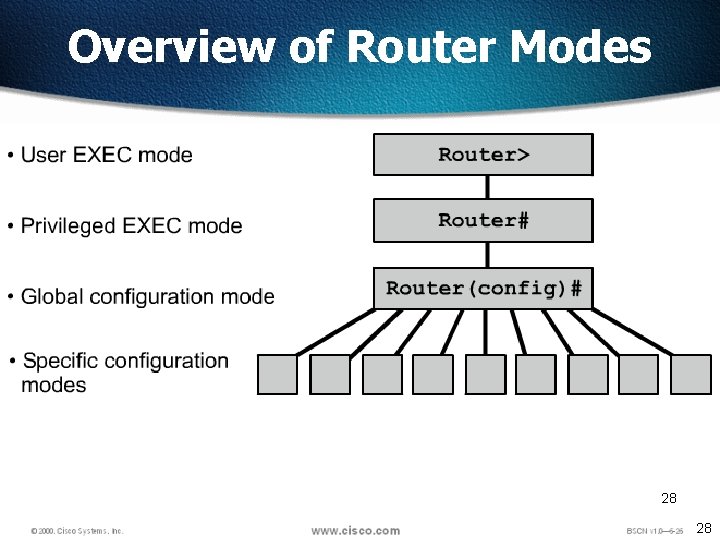
Overview of Router Modes 28 28
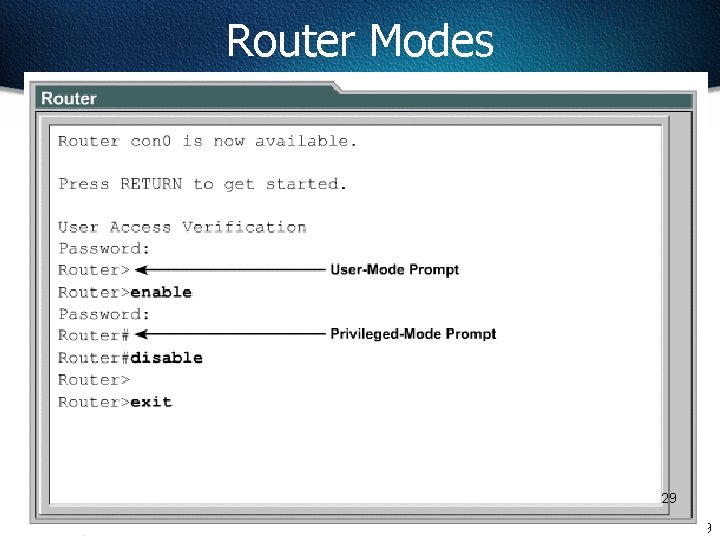
Router Modes 29 29
CLI Command Modes All command-line interface (CLI) configuration changes to a Cisco router are made from the global configuration mode. Other more specific modes are entered depending upon the configuration change that is required. Global configuration mode commands are used in a router to apply configuration statements that affect the system as a whole. The following command moves the router into global configuration mode Router#configure terminal Router(config)# (or config t) When specific configuration modes are entered, the router prompt changes to indicate the current configuration mode. Typing exit from one of these specific configuration modes will return the router to global configuration mode. Pressing Ctrl-Z returns the router to all the way back privileged EXEC mode. 30 30
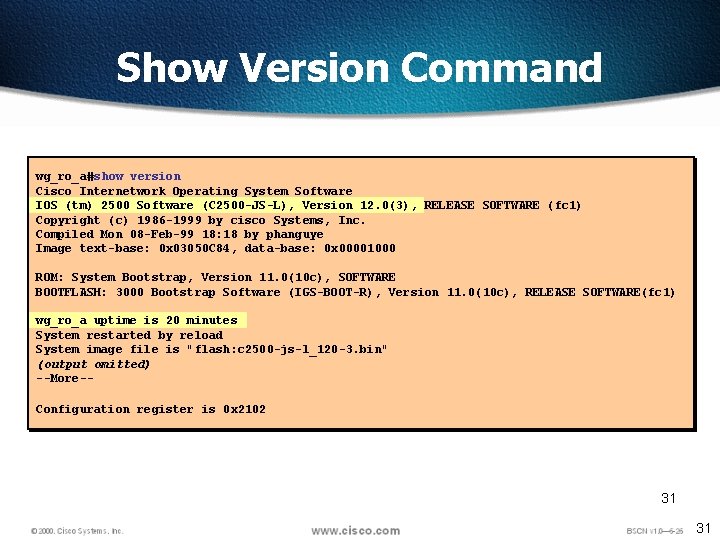
Show Version Command wg_ro_a#show version Cisco Internetwork Operating System Software IOS (tm) 2500 Software (C 2500 -JS-L), Version 12. 0(3), RELEASE SOFTWARE (fc 1) Copyright (c) 1986 -1999 by cisco Systems, Inc. Compiled Mon 08 -Feb-99 18: 18 by phanguye Image text-base: 0 x 03050 C 84, data-base: 0 x 00001000 ROM: System Bootstrap, Version 11. 0(10 c), SOFTWARE BOOTFLASH: 3000 Bootstrap Software (IGS-BOOT-R), Version 11. 0(10 c), RELEASE SOFTWARE(fc 1) wg_ro_a uptime is 20 minutes System restarted by reload System image file is "flash: c 2500 -js-l_120 -3. bin" (output omitted) --More-Configuration register is 0 x 2102 31 31
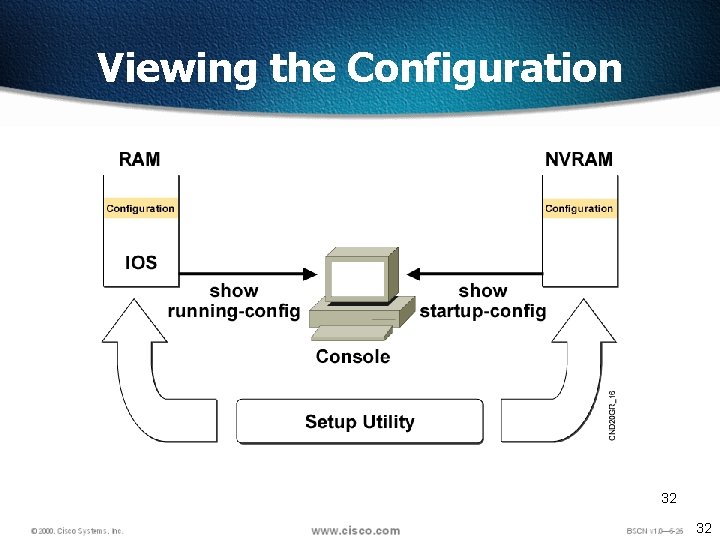
Viewing the Configuration 32 32
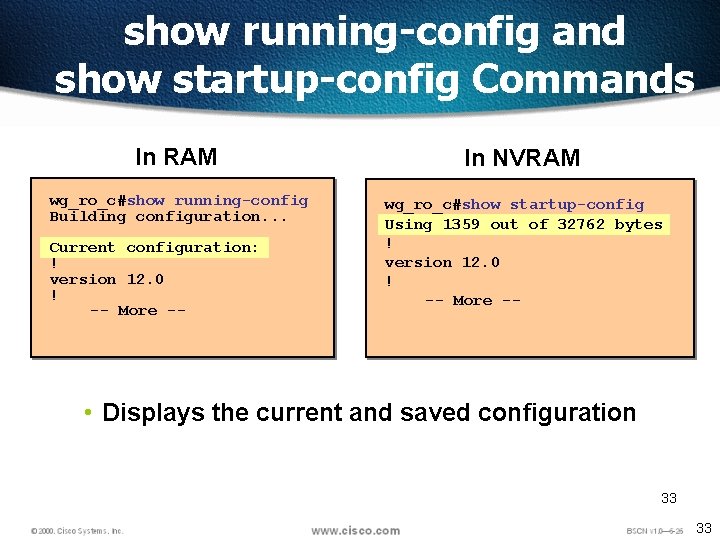
show running-config and show startup-config Commands In RAM In NVRAM wg_ro_c#show running-config Building configuration. . . wg_ro_c#show startup-config Using 1359 out of 32762 bytes ! version 12. 0 ! -- More -- Current configuration: ! version 12. 0 ! -- More -- • Displays the current and saved configuration 33 33
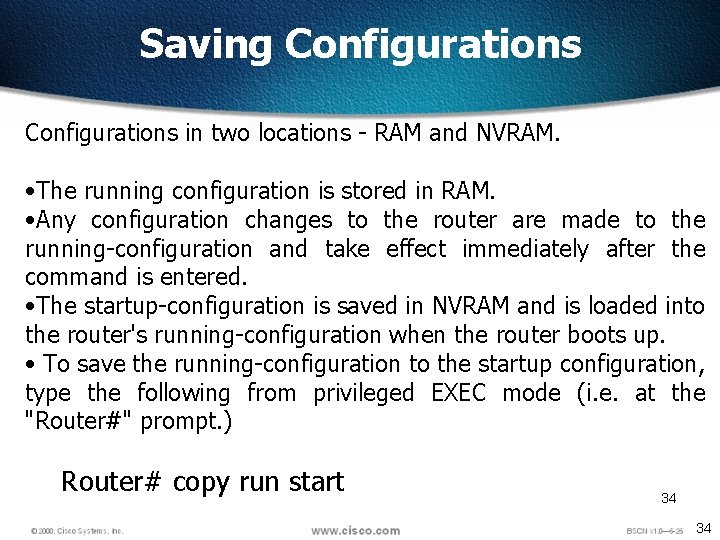
Saving Configurations in two locations - RAM and NVRAM. • The running configuration is stored in RAM. • Any configuration changes to the router are made to the running-configuration and take effect immediately after the command is entered. • The startup-configuration is saved in NVRAM and is loaded into the router's running-configuration when the router boots up. • To save the running-configuration to the startup configuration, type the following from privileged EXEC mode (i. e. at the "Router#" prompt. ) Router# copy run start 34 34
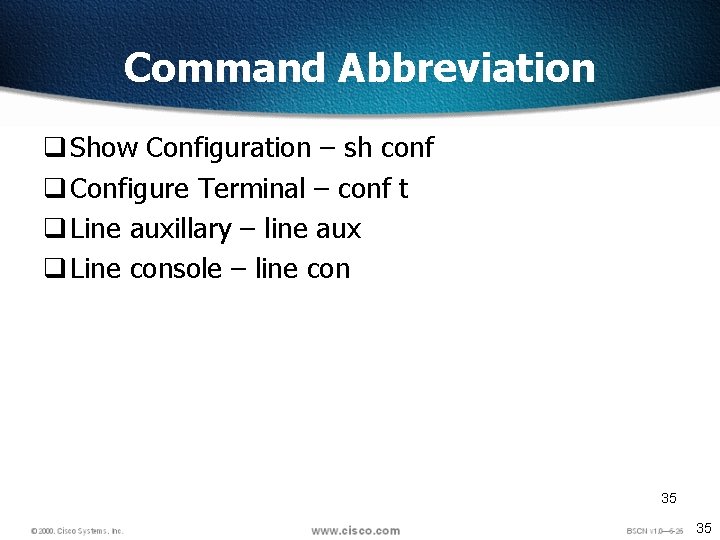
Command Abbreviation q Show Configuration – sh conf q Configure Terminal – conf t q Line auxillary – line aux q Line console – line con 35 35
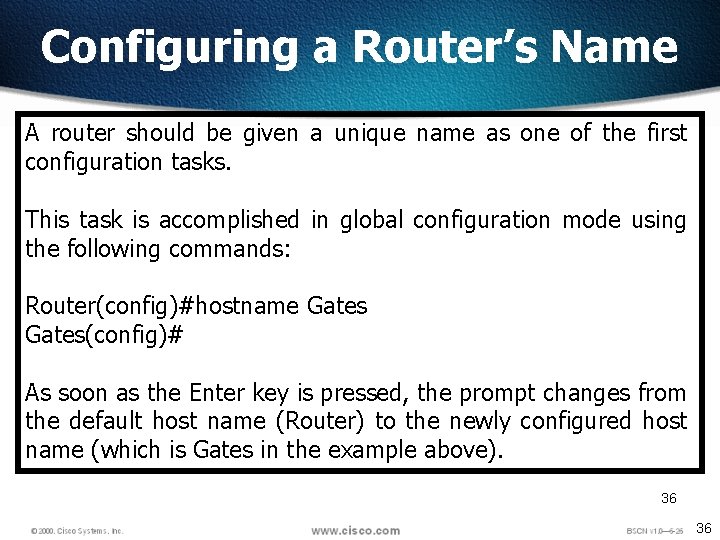
Configuring a Router’s Name A router should be given a unique name as one of the first configuration tasks. This task is accomplished in global configuration mode using the following commands: Router(config)#hostname Gates(config)# As soon as the Enter key is pressed, the prompt changes from the default host name (Router) to the newly configured host name (which is Gates in the example above). 36 36
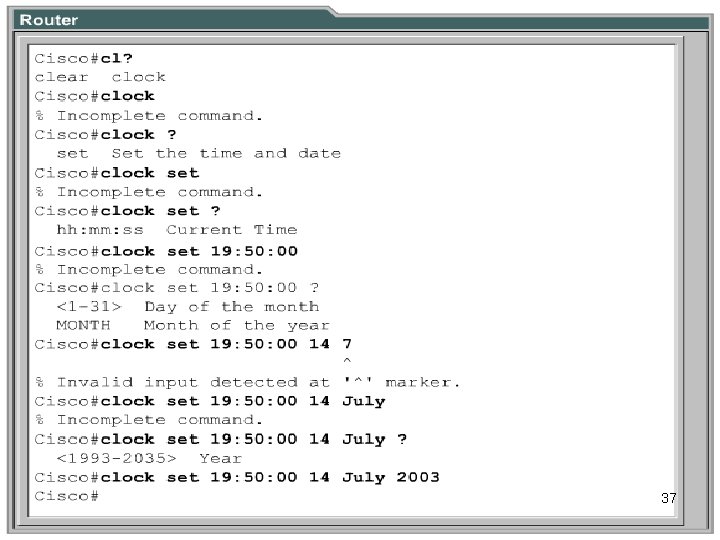
Setting the Clock with Help 37 37
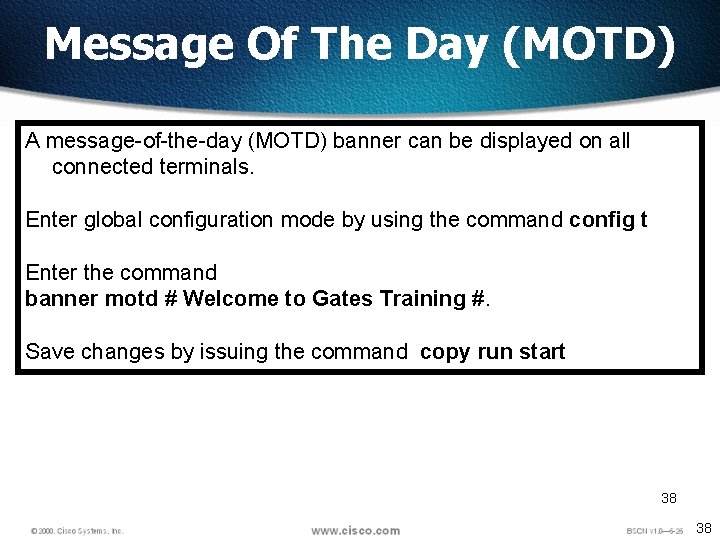
Message Of The Day (MOTD) A message-of-the-day (MOTD) banner can be displayed on all connected terminals. Enter global configuration mode by using the command config t Enter the command banner motd # Welcome to Gates Training #. Save changes by issuing the command copy run start 38 38
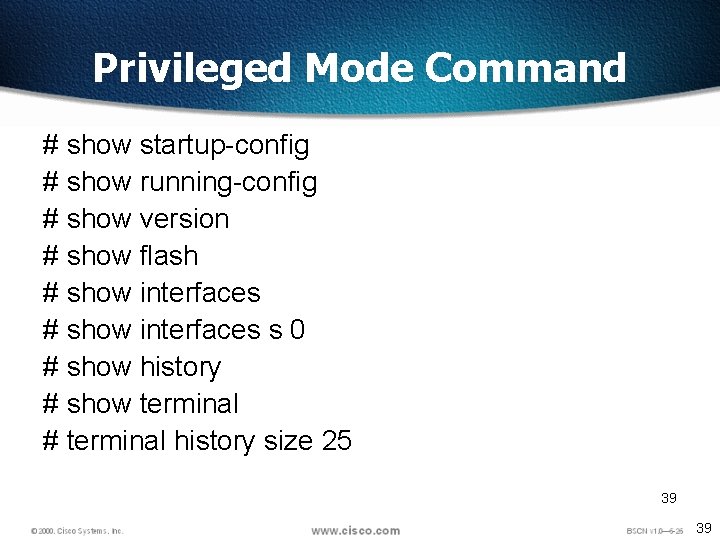
Privileged Mode Command # show startup-config # show running-config # show version # show flash # show interfaces s 0 # show history # show terminal # terminal history size 25 39 39
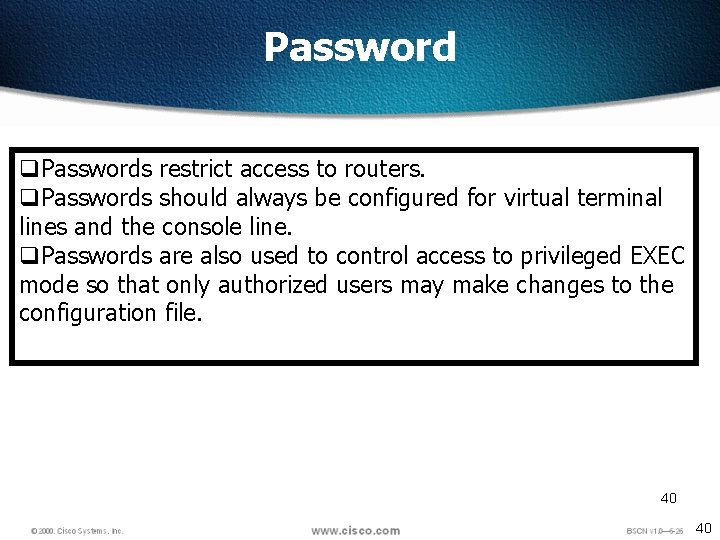
Password q. Passwords restrict access to routers. q. Passwords should always be configured for virtual terminal lines and the console line. q. Passwords are also used to control access to privileged EXEC mode so that only authorized users may make changes to the configuration file. 40 40
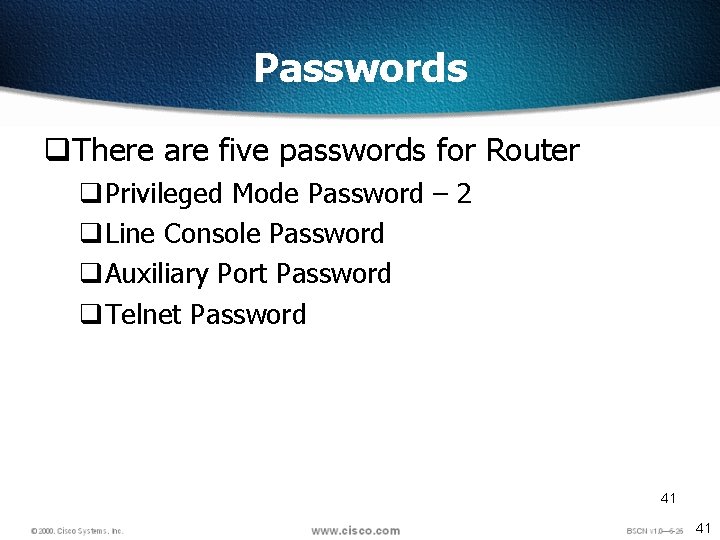
Passwords q. There are five passwords for Router q. Privileged Mode Password – 2 q. Line Console Password q. Auxiliary Port Password q. Telnet Password 41 41
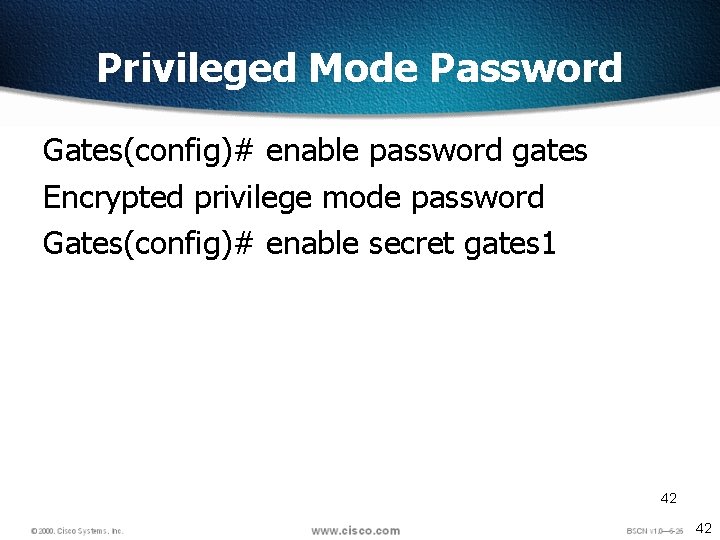
Privileged Mode Password Gates(config)# enable password gates Encrypted privilege mode password Gates(config)# enable secret gates 1 42 42
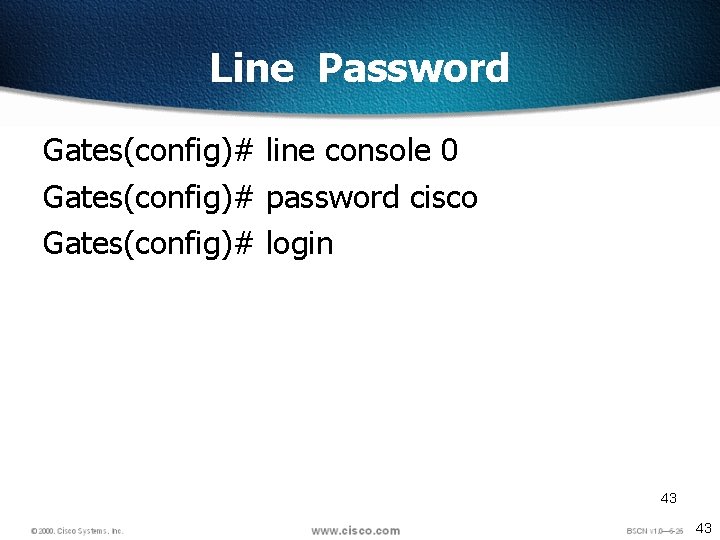
Line Password Gates(config)# line console 0 Gates(config)# password cisco Gates(config)# login 43 43
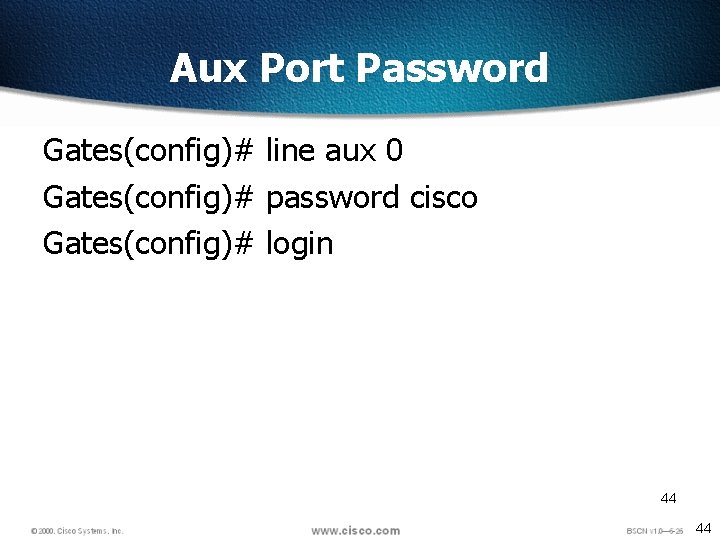
Aux Port Password Gates(config)# line aux 0 Gates(config)# password cisco Gates(config)# login 44 44
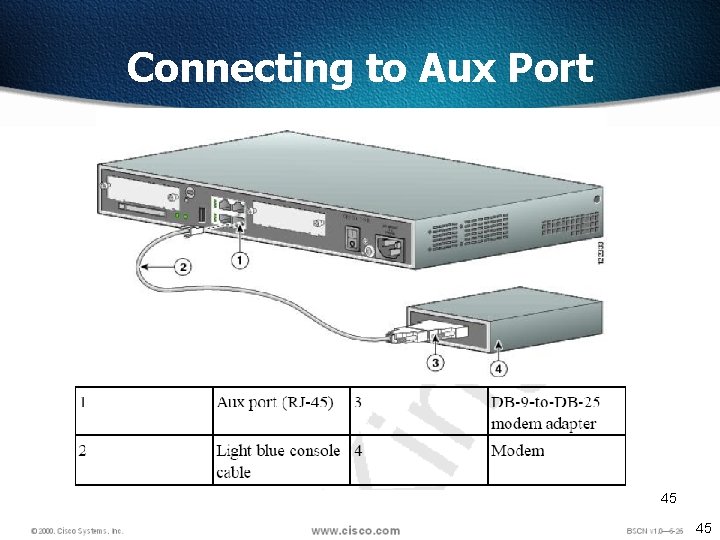
Connecting to Aux Port 45 45
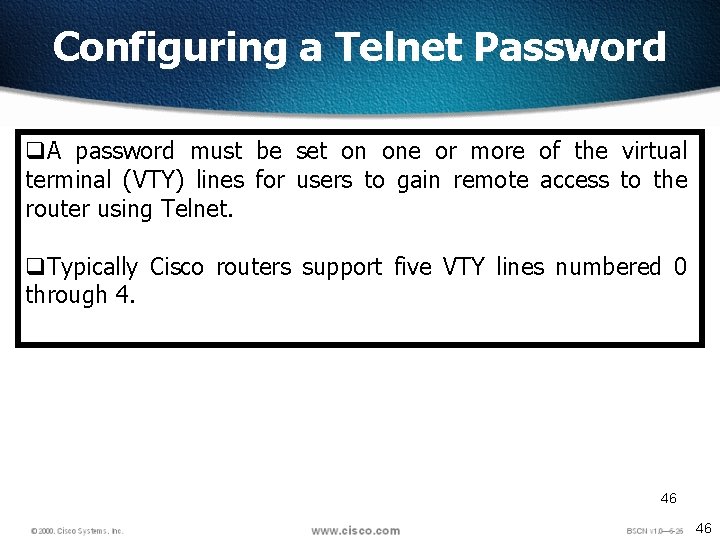
Configuring a Telnet Password q. A password must be set on one or more of the virtual terminal (VTY) lines for users to gain remote access to the router using Telnet. q. Typically Cisco routers support five VTY lines numbered 0 through 4. 46 46
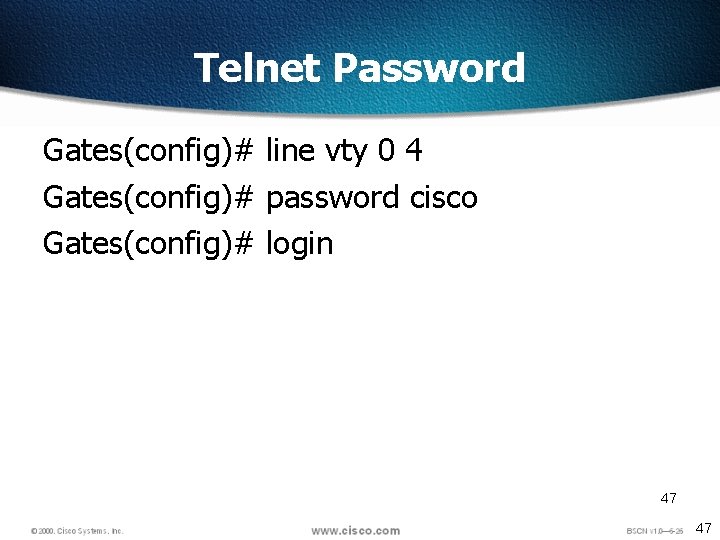
Telnet Password Gates(config)# line vty 0 4 Gates(config)# password cisco Gates(config)# login 47 47
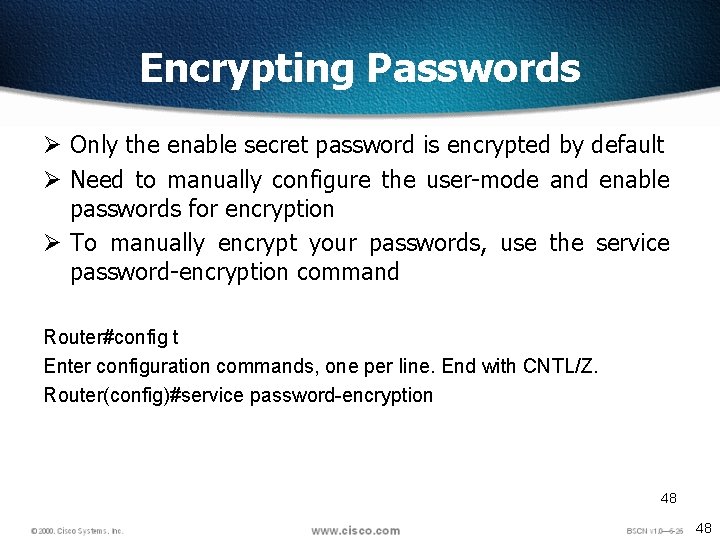
Encrypting Passwords Ø Only the enable secret password is encrypted by default Ø Need to manually configure the user-mode and enable passwords for encryption Ø To manually encrypt your passwords, use the service password-encryption command Router#config t Enter configuration commands, one per line. End with CNTL/Z. Router(config)#service password-encryption 48 48
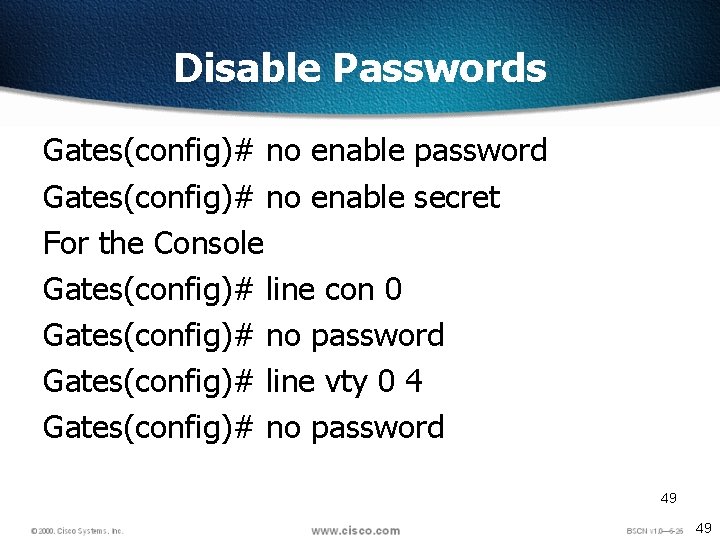
Disable Passwords Gates(config)# no enable password Gates(config)# no enable secret For the Console Gates(config)# line con 0 Gates(config)# no password Gates(config)# line vty 0 4 Gates(config)# no password 49 49
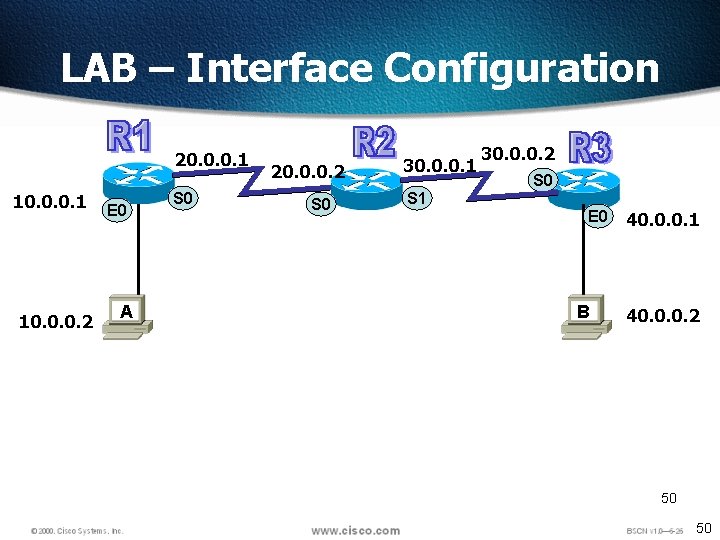
LAB – Interface Configuration 20. 0. 0. 1 10. 0. 0. 2 E 0 A S 0 20. 0. 0. 2 S 0 30. 0. 0. 1 30. 0. 0. 2 S 0 S 1 E 0 B 40. 0. 0. 1 40. 0. 0. 2 50 50
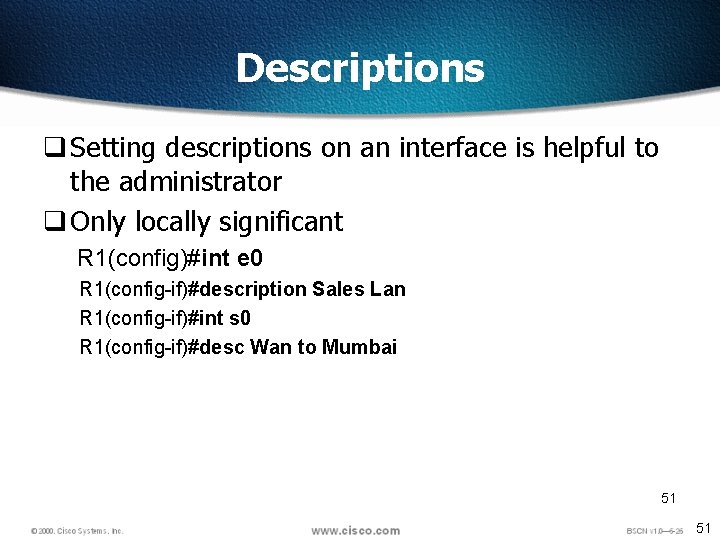
Descriptions q Setting descriptions on an interface is helpful to the administrator q Only locally significant R 1(config)#int e 0 R 1(config-if)#description Sales Lan R 1(config-if)#int s 0 R 1(config-if)#desc Wan to Mumbai 51 51
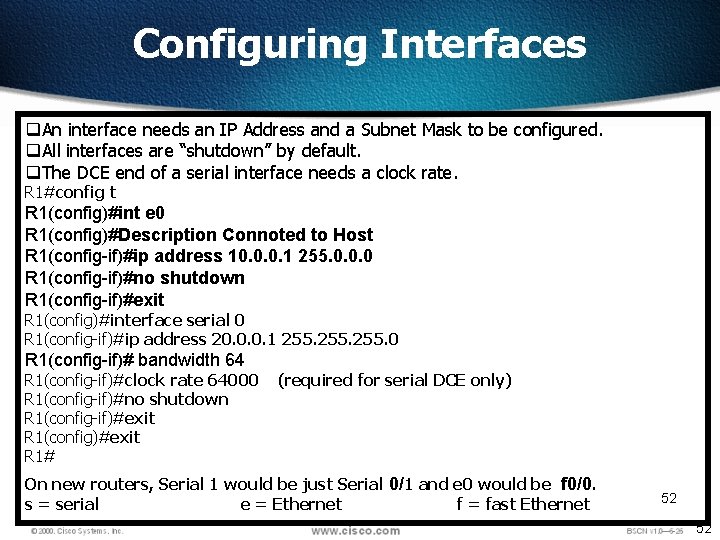
Configuring Interfaces q. An interface needs an IP Address and a Subnet Mask to be configured. q. All interfaces are “shutdown” by default. q. The DCE end of a serial interface needs a clock rate. R 1#config t R 1(config)#int e 0 R 1(config)#Description Connoted to Host R 1(config-if)#ip address 10. 0. 0. 1 255. 0. 0. 0 R 1(config-if)#no shutdown R 1(config-if)#exit R 1(config)#interface serial 0 R 1(config-if)#ip address 20. 0. 0. 1 255. 0 R 1(config-if)# bandwidth 64 R 1(config-if)#clock rate 64000 R 1(config-if)#no shutdown R 1(config-if)#exit R 1(config)#exit R 1# (required for serial DCE only) On new routers, Serial 1 would be just Serial 0/1 and e 0 would be f 0/0. s = serial e = Ethernet f = fast Ethernet 52 52
DCE DTE q. To find out DCE or DTE #Show controllers s 0 53 53
Viewing Configuration q To Check the status of interface #Show IP interface brief or #Sh IP int brief 54 54
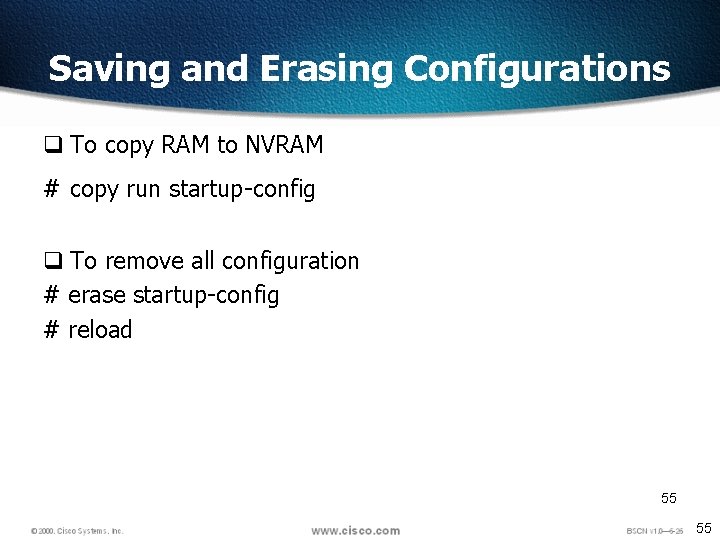
Saving and Erasing Configurations q To copy RAM to NVRAM # copy run startup-config q To remove all configuration # erase startup-config # reload 55 55

56 56
Objectives q. Upon completion of this chapter, you will be able to complete the following tasks: q. Distinguish the use and operation of static and dynamic routes q. Configure and verify a static route q. Identify how distance vector IP routing protocols such as RIP and IGRP operate on Cisco routers q. Enable Routing Information Protocol (RIP) q. Enable Interior Gateway Routing Protocol (IGRP) q. Verify IP routing with show and debug commands 57 57
Routing q. The process of transferring data from one local area network to another q. Layer 3 devices q. Routed protocol Enables to forward packet from one router to another – Ex – IP, IPX q. Routing protocol sends and receives routing information packets to and from other routers – Ex RIP, OSPF , IGRP q. Routing protocols gather and share the routing information used to maintain and update routing tables. q. That routing information is in turn used to route a routed protocol to its final destination 58 58
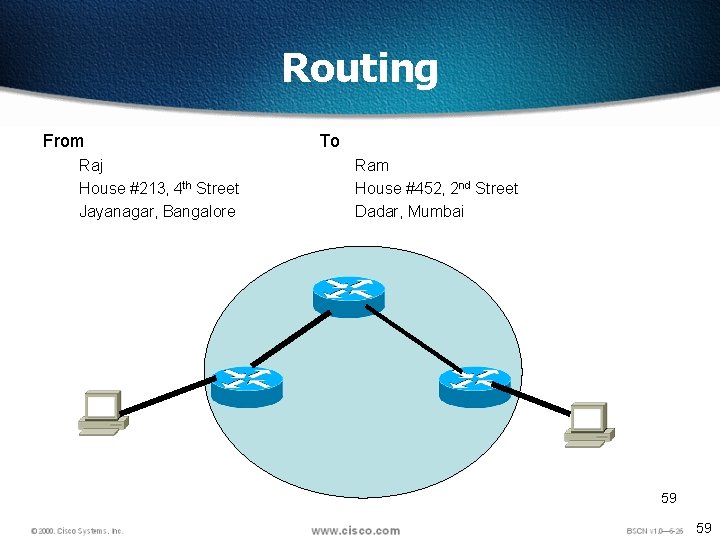
Routing From Raj House #213, 4 th Street Jayanagar, Bangalore To Ram House #452, 2 nd Street Dadar, Mumbai 59 59
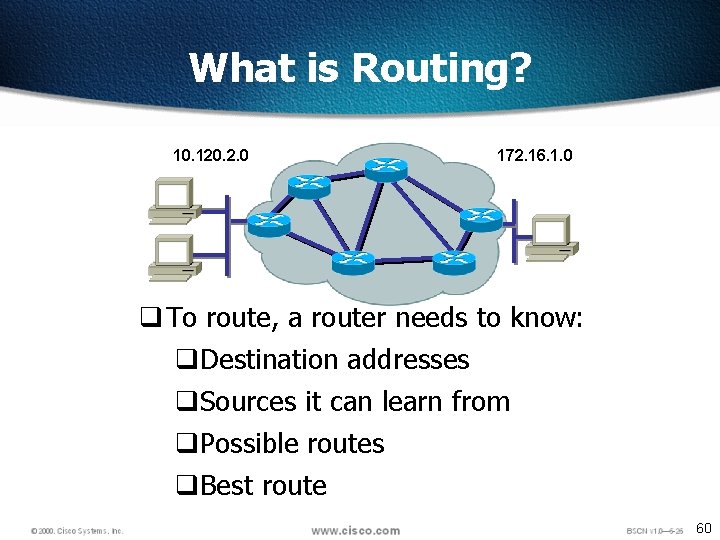
What is Routing? 10. 120. 2. 0 172. 16. 1. 0 q To route, a router needs to know: q. Destination addresses q. Sources it can learn from q. Possible routes q. Best route 60
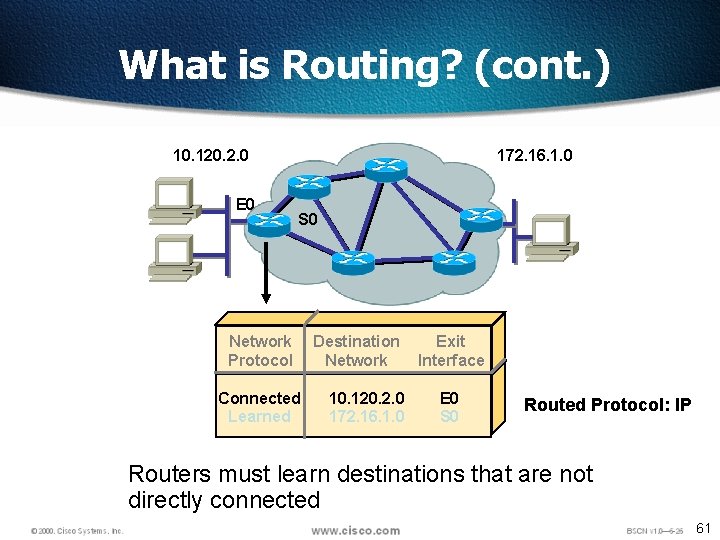
What is Routing? (cont. ) 10. 120. 2. 0 E 0 172. 16. 1. 0 S 0 Network Protocol Connected Learned Destination Network 10. 120. 2. 0 172. 16. 1. 0 Exit Interface E 0 S 0 Routed Protocol: IP Routers must learn destinations that are not directly connected 61
Route Types q Static routing - network administrator configures information about remote networks manually. They are used to reduce overhead and for security. q Dynamic routing - information is learned from other routers, and routing protocols adjust routes automatically. q Because of the extra administrative requirements, static routing does not have the scalability of dynamic routing. 62 62
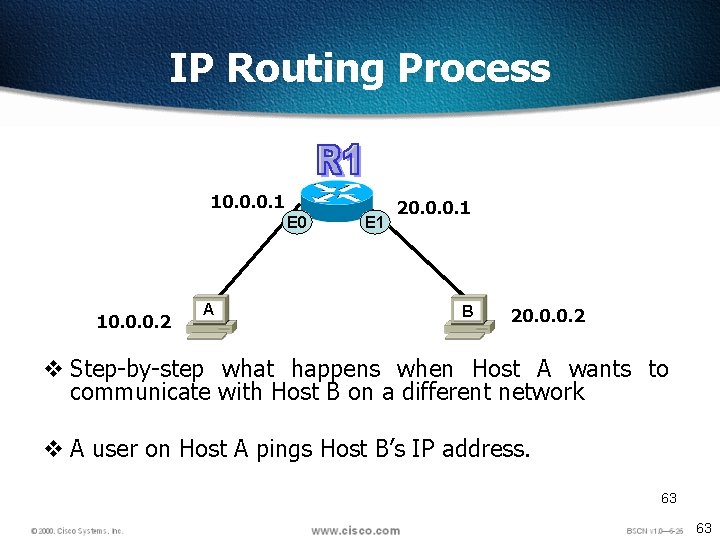
IP Routing Process 10. 0. 0. 1 E 0 10. 0. 0. 2 A E 1 20. 0. 0. 1 B 20. 0. 0. 2 v Step-by-step what happens when Host A wants to communicate with Host B on a different network v A user on Host A pings Host B’s IP address. 63 63
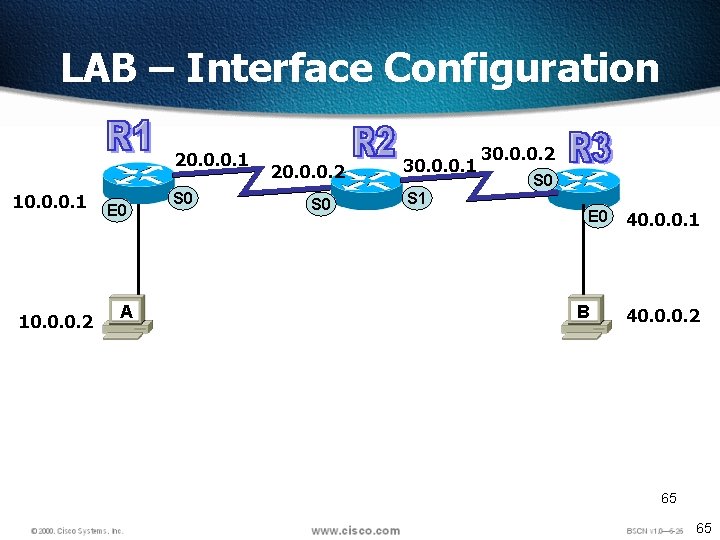
LAB – Interface Configuration 20. 0. 0. 1 10. 0. 0. 2 E 0 A S 0 20. 0. 0. 2 S 0 30. 0. 0. 1 30. 0. 0. 2 S 0 S 1 E 0 B 40. 0. 0. 1 40. 0. 0. 2 65 65
Test The Connection • Host A can ping router R 1 and R 2 • To enable Host A to Ping Host B we need to configure Routes 66 66
IP Routing v The different types of routing are: v. Static routing v. Default routing v. Dynamic routing 67 67
Static Routes q Benefits v. No overhead on the router CPU v. No bandwidth usage between routers v Adds security q Disadvantage v. Administrator must really understand the internetwork v. If a network is added to the internetwork, the administrator has to add a route to it on all routers v. Not feasible in large networks 68 68
![Static Route Configuration R 1(config)#ip route network [mask] {address | interface}[distance] [permanent] – R](http://slidetodoc.com/presentation_image_h2/2edc5e0734775a251ebc04f267d7379d/image-67.jpg "Static Route Configuration R 1(config)#ip route network [mask] {address | interface}[distance] [permanent] – R")
Static Route Configuration R 1(config)#ip route network [mask] {address | interface}[distance] [permanent] – R 1(config)# iproute Dest. Address SNM Nexthop address 69
![Static Route Configuration ip route [destination_network] [mask] [next-hop_address or exitinterface] [administrative_distance] [permanent ip route](http://slidetodoc.com/presentation_image_h2/2edc5e0734775a251ebc04f267d7379d/image-68.jpg "Static Route Configuration ip route [destination_network] [mask] [next-hop_address or exitinterface] [administrative_distance] [permanent ip route")
Static Route Configuration ip route [destination_network] [mask] [next-hop_address or exitinterface] [administrative_distance] [permanent ip route The command used to create the static route. destination_network The network you’re placing in the routing table. mask The subnet mask being used on the network. next-hop_address The address of the next-hop router that will receive the packet and forward it to the remote network. This is a router interface that’s on a directly connected network. v exitinterface You can use it in place of the next-hop address if you want, but it’s got to be on a point-to-point link, such as a WAN v administrative_distance By default, static routes have an administrative distance of 1 (or even 0 if you use an exit interface instead of a next-hop address) v permanent If the interface is shut down, or the router can’t communicate to the next-hop router, the route will automatically be discarded from the routing table. Choosing the permanent option keeps the entry in the routing table no matter what happens. v v R 1(config)#ip route 30. 0 255. 0. 0. 0 20. 0. 0. 2 70
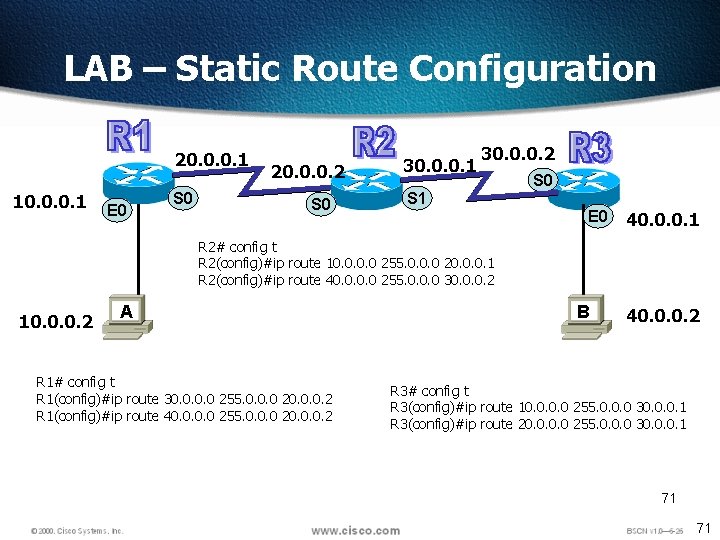
LAB – Static Route Configuration 20. 0. 0. 1 10. 0. 0. 1 E 0 S 0 20. 0. 0. 2 S 0 30. 0. 0. 1 30. 0. 0. 2 S 0 S 1 E 0 40. 0. 0. 1 R 2# config t R 2(config)#ip route 10. 0 255. 0. 0. 0 20. 0. 0. 1 R 2(config)#ip route 40. 0 255. 0. 0. 0 30. 0. 0. 2 10. 0. 0. 2 A R 1# config t R 1(config)#ip route 30. 0 255. 0. 0. 0 20. 0. 0. 2 R 1(config)#ip route 40. 0 255. 0. 0. 0 20. 0. 0. 2 B 40. 0. 0. 2 R 3# config t R 3(config)#ip route 10. 0 255. 0. 0. 0 30. 0. 0. 1 R 3(config)#ip route 20. 0 255. 0. 0. 0 30. 0. 0. 1 71 71
Verifying Static Route Configuration q. After static routes are configured it is important to verify that they are present in the routing table and that routing is working as expected. q. The command show running-config is used to view the active configuration in RAM to verify that the static route was entered correctly. q. The show ip route command is used to make sure that the static route is present in the routing table. 72 72
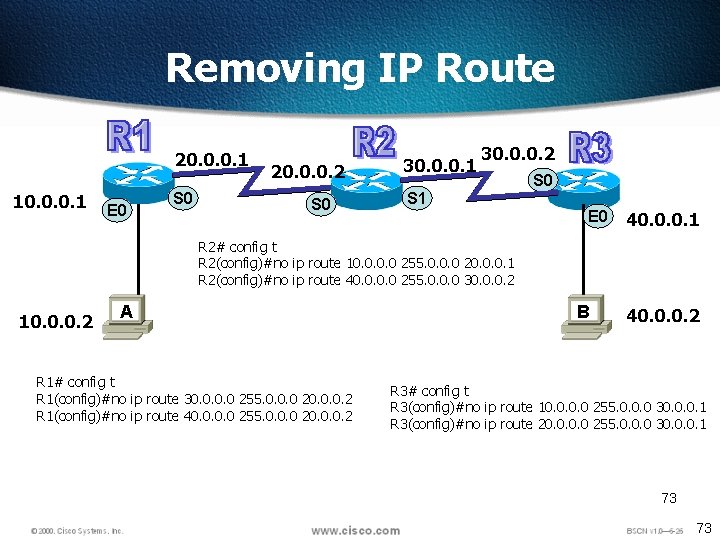
Removing IP Route 20. 0. 0. 1 10. 0. 0. 1 E 0 S 0 20. 0. 0. 2 S 0 30. 0. 0. 1 30. 0. 0. 2 S 0 S 1 E 0 40. 0. 0. 1 R 2# config t R 2(config)#no ip route 10. 0 255. 0. 0. 0 20. 0. 0. 1 R 2(config)#no ip route 40. 0 255. 0. 0. 0 30. 0. 0. 2 10. 0. 0. 2 A R 1# config t R 1(config)#no ip route 30. 0 255. 0. 0. 0 20. 0. 0. 2 R 1(config)#no ip route 40. 0 255. 0. 0. 0 20. 0. 0. 2 B 40. 0. 0. 2 R 3# config t R 3(config)#no ip route 10. 0 255. 0. 0. 0 30. 0. 0. 1 R 3(config)#no ip route 20. 0 255. 0. 0. 0 30. 0. 0. 1 73 73
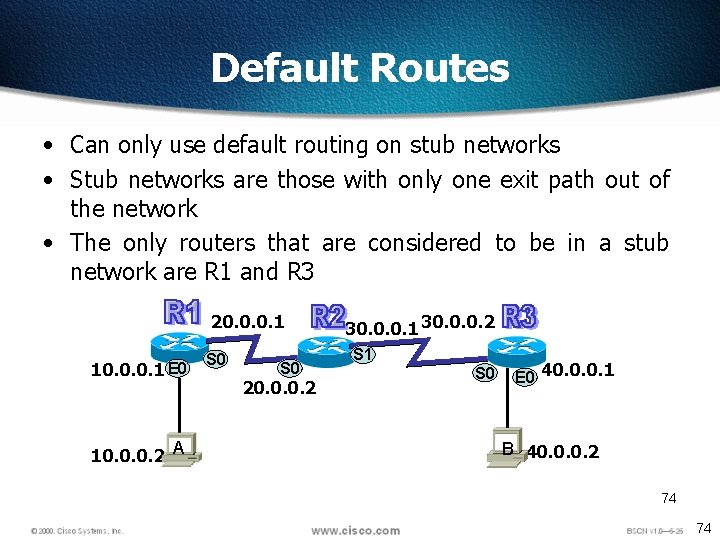
Default Routes • Can only use default routing on stub networks • Stub networks are those with only one exit path out of the network • The only routers that are considered to be in a stub network are R 1 and R 3 20. 0. 0. 1 10. 0. 0. 1 E 0 10. 0. 0. 2 A S 0 20. 0. 0. 2 30. 0. 0. 1 30. 0. 0. 2 S 1 S 0 E 0 40. 0. 0. 1 B 40. 0. 0. 2 74 74
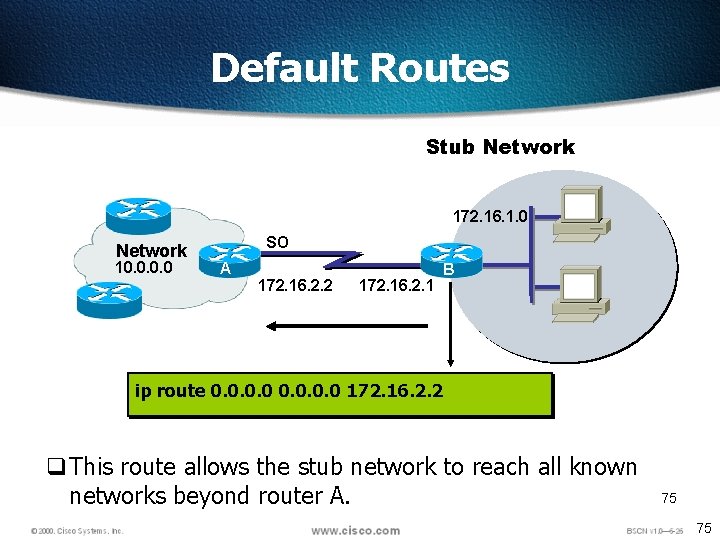
Default Routes Stub Network 172. 16. 1. 0 Network 10. 0 SO A 172. 16. 2. 2 172. 16. 2. 1 BB ip route 0. 0 172. 16. 2. 2 q This route allows the stub network to reach all known networks beyond router A. 75 75
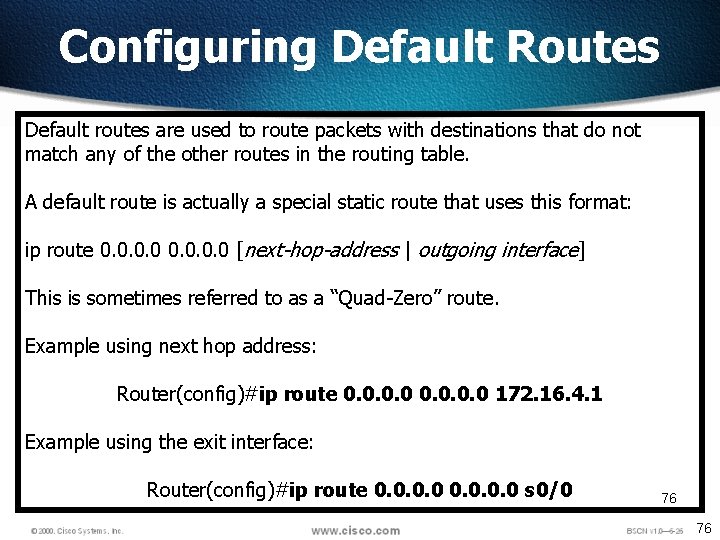
Configuring Default Routes Default routes are used to route packets with destinations that do not match any of the other routes in the routing table. A default route is actually a special static route that uses this format: ip route 0. 0 [next-hop-address | outgoing interface] This is sometimes referred to as a “Quad-Zero” route. Example using next hop address: Router(config)#ip route 0. 0 172. 16. 4. 1 Example using the exit interface: Router(config)#ip route 0. 0 s 0/0 76 76
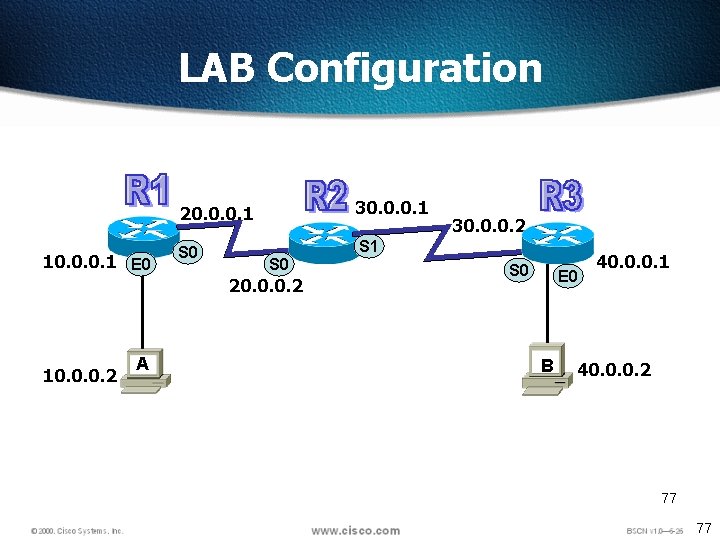
LAB Configuration 10. 0. 0. 1 E 0 20. 0. 0. 1 30. 0. 0. 1 S 0 S 1 S 0 20. 0. 0. 2 10. 0. 0. 2 A 30. 0. 0. 2 S 0 E 0 B 40. 0. 0. 1 40. 0. 0. 2 77 77
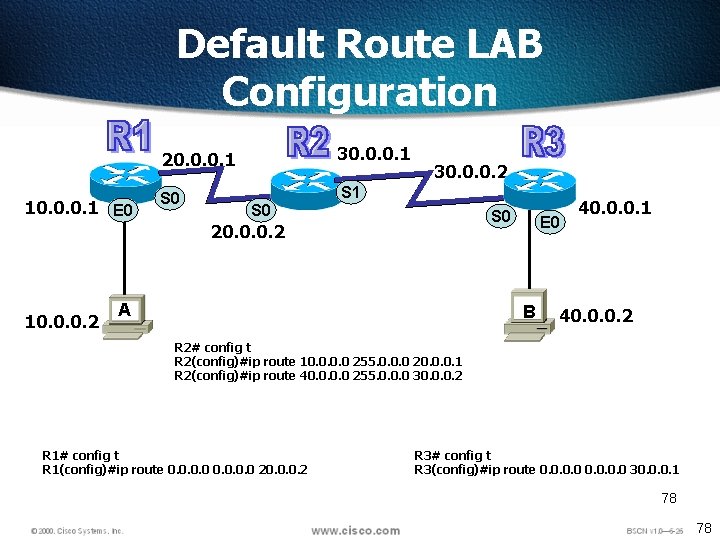
Default Route LAB Configuration 10. 0. 0. 1 E 0 20. 0. 0. 1 30. 0. 0. 1 S 0 S 1 30. 0. 0. 2 S 0 20. 0. 0. 2 10. 0. 0. 2 A E 0 B 40. 0. 0. 1 40. 0. 0. 2 R 2# config t R 2(config)#ip route 10. 0 255. 0. 0. 0 20. 0. 0. 1 R 2(config)#ip route 40. 0 255. 0. 0. 0 30. 0. 0. 2 R 1# config t R 1(config)#ip route 0. 0 20. 0. 0. 2 R 3# config t R 3(config)#ip route 0. 0 30. 0. 0. 1 78 78
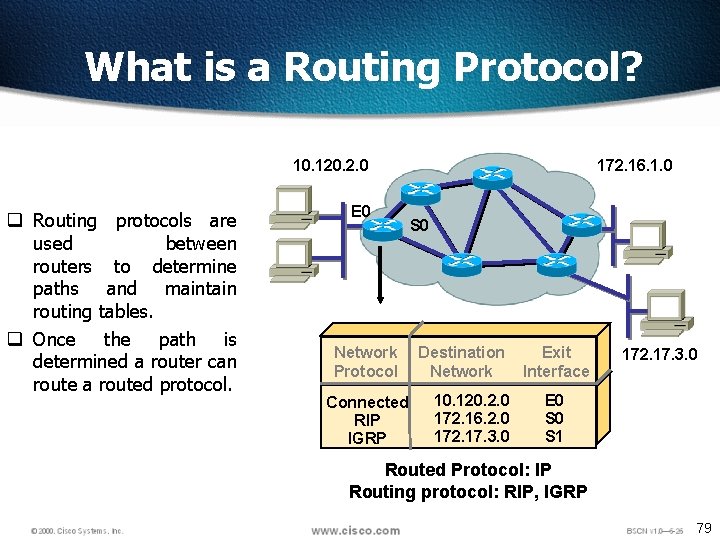
What is a Routing Protocol? 10. 120. 2. 0 q Routing protocols are used between routers to determine paths and maintain routing tables. q Once the path is determined a router can route a routed protocol. E 0 Network Protocol Connected RIP IGRP 172. 16. 1. 0 S 0 Destination Network 10. 120. 2. 0 172. 16. 2. 0 172. 17. 3. 0 Exit Interface 172. 17. 3. 0 E 0 S 1 Routed Protocol: IP Routing protocol: RIP, IGRP 79
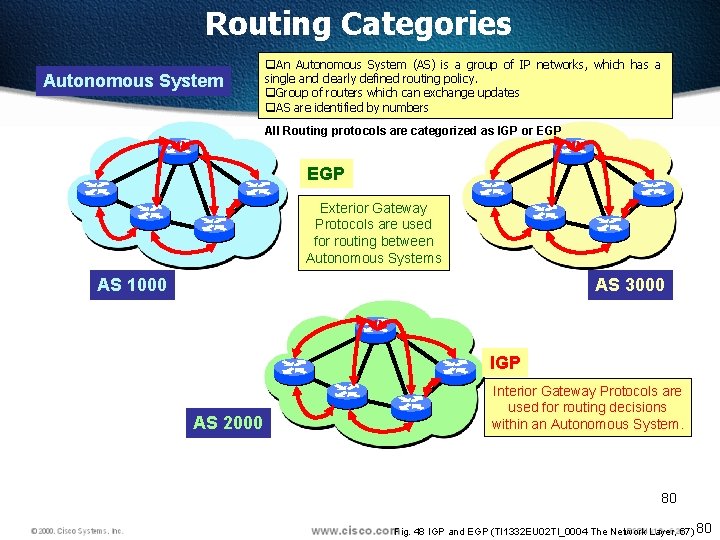
Routing Categories Autonomous System q. An Autonomous System (AS) is a group of IP networks, which has a single and clearly defined routing policy. q. Group of routers which can exchange updates q. AS are identified by numbers All Routing protocols are categorized as IGP or EGP Exterior Gateway Protocols are used for routing between Autonomous Systems AS 1000 AS 3000 IGP AS 2000 Interior Gateway Protocols are used for routing decisions within an Autonomous System. 80 Fig. 48 IGP and EGP (TI 1332 EU 02 TI_0004 The Network Layer, 67) 80
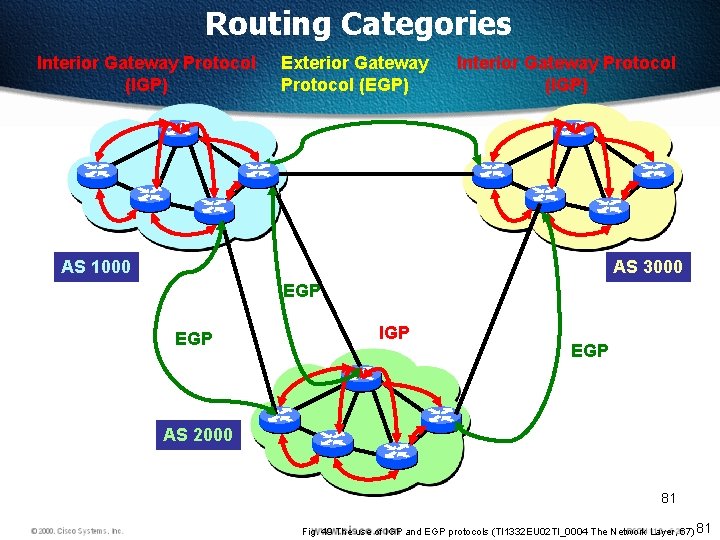
Routing Categories Interior Gateway Protocol (IGP) Exterior Gateway Protocol (EGP) Interior Gateway Protocol (IGP) AS 1000 AS 3000 EGP IGP EGP AS 2000 81 Fig. 49 The use of IGP and EGP protocols (TI 1332 EU 02 TI_0004 The Network Layer, 67) 81
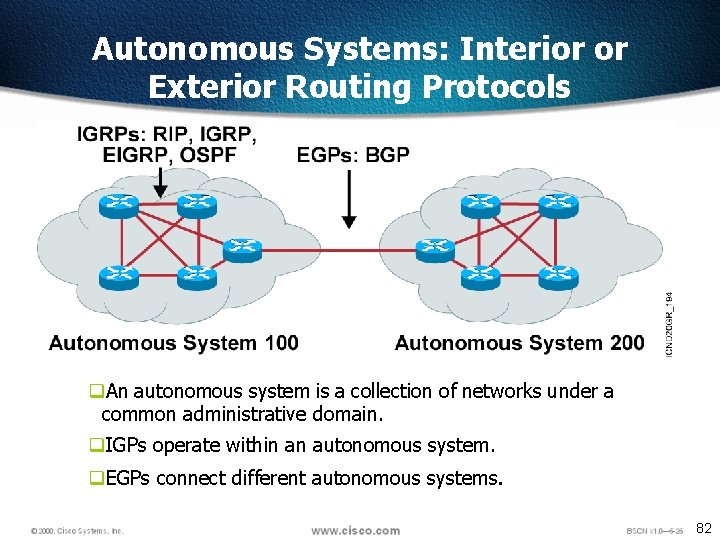
Autonomous Systems: Interior or Exterior Routing Protocols q. An autonomous system is a collection of networks under a common administrative domain. q. IGPs operate within an autonomous system. q. EGPs connect different autonomous systems. 82
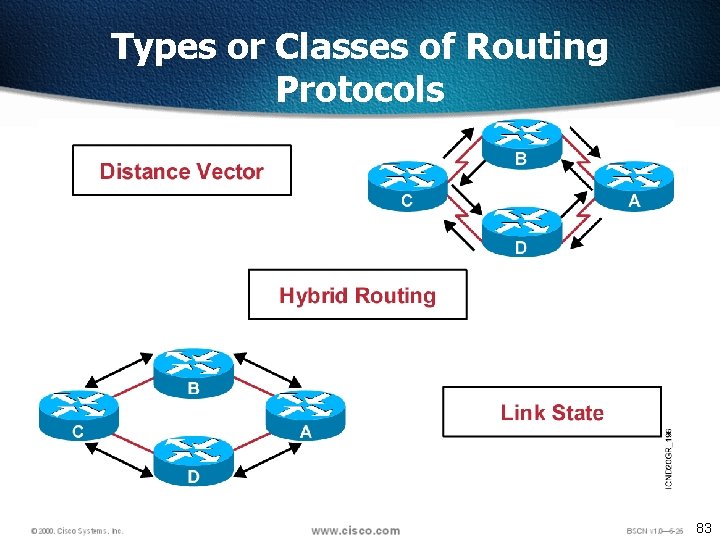
Types or Classes of Routing Protocols 83
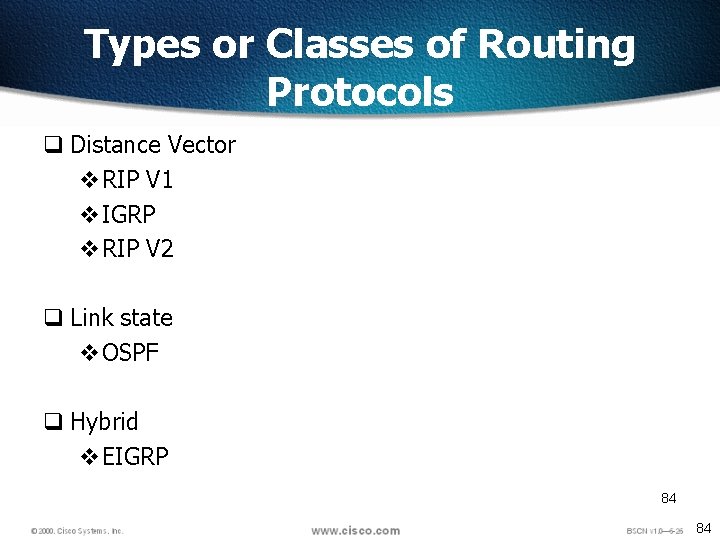
Types or Classes of Routing Protocols q Distance Vector v. RIP V 1 v. IGRP v. RIP V 2 q Link state v. OSPF q Hybrid v. EIGRP 84 84
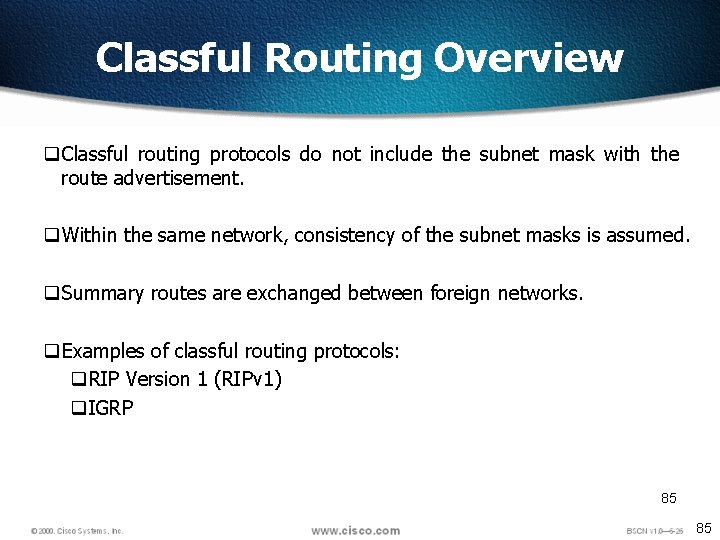
Classful Routing Overview q. Classful routing protocols do not include the subnet mask with the route advertisement. q. Within the same network, consistency of the subnet masks is assumed. q. Summary routes are exchanged between foreign networks. q. Examples of classful routing protocols: q. RIP Version 1 (RIPv 1) q. IGRP 85 85
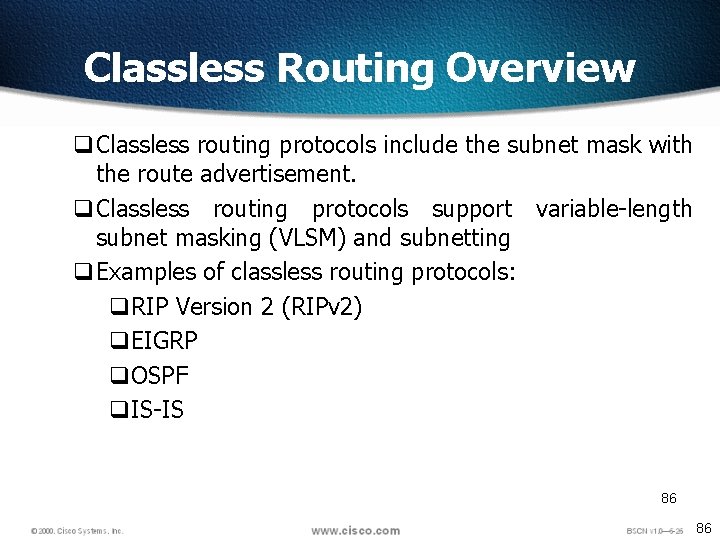
Classless Routing Overview q. Classless routing protocols include the subnet mask with the route advertisement. q. Classless routing protocols support variable-length subnet masking (VLSM) and subnetting q. Examples of classless routing protocols: q. RIP Version 2 (RIPv 2) q. EIGRP q. OSPF q. IS-IS 86 86
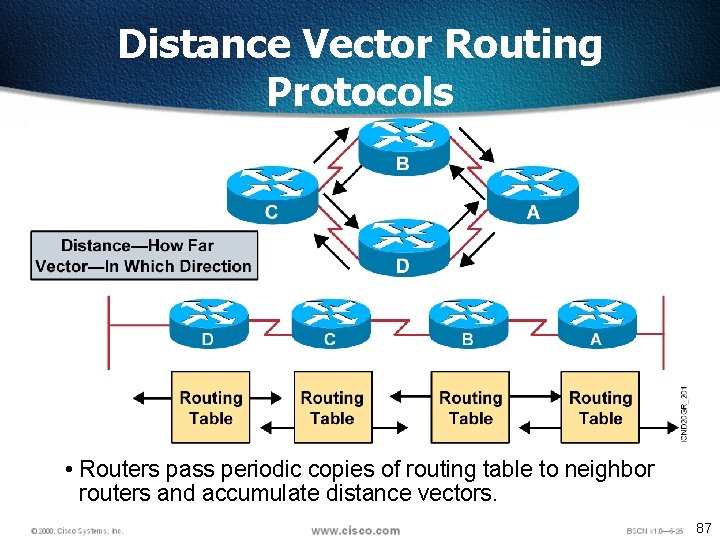
Distance Vector Routing Protocols • Routers pass periodic copies of routing table to neighbor routers and accumulate distance vectors. 87
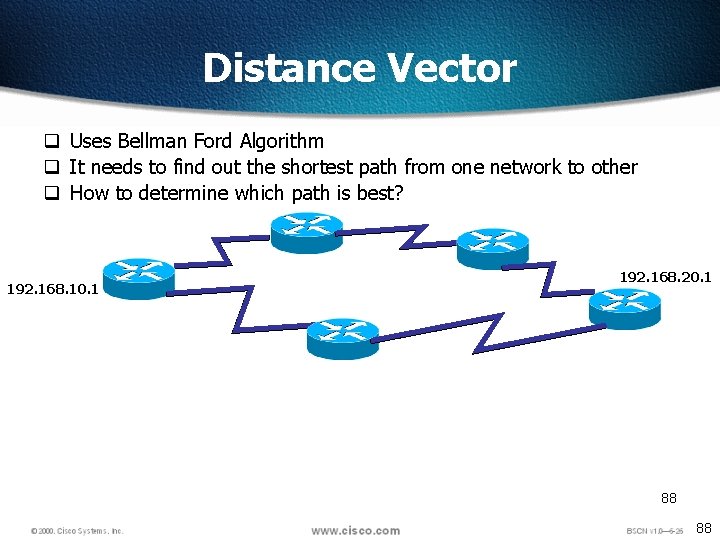
Distance Vector q Uses Bellman Ford Algorithm q It needs to find out the shortest path from one network to other q How to determine which path is best? 192. 168. 10. 1 192. 168. 20. 1 88 88
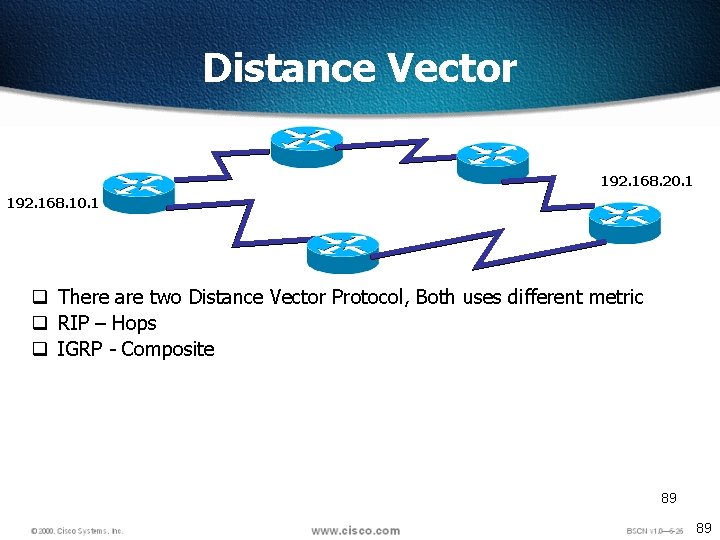
Distance Vector 192. 168. 20. 1 192. 168. 10. 1 q There are two Distance Vector Protocol, Both uses different metric q RIP – Hops q IGRP - Composite 89 89
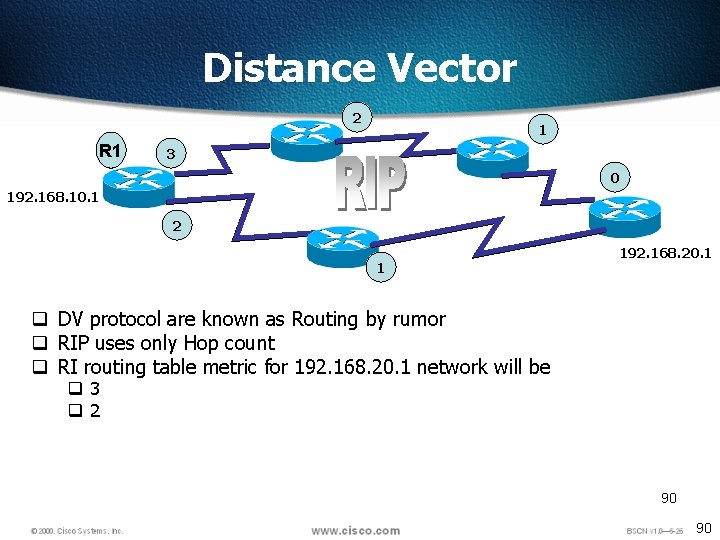
Distance Vector 2 R 1 1 3 0 192. 168. 10. 1 2 1 192. 168. 20. 1 q DV protocol are known as Routing by rumor q RIP uses only Hop count q RI routing table metric for 192. 168. 20. 1 network will be q 3 q 2 90 90
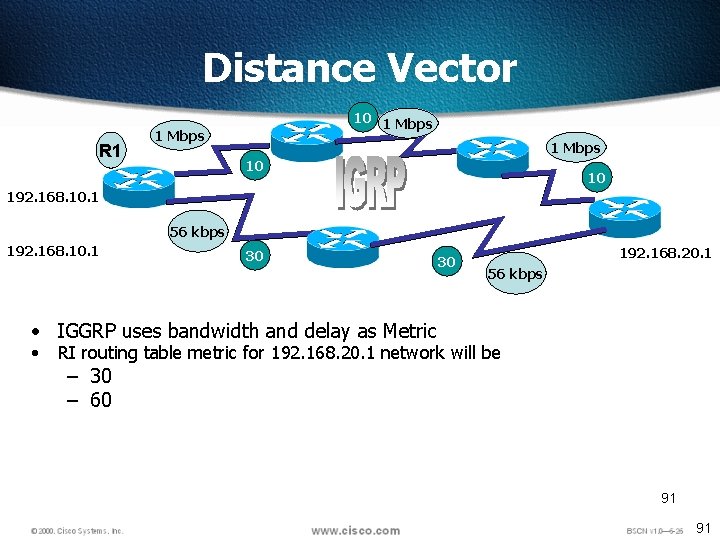
Distance Vector R 1 10 1 Mbps 10 10 192. 168. 10. 1 56 kbps 192. 168. 10. 1 30 30 192. 168. 20. 1 56 kbps • IGGRP uses bandwidth and delay as Metric • RI routing table metric for 192. 168. 20. 1 network will be – 30 – 60 91 91
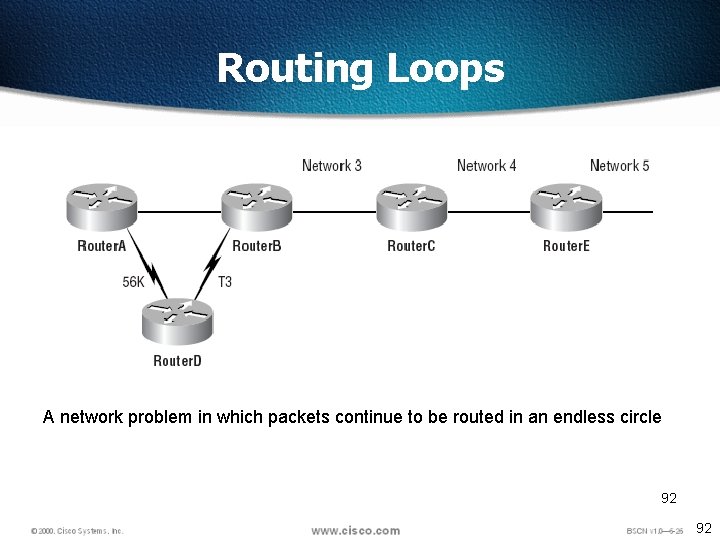
Routing Loops A network problem in which packets continue to be routed in an endless circle 92 92
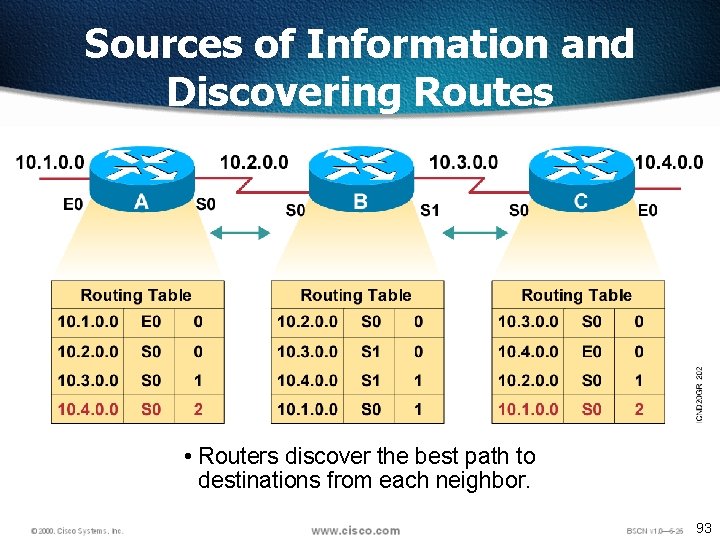
Sources of Information and Discovering Routes • Routers discover the best path to destinations from each neighbor. 93
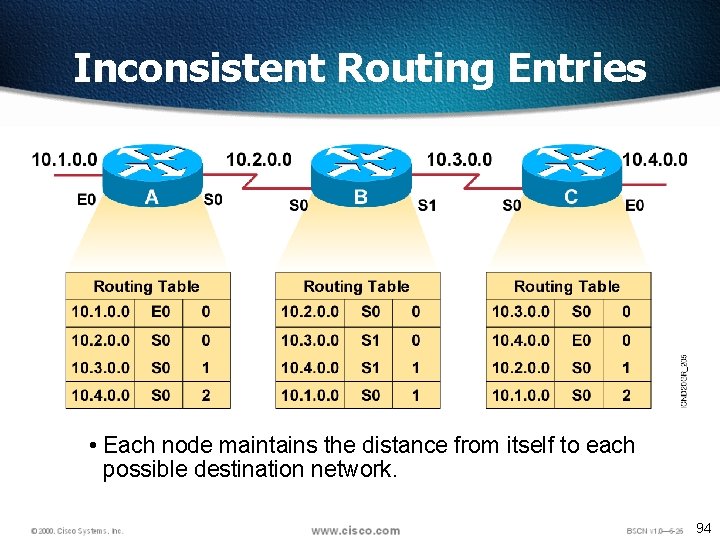
Inconsistent Routing Entries • Each node maintains the distance from itself to each possible destination network. 94
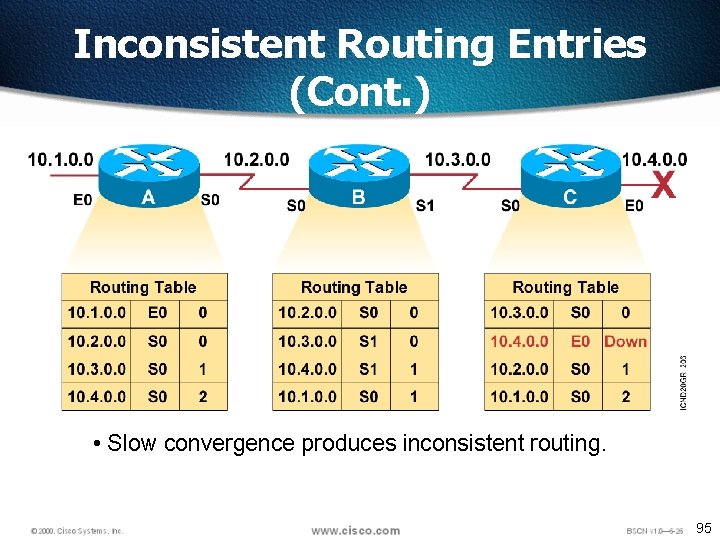
Inconsistent Routing Entries (Cont. ) • Slow convergence produces inconsistent routing. 95
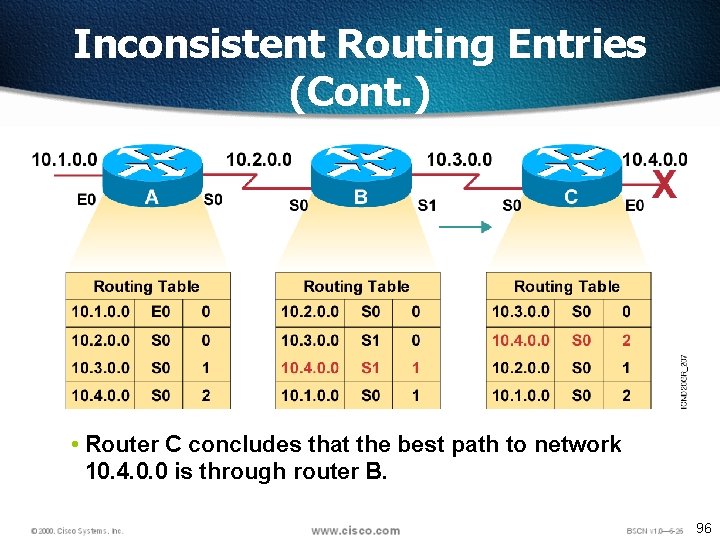
Inconsistent Routing Entries (Cont. ) • Router C concludes that the best path to network 10. 4. 0. 0 is through router B. 96
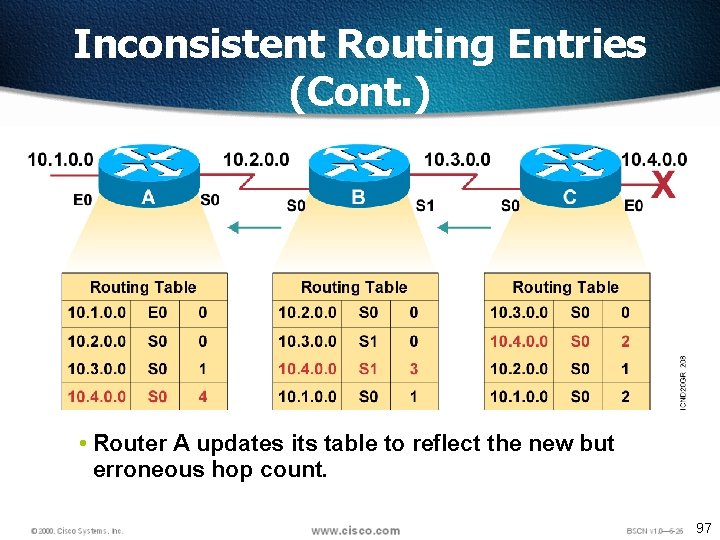
Inconsistent Routing Entries (Cont. ) • Router A updates its table to reflect the new but erroneous hop count. 97
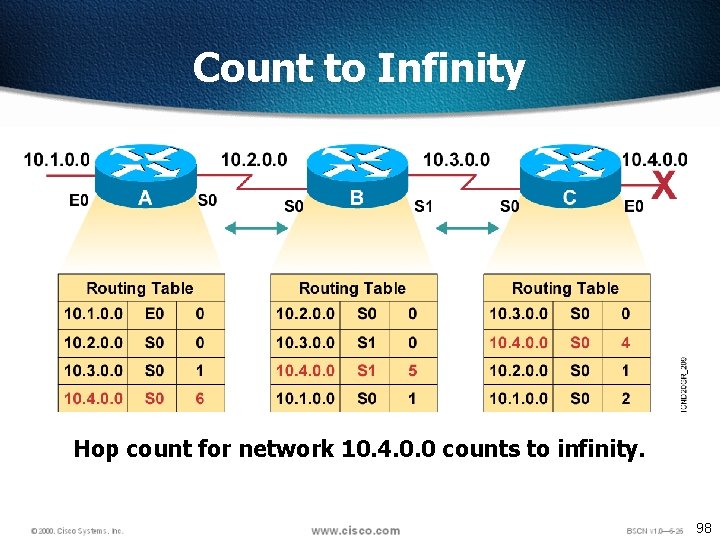
Count to Infinity Hop count for network 10. 4. 0. 0 counts to infinity. 98
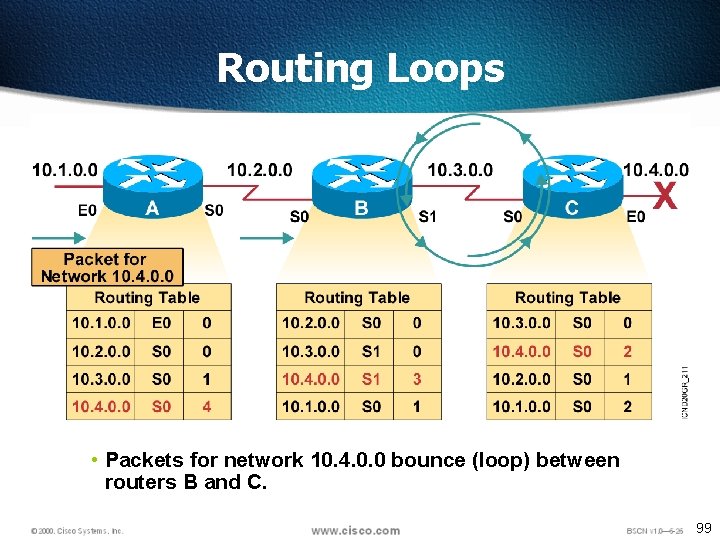
Routing Loops • Packets for network 10. 4. 0. 0 bounce (loop) between routers B and C. 99
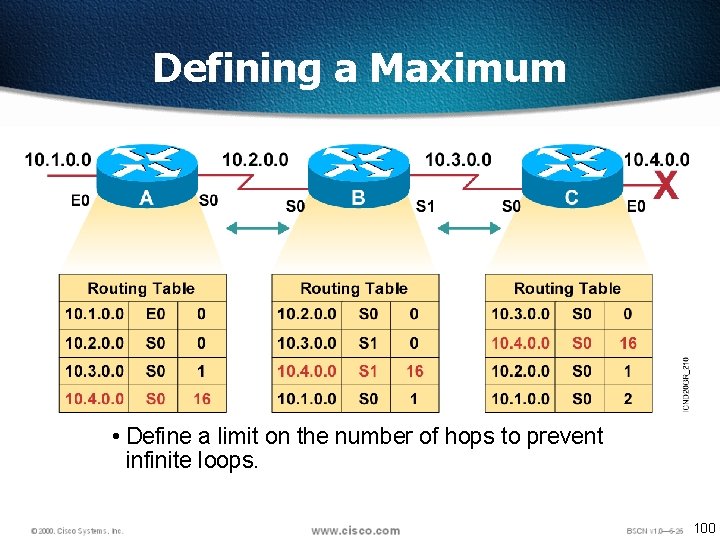
Defining a Maximum • Define a limit on the number of hops to prevent infinite loops. 100
Maximum Hop Count • One way of solving routing loop problem is to define a maximum hop count. • RIP permits a hop count of up to 15, so anything that requires 16 hops is deemed unreachable • The maximum hop count will control how long it takes for a routing table entry to become invalid 101
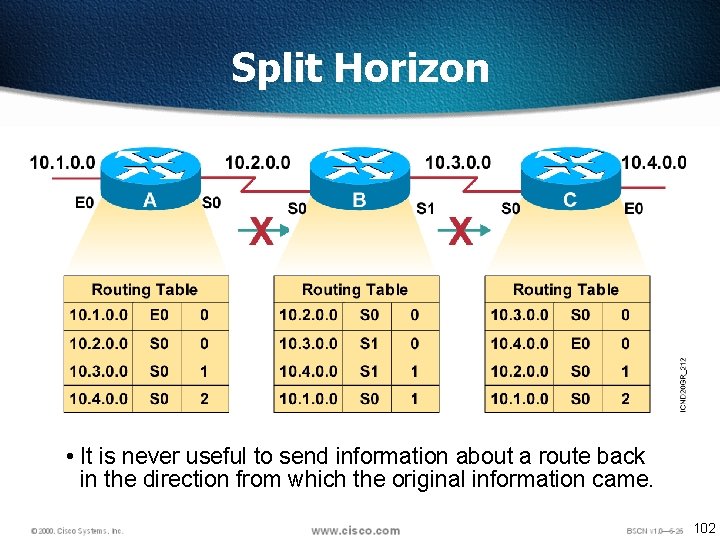
Split Horizon • It is never useful to send information about a route back in the direction from which the original information came. 102
Split Horizon q. Solution to the Routing Loop problem q. Split Horizon is a rule that routing information cannot be sent back in the direction from which it was received q. Had split horizon been used in our example, Router B would not have included information about network 10. 4. 0. 0 in its update to Router C. 103
Route Poisoning • Route Poisoning. Usually used in conjunction with split horizon • Route poisoning involves explicitly poisoning a routing table entry for an unreachable network • Once Router C learned that network 10. 4. 0. 0 was unavailable it would have immediately poisoned the route to that network by setting its hop count to the routing protocol’s infinity value • In the case of RIP, that would mean a hop count of 16. 104
Triggered Updates q. New routing tables are sent to neighboring routers on a regular basis. q. RIP updates occur every 30 seconds q. However a triggered update is sent immediately in response to some change in the routing table. q. The router that detects a topology change immediately sends an update message to adjacent routers that, in turn, generate triggered updates notifying their adjacent neighbors of the change. q. Triggered updates, used in conjunction with route poisoning, ensure that all routers know of failed routes. 105
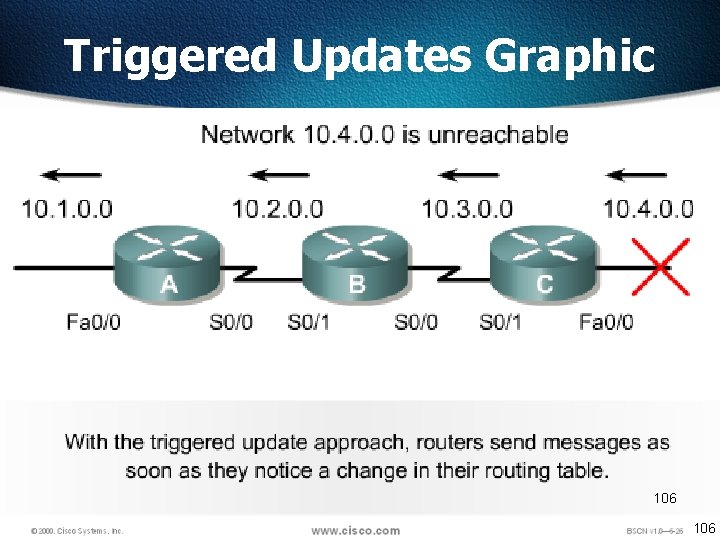
Triggered Updates Graphic 106
Holddowns • Holddowns are a technique used to ensure that a route recently removed or changed is not reinstated by a routing table update from another route • Holddown prevents regular update messages from reinstating a route that is going up and down (called flapping) • Holddowns prevent routes from changing too rapidly by allowing time for either the downed route to come back up • Holddowns make a router wait a period of time before accepting an update for a network whose status or metric has recently changed 107
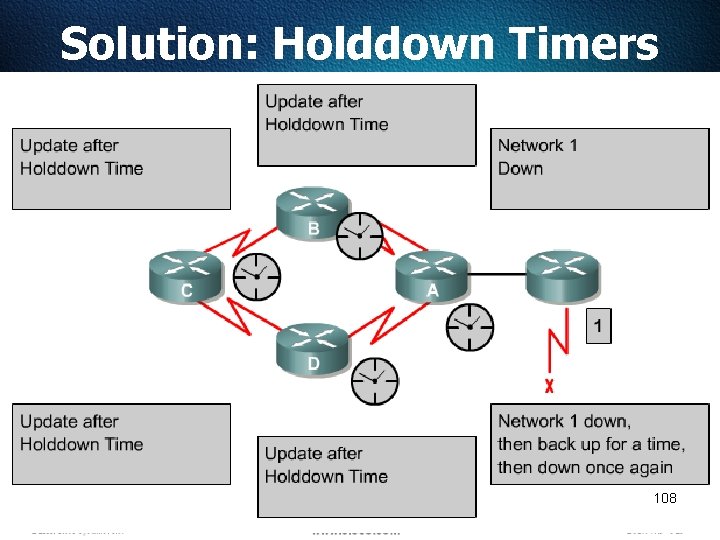
Solution: Holddown Timers 108
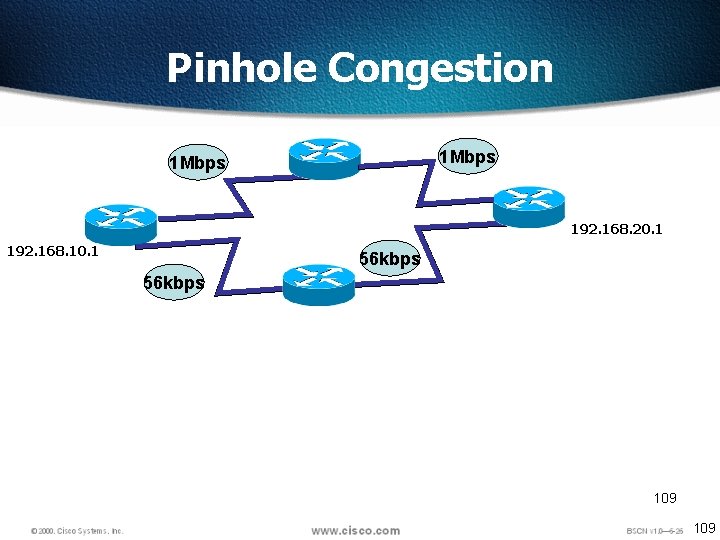
Pinhole Congestion 1 Mbps 192. 168. 20. 1 192. 168. 10. 1 56 kbps 109
RIP Timers • Route update timer Sets the interval (typically 30 seconds) between periodic routing updates • Route invalid timer Determines the length of time (180 seconds) before a router determines that a route has become invalid • Holddown timer This sets the amount of time during which routing information is suppressed. This continues until either an update packet is received with a better metric or until the holddown timer expires. The default is 180 seconds • Route flush timer Sets the time between a route becoming invalid and its removal from the routing table (240 seconds). 110
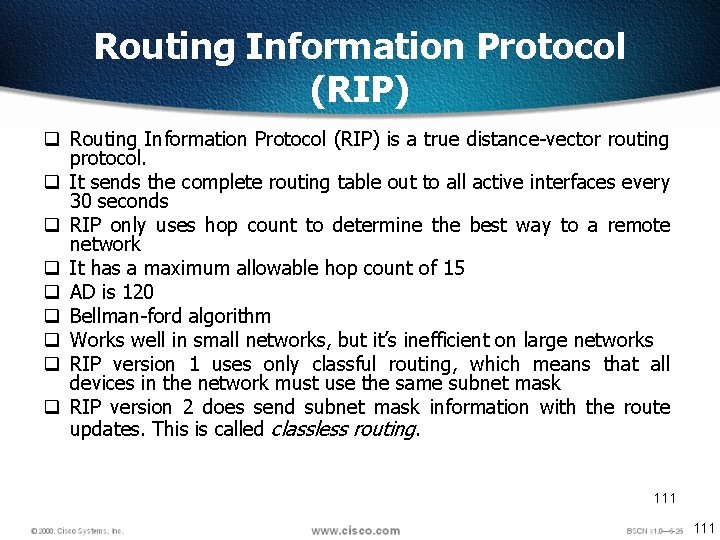
Routing Information Protocol (RIP) q Routing Information Protocol (RIP) is a true distance-vector routing protocol. q It sends the complete routing table out to all active interfaces every 30 seconds q RIP only uses hop count to determine the best way to a remote network q It has a maximum allowable hop count of 15 q AD is 120 q Bellman-ford algorithm q Works well in small networks, but it’s inefficient on large networks q RIP version 1 uses only classful routing, which means that all devices in the network must use the same subnet mask q RIP version 2 does send subnet mask information with the route updates. This is called classless routing. 111
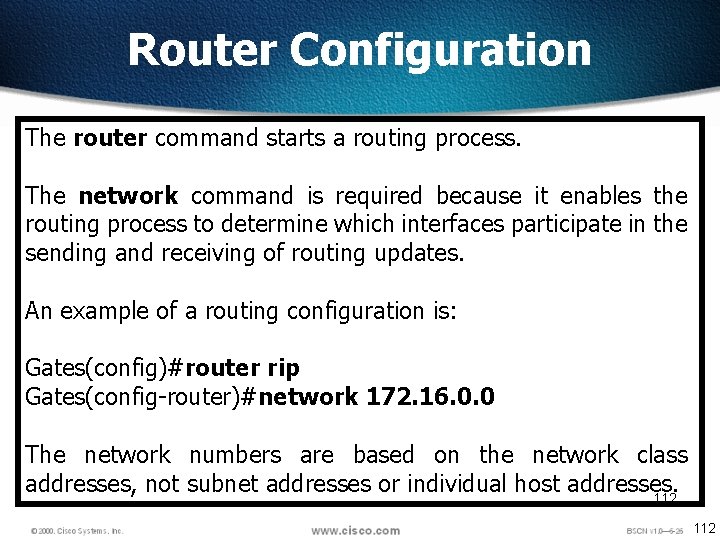
Router Configuration The router command starts a routing process. The network command is required because it enables the routing process to determine which interfaces participate in the sending and receiving of routing updates. An example of a routing configuration is: Gates(config)#router rip Gates(config-router)#network 172. 16. 0. 0 The network numbers are based on the network class addresses, not subnet addresses or individual host addresses. 112
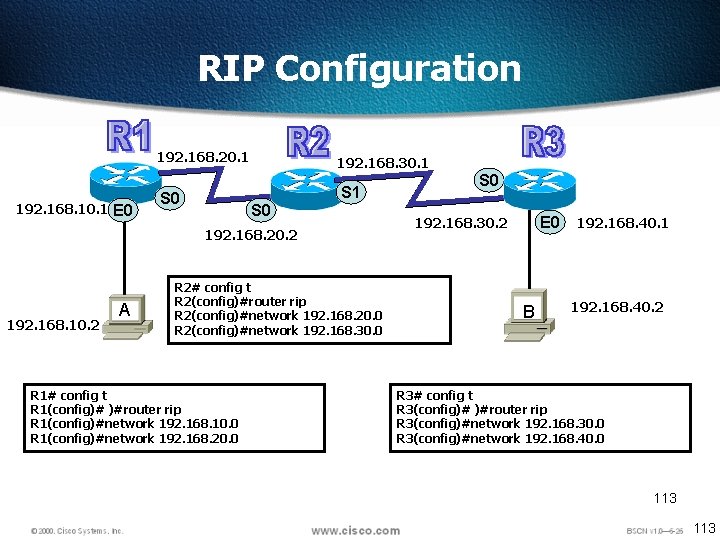
RIP Configuration 192. 168. 10. 1 E 0 192. 168. 20. 1 192. 168. 30. 1 S 0 S 1 S 0 192. 168. 20. 2 192. 168. 10. 2 A R 2# config t R 2(config)#router rip R 2(config)#network 192. 168. 20. 0 R 2(config)#network 192. 168. 30. 0 R 1# config t R 1(config)# )#router rip R 1(config)#network 192. 168. 10. 0 R 1(config)#network 192. 168. 20. 0 S 0 E 0 192. 168. 30. 2 B 192. 168. 40. 1 192. 168. 40. 2 R 3# config t R 3(config)# )#router rip R 3(config)#network 192. 168. 30. 0 R 3(config)#network 192. 168. 40. 0 113
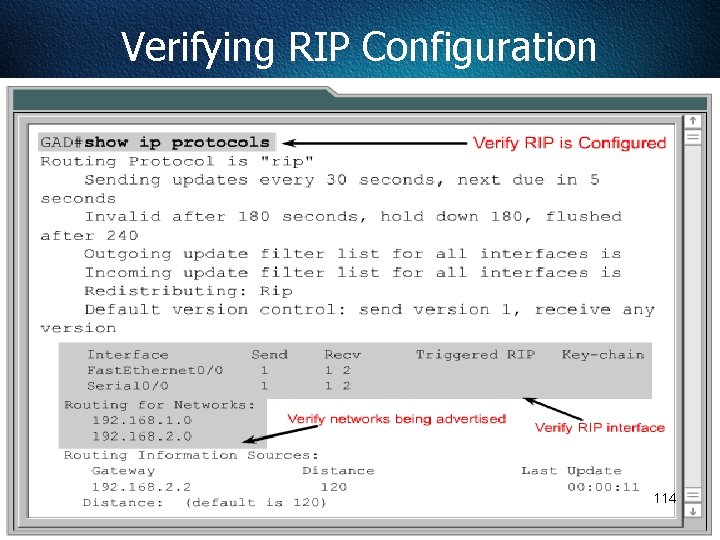
Verifying RIP Configuration 114
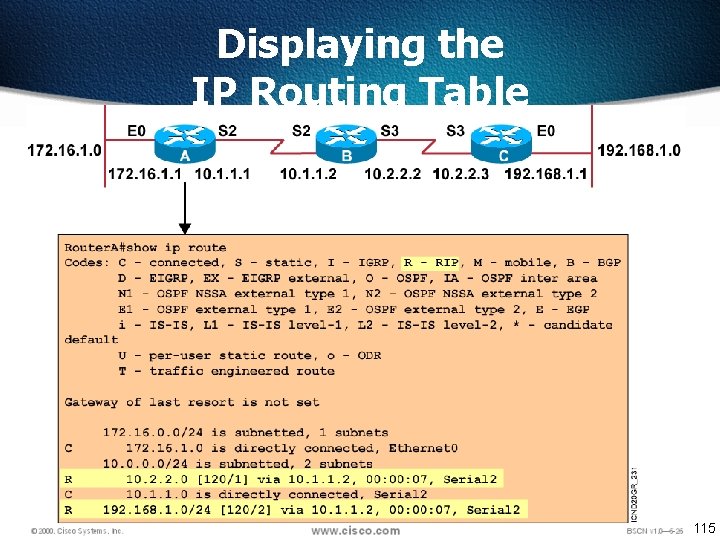
Displaying the IP Routing Table 115
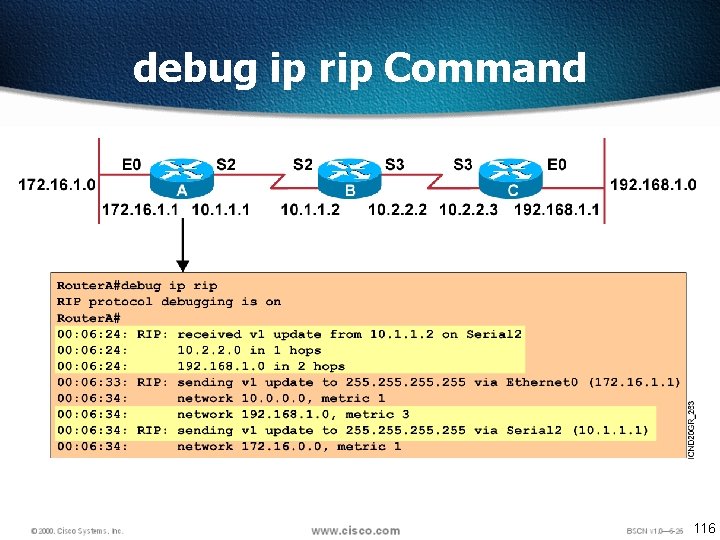
debug ip rip Command 116
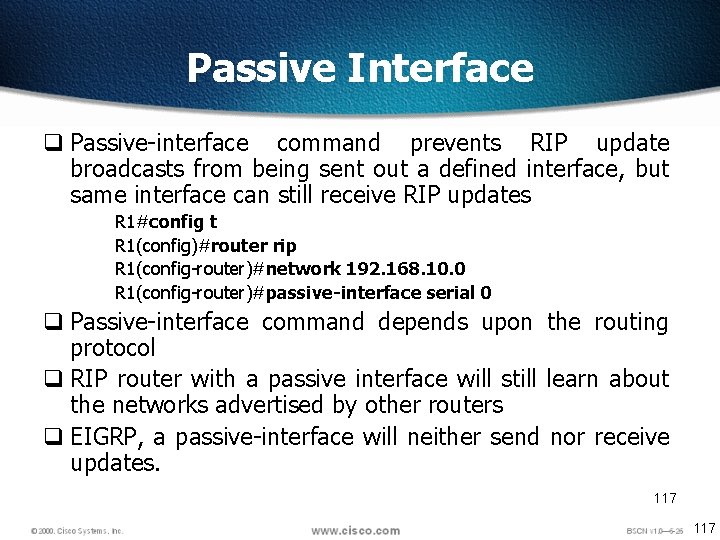
Passive Interface q Passive-interface command prevents RIP update broadcasts from being sent out a defined interface, but same interface can still receive RIP updates R 1#config t R 1(config)#router rip R 1(config-router)#network 192. 168. 10. 0 R 1(config-router)#passive-interface serial 0 q Passive-interface command depends upon the routing protocol q RIP router with a passive interface will still learn about the networks advertised by other routers q EIGRP, a passive-interface will neither send nor receive updates. 117
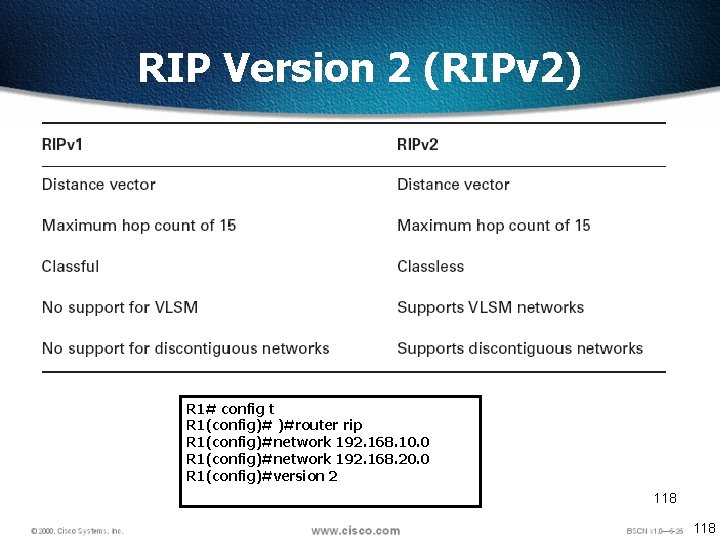
RIP Version 2 (RIPv 2) R 1# config t R 1(config)# )#router rip R 1(config)#network 192. 168. 10. 0 R 1(config)#network 192. 168. 20. 0 R 1(config)#version 2 118
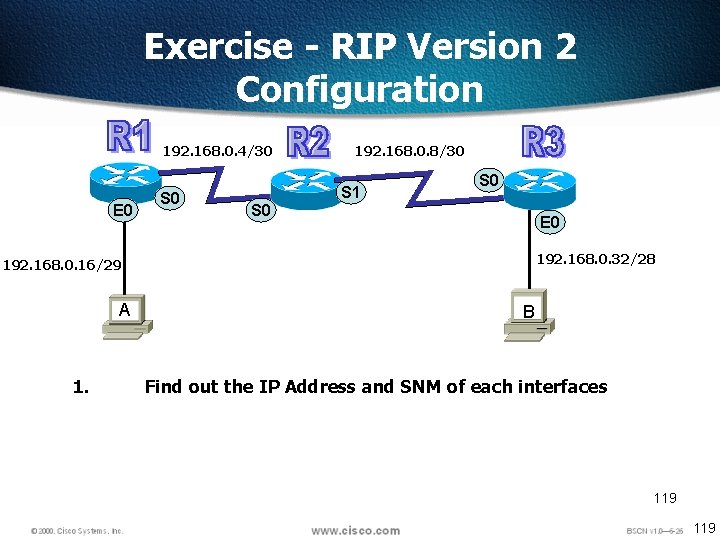
Exercise - RIP Version 2 Configuration 192. 168. 0. 4/30 E 0 S 0 192. 168. 0. 8/30 S 1 S 0 E 0 192. 168. 0. 32/28 192. 168. 0. 16/29 A 1. B Find out the IP Address and SNM of each interfaces 119
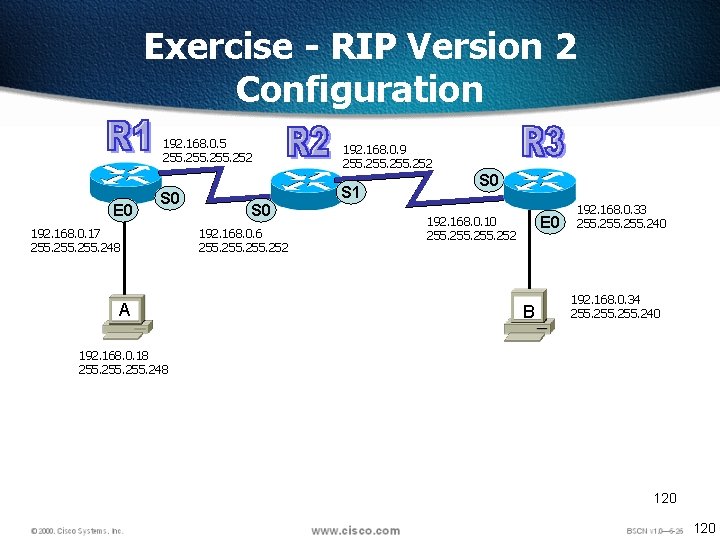
Exercise - RIP Version 2 Configuration E 0 192. 168. 0. 5 255. 252 192. 168. 0. 9 255. 252 S 0 S 1 192. 168. 0. 17 255. 248 A S 0 192. 168. 0. 6 255. 252 S 0 E 0 192. 168. 0. 10 255. 252 B 192. 168. 0. 33 255. 240 192. 168. 0. 34 255. 240 192. 168. 0. 18 255. 248 120
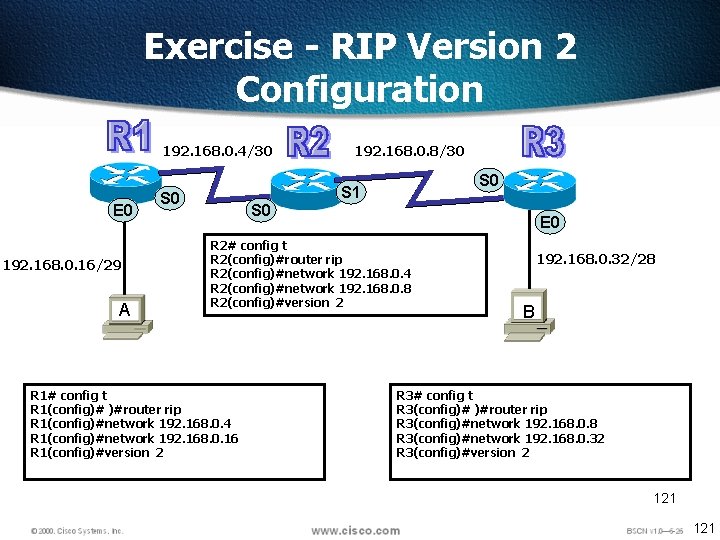
Exercise - RIP Version 2 Configuration 192. 168. 0. 4/30 E 0 192. 168. 0. 16/29 A 192. 168. 0. 8/30 S 1 S 0 E 0 R 2# config t R 2(config)#router rip R 2(config)#network 192. 168. 0. 4 R 2(config)#network 192. 168. 0. 8 R 2(config)#version 2 R 1# config t R 1(config)# )#router rip R 1(config)#network 192. 168. 0. 4 R 1(config)#network 192. 168. 0. 16 R 1(config)#version 2 192. 168. 0. 32/28 B R 3# config t R 3(config)# )#router rip R 3(config)#network 192. 168. 0. 8 R 3(config)#network 192. 168. 0. 32 R 3(config)#version 2 121
Enabling IGRP 122 © 2002, Cisco Systems, Inc. All rights reserved. 122
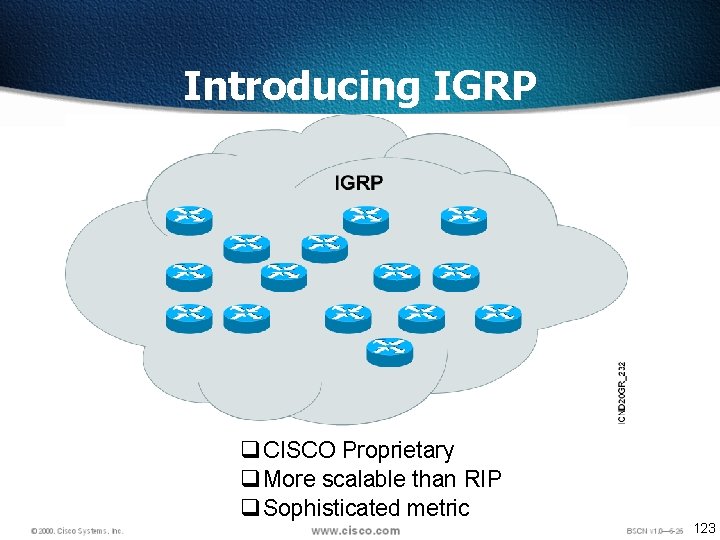
Introducing IGRP q CISCO Proprietary q More scalable than RIP q Sophisticated metric 123
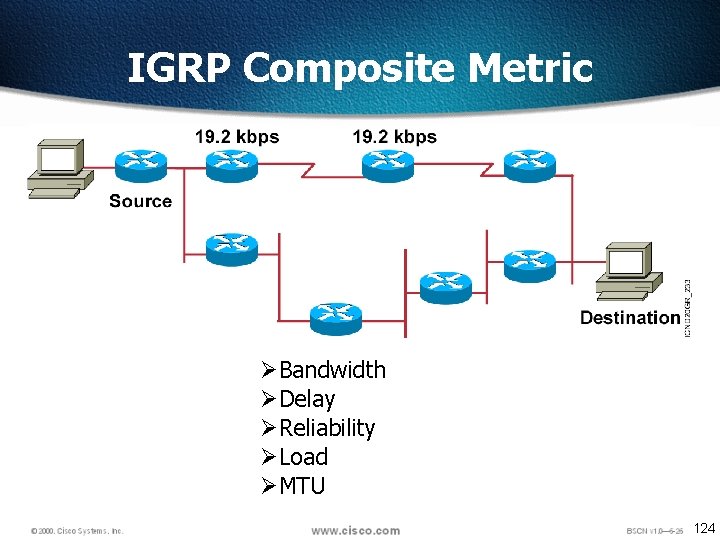
IGRP Composite Metric ØBandwidth ØDelay ØReliability ØLoad ØMTU 124
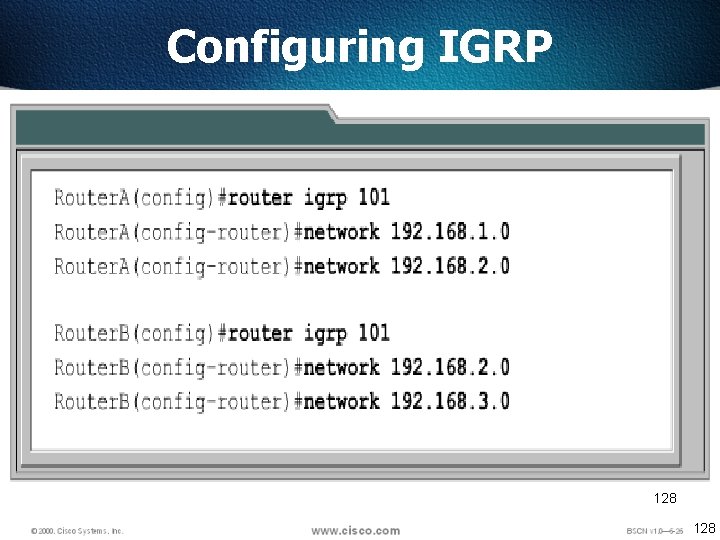
IGRP Some of the IGRP key design characteristics emphasize the following: Ø It is a distance vector routing protocol. Ø Routing updates are broadcast every 90 seconds. Ø Bandwidth, load, delay and reliability are used to create a composite metric. Ø The main difference between RIP and IGRP configuration is that when you configure IGRP, you supply the autonomous system number. All routers must use the same number in order to share routing table information. 125
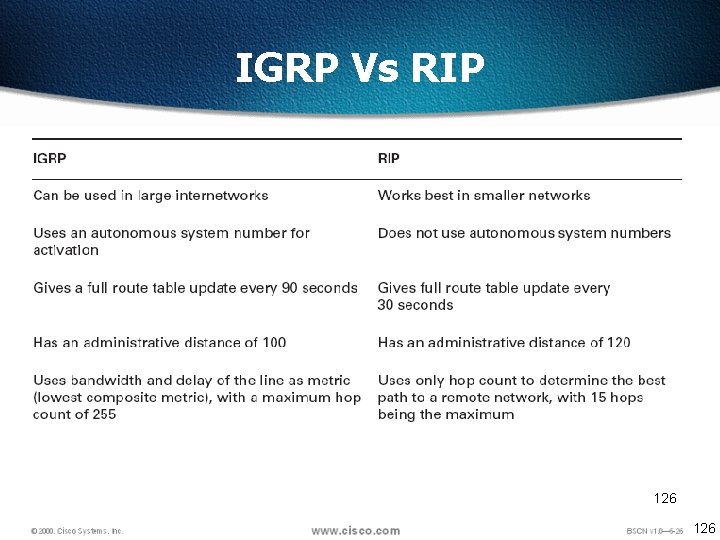
IGRP Vs RIP 126
Configuring IGRP 128
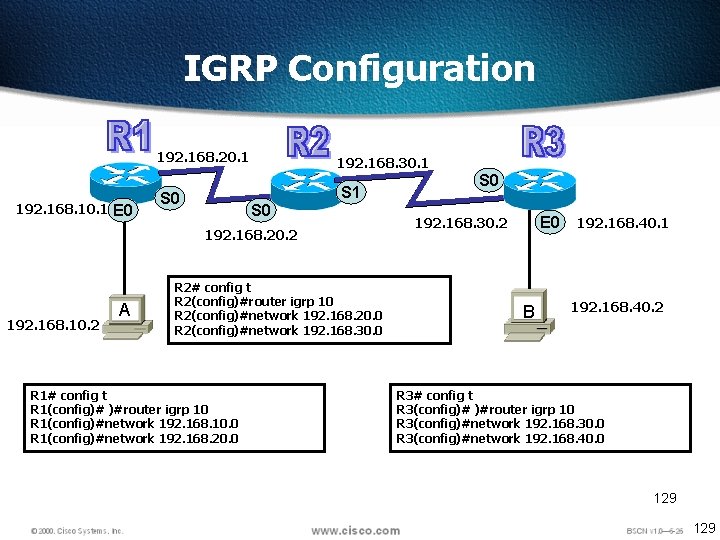
IGRP Configuration 192. 168. 10. 1 E 0 192. 168. 20. 1 192. 168. 30. 1 S 0 S 1 S 0 192. 168. 20. 2 192. 168. 10. 2 A R 2# config t R 2(config)#router igrp 10 R 2(config)#network 192. 168. 20. 0 R 2(config)#network 192. 168. 30. 0 R 1# config t R 1(config)# )#router igrp 10 R 1(config)#network 192. 168. 10. 0 R 1(config)#network 192. 168. 20. 0 S 0 E 0 192. 168. 30. 2 B 192. 168. 40. 1 192. 168. 40. 2 R 3# config t R 3(config)# )#router igrp 10 R 3(config)#network 192. 168. 30. 0 R 3(config)#network 192. 168. 40. 0 129
![Verifying the IGRP Routing Tables Lab. A#sh ip route [output cut] I 192. 168.](http://slidetodoc.com/presentation_image_h2/2edc5e0734775a251ebc04f267d7379d/image-127.jpg "Verifying the IGRP Routing Tables Lab. A#sh ip route [output cut] I 192. 168.")
Verifying the IGRP Routing Tables Lab. A#sh ip route [output cut] I 192. 168. 50. 0 [100/170420] via 192. 168. 20. 2, Serial 0/0 I 192. 168. 40. 0 [100/160260] via 192. 168. 20. 2, Serial 0/0 I 192. 168. 30. 0 [100/158360] via 192. 168. 20. 2, Serial 0/0 C 192. 168. 20. 0 is directly connected Serial 0/0 C 192. 168. 10. 0 is directly connected, Fast. Ethernet 0/0 • The I means IGRP-injected routes. The 100 in [100/160360] is the administrative distance of IGRP. The 160, 360 is the composite metric. The lower the composite metric, the better the route. • To delete all routes clear ip route 130
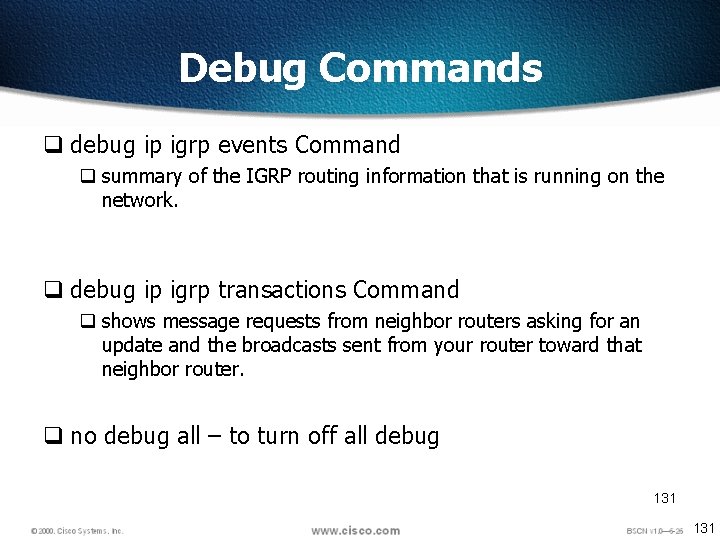
Debug Commands q debug ip igrp events Command q summary of the IGRP routing information that is running on the network. q debug ip igrp transactions Command q shows message requests from neighbor routers asking for an update and the broadcasts sent from your router toward that neighbor router. q no debug all – to turn off all debug 131
- Slides: 128