
1 1 3 Computer Organization Six logical units
- Slides: 28
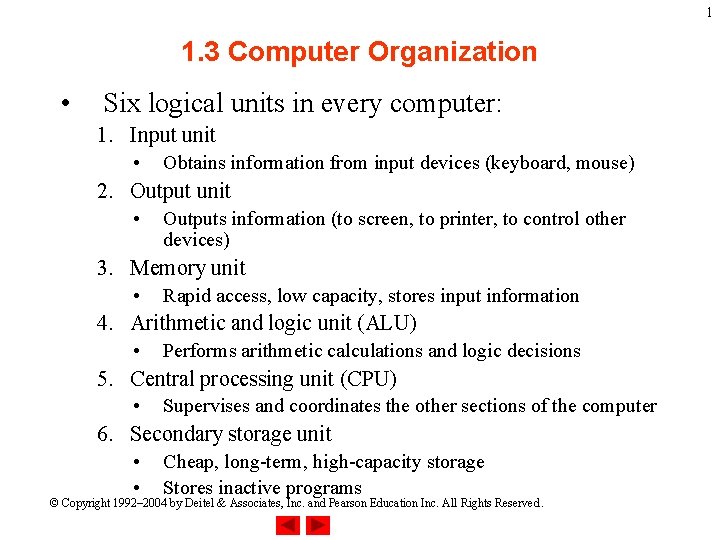
1 1. 3 Computer Organization • Six logical units in every computer: 1. Input unit • Obtains information from input devices (keyboard, mouse) 2. Output unit • Outputs information (to screen, to printer, to control other devices) 3. Memory unit • Rapid access, low capacity, stores input information 4. Arithmetic and logic unit (ALU) • Performs arithmetic calculations and logic decisions 5. Central processing unit (CPU) • Supervises and coordinates the other sections of the computer 6. Secondary storage unit • • Cheap, long-term, high-capacity storage Stores inactive programs © Copyright 1992– 2004 by Deitel & Associates, Inc. and Pearson Education Inc. All Rights Reserved.
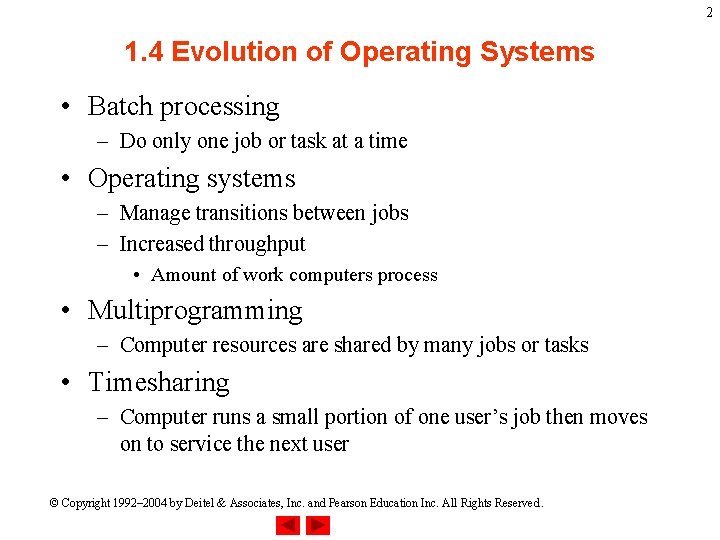
2 1. 4 Evolution of Operating Systems • Batch processing – Do only one job or task at a time • Operating systems – Manage transitions between jobs – Increased throughput • Amount of work computers process • Multiprogramming – Computer resources are shared by many jobs or tasks • Timesharing – Computer runs a small portion of one user’s job then moves on to service the next user © Copyright 1992– 2004 by Deitel & Associates, Inc. and Pearson Education Inc. All Rights Reserved.
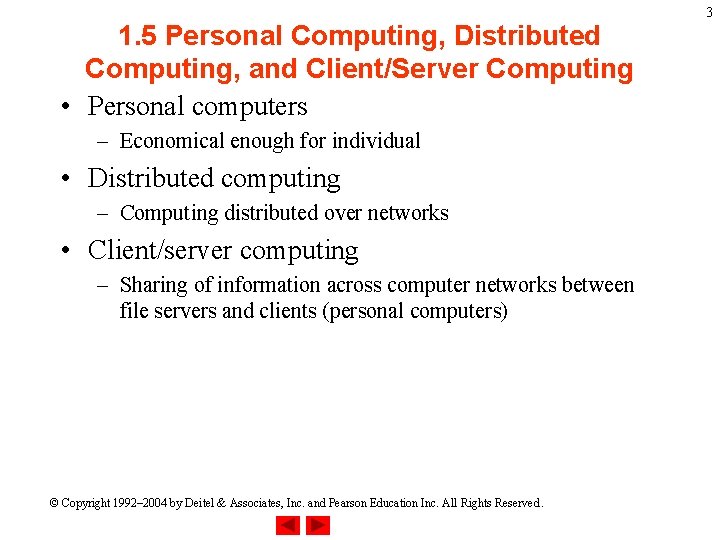
1. 5 Personal Computing, Distributed Computing, and Client/Server Computing • Personal computers – Economical enough for individual • Distributed computing – Computing distributed over networks • Client/server computing – Sharing of information across computer networks between file servers and clients (personal computers) © Copyright 1992– 2004 by Deitel & Associates, Inc. and Pearson Education Inc. All Rights Reserved. 3
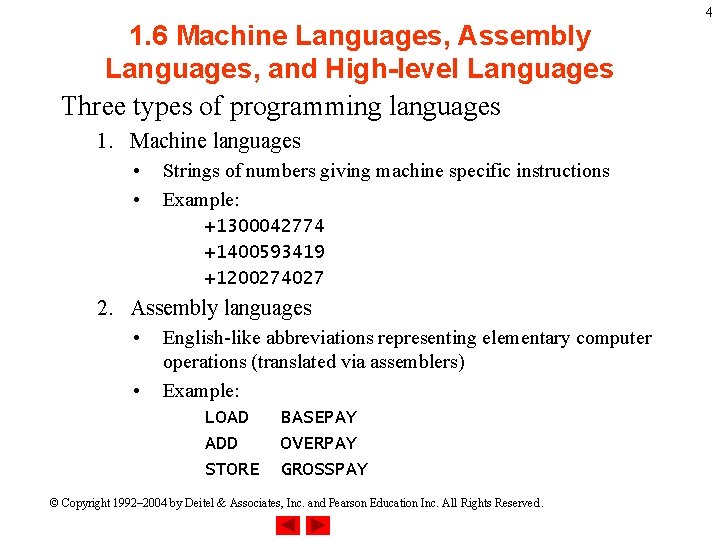
1. 6 Machine Languages, Assembly Languages, and High-level Languages Three types of programming languages 1. Machine languages • • Strings of numbers giving machine specific instructions Example: +1300042774 +1400593419 +1200274027 2. Assembly languages • • English-like abbreviations representing elementary computer operations (translated via assemblers) Example: LOAD ADD STORE BASEPAY OVERPAY GROSSPAY © Copyright 1992– 2004 by Deitel & Associates, Inc. and Pearson Education Inc. All Rights Reserved. 4
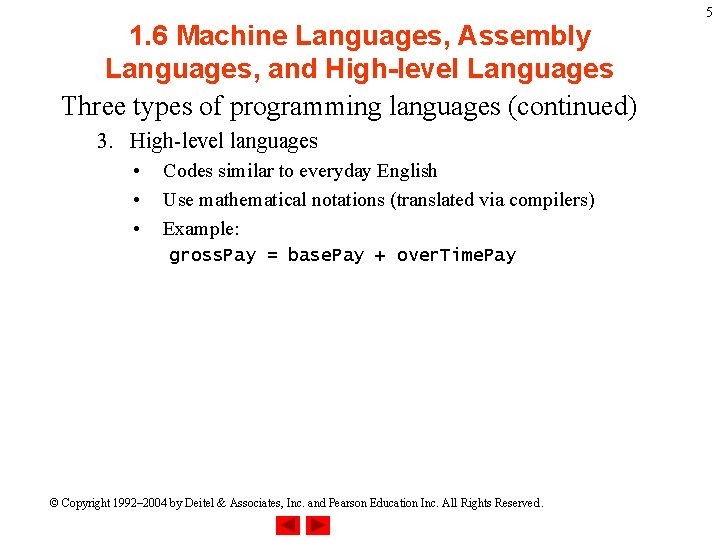
1. 6 Machine Languages, Assembly Languages, and High-level Languages Three types of programming languages (continued) 3. High-level languages • • • Codes similar to everyday English Use mathematical notations (translated via compilers) Example: gross. Pay = base. Pay + over. Time. Pay © Copyright 1992– 2004 by Deitel & Associates, Inc. and Pearson Education Inc. All Rights Reserved. 5
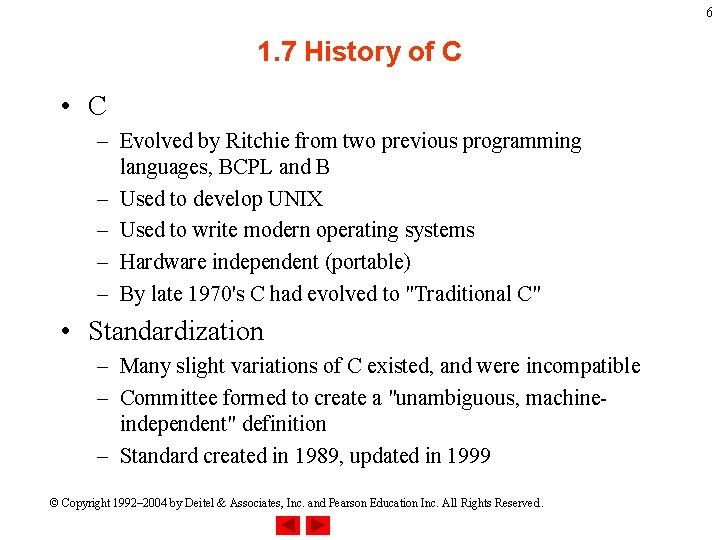
6 1. 7 History of C • C – Evolved by Ritchie from two previous programming languages, BCPL and B – Used to develop UNIX – Used to write modern operating systems – Hardware independent (portable) – By late 1970's C had evolved to "Traditional C" • Standardization – Many slight variations of C existed, and were incompatible – Committee formed to create a "unambiguous, machineindependent" definition – Standard created in 1989, updated in 1999 © Copyright 1992– 2004 by Deitel & Associates, Inc. and Pearson Education Inc. All Rights Reserved.
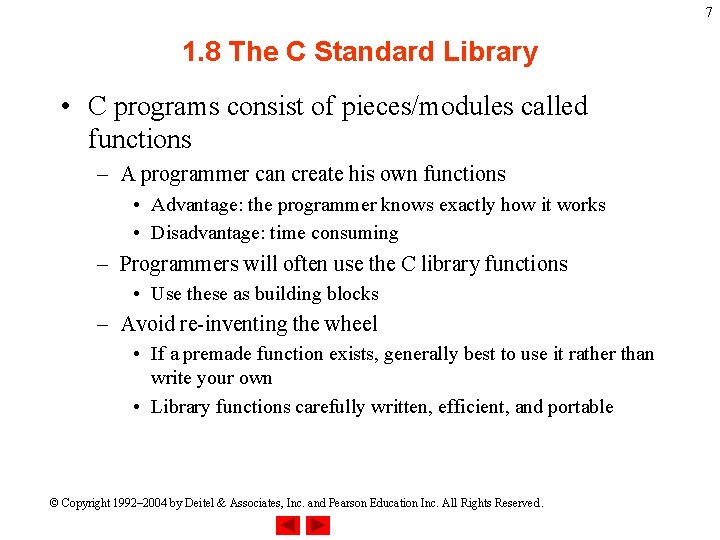
7 1. 8 The C Standard Library • C programs consist of pieces/modules called functions – A programmer can create his own functions • Advantage: the programmer knows exactly how it works • Disadvantage: time consuming – Programmers will often use the C library functions • Use these as building blocks – Avoid re-inventing the wheel • If a premade function exists, generally best to use it rather than write your own • Library functions carefully written, efficient, and portable © Copyright 1992– 2004 by Deitel & Associates, Inc. and Pearson Education Inc. All Rights Reserved.
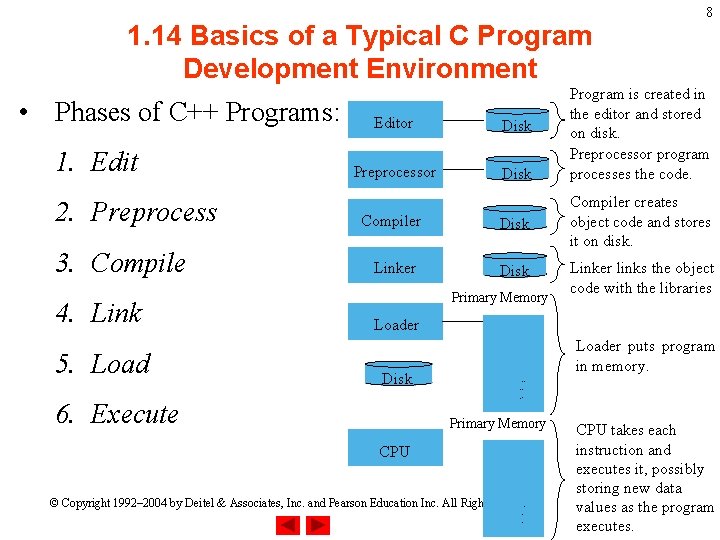
1. 14 Basics of a Typical C Program Development Environment • Phases of C++ Programs: 1. Edit 2. Preprocess 3. Compile 4. Link 5. Load Editor Disk Preprocessor Disk 8 Program is created in the editor and stored on disk. Preprocessor program processes the code. Compiler Disk Compiler creates object code and stores it on disk. Linker Disk Linker links the object code with the libraries Primary Memory Loader Disk 6. Execute Loader puts program in memory. . . . Primary Memory CPU. . © Copyright 1992– 2004 by Deitel & Associates, Inc. and Pearson Education Inc. All Rights Reserved. . . CPU takes each instruction and executes it, possibly storing new data values as the program executes.
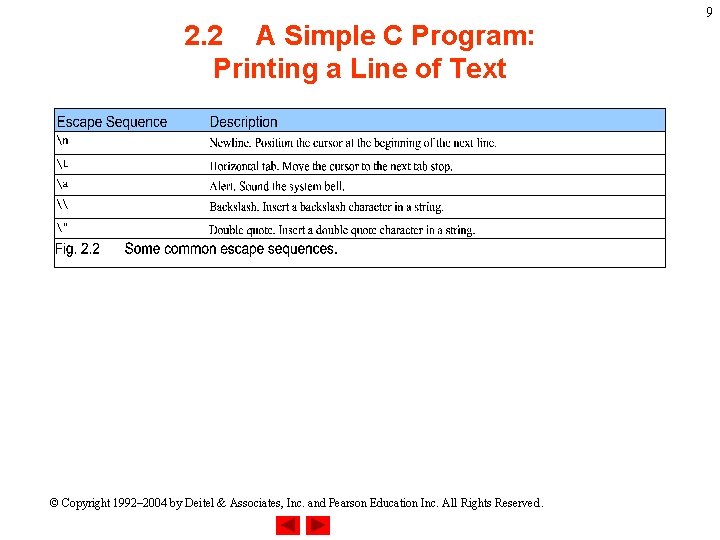
2. 2 A Simple C Program: Printing a Line of Text © Copyright 1992– 2004 by Deitel & Associates, Inc. and Pearson Education Inc. All Rights Reserved. 9
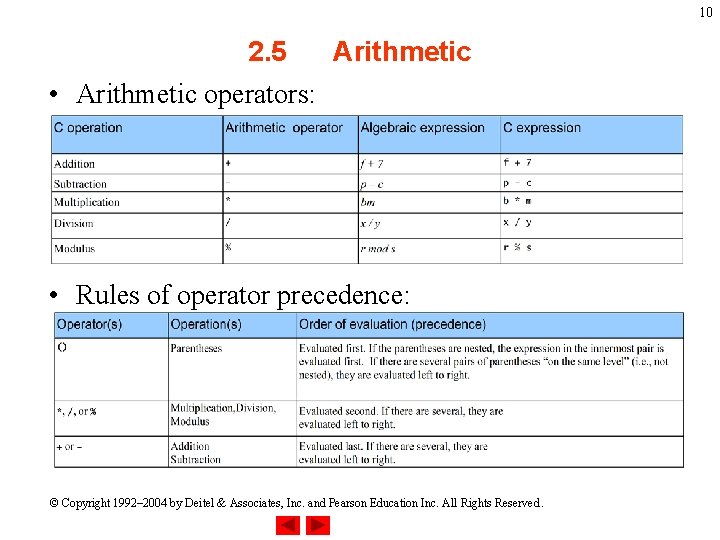
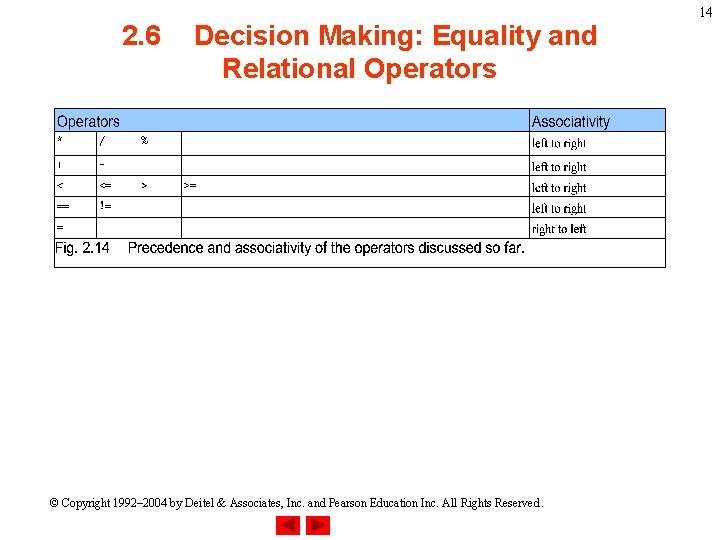
10 2. 5 Arithmetic • Arithmetic operators: • Rules of operator precedence: © Copyright 1992– 2004 by Deitel & Associates, Inc. and Pearson Education Inc. All Rights Reserved.
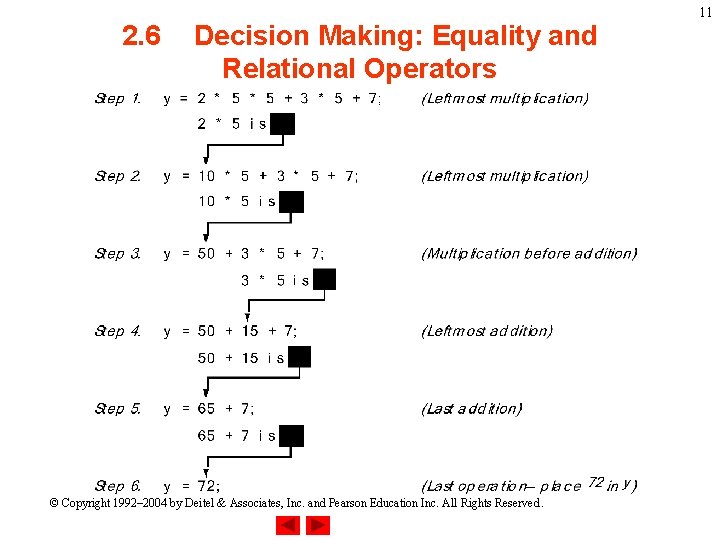
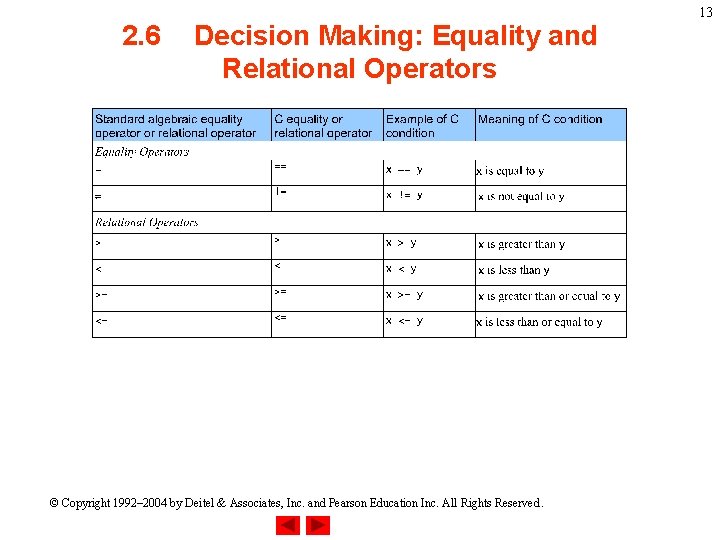
2. 6 Decision Making: Equality and Relational Operators © Copyright 1992– 2004 by Deitel & Associates, Inc. and Pearson Education Inc. All Rights Reserved. 11
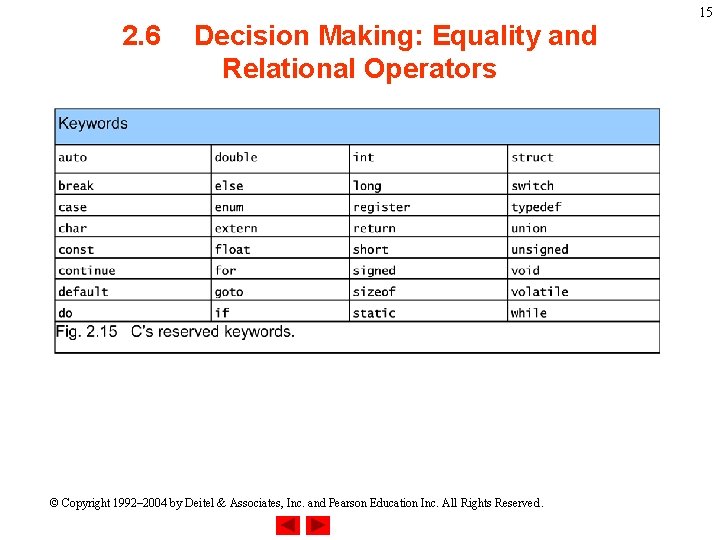
2. 6 Decision Making: Equality and Relational Operators • Executable statements – Perform actions (calculations, input/output of data) – Perform decisions • May want to print "pass" or "fail" given the value of a test grade • if control statement – Simple version in this section, more detail later – If a condition is true, then the body of the if statement executed • 0 is false, non-zero is true – Control always resumes after the if structure • Keywords – Special words reserved for C – Cannot be used as identifiers or variable names © Copyright 1992– 2004 by Deitel & Associates, Inc. and Pearson Education Inc. All Rights Reserved. 12
2. 6 Decision Making: Equality and Relational Operators © Copyright 1992– 2004 by Deitel & Associates, Inc. and Pearson Education Inc. All Rights Reserved. 13
2. 6 Decision Making: Equality and Relational Operators © Copyright 1992– 2004 by Deitel & Associates, Inc. and Pearson Education Inc. All Rights Reserved. 14
2. 6 Decision Making: Equality and Relational Operators © Copyright 1992– 2004 by Deitel & Associates, Inc. and Pearson Education Inc. All Rights Reserved. 15
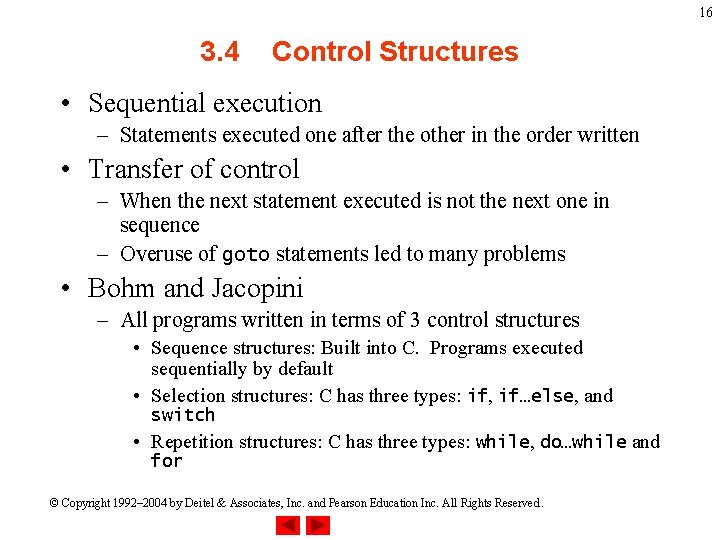
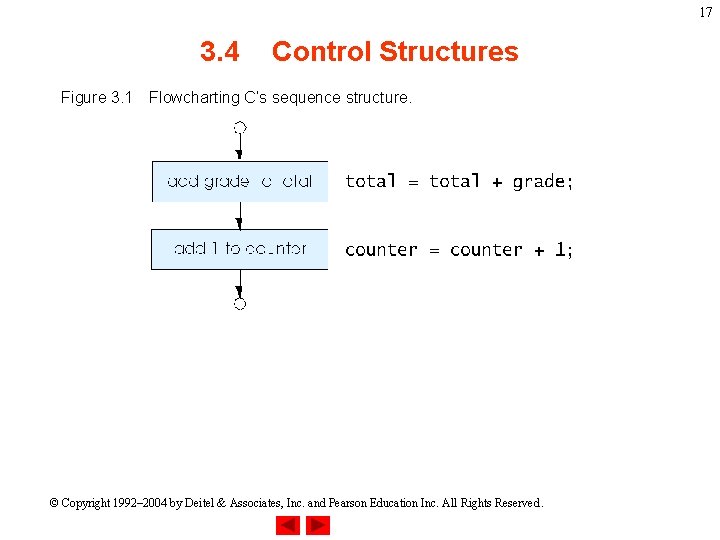
16 3. 4 Control Structures • Sequential execution – Statements executed one after the other in the order written • Transfer of control – When the next statement executed is not the next one in sequence – Overuse of goto statements led to many problems • Bohm and Jacopini – All programs written in terms of 3 control structures • Sequence structures: Built into C. Programs executed sequentially by default • Selection structures: C has three types: if, if…else, and switch • Repetition structures: C has three types: while, do…while and for © Copyright 1992– 2004 by Deitel & Associates, Inc. and Pearson Education Inc. All Rights Reserved.
17 3. 4 Figure 3. 1 Control Structures Flowcharting C’s sequence structure. © Copyright 1992– 2004 by Deitel & Associates, Inc. and Pearson Education Inc. All Rights Reserved.
18 3. 4 Control Structures • Flowchart – Graphical representation of an algorithm – Drawn using certain special-purpose symbols connected by arrows called flowlines – Rectangle symbol (action symbol): • Indicates any type of action – Oval symbol: • Indicates the beginning or end of a program or a section of code • Single-entry/single-exit control structures – Connect exit point of one control structure to entry point of the next (control-structure stacking) – Makes programs easy to build © Copyright 1992– 2004 by Deitel & Associates, Inc. and Pearson Education Inc. All Rights Reserved.
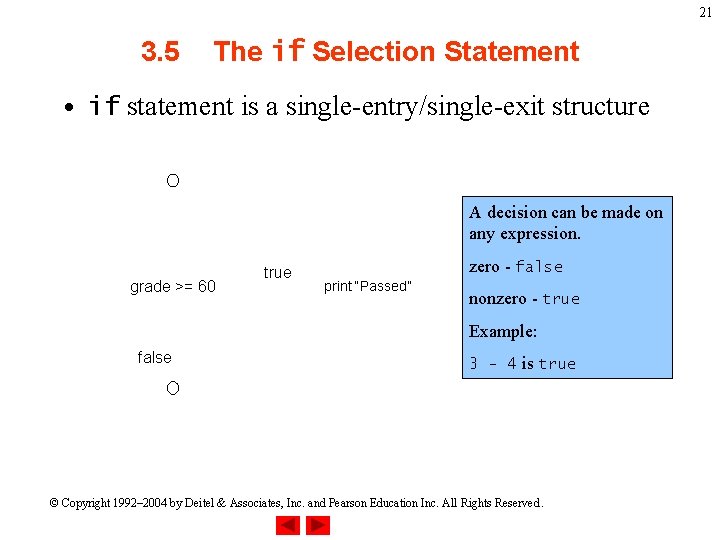
19 3. 5 The if Selection Statement • Selection structure: – Used to choose among alternative courses of action – Pseudocode: If student’s grade is greater than or equal to 60 Print “Passed” • If condition true – Print statement executed and program goes on to next statement – If false, print statement is ignored and the program goes onto the next statement – Indenting makes programs easier to read • C ignores whitespace characters © Copyright 1992– 2004 by Deitel & Associates, Inc. and Pearson Education Inc. All Rights Reserved.
20 3. 5 The if Selection Statement • Pseudocode statement in C: if ( grade >= 60 ) printf( "Passedn" ); – C code corresponds closely to the pseudocode • Diamond symbol (decision symbol) – Indicates decision is to be made – Contains an expression that can be true or false – Test the condition, follow appropriate path © Copyright 1992– 2004 by Deitel & Associates, Inc. and Pearson Education Inc. All Rights Reserved.
21 3. 5 The if Selection Statement • if statement is a single-entry/single-exit structure A decision can be made on any expression. grade >= 60 true zero - false print “Passed” nonzero - true Example: false 3 - 4 is true © Copyright 1992– 2004 by Deitel & Associates, Inc. and Pearson Education Inc. All Rights Reserved.
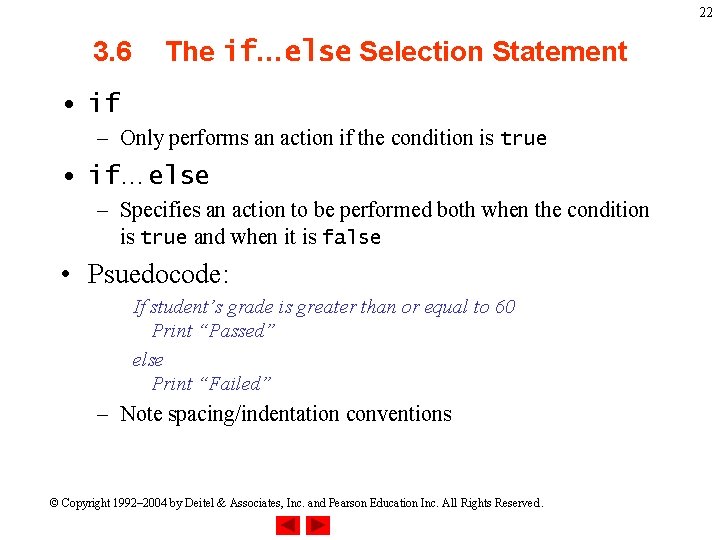
22 3. 6 The if…else Selection Statement • if – Only performs an action if the condition is true • if…else – Specifies an action to be performed both when the condition is true and when it is false • Psuedocode: If student’s grade is greater than or equal to 60 Print “Passed” else Print “Failed” – Note spacing/indentation conventions © Copyright 1992– 2004 by Deitel & Associates, Inc. and Pearson Education Inc. All Rights Reserved.
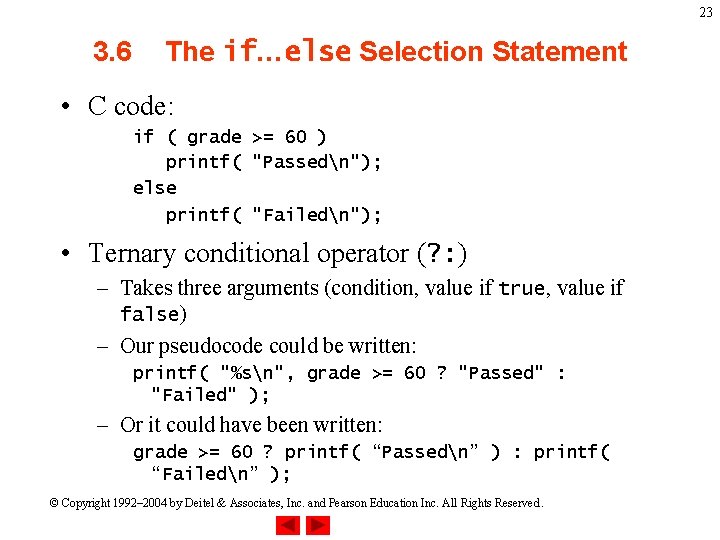
23 3. 6 The if…else Selection Statement • C code: if ( grade >= 60 ) printf( "Passedn"); else printf( "Failedn"); • Ternary conditional operator (? : ) – Takes three arguments (condition, value if true, value if false) – Our pseudocode could be written: printf( "%sn", grade >= 60 ? "Passed" : "Failed" ); – Or it could have been written: grade >= 60 ? printf( “Passedn” ) : printf( “Failedn” ); © Copyright 1992– 2004 by Deitel & Associates, Inc. and Pearson Education Inc. All Rights Reserved.
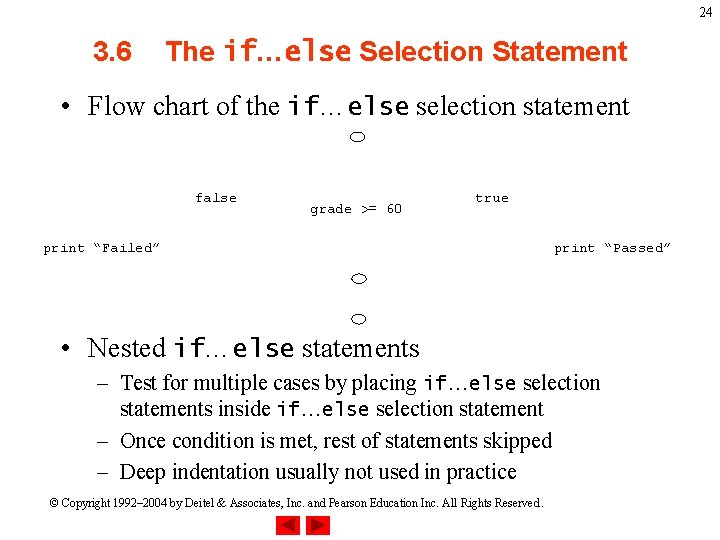
24 3. 6 The if…else Selection Statement • Flow chart of the if…else selection statement false grade >= 60 true print “Failed” print “Passed” • Nested if…else statements – Test for multiple cases by placing if…else selection statements inside if…else selection statement – Once condition is met, rest of statements skipped – Deep indentation usually not used in practice © Copyright 1992– 2004 by Deitel & Associates, Inc. and Pearson Education Inc. All Rights Reserved.
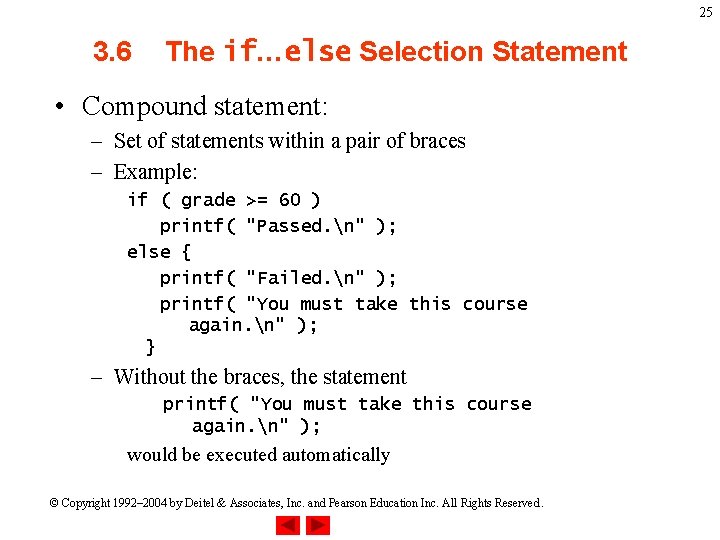
25 3. 6 The if…else Selection Statement • Compound statement: – Set of statements within a pair of braces – Example: if ( grade >= 60 ) printf( "Passed. n" ); else { printf( "Failed. n" ); printf( "You must take this course again. n" ); } – Without the braces, the statement printf( "You must take this course again. n" ); would be executed automatically © Copyright 1992– 2004 by Deitel & Associates, Inc. and Pearson Education Inc. All Rights Reserved.
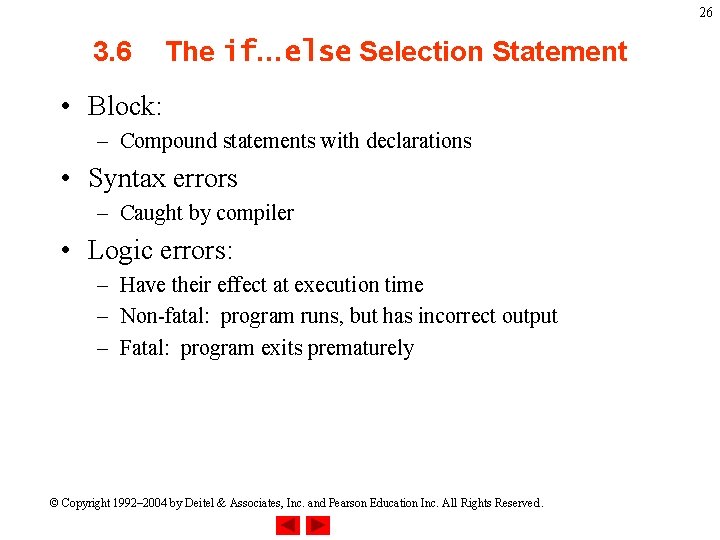
26 3. 6 The if…else Selection Statement • Block: – Compound statements with declarations • Syntax errors – Caught by compiler • Logic errors: – Have their effect at execution time – Non-fatal: program runs, but has incorrect output – Fatal: program exits prematurely © Copyright 1992– 2004 by Deitel & Associates, Inc. and Pearson Education Inc. All Rights Reserved.
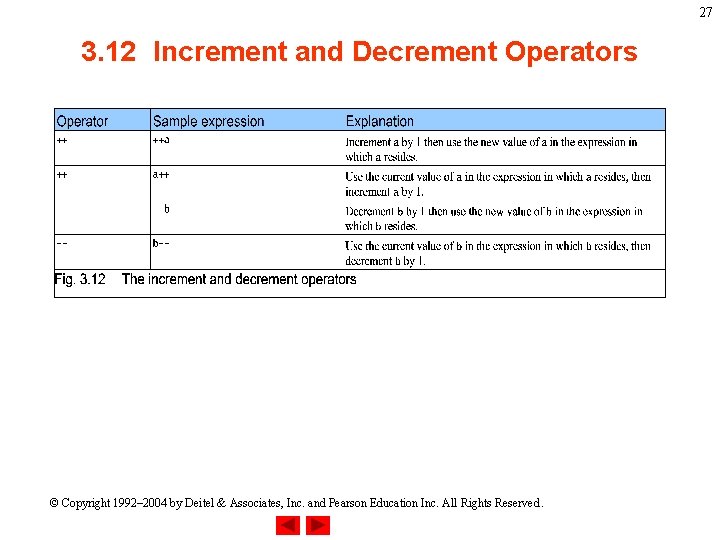
27 3. 12 Increment and Decrement Operators © Copyright 1992– 2004 by Deitel & Associates, Inc. and Pearson Education Inc. All Rights Reserved.
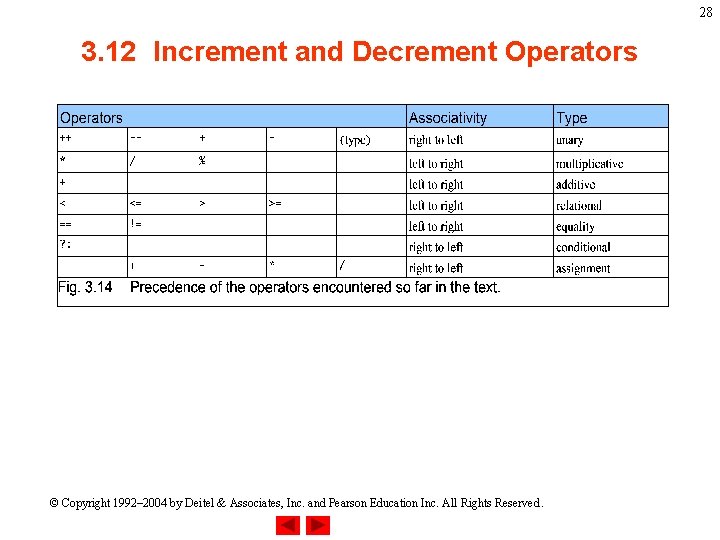
28 3. 12 Increment and Decrement Operators © Copyright 1992– 2004 by Deitel & Associates, Inc. and Pearson Education Inc. All Rights Reserved.