
1 07 Web Security CLIENTSERVER COMPUTING AND WEB
1 #07 Web Security CLIENT/SERVER COMPUTING AND WEB TECHNOLOGIES
Major security issues Prevent unauthorized users from accessing sensitive data 2 Authentication: identifying users to determine if they are one of the authorized ones Access control: identifying which resources need protection and who should have access to them Prevent attackers from stealing data from network during transmission Encryption (usually by Secure Sockets Layer)
Authentication Collect user ID information from end users (“logging in”) usually by means of browser dialog / interface user ID information normally refers to username and password Transport collected user ID information to the web server unsecurely (HTTP) or securely (HTTPS = HTTP over SSL) Verify ID and passwd with backend Realms (“security database”) 3 Realms maintain username, password, roles, etc. , and can be organized by means of LDAP, RDBMS, Flat-file, etc. Validation: the web server checks if the collected user ID & passwd match with these in the realms. Keep track of previously authenticated users for further HTTP operations
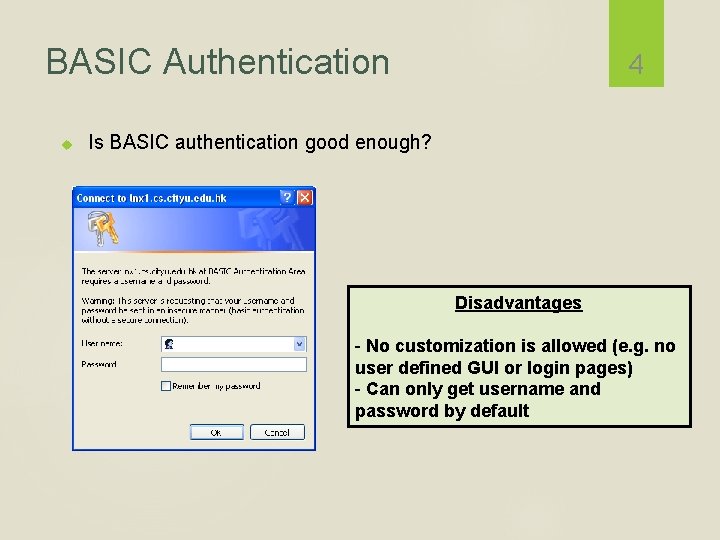
BASIC Authentication 4 Is BASIC authentication good enough? Disadvantages - No customization is allowed (e. g. no user defined GUI or login pages) - Can only get username and password by default
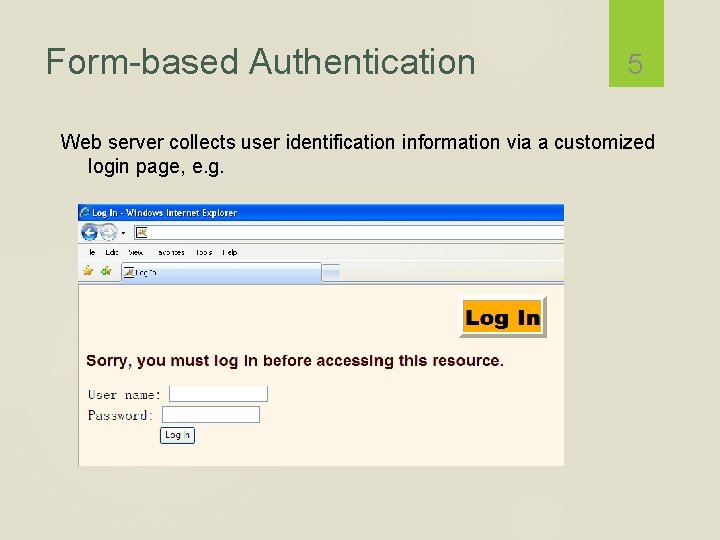
Form-based Authentication 5 Web server collects user identification information via a customized login page, e. g.
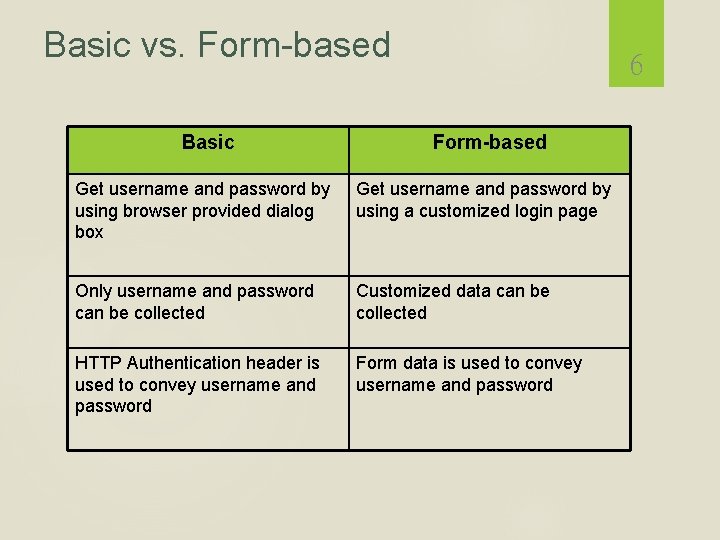
Basic vs. Form-based Basic 6 Form-based Get username and password by using browser provided dialog box Get username and password by using a customized login page Only username and password can be collected Customized data can be collected HTTP Authentication header is used to convey username and password Form data is used to convey username and password
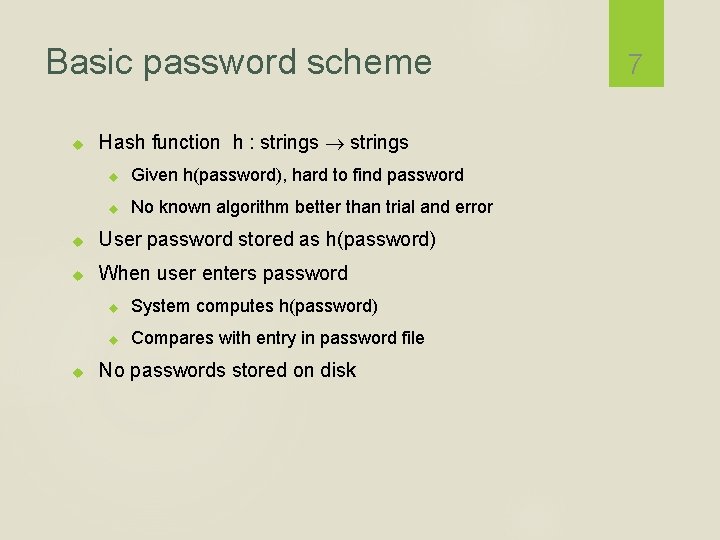
Basic password scheme Hash function h : strings Given h(password), hard to find password No known algorithm better than trial and error User password stored as h(password) When user enters password System computes h(password) Compares with entry in password file No passwords stored on disk 7
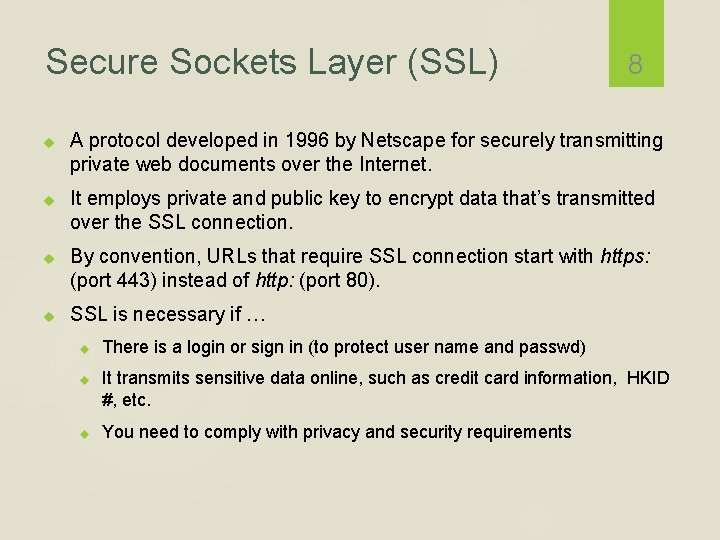
Secure Sockets Layer (SSL) 8 A protocol developed in 1996 by Netscape for securely transmitting private web documents over the Internet. It employs private and public key to encrypt data that’s transmitted over the SSL connection. By convention, URLs that require SSL connection start with https: (port 443) instead of http: (port 80). SSL is necessary if … There is a login or sign in (to protect user name and passwd) It transmits sensitive data online, such as credit card information, HKID #, etc. You need to comply with privacy and security requirements
Use of an SSL Certificate To enable secured SSL connections, the server needs an SSL certificate signed by a Certificate Authority (CA). CA verifies the ID of the certificate owner (e. g. , www. hsbc. com. hk) when an SSL certificate is issued. Each SSL Certificate contains unique and authenticated information about the certificate owner, such as ID (in X. 500 format), location, public key, and the signature of the CA. 9 It confirms that you are who you say you are in the Internet. An SSL certificate enables encryption of sensitive information during online transactions by means of using hybrid cryptosystem.
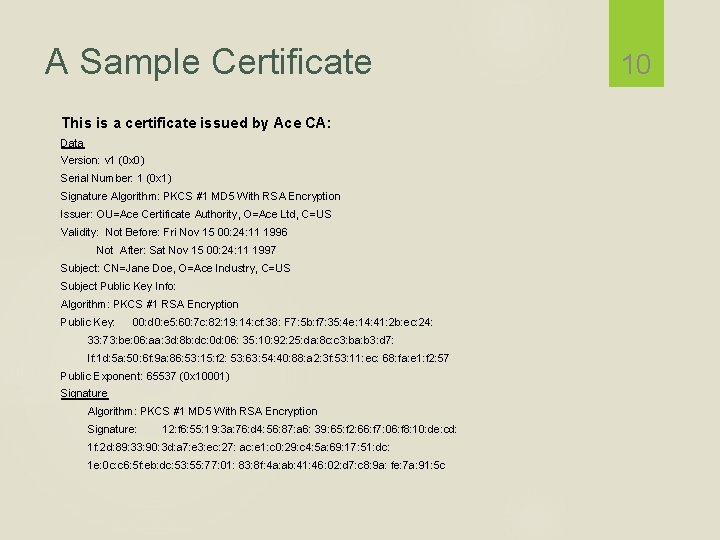
A Sample Certificate This is a certificate issued by Ace CA: Data Version: v 1 (0 x 0) Serial Number: 1 (0 x 1) Signature Algorithm: PKCS #1 MD 5 With RSA Encryption Issuer: OU=Ace Certificate Authority, O=Ace Ltd, C=US Validity: Not Before: Fri Nov 15 00: 24: 11 1996 Not After: Sat Nov 15 00: 24: 11 1997 Subject: CN=Jane Doe, O=Ace Industry, C=US Subject Public Key Info: Algorithm: PKCS #1 RSA Encryption Public Key: 00: d 0: e 5: 60: 7 c: 82: 19: 14: cf: 38: F 7: 5 b: f 7: 35: 4 e: 14: 41: 2 b: ec: 24: 33: 73: be: 06: aa: 3 d: 8 b: dc: 0 d: 06: 35: 10: 92: 25: da: 8 c: c 3: ba: b 3: d 7: lf: 1 d: 5 a: 50: 6 f: 9 a: 86: 53: 15: f 2: 53: 63: 54: 40: 88: a 2: 3 f: 53: 11: ec: 68: fa: e 1: f 2: 57 Public Exponent: 65537 (0 x 10001) Signature Algorithm: PKCS #1 MD 5 With RSA Encryption Signature: 12: f 6: 55: 19: 3 a: 76: d 4: 56: 87: a 6: 39: 65: f 2: 66: f 7: 06: f 8: 10: de: cd: 1 f: 2 d: 89: 33: 90: 3 d: a 7: e 3: ec: 27: ac: e 1: c 0: 29: c 4: 5 a: 69: 17: 51: dc: 1 e: 0 c: c 6: 5 f: eb: dc: 53: 55: 77: 01: 83: 8 f: 4 a: ab: 41: 46: 02: d 7: c 8: 9 a: fe: 7 a: 91: 5 c 10
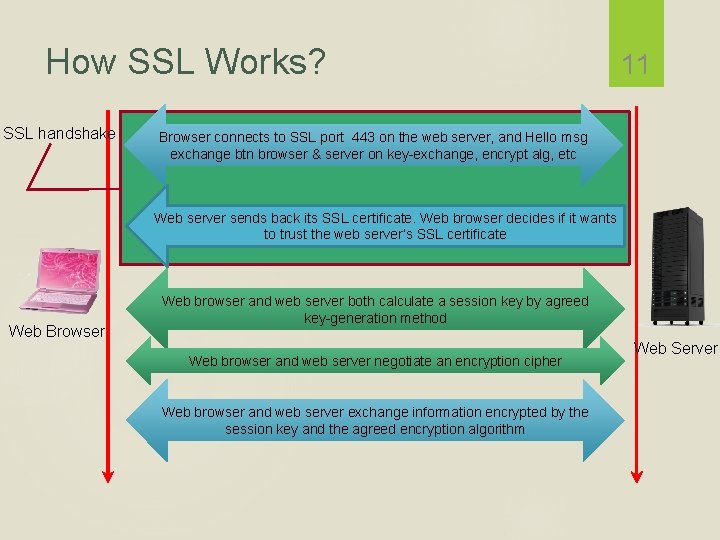
How SSL Works? SSL handshake 11 Browser connects to SSL port 443 on the web server, and Hello msg exchange btn browser & server on key-exchange, encrypt alg, etc Web server sends back its SSL certificate. Web browser decides if it wants to trust the web server’s SSL certificate Web Browser Web browser and web server both calculate a session key by agreed key-generation method Web browser and web server negotiate an encryption cipher Web browser and web server exchange information encrypted by the session key and the agreed encryption algorithm Web Server
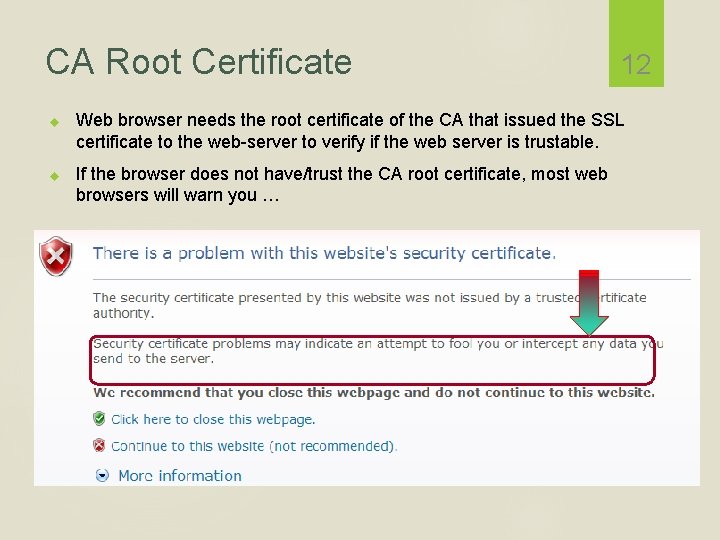
CA Root Certificate 12 Web browser needs the root certificate of the CA that issued the SSL certificate to the web-server to verify if the web server is trustable. If the browser does not have/trust the CA root certificate, most web browsers will warn you …
Social Web Integration 13 In a typical web authentication model, user owning the resource shares credentials with other applications to provide them access to their protected data The above approach presents significant challenges for the resource owners It requires sharing of passwords in clear text which third party applications stores for any future use Any compromise of third party application results in compromise of user’s password and its data Resource access revocation is only possible by user through password change Third party applications have full access to user’s data i. e. no data level or data scope access
OAuth OAuth stands for “Open Authorization” An open standard protocol that provides simple and secure authorization for different types of applications A simple and safe method for consumers to interact with protected data Allows providers to give access to users without any exchange of credentials Designed for use only with HTTP protocol. It does not support any other protocol 14
Why OAuth? It is flexible, compatible and designed to work with mobile devices and desktop applications Provides a method for users to grant third-party access to their resources without sharing their credentials. Provides a way to grant limited access in terms of scope and duration 15 Has support from big players in the industry Facebook's Graph API Foursquare Github Google Salesforce Windows Live
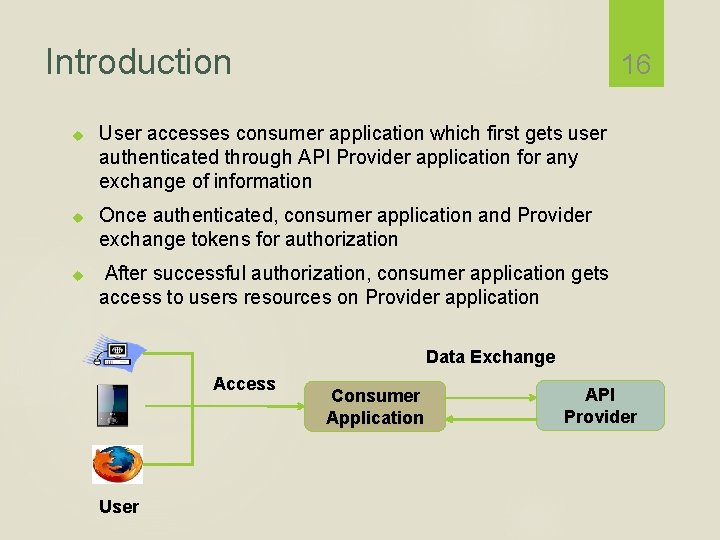
Introduction 16 User accesses consumer application which first gets user authenticated through API Provider application for any exchange of information Once authenticated, consumer application and Provider exchange tokens for authorization After successful authorization, consumer application gets access to users resources on Provider application Data Exchange Access User Consumer Application API Provider
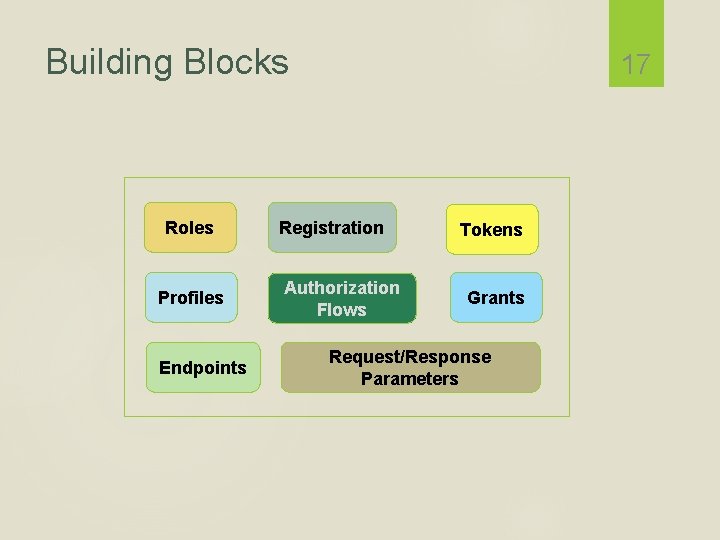
Building Blocks Roles Profiles Endpoints 17 Registration Authorization Flows Tokens Grants Request/Response Parameters
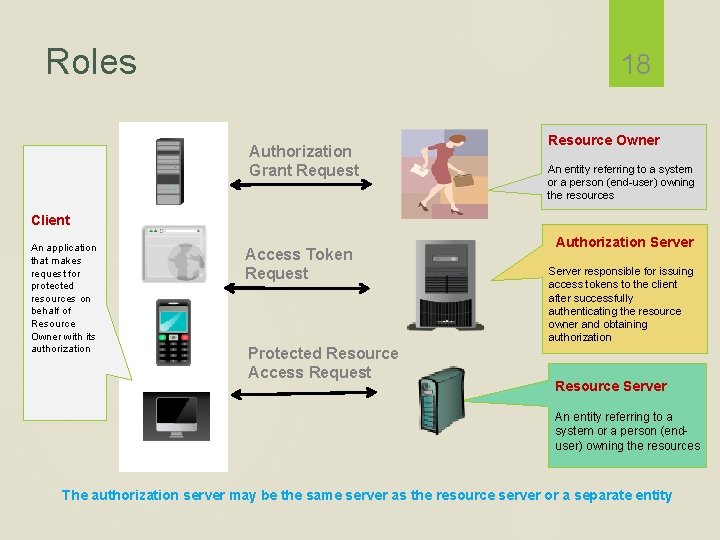
Roles 18 Authorization Grant Request Resource Owner An entity referring to a system or a person (end-user) owning the resources Client An application that makes request for protected resources on behalf of Resource Owner with its authorization Access Token Request Protected Resource Access Request Authorization Server responsible for issuing access tokens to the client after successfully authenticating the resource owner and obtaining authorization Resource Server An entity referring to a system or a person (enduser) owning the resources The authorization server may be the same server as the resource server or a separate entity
Client Registration 19 OAuth requires Clients to register with the authorization server before making any API requests Protocol leaves the registration mechanism open to API Provider As part of registration, OAuth expects Client Type Redirections URI(s) Any other information required by API (data specific to the provider) Example: Visit http: //code. google. com/apis/console https: //developers. facebook. com/apps Successful registration results in issuance of credentials (Client ID & Client Secret) to client
Client Profiles Server Side Web Application Client is a server hosting the client application When accessed by Resource Owner, Client Application makes API calls using appropriate programming language. Secret or access tokens are not exposed to the user Client requires repetitive access to protected resources User Agent based Application 20 Java. Script, Flash plug-in, browser extension or any downloaded executing in browser could be OAuth client Protocol data and credentials are easily accessible (and often visible) to the resource owner There is no concern on token leakage to entrusted users or applications Native Application OAuth client is installed and executed on the resource owner’s device Protocol data and credentials are accessible to resource owner Official applications released by API provider
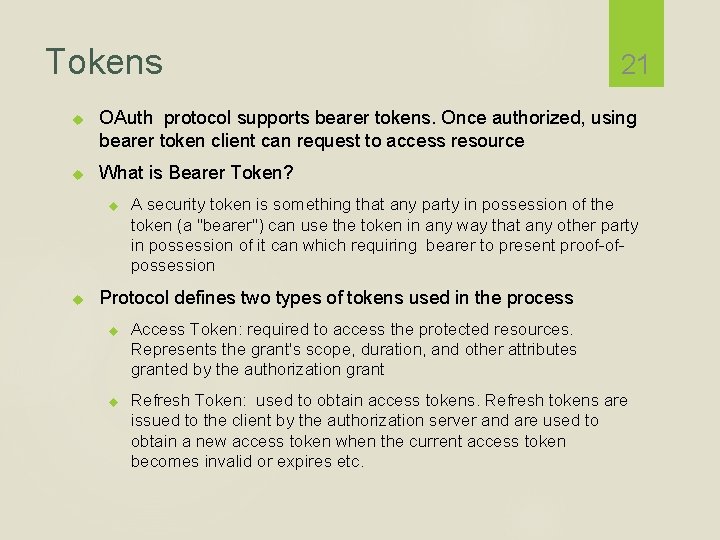
Tokens OAuth protocol supports bearer tokens. Once authorized, using bearer token client can request to access resource What is Bearer Token? 21 A security token is something that any party in possession of the token (a "bearer") can use the token in any way that any other party in possession of it can which requiring bearer to present proof-ofpossession Protocol defines two types of tokens used in the process Access Token: required to access the protected resources. Represents the grant's scope, duration, and other attributes granted by the authorization grant Refresh Token: used to obtain access tokens. Refresh tokens are issued to the client by the authorization server and are used to obtain a new access token when the current access token becomes invalid or expires etc.
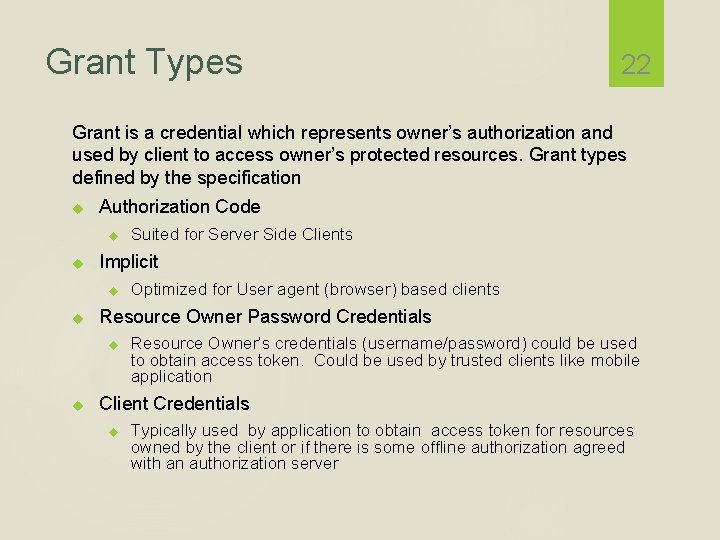
Grant Types 22 Grant is a credential which represents owner’s authorization and used by client to access owner’s protected resources. Grant types defined by the specification Authorization Code Implicit Optimized for User agent (browser) based clients Resource Owner Password Credentials Suited for Server Side Clients Resource Owner’s credentials (username/password) could be used to obtain access token. Could be used by trusted clients like mobile application Client Credentials Typically used by application to obtain access token for resources owned by the client or if there is some offline authorization agreed with an authorization server
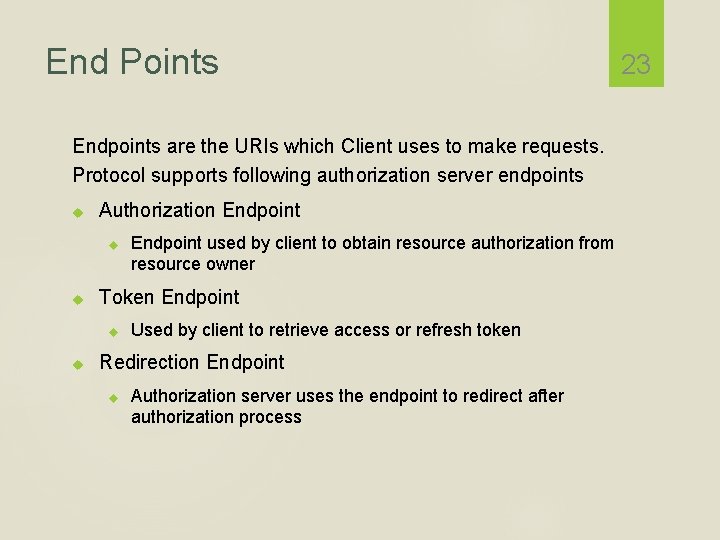
End Points Endpoints are the URIs which Client uses to make requests. Protocol supports following authorization server endpoints Authorization Endpoint Token Endpoint used by client to obtain resource authorization from resource owner Used by client to retrieve access or refresh token Redirection Endpoint Authorization server uses the endpoint to redirect after authorization process 23
Authorization Flows OAuth defines four authorization flows Server Side Web Application Flow User Agent (Browser) Application Flow Resource Owner Password Flow Client Credentials Flow 24
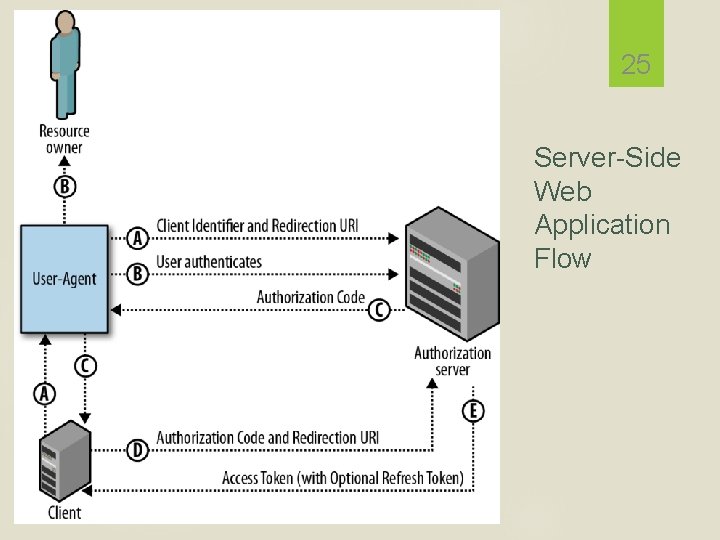
25 Server-Side Web Application Flow
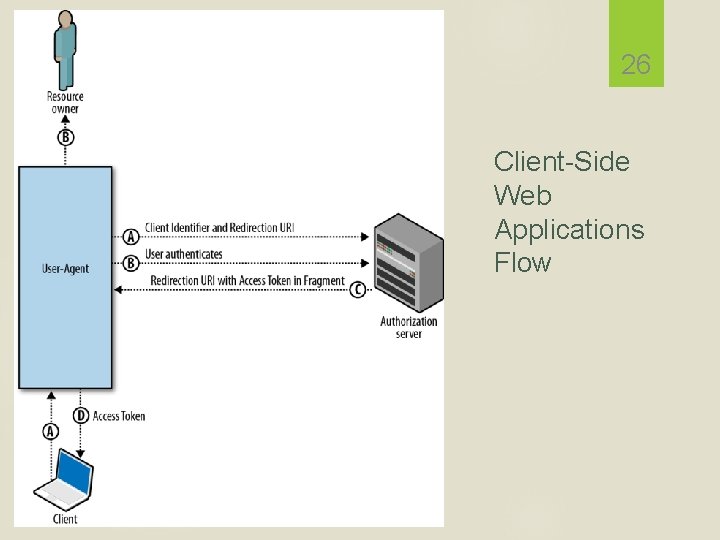
26 Client-Side Web Applications Flow
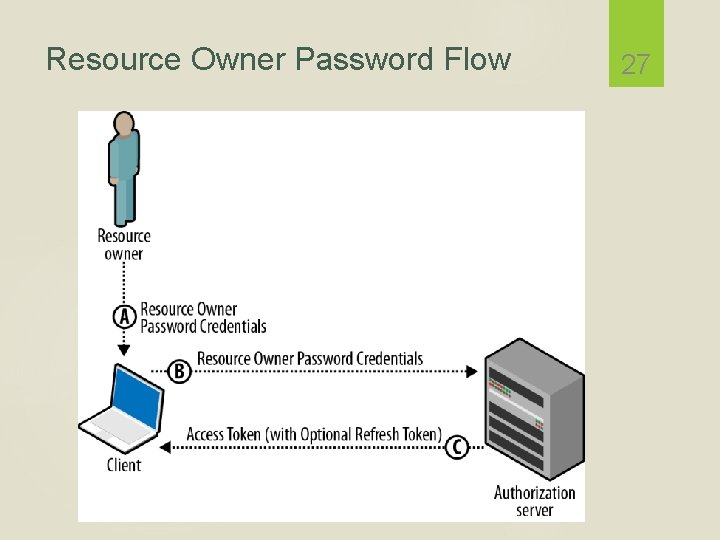
Resource Owner Password Flow 27
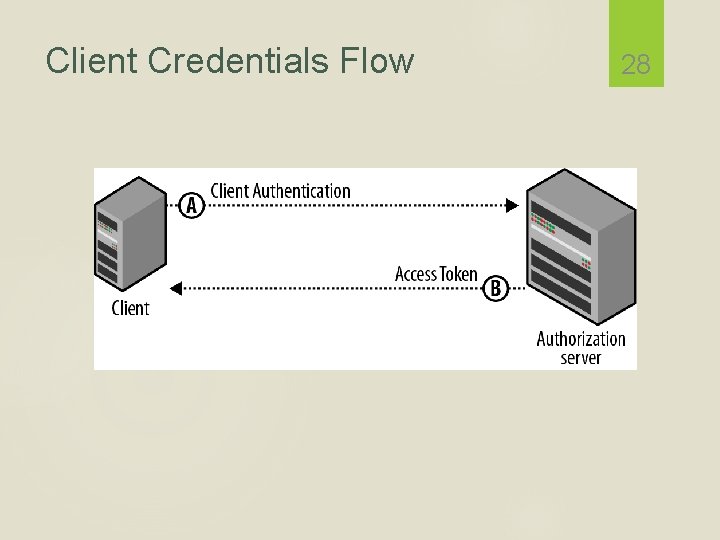
Client Credentials Flow 28
Passport is authentication middleware for Node. It is designed to serve a singular purpose: authenticate requests. Single sign-on using an OAuth provider such as Facebook or Twitter has become a popular authentication method. Services that expose an API often require token-based credentials to protect access. npm install passport 29
Facebook as a Passport Provider An app at Facebook Developers must first be created. When created, an app is assigned an App ID and App Secret. Your application must also implement a redirect URL, to which Facebook will redirect users after they have approved access for your application. 30
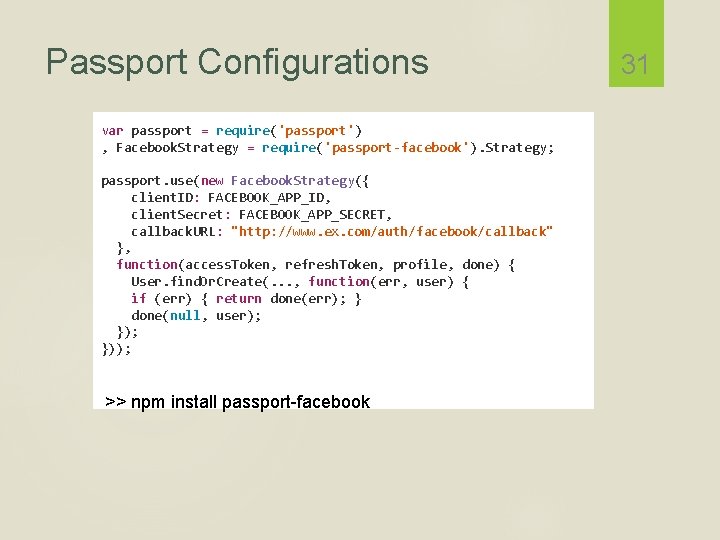
Passport Configurations var passport = require('passport') , Facebook. Strategy = require('passport-facebook'). Strategy; passport. use(new Facebook. Strategy({ client. ID: FACEBOOK_APP_ID, client. Secret: FACEBOOK_APP_SECRET, callback. URL: "http: //www. ex. com/auth/facebook/callback" }, function(access. Token, refresh. Token, profile, done) { User. find. Or. Create(. . . , function(err, user) { if (err) { return done(err); } done(null, user); })); >> npm install passport-facebook 31
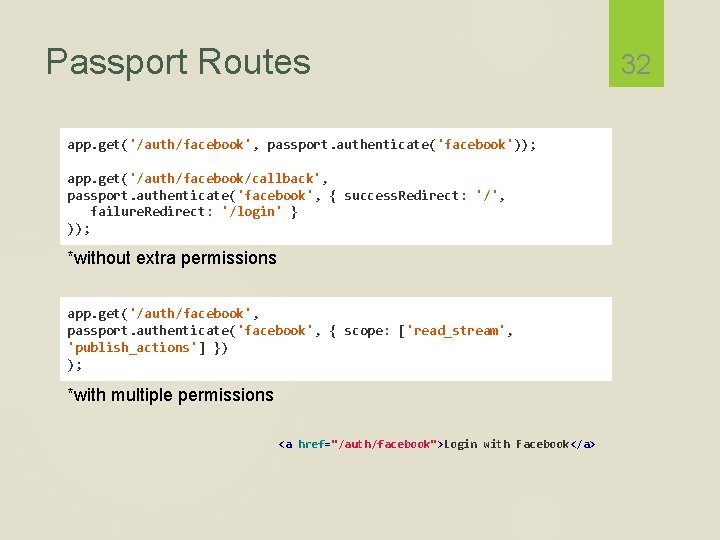
Passport Routes app. get('/auth/facebook', passport. authenticate('facebook')); app. get('/auth/facebook/callback', passport. authenticate('facebook', { success. Redirect: '/', failure. Redirect: '/login' } )); *without extra permissions app. get('/auth/facebook', passport. authenticate('facebook', { scope: ['read_stream', 'publish_actions'] }) ); *with multiple permissions <a href="/auth/facebook">Login with Facebook</a> 32
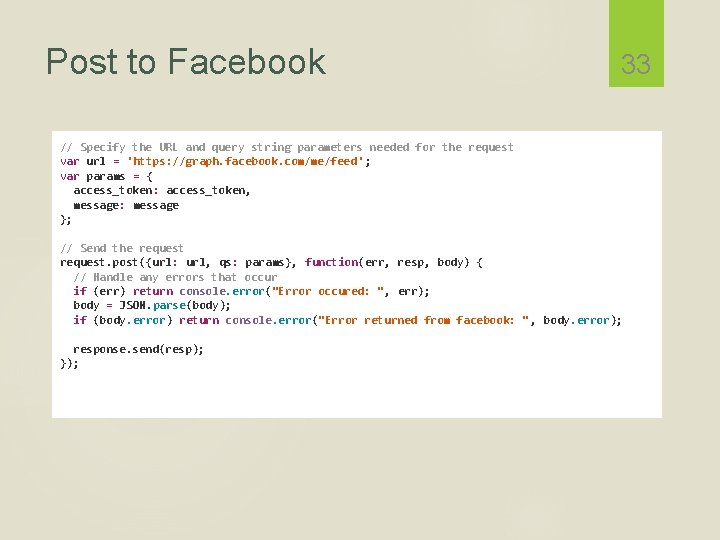
Post to Facebook 33 // Specify the URL and query string parameters needed for the request var url = 'https: //graph. facebook. com/me/feed' ; var params = { access_token: access_token, message: message }; // Send the request. post({url: url, qs: params}, function(err, resp, body) { // Handle any errors that occur if (err) return console. error("Error occured: ", err); body = JSON. parse(body); if (body. error) return console. error("Error returned from facebook: ", body. error); response. send(resp); });
References "Web Security Programming", Xiaohua Jia "OAuth 2. 0", Amit Harsola "OAUTH 2. 0", Yasmine M. Gaber "Passport: Facebook Providers", http: //passportjs. org/guide/facebook/ "Post on Facebook", http: //runnable. com/UTl. PM 1 -f 2 W 1 TAABY/poston-facebook 34
- Slides: 34