
08 Variables Mark Dixon 1 Questions Conditional Execution
08 – Variables Mark Dixon 1
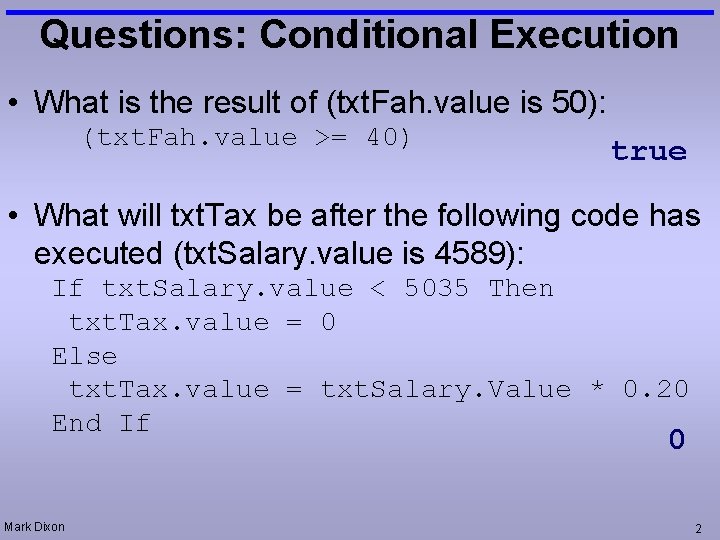
Questions: Conditional Execution • What is the result of (txt. Fah. value is 50): (txt. Fah. value >= 40) true • What will txt. Tax be after the following code has executed (txt. Salary. value is 4589): If txt. Salary. value < 5035 Then txt. Tax. value = 0 Else txt. Tax. value = txt. Salary. Value * 0. 20 End If 0 Mark Dixon 2
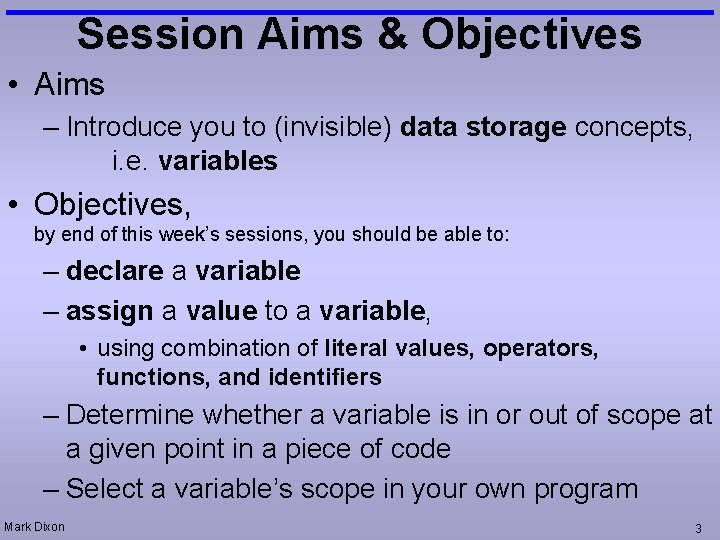
Session Aims & Objectives • Aims – Introduce you to (invisible) data storage concepts, i. e. variables • Objectives, by end of this week’s sessions, you should be able to: – declare a variable – assign a value to a variable, • using combination of literal values, operators, functions, and identifiers – Determine whether a variable is in or out of scope at a given point in a piece of code – Select a variable’s scope in your own program Mark Dixon 3
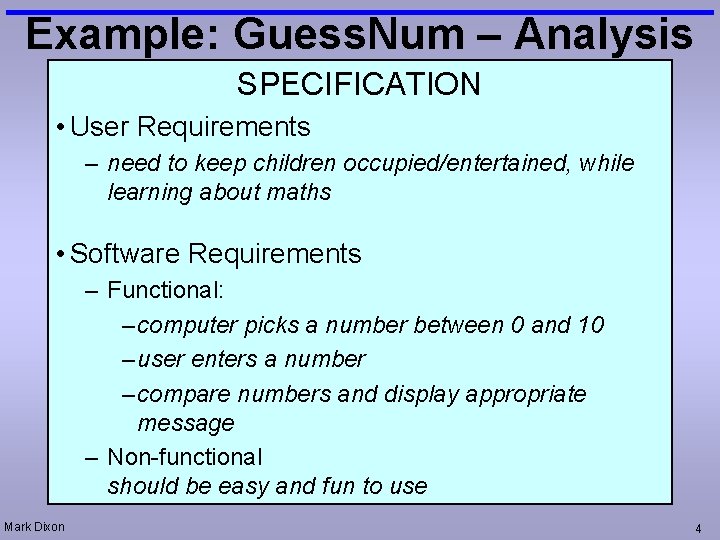
Example: Guess. Num – Analysis SPECIFICATION • User Requirements – need to keep children occupied/entertained, while learning about maths • Software Requirements – Functional: – computer picks a number between 0 and 10 – user enters a number – compare numbers and display appropriate message – Non-functional should be easy and fun to use Mark Dixon 4
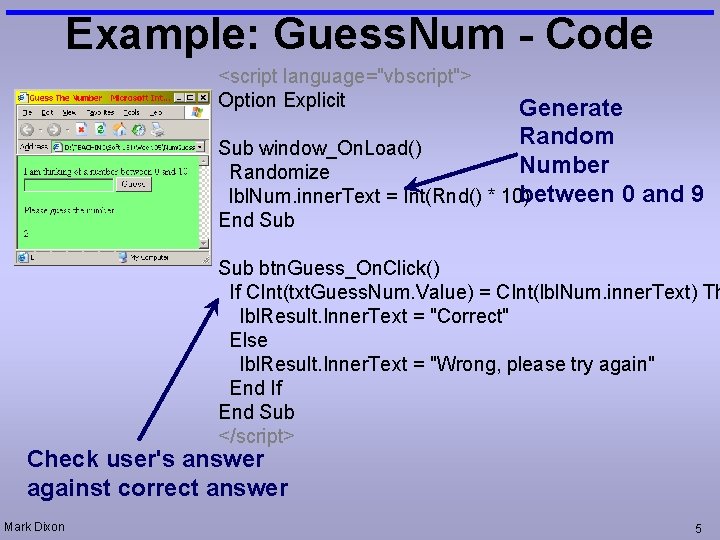
Example: Guess. Num - Code <script language="vbscript"> Option Explicit Generate Random Sub window_On. Load() Number Randomize between 0 and 9 lbl. Num. inner. Text = Int(Rnd() * 10) End Sub btn. Guess_On. Click() If CInt(txt. Guess. Num. Value) = CInt(lbl. Num. inner. Text) Th lbl. Result. Inner. Text = "Correct" Else lbl. Result. Inner. Text = "Wrong, please try again" End If End Sub </script> Check user's answer against correct answer Mark Dixon 5
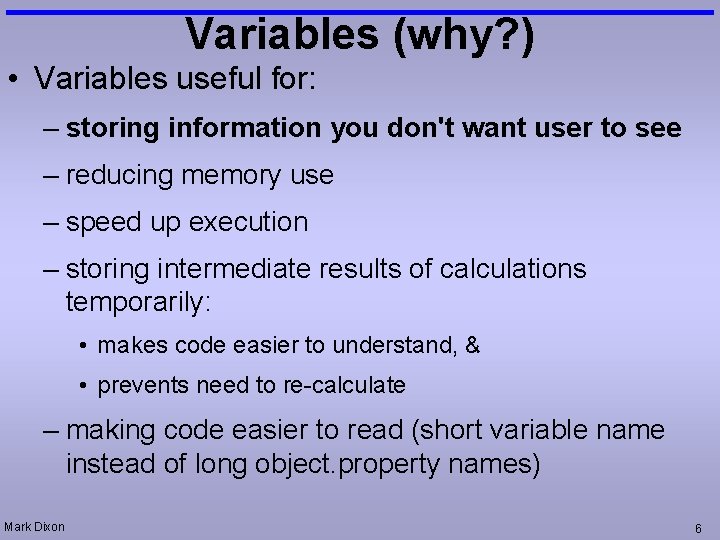
Variables (why? ) • Variables useful for: – storing information you don't want user to see – reducing memory use – speed up execution – storing intermediate results of calculations temporarily: • makes code easier to understand, & • prevents need to re-calculate – making code easier to read (short variable name instead of long object. property names) Mark Dixon 6
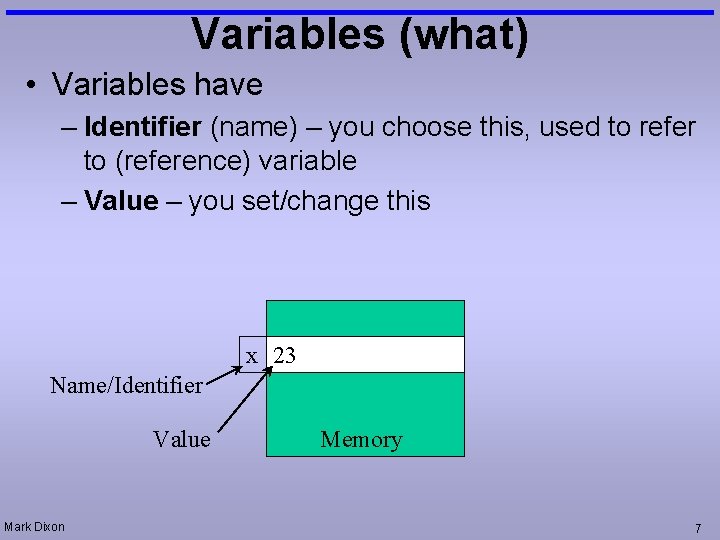
Variables (what) • Variables have – Identifier (name) – you choose this, used to refer to (reference) variable – Value – you set/change this x 23 Name/Identifier Value Mark Dixon Memory 7
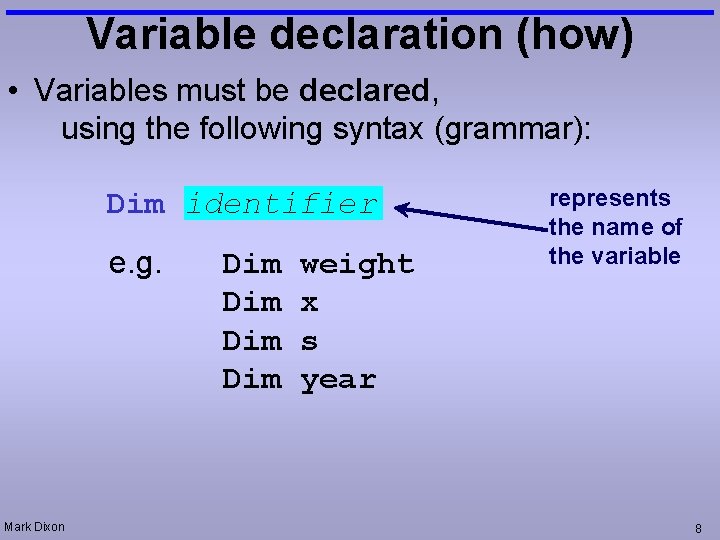
Variable declaration (how) • Variables must be declared, using the following syntax (grammar): Dim identifier e. g. Mark Dixon Dim Dim weight x s year represents the name of the variable 8
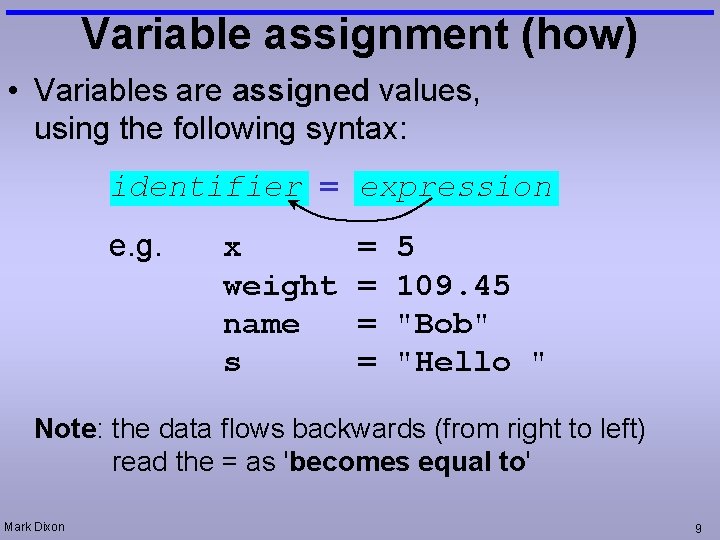
Variable assignment (how) • Variables are assigned values, using the following syntax: identifier = expression e. g. x weight name s = = 5 109. 45 "Bob" "Hello " Note: the data flows backwards (from right to left) read the = as 'becomes equal to' Mark Dixon 9
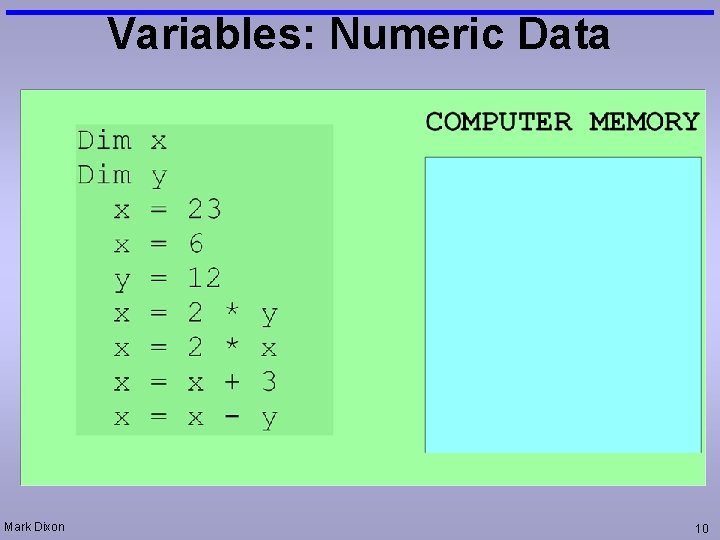
Variables: Numeric Data Mark Dixon 10
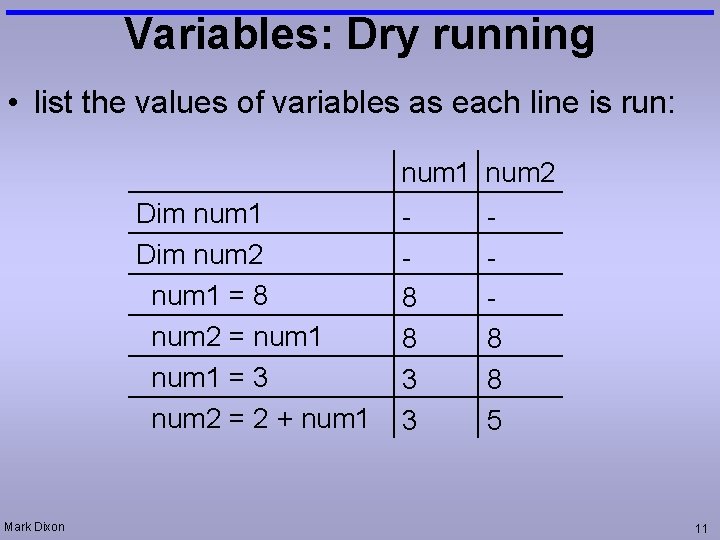
Variables: Dry running • list the values of variables as each line is run: num 1 num 2 Dim num 1 Dim num 2 num 1 = 8 num 2 = num 1 = 3 num 2 = 2 + num 1 Mark Dixon 8 8 3 3 8 8 5 11
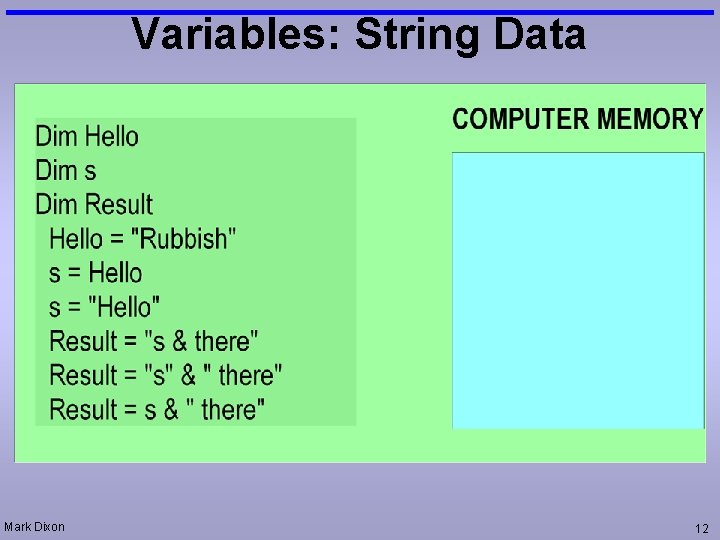
Variables: String Data Mark Dixon 12
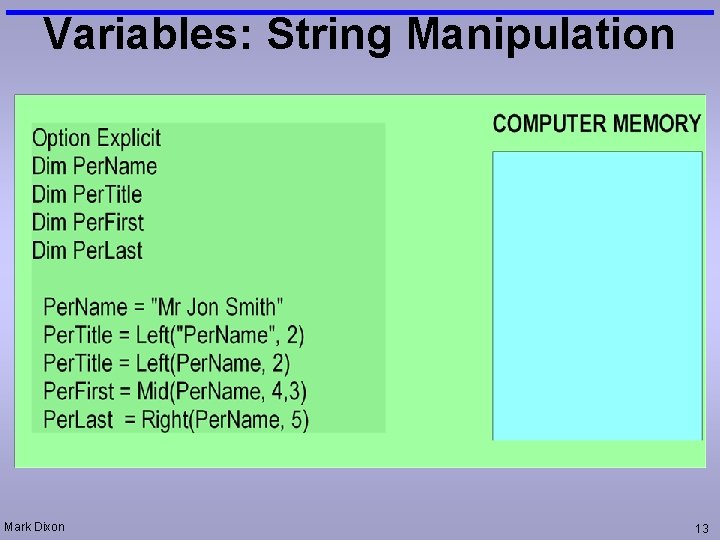
Variables: String Manipulation Mark Dixon 13

Questions: Dry running • Produce a dry run table for the following code: Dim d Dim f f=3 d=f+2 d=d+4 Mark Dixon d f 5 9 3 3 3 14
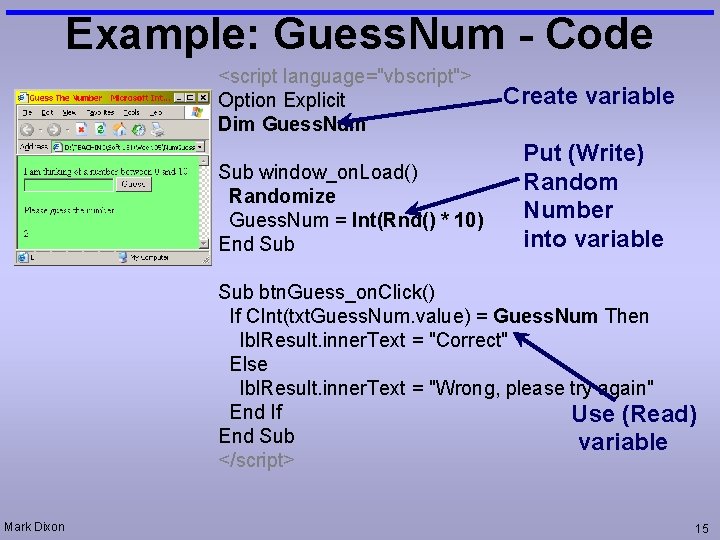
Example: Guess. Num - Code <script language="vbscript"> Option Explicit Dim Guess. Num Sub window_on. Load() Randomize Guess. Num = Int(Rnd() * 10) End Sub Create variable Put (Write) Random Number into variable Sub btn. Guess_on. Click() If CInt(txt. Guess. Num. value) = Guess. Num Then lbl. Result. inner. Text = "Correct" Else lbl. Result. inner. Text = "Wrong, please try again" End If Use (Read) End Sub variable </script> Mark Dixon 15
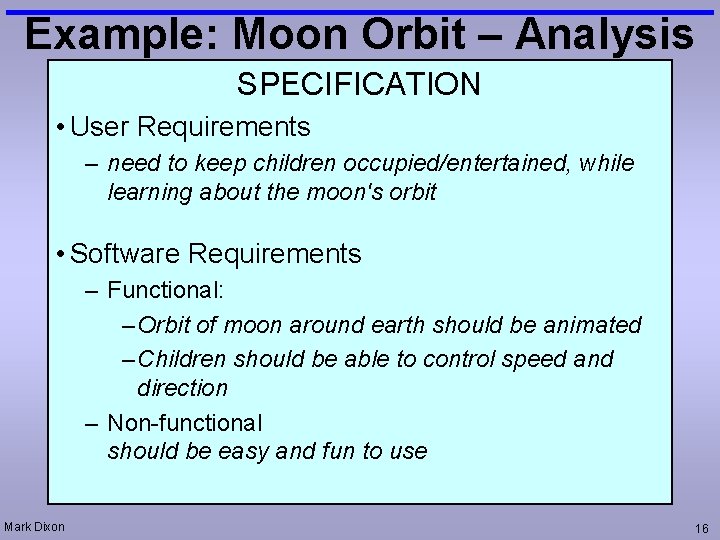
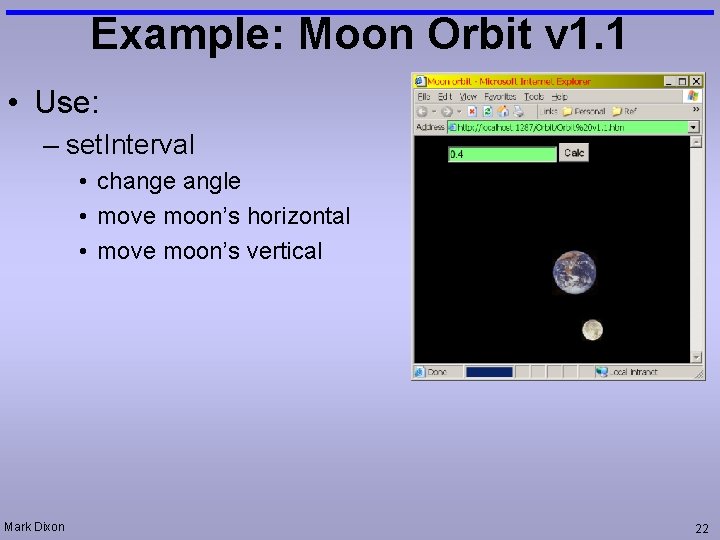
Example: Moon Orbit – Analysis SPECIFICATION • User Requirements – need to keep children occupied/entertained, while learning about the moon's orbit • Software Requirements – Functional: – Orbit of moon around earth should be animated – Children should be able to control speed and direction – Non-functional should be easy and fun to use Mark Dixon 16
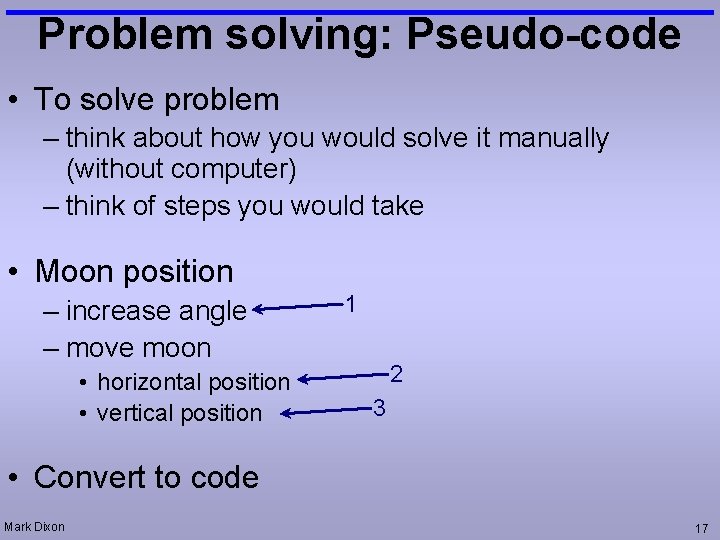
Problem solving: Pseudo-code • To solve problem – think about how you would solve it manually (without computer) – think of steps you would take • Moon position – increase angle – move moon • horizontal position • vertical position 1 2 3 • Convert to code Mark Dixon 17
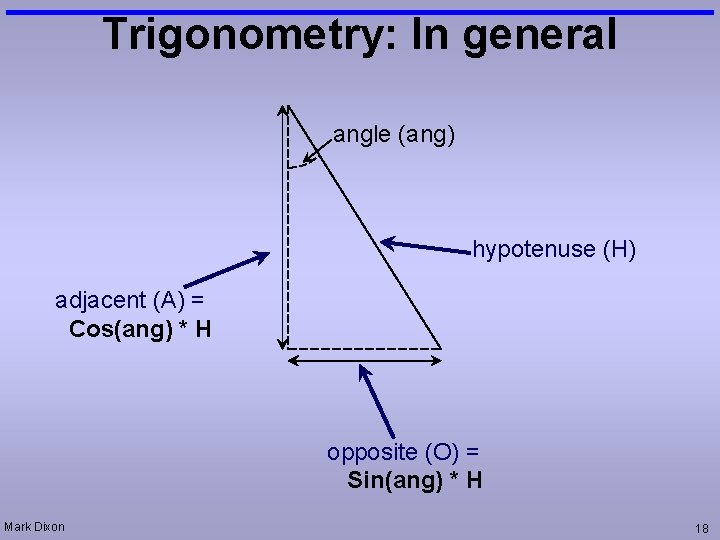
Trigonometry: In general angle (ang) hypotenuse (H) adjacent (A) = Cos(ang) * H opposite (O) = Sin(ang) * H Mark Dixon 18
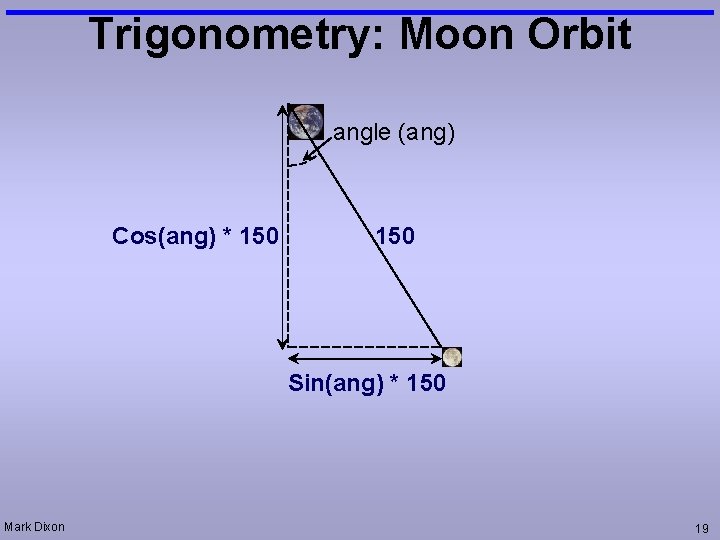
Trigonometry: Moon Orbit angle (ang) Cos(ang) * 150 Sin(ang) * 150 Mark Dixon 19
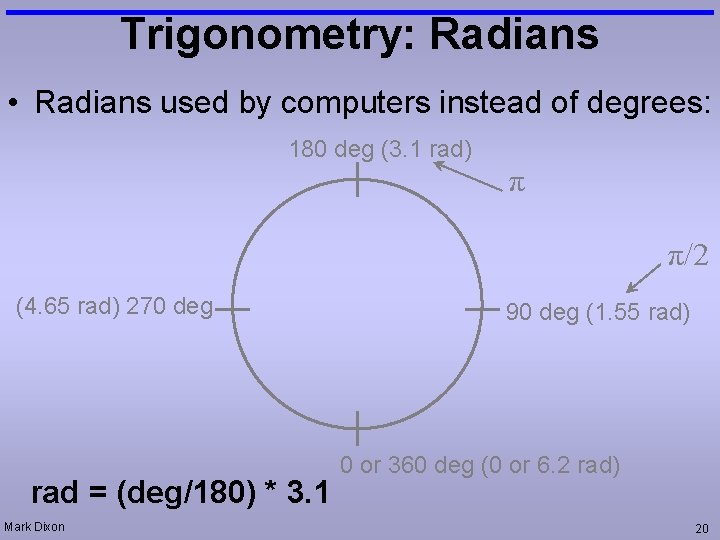
Trigonometry: Radians • Radians used by computers instead of degrees: 180 deg (3. 1 rad) π π/2 (4. 65 rad) 270 deg rad = (deg/180) * 3. 1 Mark Dixon 90 deg (1. 55 rad) 0 or 360 deg (0 or 6. 2 rad) 20
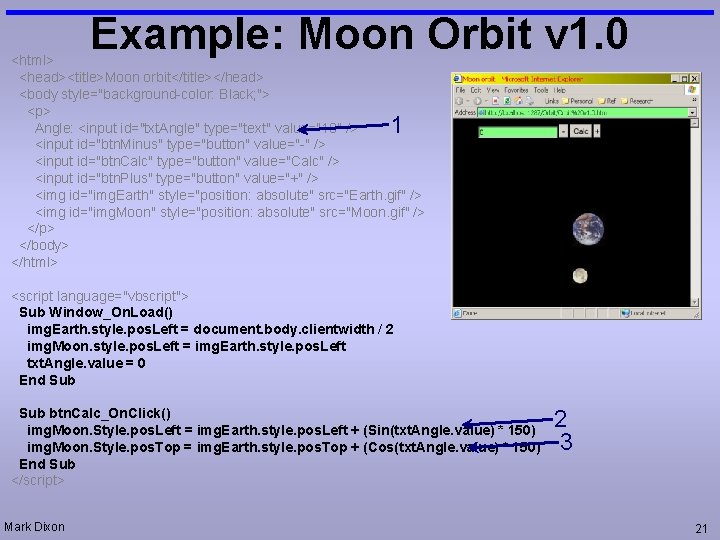
Example: Moon Orbit v 1. 0 <html> <head><title>Moon orbit</title></head> <body style="background-color: Black; "> <p> Angle: <input id="txt. Angle" type="text" value="10" /> <input id="btn. Minus" type="button" value="-" /> <input id="btn. Calc" type="button" value="Calc" /> <input id="btn. Plus" type="button" value="+" /> <img id="img. Earth" style="position: absolute" src="Earth. gif" /> <img id="img. Moon" style="position: absolute" src="Moon. gif" /> </p> </body> </html> 1 <script language="vbscript"> Sub Window_On. Load() img. Earth. style. pos. Left = document. body. clientwidth / 2 img. Moon. style. pos. Left = img. Earth. style. pos. Left txt. Angle. value = 0 End Sub btn. Calc_On. Click() img. Moon. Style. pos. Left = img. Earth. style. pos. Left + (Sin(txt. Angle. value) * 150) img. Moon. Style. pos. Top = img. Earth. style. pos. Top + (Cos(txt. Angle. value) * 150) End Sub </script> Mark Dixon 2 3 21
Example: Moon Orbit v 1. 1 • Use: – set. Interval • change angle • move moon’s horizontal • move moon’s vertical Mark Dixon 22
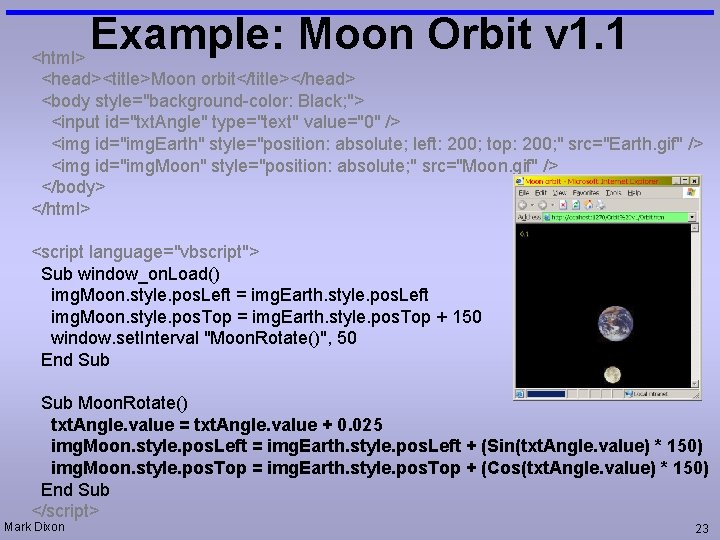
Example: Moon Orbit v 1. 1 <html> <head><title>Moon orbit</title></head> <body style="background-color: Black; "> <input id="txt. Angle" type="text" value="0" /> <img id="img. Earth" style="position: absolute; left: 200; top: 200; " src="Earth. gif" /> <img id="img. Moon" style="position: absolute; " src="Moon. gif" /> </body> </html> <script language="vbscript"> Sub window_on. Load() img. Moon. style. pos. Left = img. Earth. style. pos. Left img. Moon. style. pos. Top = img. Earth. style. pos. Top + 150 window. set. Interval "Moon. Rotate()", 50 End Sub Moon. Rotate() txt. Angle. value = txt. Angle. value + 0. 025 img. Moon. style. pos. Left = img. Earth. style. pos. Left + (Sin(txt. Angle. value) * 150) img. Moon. style. pos. Top = img. Earth. style. pos. Top + (Cos(txt. Angle. value) * 150) End Sub </script> Mark Dixon 23
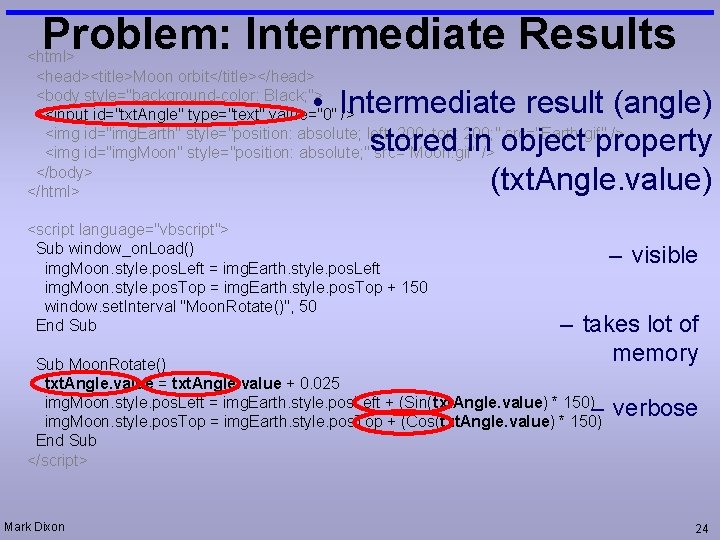
Problem: Intermediate Results <html> <head><title>Moon orbit</title></head> <body style="background-color: Black; "> <input id="txt. Angle" type="text" value="0" /> <img id="img. Earth" style="position: absolute; left: 200; top: 200; " src="Earth. gif" /> <img id="img. Moon" style="position: absolute; " src="Moon. gif" /> </body> </html> • Intermediate result (angle) stored in object property (txt. Angle. value) <script language="vbscript"> Sub window_on. Load() img. Moon. style. pos. Left = img. Earth. style. pos. Left img. Moon. style. pos. Top = img. Earth. style. pos. Top + 150 window. set. Interval "Moon. Rotate()", 50 End Sub – visible – takes lot of memory Sub Moon. Rotate() txt. Angle. value = txt. Angle. value + 0. 025 img. Moon. style. pos. Left = img. Earth. style. pos. Left + (Sin(txt. Angle. value) * 150)– img. Moon. style. pos. Top = img. Earth. style. pos. Top + (Cos(txt. Angle. value) * 150) End Sub </script> Mark Dixon verbose 24
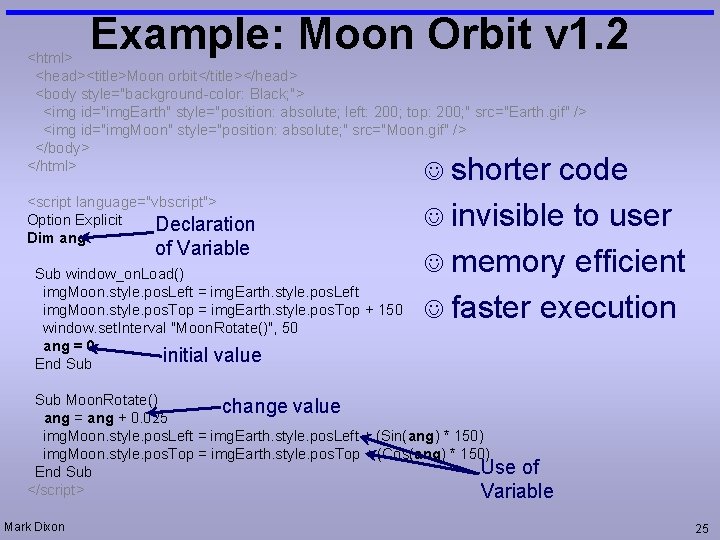
Example: Moon Orbit v 1. 2 <html> <head><title>Moon orbit</title></head> <body style="background-color: Black; "> <img id="img. Earth" style="position: absolute; left: 200; top: 200; " src="Earth. gif" /> <img id="img. Moon" style="position: absolute; " src="Moon. gif" /> </body> </html> J shorter <script language="vbscript"> Option Explicit Declaration Dim ang of Variable Sub window_on. Load() img. Moon. style. pos. Left = img. Earth. style. pos. Left img. Moon. style. pos. Top = img. Earth. style. pos. Top + 150 window. set. Interval "Moon. Rotate()", 50 ang = 0 initial value End Sub code J invisible to user J memory efficient J faster execution Sub Moon. Rotate() change value ang = ang + 0. 025 img. Moon. style. pos. Left = img. Earth. style. pos. Left + (Sin(ang) * 150) img. Moon. style. pos. Top = img. Earth. style. pos. Top + (Cos(ang) * 150) Use of End Sub </script> Variable Mark Dixon 25
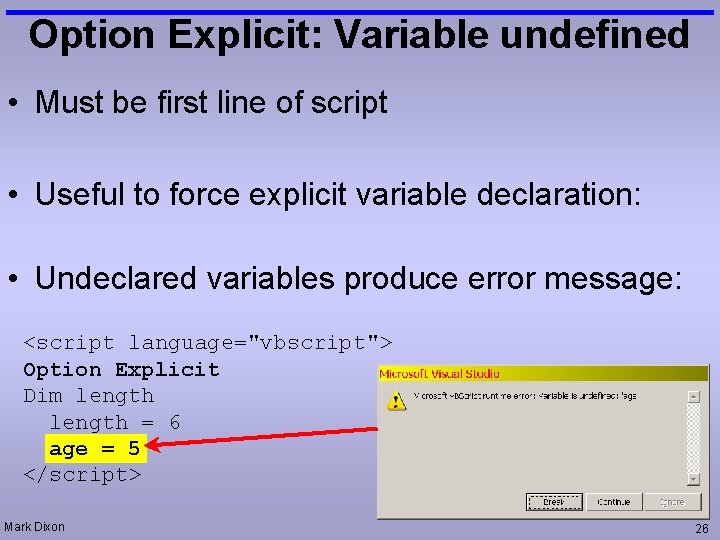
Option Explicit: Variable undefined • Must be first line of script • Useful to force explicit variable declaration: • Undeclared variables produce error message: <script language="vbscript"> Option Explicit Dim length = 6 age = 5 </script> Mark Dixon 26
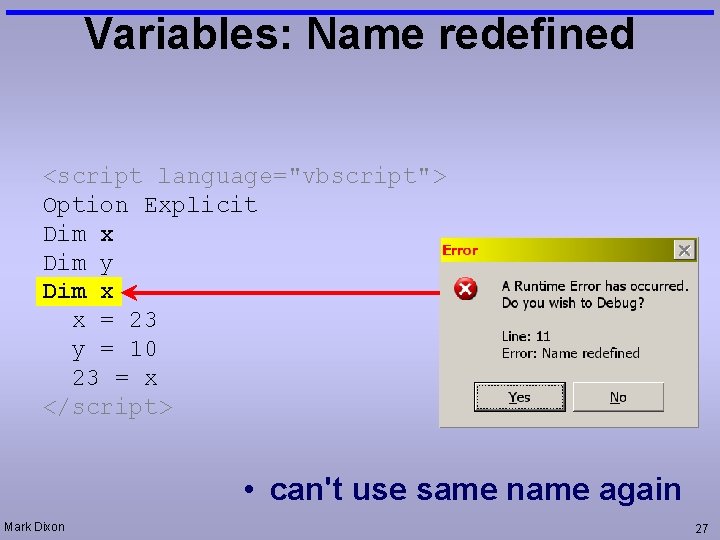
Variables: Name redefined <script language="vbscript"> Option Explicit Dim x Dim y Dim x x = 23 y = 10 23 = x </script> • can't use same name again Mark Dixon 27
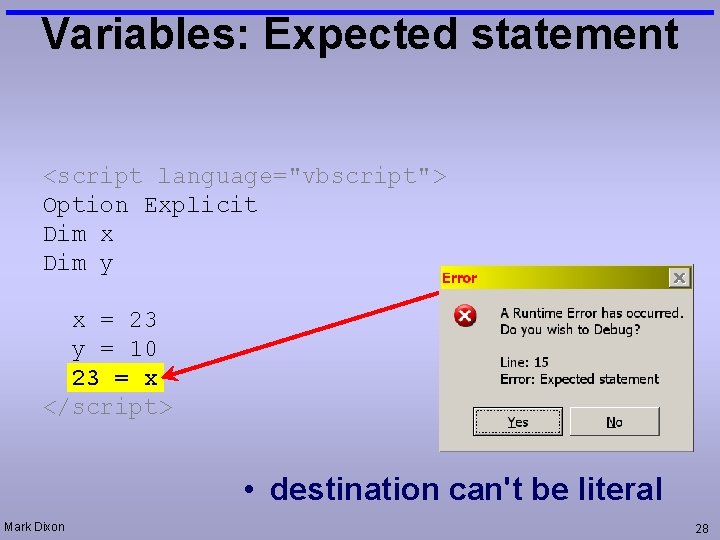
Variables: Expected statement <script language="vbscript"> Option Explicit Dim x Dim y x = 23 y = 10 23 = x </script> • destination can't be literal Mark Dixon 28
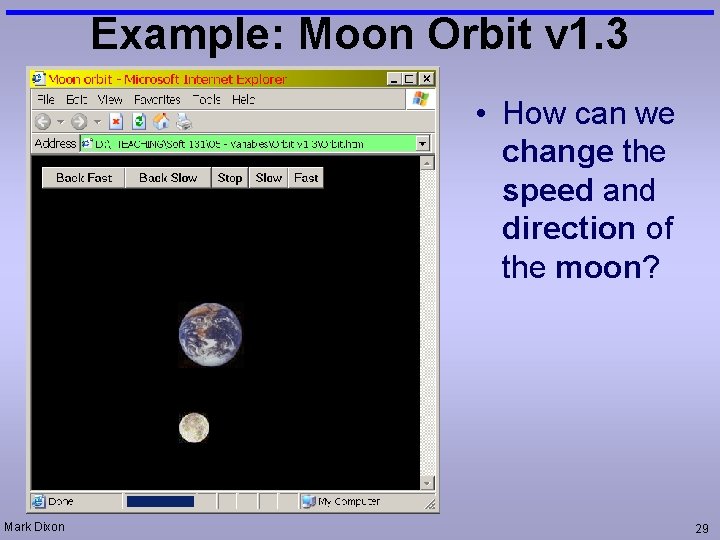
Example: Moon Orbit v 1. 3 • How can we change the speed and direction of the moon? Mark Dixon 29
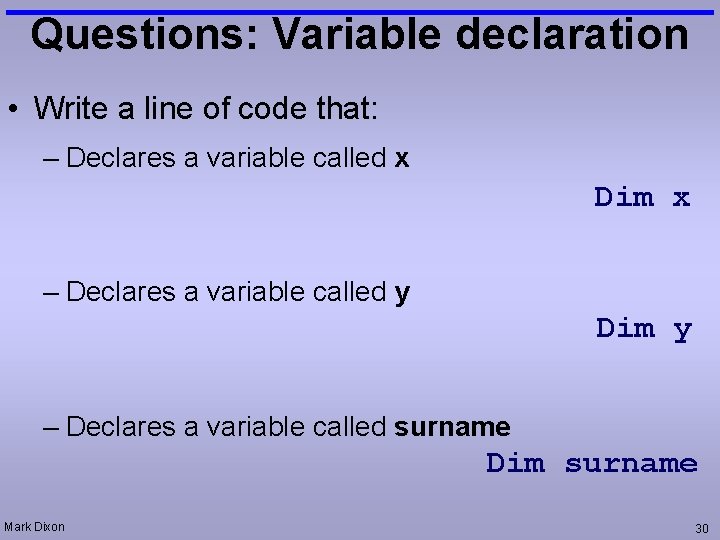
Questions: Variable declaration • Write a line of code that: – Declares a variable called x Dim x – Declares a variable called y Dim y – Declares a variable called surname Dim surname Mark Dixon 30
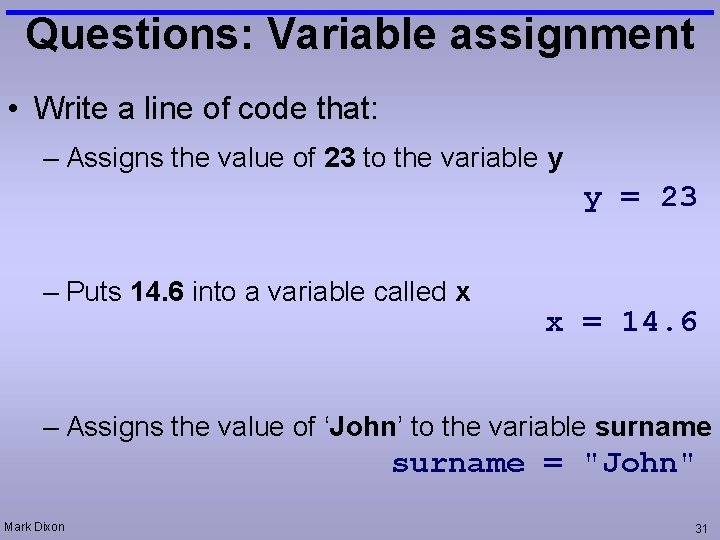
Questions: Variable assignment • Write a line of code that: – Assigns the value of 23 to the variable y y = 23 – Puts 14. 6 into a variable called x x = 14. 6 – Assigns the value of ‘John’ to the variable surname = "John" Mark Dixon 31
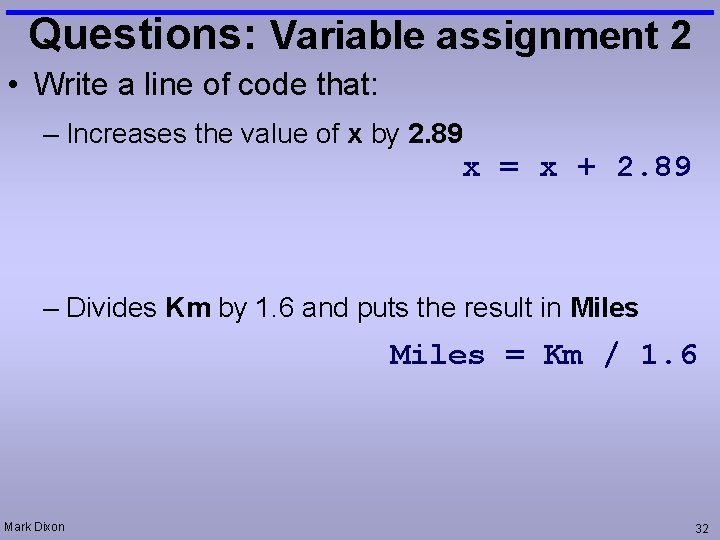
Questions: Variable assignment 2 • Write a line of code that: – Increases the value of x by 2. 89 x = x + 2. 89 – Divides Km by 1. 6 and puts the result in Miles = Km / 1. 6 Mark Dixon 32
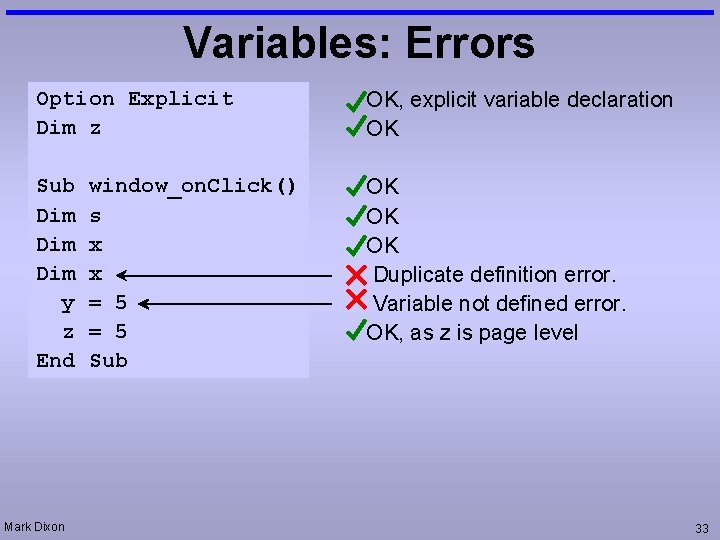
Variables: Errors Option Explicit Dim z OK, explicit variable declaration OK Sub Dim Dim y z End OK OK OK Duplicate definition error. Variable not defined error. OK, as z is page level Mark Dixon window_on. Click() s x x = 5 Sub 33
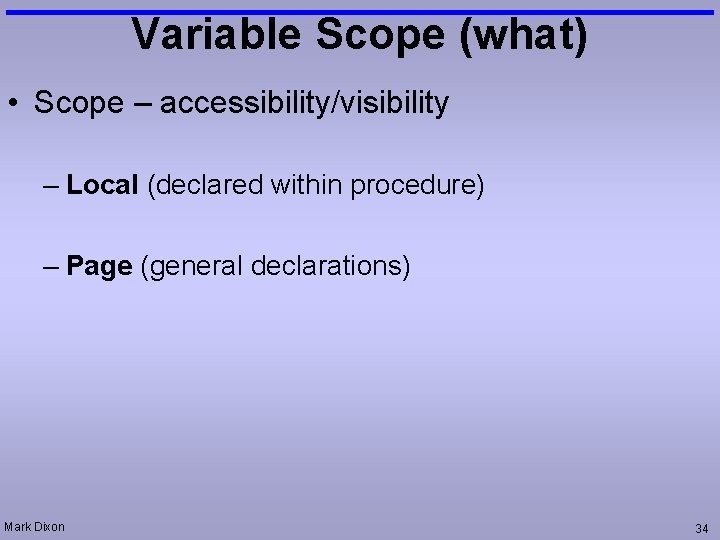
Variable Scope (what) • Scope – accessibility/visibility – Local (declared within procedure) – Page (general declarations) Mark Dixon 34
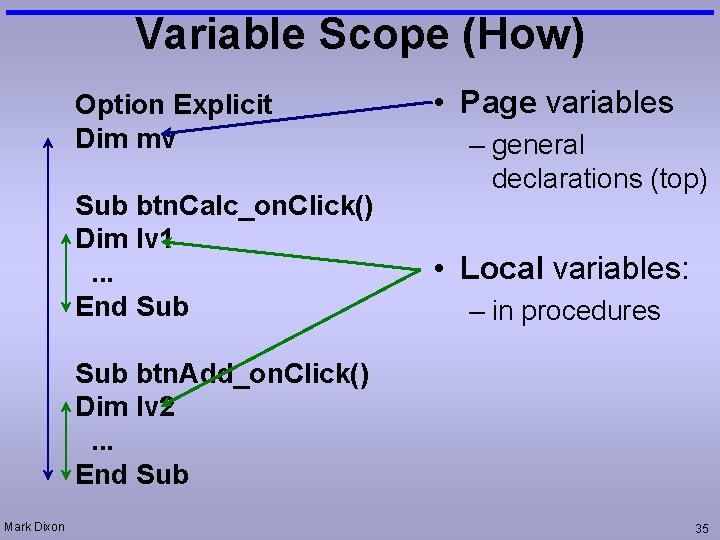
Variable Scope (How) Option Explicit Dim mv Sub btn. Calc_on. Click() Dim lv 1. . . End Sub • Page variables – general declarations (top) • Local variables: – in procedures Sub btn. Add_on. Click() Dim lv 2. . . End Sub Mark Dixon 35
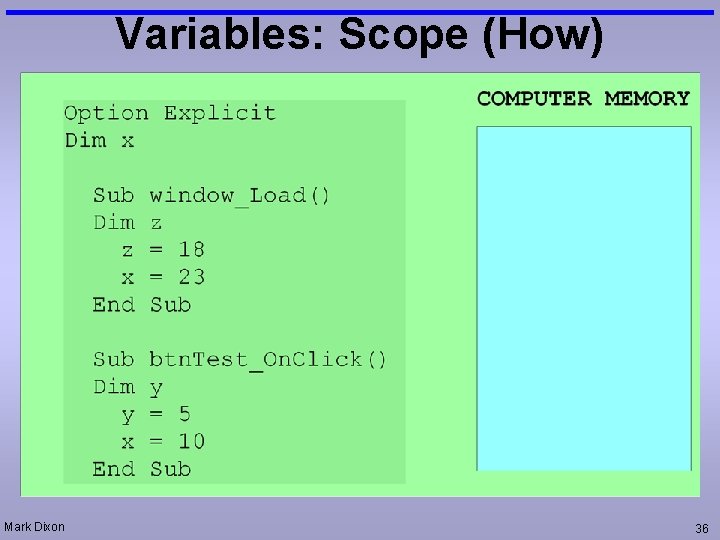
Variables: Scope (How) Mark Dixon 36
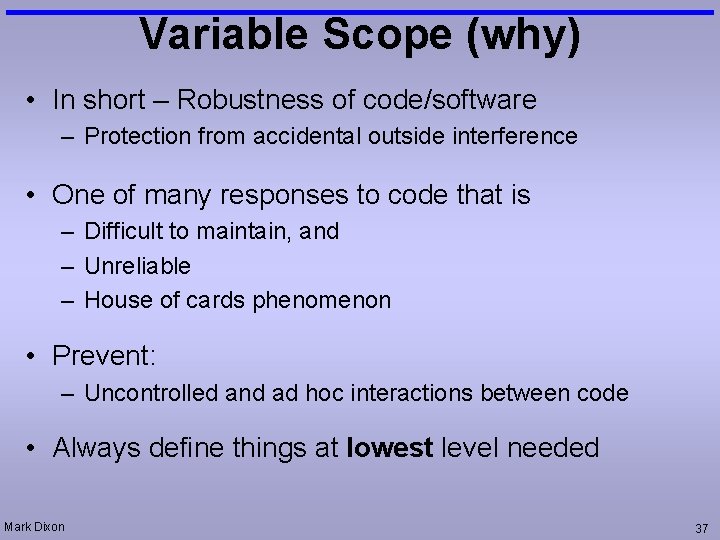
Variable Scope (why) • In short – Robustness of code/software – Protection from accidental outside interference • One of many responses to code that is – Difficult to maintain, and – Unreliable – House of cards phenomenon • Prevent: – Uncontrolled and ad hoc interactions between code • Always define things at lowest level needed Mark Dixon 37
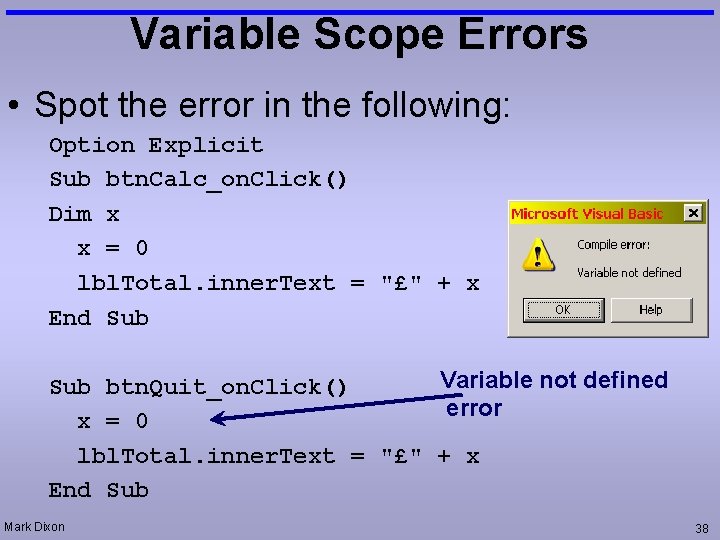
Variable Scope Errors • Spot the error in the following: Option Explicit Sub btn. Calc_on. Click() Dim x x = 0 lbl. Total. inner. Text = "£" + x End Sub Variable not defined Sub btn. Quit_on. Click() error x = 0 lbl. Total. inner. Text = "£" + x End Sub Mark Dixon 38
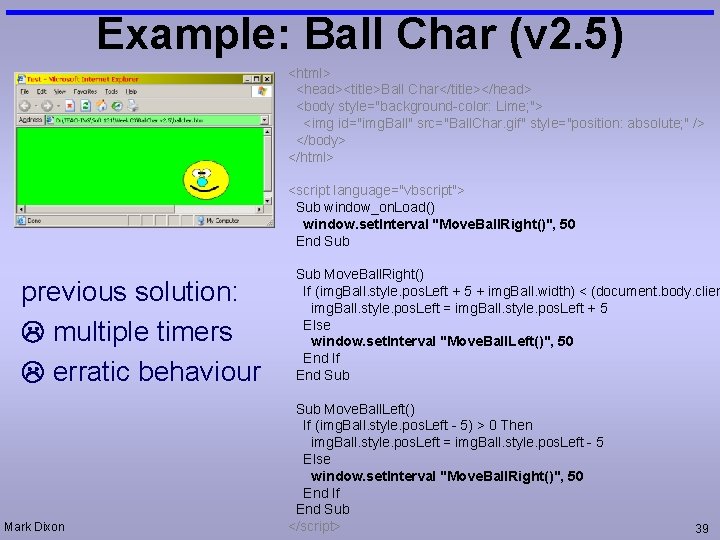
Example: Ball Char (v 2. 5) <html> <head><title>Ball Char</title></head> <body style="background-color: Lime; "> <img id="img. Ball" src="Ball. Char. gif" style="position: absolute; " /> </body> </html> <script language="vbscript"> Sub window_on. Load() window. set. Interval "Move. Ball. Right()", 50 End Sub previous solution: multiple timers erratic behaviour Mark Dixon Sub Move. Ball. Right() If (img. Ball. style. pos. Left + 5 + img. Ball. width) < (document. body. clien img. Ball. style. pos. Left = img. Ball. style. pos. Left + 5 Else window. set. Interval "Move. Ball. Left()", 50 End If End Sub Move. Ball. Left() If (img. Ball. style. pos. Left - 5) > 0 Then img. Ball. style. pos. Left = img. Ball. style. pos. Left - 5 Else window. set. Interval "Move. Ball. Right()", 50 End If End Sub </script> 39
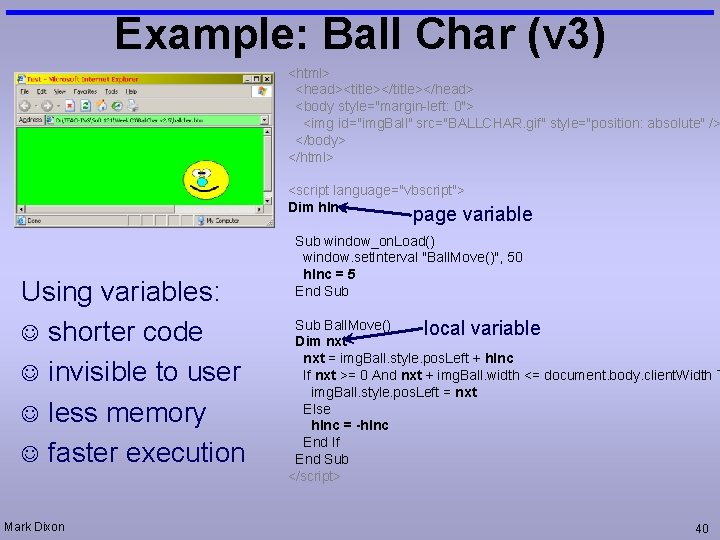
Example: Ball Char (v 3) <html> <head><title></head> <body style="margin-left: 0"> <img id="img. Ball" src="BALLCHAR. gif" style="position: absolute" /> </body> </html> <script language="vbscript"> Dim h. Inc page variable Using variables: J shorter code J invisible to user J less memory J faster execution Mark Dixon Sub window_on. Load() window. set. Interval "Ball. Move()", 50 h. Inc = 5 End Sub Ball. Move() local variable Dim nxt = img. Ball. style. pos. Left + h. Inc If nxt >= 0 And nxt + img. Ball. width <= document. body. client. Width T img. Ball. style. pos. Left = nxt Else h. Inc = -h. Inc End If End Sub </script> 40
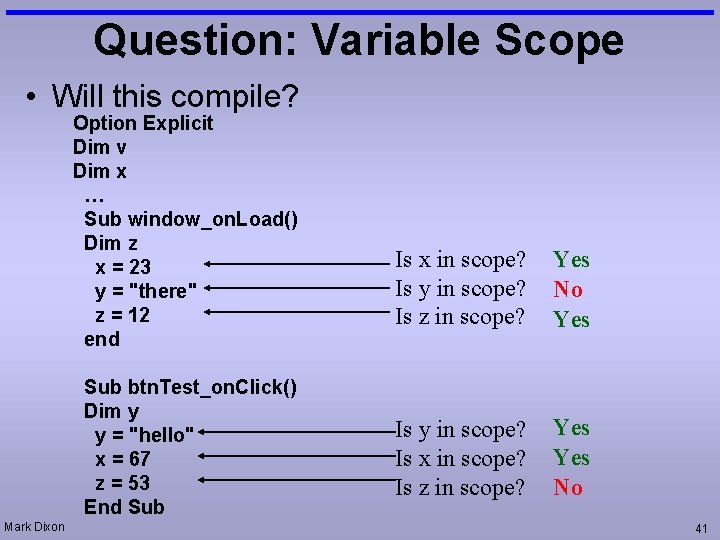
Question: Variable Scope • Will this compile? Option Explicit Dim v Dim x … Sub window_on. Load() Dim z x = 23 y = "there" z = 12 end Sub btn. Test_on. Click() Dim y y = "hello" x = 67 z = 53 End Sub Mark Dixon Is x in scope? Is y in scope? Is z in scope? Yes No Yes Is y in scope? Is x in scope? Is z in scope? Yes No 41
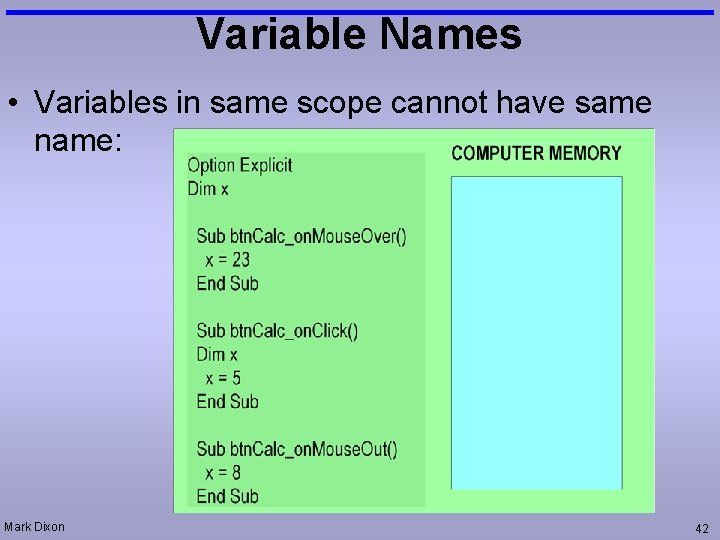
Variable Names • Variables in same scope cannot have same name: Mark Dixon 42
Tutorial Exercises: Guess Num • LEARNING OBJECTIVE: use variables to simplify and make code more dynamic • Task 1: Get Guess. Num example working. You will need to create the html for the text box, button, and labels. • Task 2: Modify Guess. Num to tell the user whether their incorrect guess was higher of lower than the correct number. • Task 3: Modify Guess. Num to only allow 5 attempts before picking a new number. Mark Dixon 43
Tutorial Exercises: Moon Orbit • LEARNING OBJECTIVE: use variables to simplify and make code more dynamic • Task 1: Get Moon Orbit examples working (v 1 to v 1. 2). The code is provided on the slides. • Task 2: Modify your page to allow the user to stop speed up and change the moon's direction (v 1. 3). Use the existing code as inspiration. • Task 3: Modify your page so that it makes a water noise when the mouse moves over the Earth, and the ohh noise over the moon. Use code from previous lectures as inspiration. • Task 4: Modify your page so that the diameter and mass of the Moon are displayed when the mouse moves over it. Do the same for the Earth. Go on-line to find the diameter and mass information. Mark Dixon 44
Tutorial Exercises: Ball Char • LEARNING OBJECTIVE: use variables to simplify and make code more dynamic • Task 1: Get the Ball Char (v 3) example working. • Task 2: Add sound to the Ball Char (v 3) example. • Task 3: Get the Ball Char moving diagonally, bouncing off all four sides of the window. • Task 4: Modify your page so that it allows the user to control how fast the ball character moves. Mark Dixon 45
- Slides: 45