
05 Method Calling Outline What is a Method
![Method Calling - Example public class Java. Main { public static void main(String[] args)](https://slidetodoc.com/presentation_image_h2/54b9c8d5c8cc4576fb208a1e3fa457f7/image-7.jpg "Method Calling - Example public class Java. Main { public static void main(String[] args)")
- Slides: 12
05 Method Calling
Outline • • • What is a Method? Declaring a Method Calling Method Call Stack Parameter Passing Pass by Value 2
Objectives • Define a method • Demonstrate how to properly declare a method. • Demonstrate how methods call each other • Demonstrate how methods are executed in call stack • Demonstrate parameter passing • Understand that Java passes arguments by value. 3
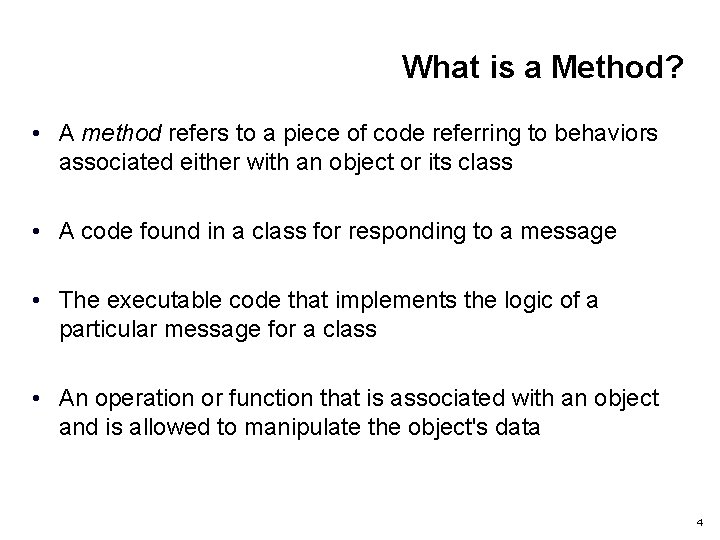
What is a Method? • A method refers to a piece of code referring to behaviors associated either with an object or its class • A code found in a class for responding to a message • The executable code that implements the logic of a particular message for a class • An operation or function that is associated with an object and is allowed to manipulate the object's data 4
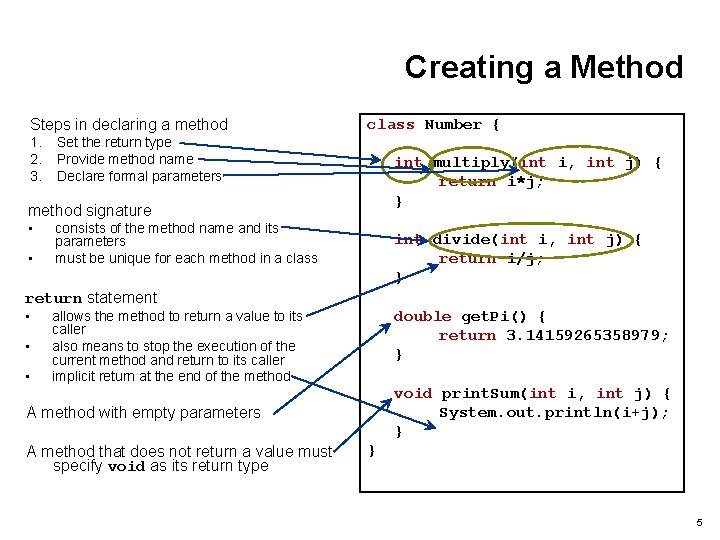
Creating a Method Steps in declaring a method 1. 2. 3. class Number { Set the return type Provide method name Declare formal parameters int multiply(int i, int j) { return i*j; } method signature • • consists of the method name and its parameters must be unique for each method in a class int divide(int i, int j) { return i/j; } return statement • • • double get. Pi() { return 3. 14159265358979; } allows the method to return a value to its caller also means to stop the execution of the current method and return to its caller implicit return at the end of the method void print. Sum(int i, int j) { System. out. println(i+j); } A method with empty parameters A method that does not return a value must specify void as its return type } 5
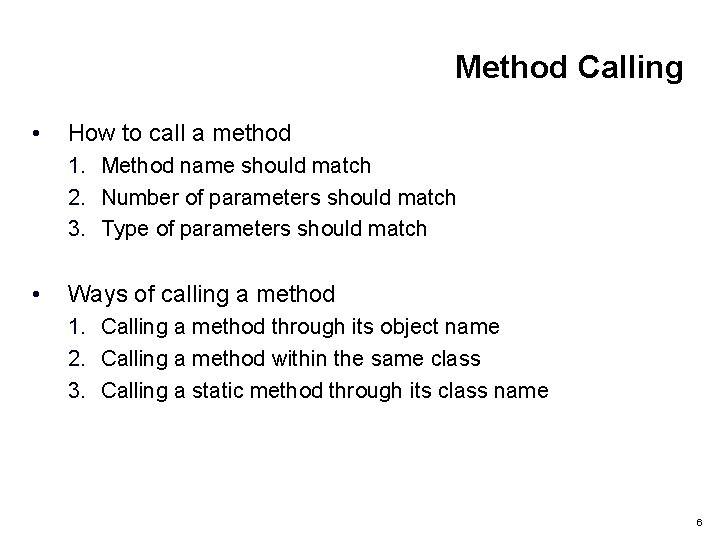
Method Calling • How to call a method 1. Method name should match 2. Number of parameters should match 3. Type of parameters should match • Ways of calling a method 1. Calling a method through its object name 2. Calling a method within the same class 3. Calling a static method through its class name 6
Method Calling - Example public class Java. Main { public static void main(String[] args) { // create a Person object Person you = new Person(); you. talk(); you. jump(3); System. out. println(you. tell. Age ()); Java. Main. talk. Only(you); // create object of main program Java. Main me = new Java. Main(); me. jump. Only(you); } class Person { void talk() { System. out. println("blah, blah. . . "); } void jump(int times) { for (int i=0; i<times; i++) { System. out. println("whoop!"); } } String tell. Age() { return "I'm " + get. Age(); } static void talk. Only(Person p) { p. talk(); } void jump. Only(Person p) { p. jump(2); } } } int get. Age() { return 10; } blah, blah. . . whoop! I'm 10 blah, blah. . . whoop! 7
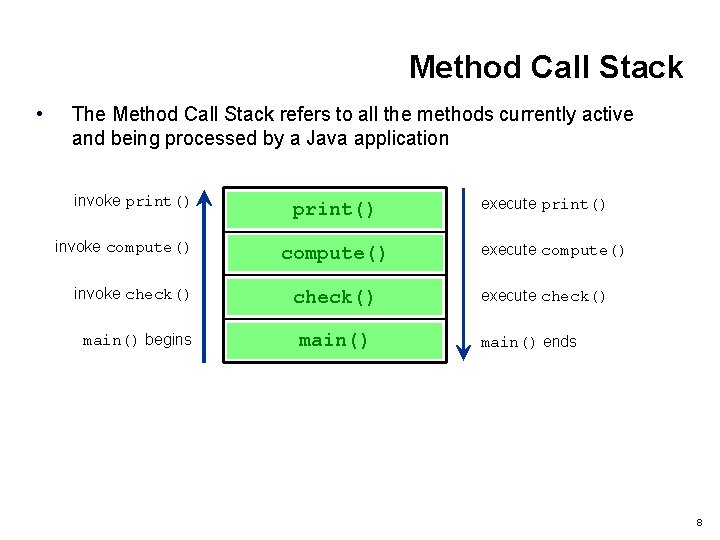
Method Call Stack • The Method Call Stack refers to all the methods currently active and being processed by a Java application invoke print() invoke compute() print() compute() invoke check() main() begins main() execute print() execute compute() execute check() main() ends 8
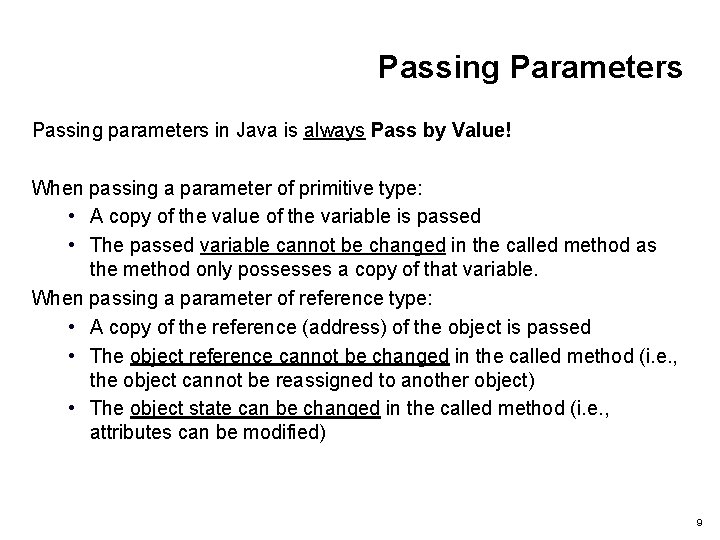
Passing Parameters Passing parameters in Java is always Pass by Value! When passing a parameter of primitive type: • A copy of the value of the variable is passed • The passed variable cannot be changed in the called method as the method only possesses a copy of that variable. When passing a parameter of reference type: • A copy of the reference (address) of the object is passed • The object reference cannot be changed in the called method (i. e. , the object cannot be reassigned to another object) • The object state can be changed in the called method (i. e. , attributes can be modified) 9
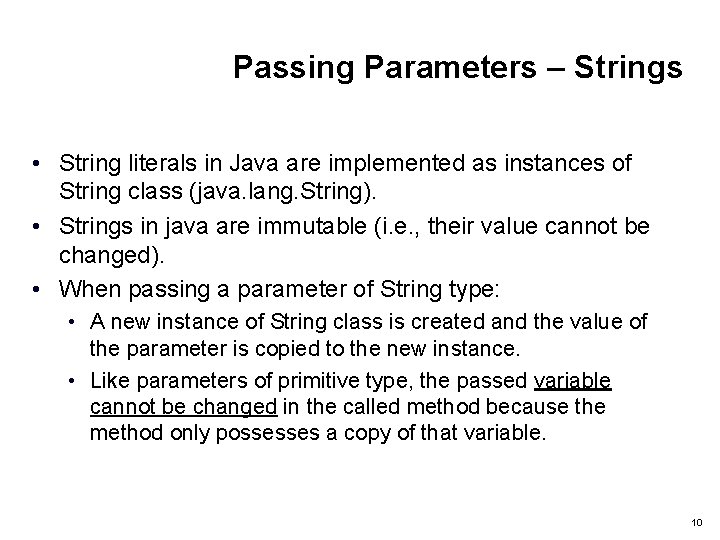
Passing Parameters – Strings • String literals in Java are implemented as instances of String class (java. lang. String). • Strings in java are immutable (i. e. , their value cannot be changed). • When passing a parameter of String type: • A new instance of String class is created and the value of the parameter is copied to the new instance. • Like parameters of primitive type, the passed variable cannot be changed in the called method because the method only possesses a copy of that variable. 10
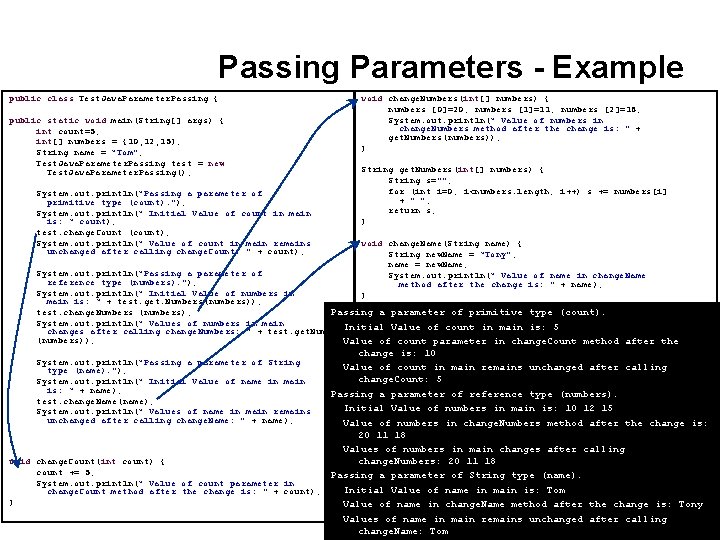
Passing Parameters - Example public class Test. Java. Parameter. Passing { public static void main(String[] args) { int count=5; int[] numbers = {10, 12, 15}; String name = “Tom"; Test. Java. Parameter. Passing test = new Test. Java. Parameter. Passing(); System. out. println(“Passing a parameter of primitive type (count). "); System. out. println(“ Initial Value of count in main is: “ count); test. change. Count (count); System. out. println(“ Value of count in main remains unchanged after calling change. Count: " + count); void change. Numbers(int[] numbers) { numbers [0]=20; numbers [1]=11; numbers [2]=18; System. out. println(“ Value of numbers in change. Numbers method after the change is: " + get. Numbers(numbers)); } String get. Numbers(int[] numbers) { String s=""; for (int i=0; i<numbers. length; i++) s += numbers[i] + " "; return s; } void change. Name(String name) { String new. Name = “Tony"; name = new. Name; System. out. println(“ Value of name in change. Name method after the change is: " + name); } } System. out. println(“Passing a parameter of reference type (numbers). "); System. out. println(“ Initial Value of numbers in main is: “ + test. get. Numbers(numbers)); test. change. Numbers (numbers); Passing a parameter of primitive type (count). System. out. println(“ Values of numbers in main Initial Value of count in main is: 5 changes after calling change. Numbers: " + test. get. Numbers (numbers)); Value of count parameter in change. Count method after the change is: 10 Value of count in main remains unchanged after calling change. Count: 5 Passing a parameter of reference type (numbers). Initial Value of numbers in main is: 10 12 15 Value of numbers in change. Numbers method after the change is: 20 11 18 } Values of numbers in main changes after calling void change. Count(int count) { change. Numbers: 20 11 18 count += 5; Passing a parameter of String type (name). System. out. println(“ Value of count parameter in Initial Value of name in main is: Tom change. Count method after the change is: " + count); } Value of name in change. Name method after the change is: Tony Values of name in main remains unchanged after calling 11 change. Name: Tom System. out. println(“Passing a parameter of String type (name). "); System. out. println(“ Initial Value of name in main is: “ + name); test. change. Name(name); System. out. println(“ Values of name in main remains unchanged after calling change. Name: " + name);
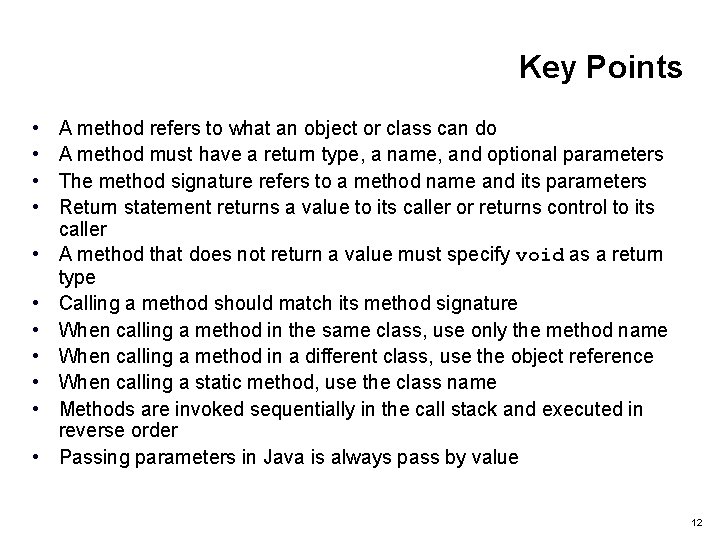
Key Points • • • A method refers to what an object or class can do A method must have a return type, a name, and optional parameters The method signature refers to a method name and its parameters Return statement returns a value to its caller or returns control to its caller A method that does not return a value must specify void as a return type Calling a method should match its method signature When calling a method in the same class, use only the method name When calling a method in a different class, use the object reference When calling a static method, use the class name Methods are invoked sequentially in the call stack and executed in reverse order Passing parameters in Java is always pass by value 12