
04 Information Processing Datatypes Variables Operators Functions Mark
04 – Information Processing: Data-types, Variables, Operators & Functions Mark Dixon, So. CCE SOFT 131 Page 1
Session Aims & Objectives • Aims – Introduce you to data storage concepts, i. e. data types and variables – Introduce you to processing concepts, i. e. operators and functions • Objectives, by end of this week’s sessions, you should be able to: – declare a variable, selecting appropriate data type – assign a value to a variable, • using combination of literal values, operators, functions, and identifiers Mark Dixon, So. CCE SOFT 131 Page 2
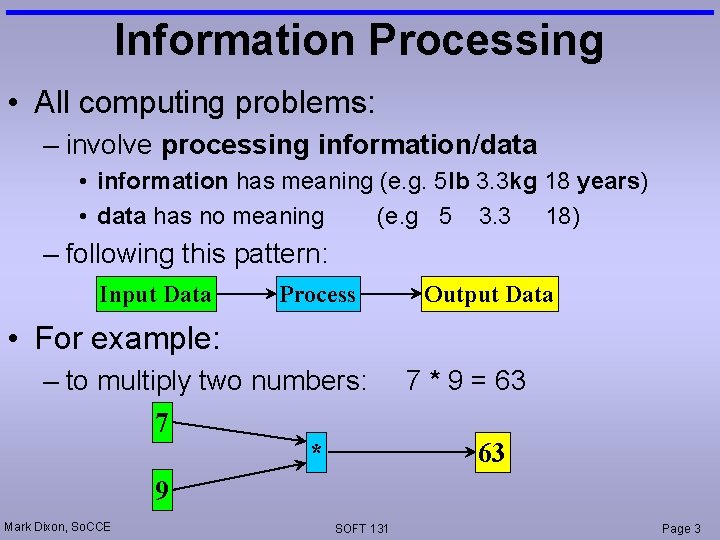
Information Processing • All computing problems: – involve processing information/data • information has meaning (e. g. 5 lb 3. 3 kg 18 years) • data has no meaning (e. g 5 3. 3 18) – following this pattern: Input Data Process Output Data • For example: – to multiply two numbers: 7 * 9 Mark Dixon, So. CCE SOFT 131 7 * 9 = 63 63 Page 3
Information Processing (cont. ) • Hence, to solve any computing problem ask: – what information goes in – what processing is done to it – what information comes out Mark Dixon, So. CCE SOFT 131 Page 4
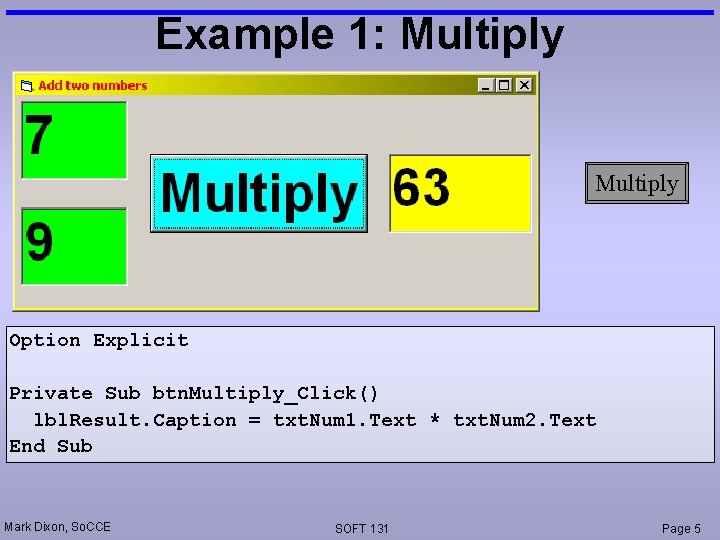
Example 1: Multiply Option Explicit Private Sub btn. Multiply_Click() lbl. Result. Caption = txt. Num 1. Text * txt. Num 2. Text End Sub Mark Dixon, So. CCE SOFT 131 Page 5
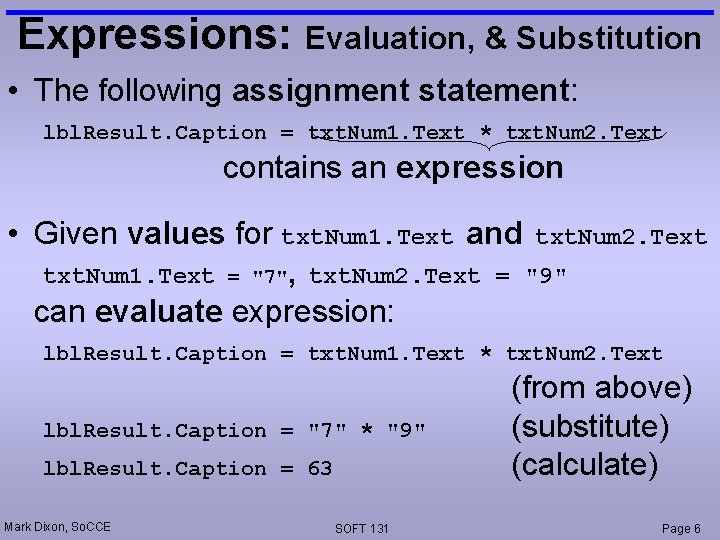
Expressions: Evaluation, & Substitution • The following assignment statement: lbl. Result. Caption = txt. Num 1. Text * txt. Num 2. Text contains an expression • Given values for txt. Num 1. Text and txt. Num 2. Text txt. Num 1. Text = "7", txt. Num 2. Text = "9" can evaluate expression: lbl. Result. Caption = txt. Num 1. Text * txt. Num 2. Text lbl. Result. Caption = "7" * "9" lbl. Result. Caption = 63 Mark Dixon, So. CCE SOFT 131 (from above) (substitute) (calculate) Page 6
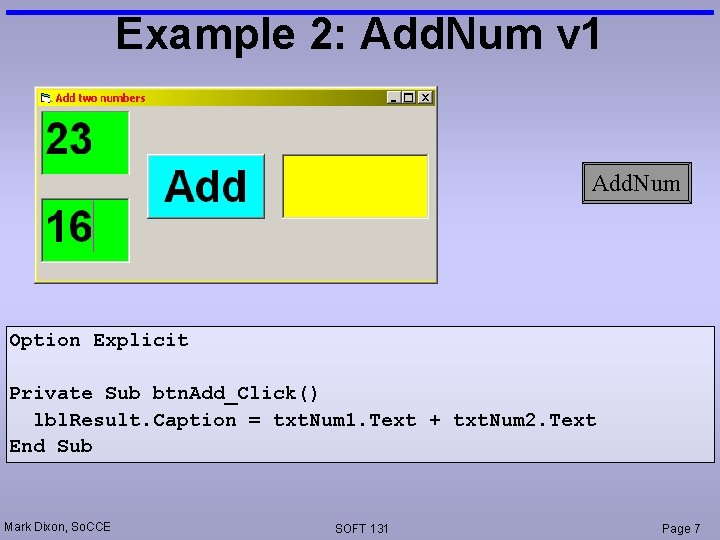
Example 2: Add. Num v 1 Add. Num Option Explicit Private Sub btn. Add_Click() lbl. Result. Caption = txt. Num 1. Text + txt. Num 2. Text End Sub Mark Dixon, So. CCE SOFT 131 Page 7
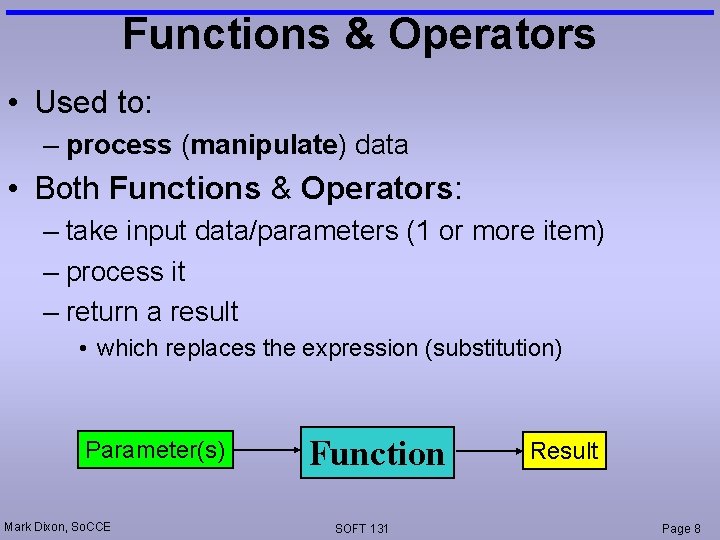
Functions & Operators • Used to: – process (manipulate) data • Both Functions & Operators: – take input data/parameters (1 or more item) – process it – return a result • which replaces the expression (substitution) Parameter(s) Mark Dixon, So. CCE Function SOFT 131 Result Page 8
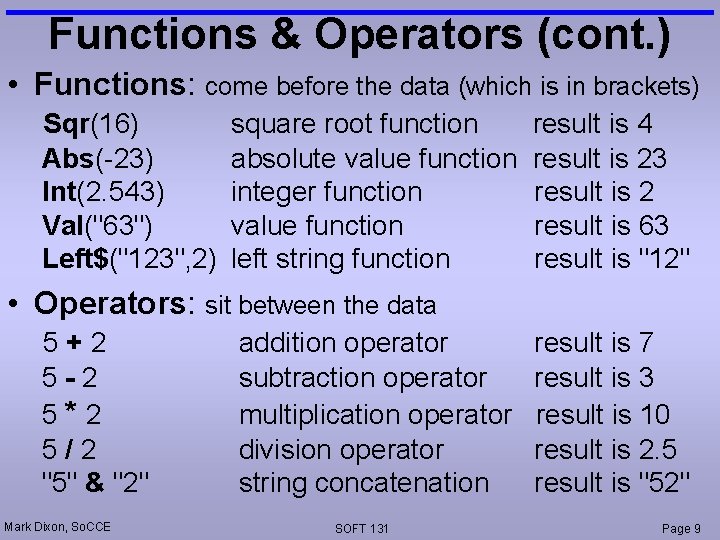
Functions & Operators (cont. ) • Functions: come before the data (which is in brackets) Sqr(16) Abs(-23) Int(2. 543) Val("63") Left$("123", 2) square root function absolute value function integer function value function left string function result is 4 result is 23 result is 2 result is 63 result is "12" • Operators: sit between the data 5+2 5 -2 5*2 5/2 "5" & "2" Mark Dixon, So. CCE addition operator subtraction operator multiplication operator division operator string concatenation SOFT 131 result is 7 result is 3 result is 10 result is 2. 5 result is "52" Page 9
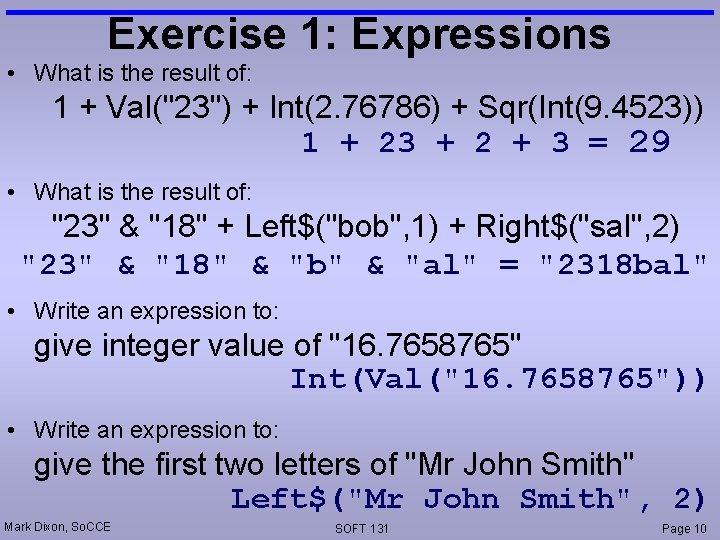
Exercise 1: Expressions • What is the result of: 1 + Val("23") + Int(2. 76786) + Sqr(Int(9. 4523)) 1 + 23 + 2 + 3 = 29 • What is the result of: "23" & "18" + Left$("bob", 1) + Right$("sal", 2) "23" & "18" & "b" & "al" = "2318 bal" • Write an expression to: give integer value of "16. 7658765" Int(Val("16. 7658765")) • Write an expression to: give the first two letters of "Mr John Smith" Left$("Mr John Smith", 2) Mark Dixon, So. CCE SOFT 131 Page 10
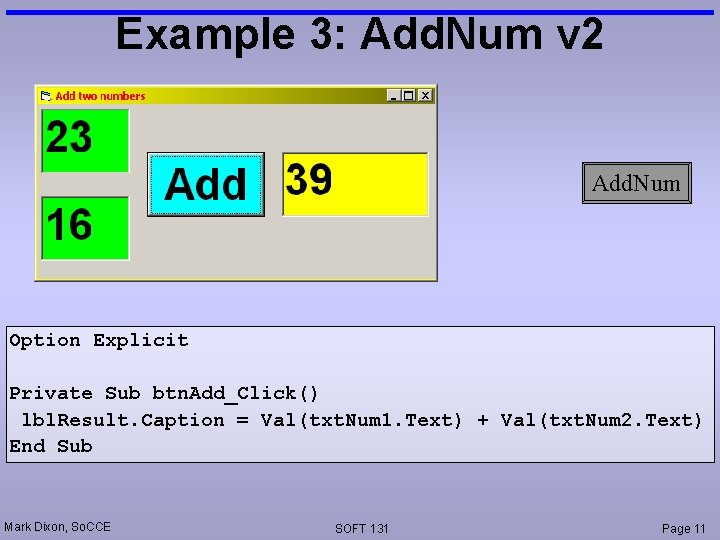
Example 3: Add. Num v 2 Add. Num Option Explicit Private Sub btn. Add_Click() lbl. Result. Caption = Val(txt. Num 1. Text) + Val(txt. Num 2. Text) End Sub Mark Dixon, So. CCE SOFT 131 Page 11
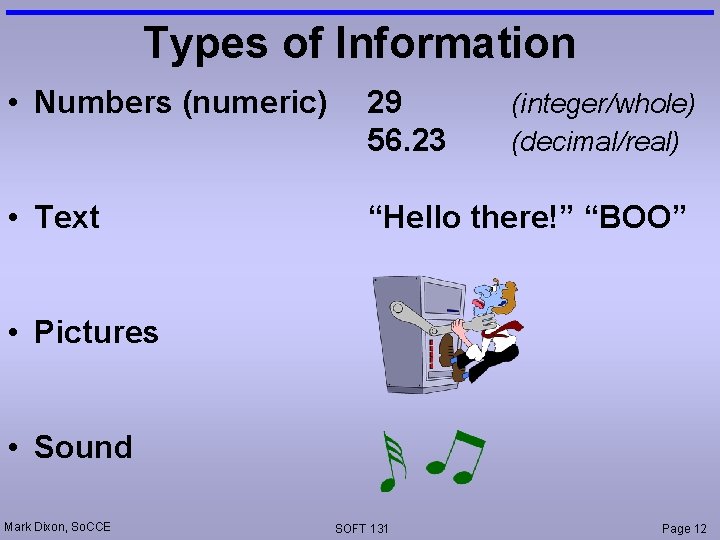
Types of Information • Numbers (numeric) 29 56. 23 • Text “Hello there!” “BOO” (integer/whole) (decimal/real) • Pictures • Sound Mark Dixon, So. CCE SOFT 131 Page 12
Data Types • Integer – whole numbers • Long – whole numbers (large) • Single – decimal numbers • Double – decimal numbers (more precise) • Currency – money • String – text Mark Dixon, So. CCE SOFT 131 Page 13
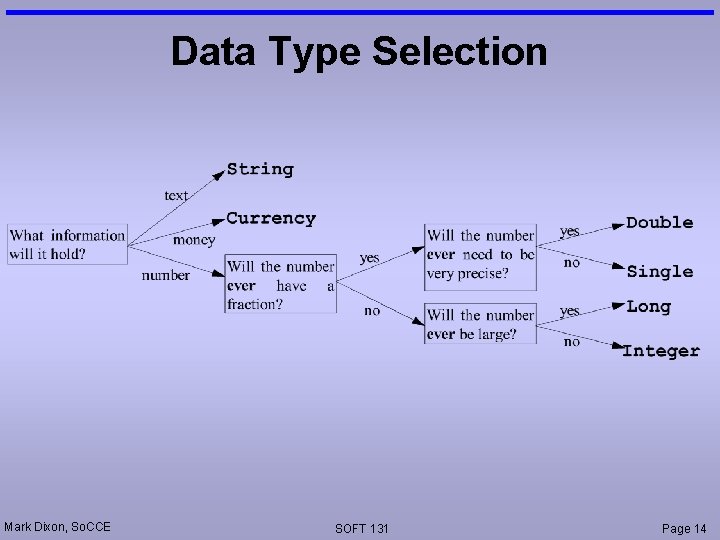
Data Type Selection Mark Dixon, So. CCE SOFT 131 Page 14
Data Storage • Data can be stored in – Controls • visible to user (although can use visible property to hide) • take lots of memory • slow to access – Variables • Not visible to user • take up very little memory • fast to access Mark Dixon, So. CCE SOFT 131 Page 15
Variables (why? ) • Variables useful for: – reducing memory use – speed up execution – storing information you don't want user to see – storing intermediate results of calculations temporarily (makes code easier to understand) Mark Dixon, So. CCE SOFT 131 Page 16
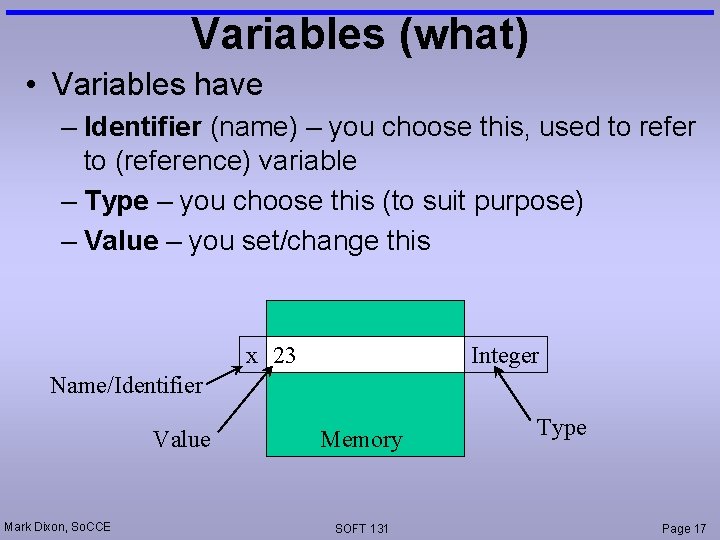
Variables (what) • Variables have – Identifier (name) – you choose this, used to refer to (reference) variable – Type – you choose this (to suit purpose) – Value – you set/change this x 23 Integer Name/Identifier Value Mark Dixon, So. CCE Memory SOFT 131 Type Page 17
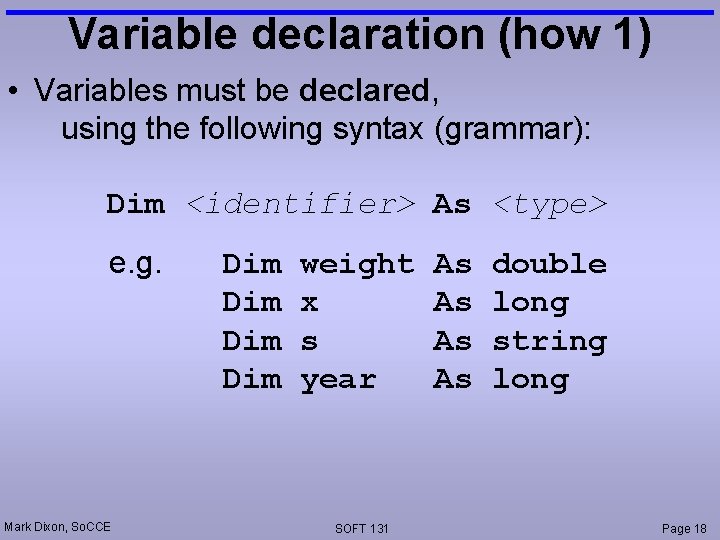
Variable declaration (how 1) • Variables must be declared, using the following syntax (grammar): Dim <identifier> As <type> e. g. Mark Dixon, So. CCE Dim Dim weight x s year SOFT 131 As As double long string long Page 18
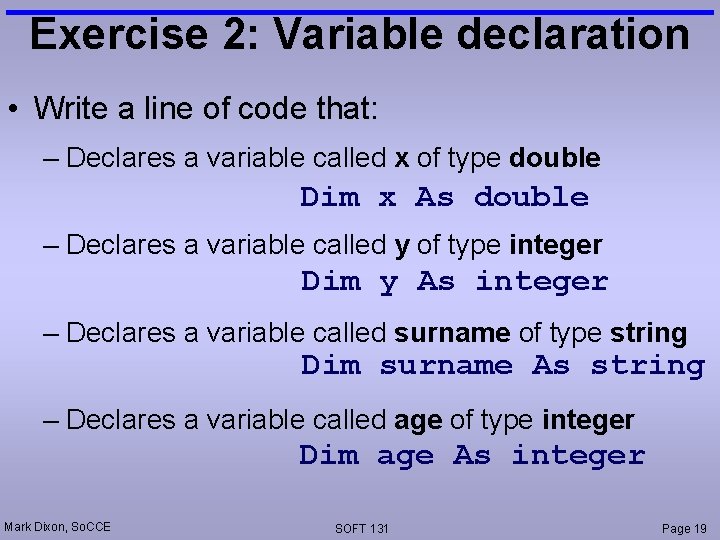
Exercise 2: Variable declaration • Write a line of code that: – Declares a variable called x of type double Dim x As double – Declares a variable called y of type integer Dim y As integer – Declares a variable called surname of type string Dim surname As string – Declares a variable called age of type integer Dim age As integer Mark Dixon, So. CCE SOFT 131 Page 19
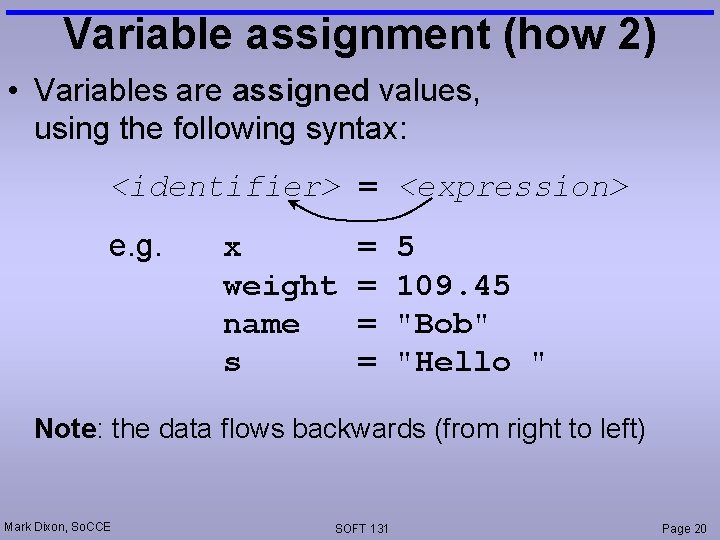
Variable assignment (how 2) • Variables are assigned values, using the following syntax: <identifier> = <expression> e. g. x weight name s = = 5 109. 45 "Bob" "Hello " Note: the data flows backwards (from right to left) Mark Dixon, So. CCE SOFT 131 Page 20
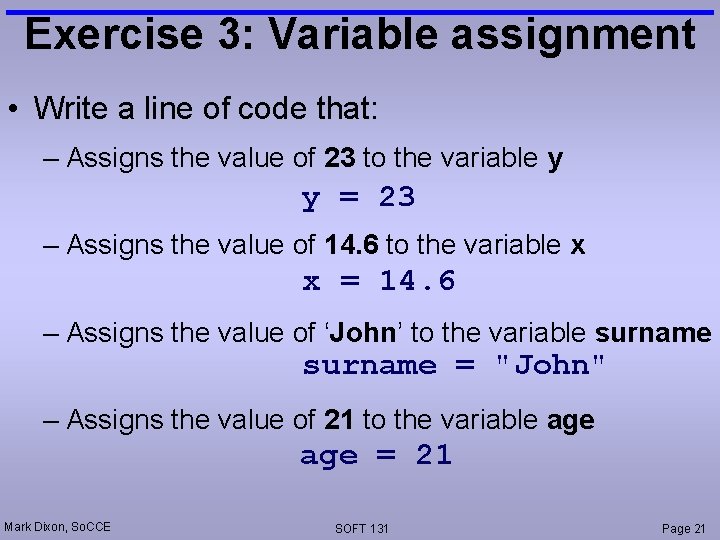
Exercise 3: Variable assignment • Write a line of code that: – Assigns the value of 23 to the variable y y = 23 – Assigns the value of 14. 6 to the variable x x = 14. 6 – Assigns the value of ‘John’ to the variable surname = "John" – Assigns the value of 21 to the variable age = 21 Mark Dixon, So. CCE SOFT 131 Page 21
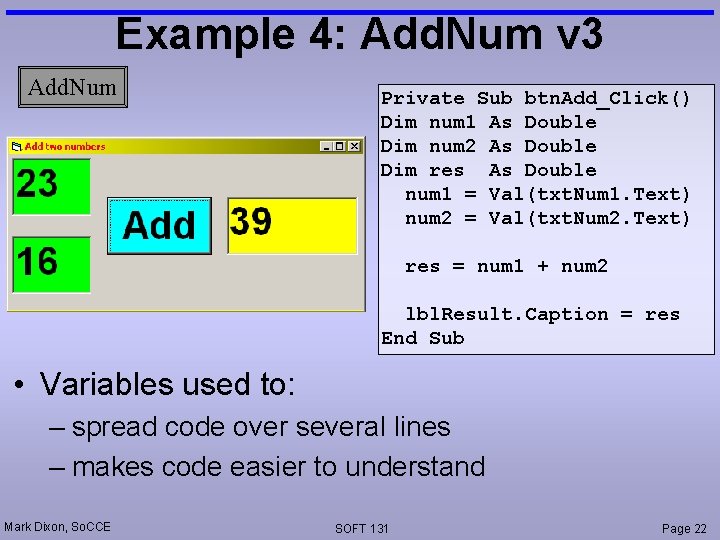
Example 4: Add. Num v 3 Add. Num Private Sub btn. Add_Click() Dim num 1 As Double Dim num 2 As Double Dim res As Double num 1 = Val(txt. Num 1. Text) num 2 = Val(txt. Num 2. Text) res = num 1 + num 2 lbl. Result. Caption = res End Sub • Variables used to: – spread code over several lines – makes code easier to understand Mark Dixon, So. CCE SOFT 131 Page 22
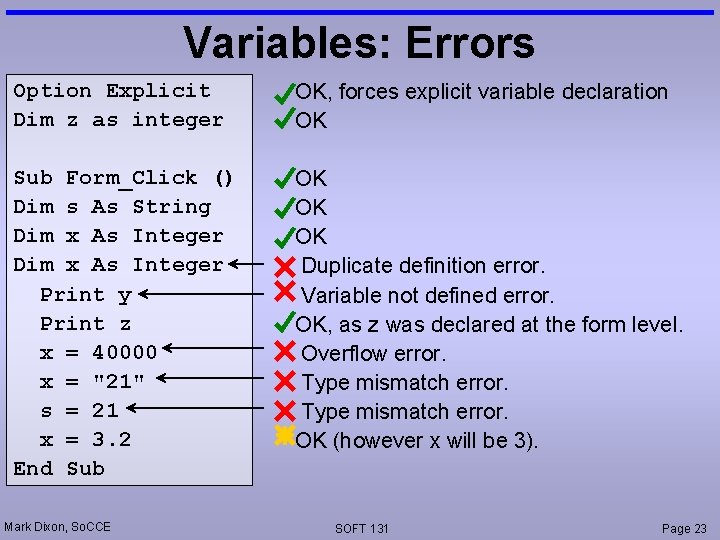
Variables: Errors Option Explicit Dim z as integer OK, forces explicit variable declaration OK Sub Form_Click () Dim s As String Dim x As Integer Print y Print z x = 40000 x = "21" s = 21 x = 3. 2 End Sub OK OK OK Duplicate definition error. Variable not defined error. OK, as z was declared at the form level. Overflow error. Type mismatch error. OK (however x will be 3). Mark Dixon, So. CCE SOFT 131 Page 23
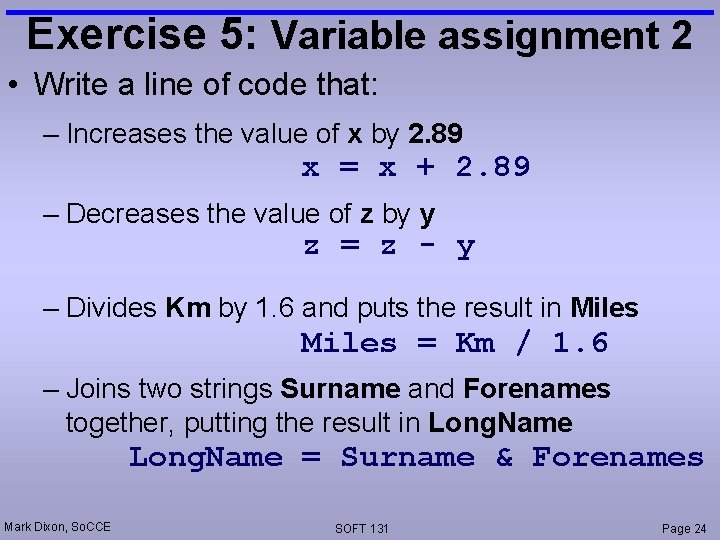
Exercise 5: Variable assignment 2 • Write a line of code that: – Increases the value of x by 2. 89 x = x + 2. 89 – Decreases the value of z by y z = z - y – Divides Km by 1. 6 and puts the result in Miles = Km / 1. 6 – Joins two strings Surname and Forenames together, putting the result in Long. Name = Surname & Forenames Mark Dixon, So. CCE SOFT 131 Page 24
- Slides: 24