
02 vi n fedora FEDORA sfedoraFEDORA I like

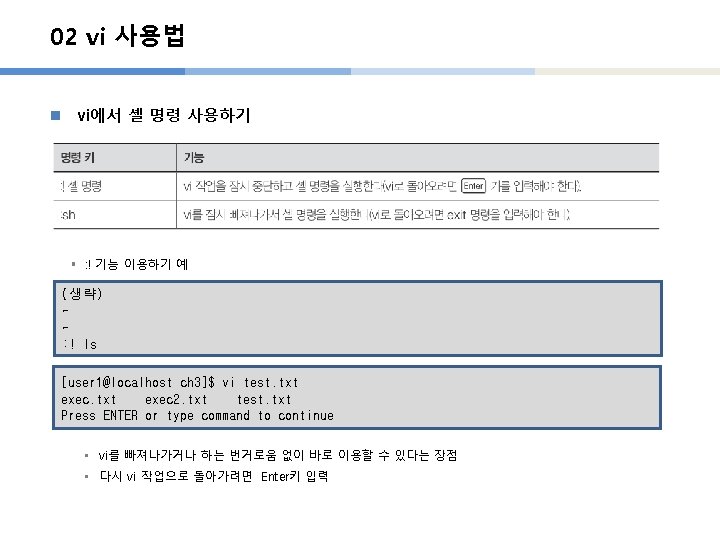
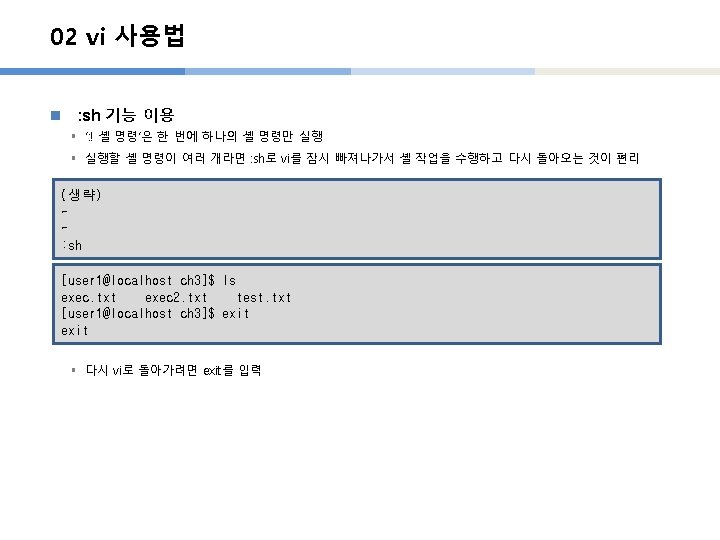
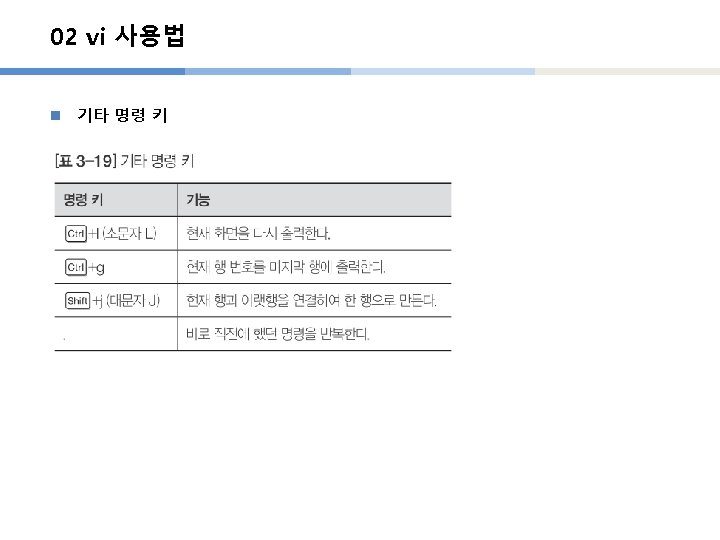
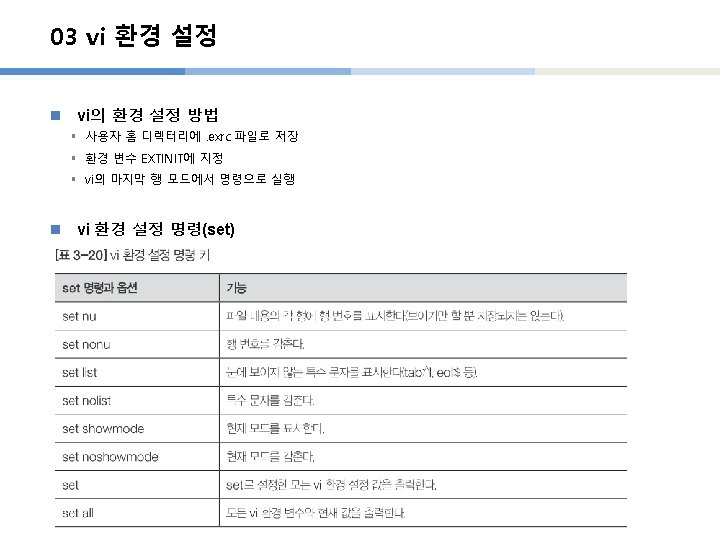
- Slides: 43
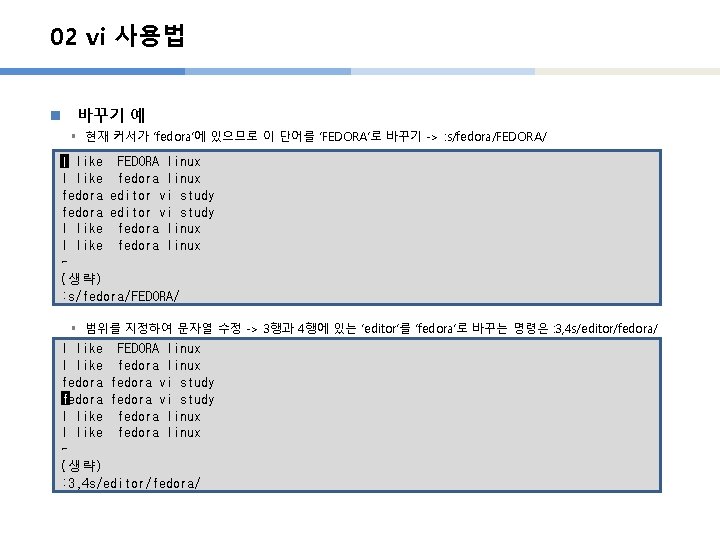
02 vi 사용법 n 바꾸기 예 § 현재 커서가 ‘fedora’에 있으므로 이 단어를 ‘FEDORA’로 바꾸기 -> : s/fedora/FEDORA/ I like FEDORA linux I like fedora linux fedora editor vi study I like fedora linux ~ (생략) : s/fedora/FEDORA/ § 범위를 지정하여 문자열 수정 -> 3행과 4행에 있는 ‘editor’를 ‘fedora’로 바꾸는 명령은 : 3, 4 s/editor/fedora/ I like FEDORA linux I like fedora linux fedora vi study f fedora vi study I like fedora linux ~ (생략) : 3, 4 s/editor/fedora/
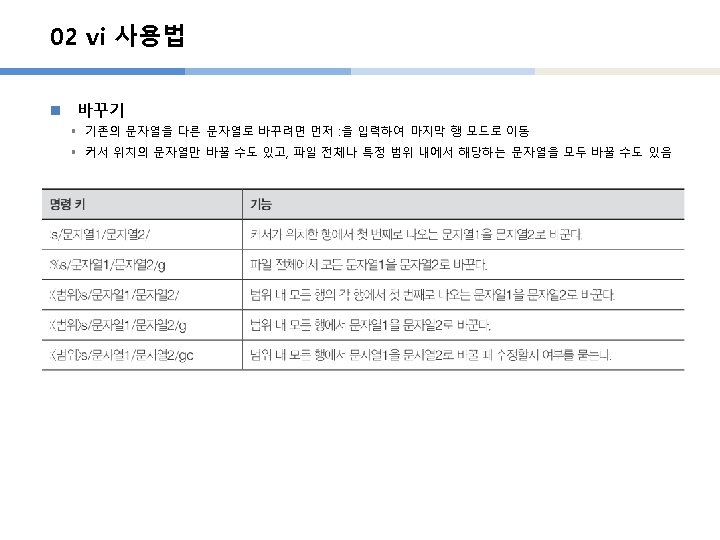
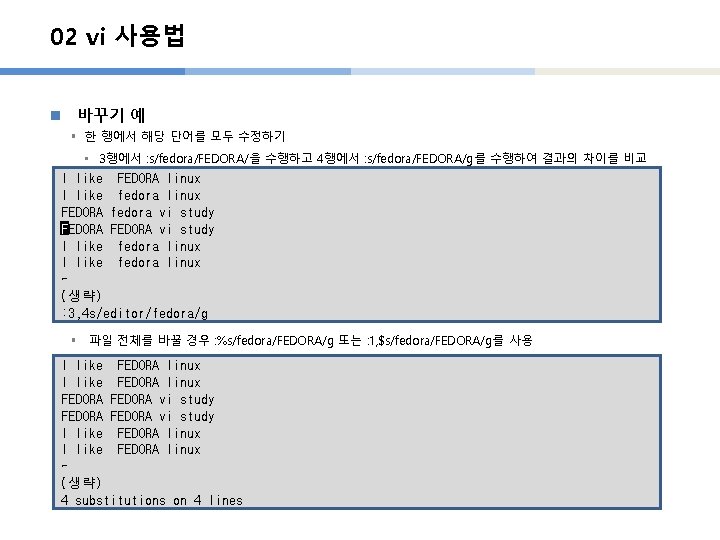
02 vi 사용법 n 바꾸기 예 § 한 행에서 해당 단어를 모두 수정하기 • 3행에서 : s/fedora/FEDORA/을 수행하고 4행에서 : s/fedora/FEDORA/g를 수행하여 결과의 차이를 비교 I like FEDORA linux I like fedora linux FEDORA fedora vi study FFEDORA vi study I like fedora linux ~ (생략) : 3, 4 s/editor/fedora/g § 파일 전체를 바꿀 경우 : %s/fedora/FEDORA/g 또는 : 1, $s/fedora/FEDORA/g를 사용 I like FEDORA linux FEDORA vi study I like FEDORA linux ~ (생략) 4 substitutions on 4 lines
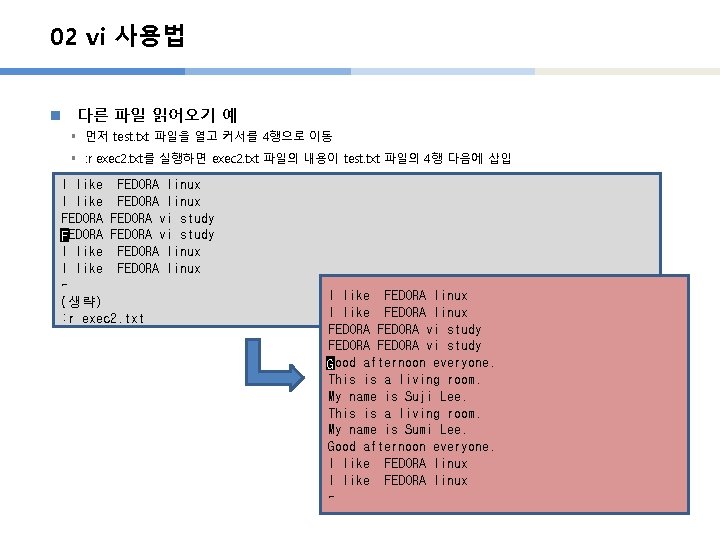
02 vi 사용법 n 다른 파일 읽어오기 예 § 먼저 test. txt 파일을 열고 커서를 4행으로 이동 § : r exec 2. txt를 실행하면 exec 2. txt 파일의 내용이 test. txt 파일의 4행 다음에 삽입 I like FEDORA linux FEDORA vi study FFEDORA vi study I like FEDORA linux ~ (생략) : r exec 2. txt I like FEDORA linux FEDORA vi study GGood afternoon everyone. This is a living room. My name is Suji Lee. This is a living room. My name is Sumi Lee. Good afternoon everyone. I like FEDORA linux ~